

Beschrijving


Advanced Access Manager – Access Governance for WordPress
Beschrijving
Advanced Access Manager (AAM) introduces Access Governance for WordPress – a systematic approach to securing your site by controlling who can access what, when, and why.
Most WordPress security plugins focus on external threats like malware, firewalls, and brute-force attacks. AAM addresses the root cause of the #1 WordPress security risk: broken access controls, excessive privileges, and misconfigured roles.
Instead of reacting to attacks, AAM helps you design security into your WordPress site.
What Access Governance means in practice
- Mitigate Broken Access Controls. Ensure roles, users, and permissions are correctly configured to prevent unauthorized actions and privilege escalation.
- Eliminate Excessive Privileges. Identify overpowered users and reduce access to critical functionality, admin areas, and APIs.
- Secure Content by Design. Control who can view, edit, publish, or delete posts, pages, media, taxonomies, and custom content types.
- Govern Access with Policy. Define access rules using JSON Access Policies — portable, auditable, and automation-friendly.
- Build Custom Security Logic. Use the AAM PHP Framework to create advanced, programmatic access controls tailored to your application.
Key Features
- Security Audit. Detect risky role assignments, misconfigurations, and compromised accounts.
- Granular Access Control. Manage permissions for any user, role, or visitor with precision.
- Role & Capability Management. Customize WordPress roles and capabilities beyond defaults.
- Admin & Menu Control. Restrict dashboard areas and tailor the admin experience per user or role.
- API & Endpoint Protection. Secure REST and XML-RPC access with fine-grained controls.
- Modern Authentication Options. Support passwordless and secure login flows.
- Developer-Ready Framework. Extend WordPress security using AAM’s powerful SDK.
- Ad-Free & Transparent. – No ads, no tracking, no bloat.
Built for Security-Conscious WordPress Users
AAM is trusted by 150,000+ websites to deliver enterprise-grade access control without unnecessary complexity. Whether you’re a site owner, agency, developer, or security professional, AAM gives you full control over WordPress access — by design.
Most core features are free. Advanced capabilities are available via premium add-ons.
No hidden tracking. No data collection. No unwanted changes.
Just security you can reason about, audit, and trust.
Schermafbeeldingen
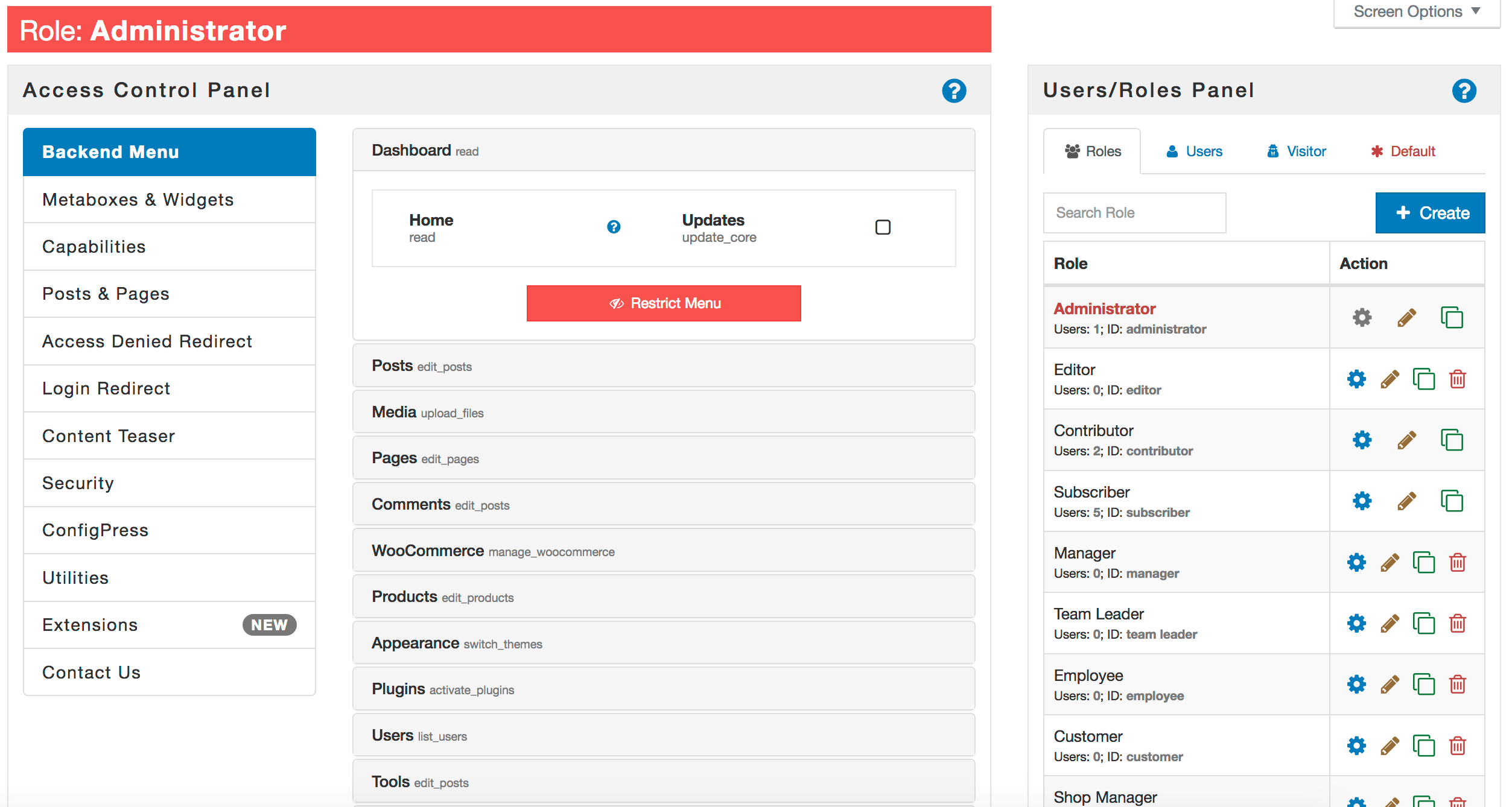
Manage access to backend menu 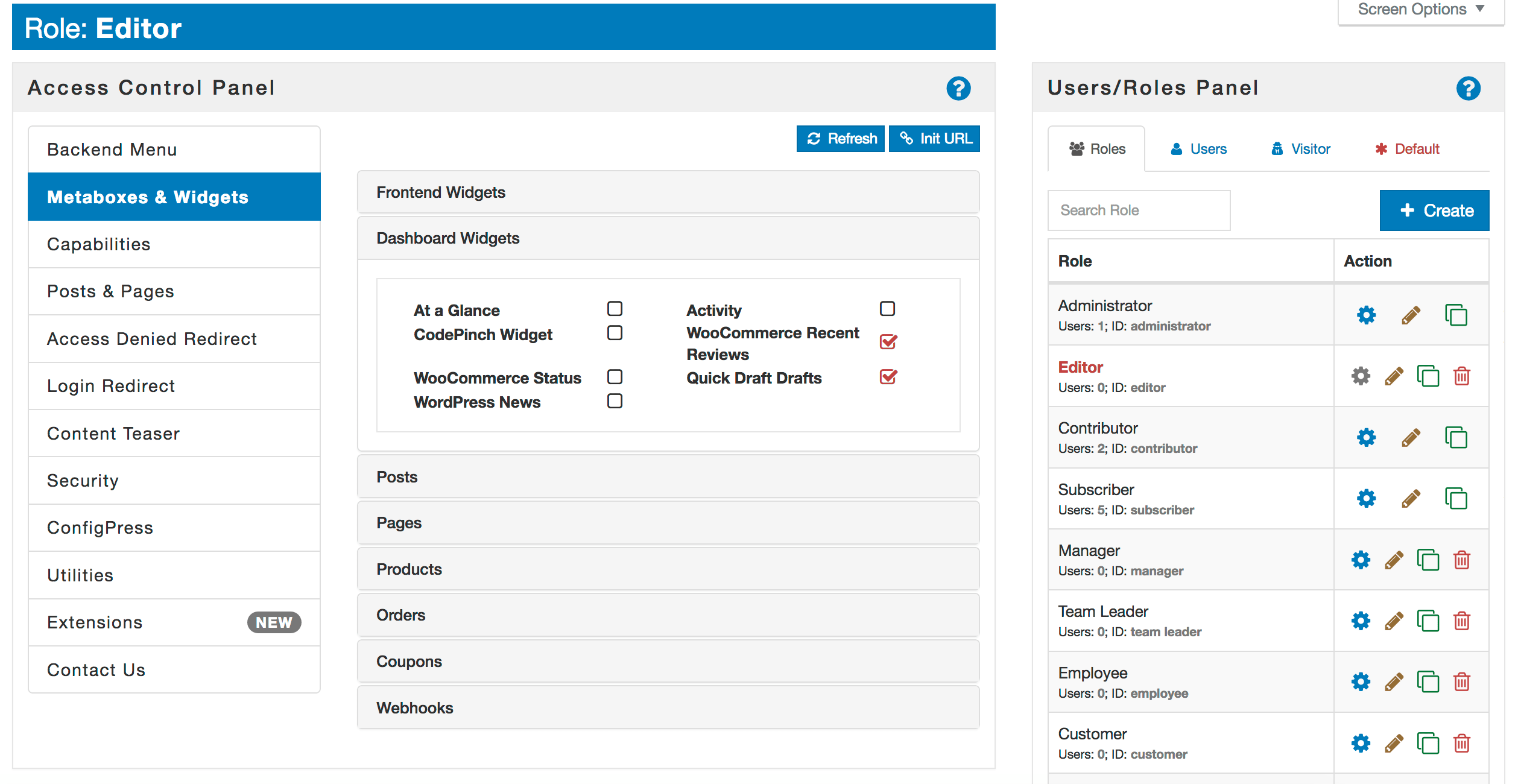
Manage access to metaboxes & widgets 
Manage capabilities for roles and users 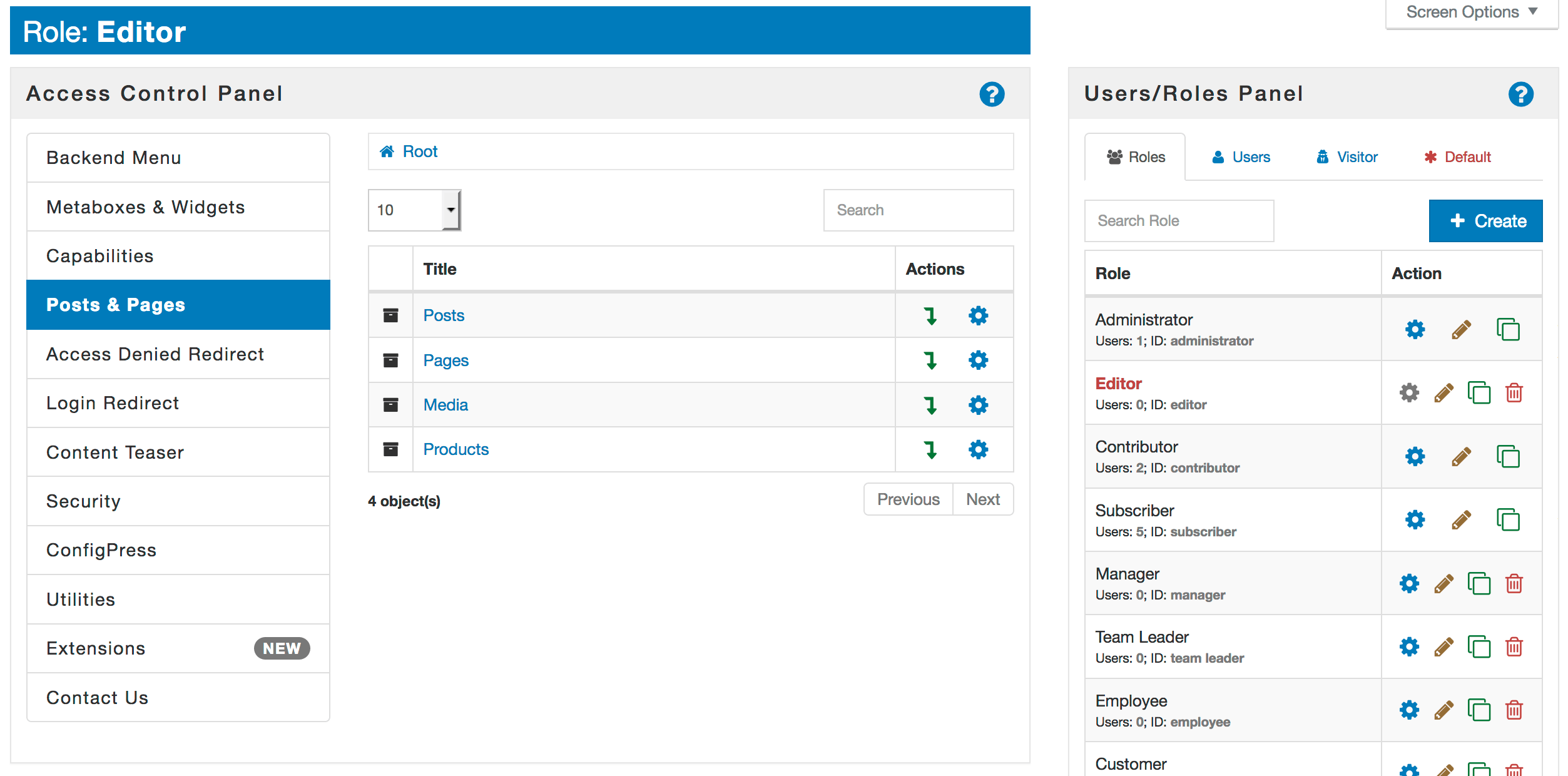
Manage access to posts, pages, media or custom post types 
Posts and pages access options form 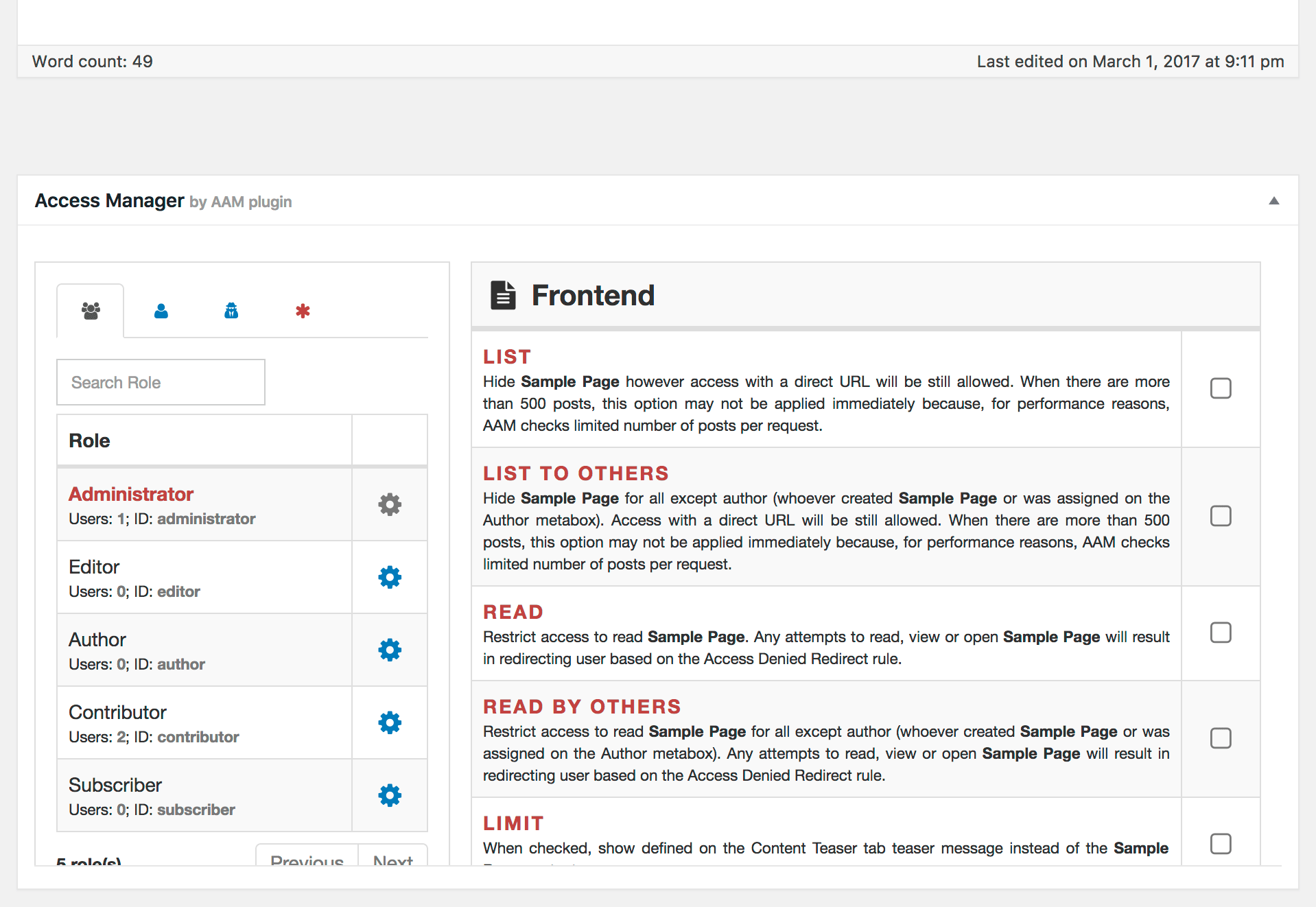
Define access to posts and categories while editing them 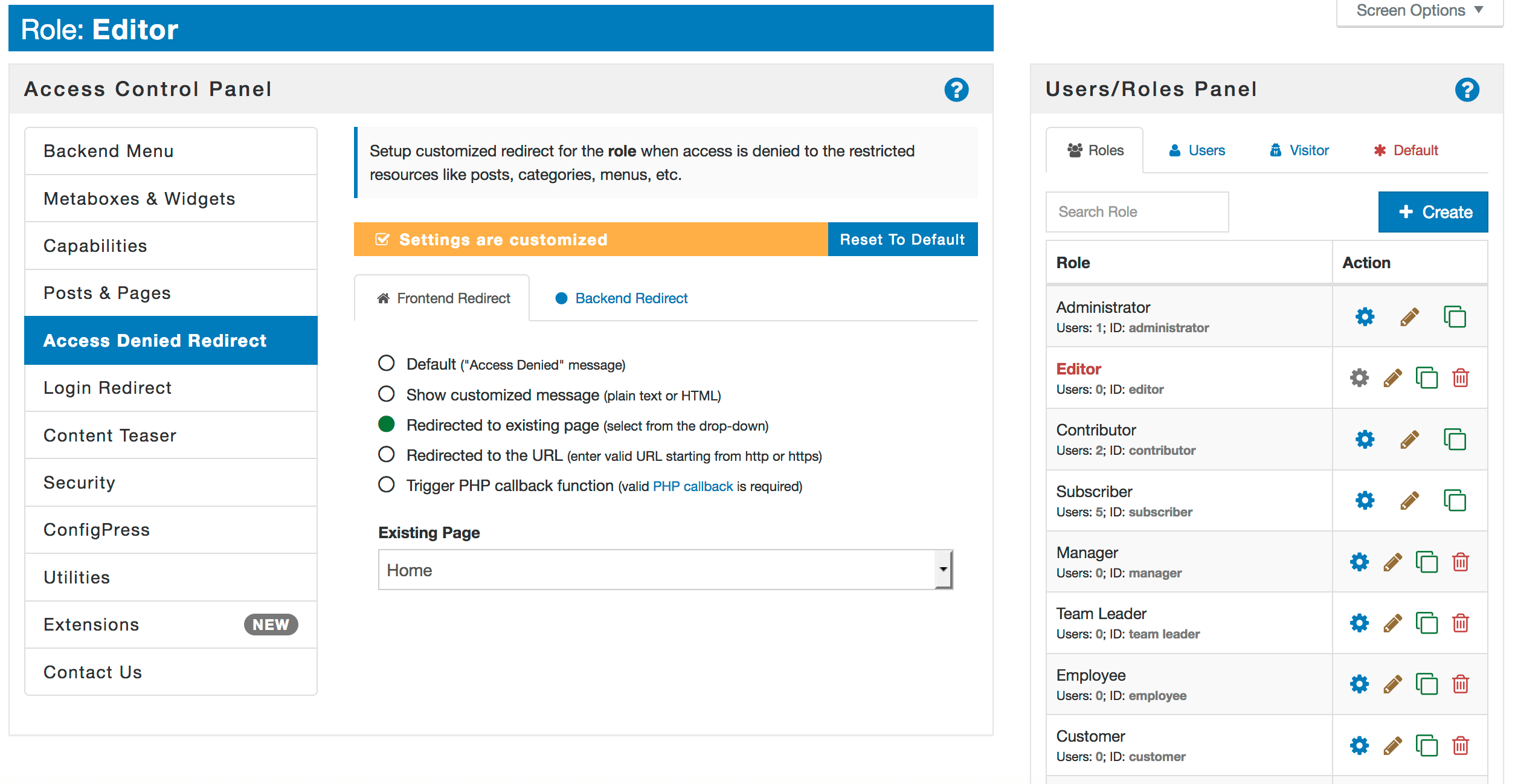
Manage access denied redirect rule 
Manage user login redirect 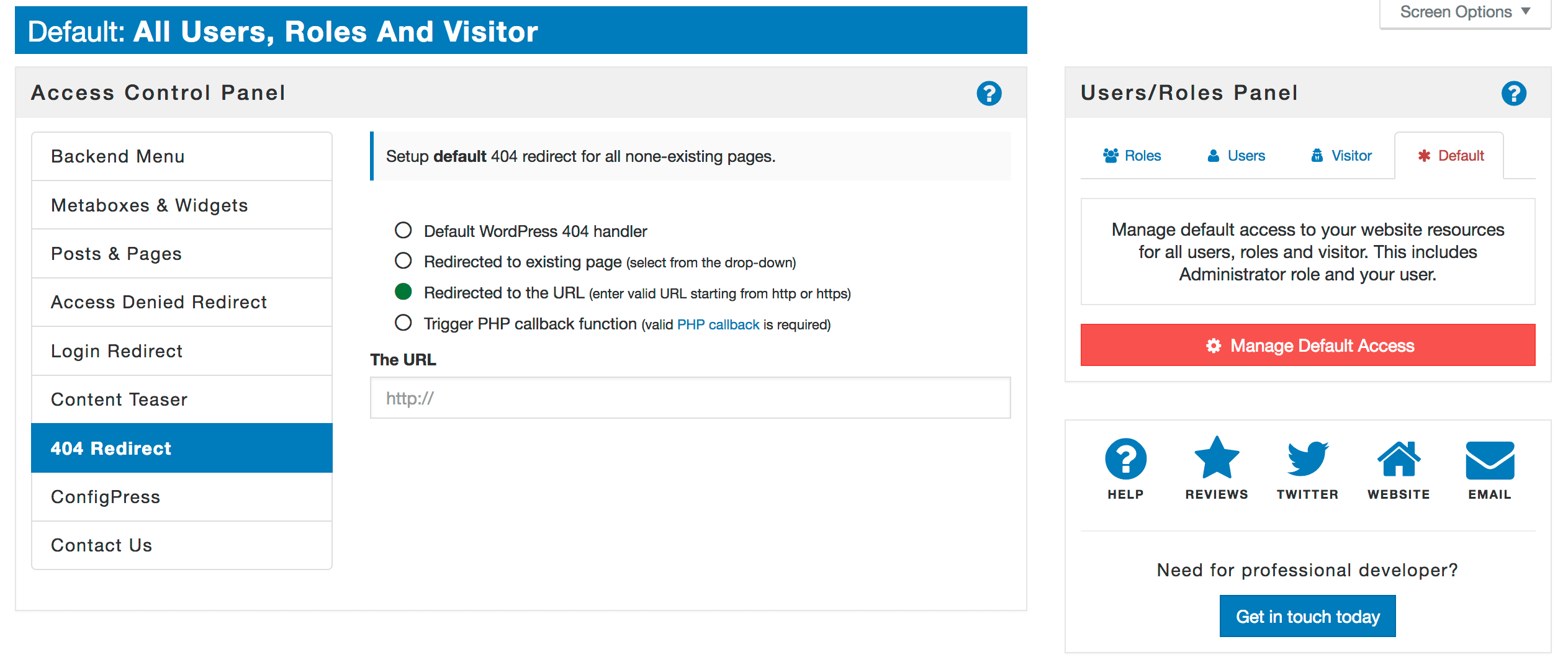
Manage 404 redirect 
Create your own content teaser for limited content 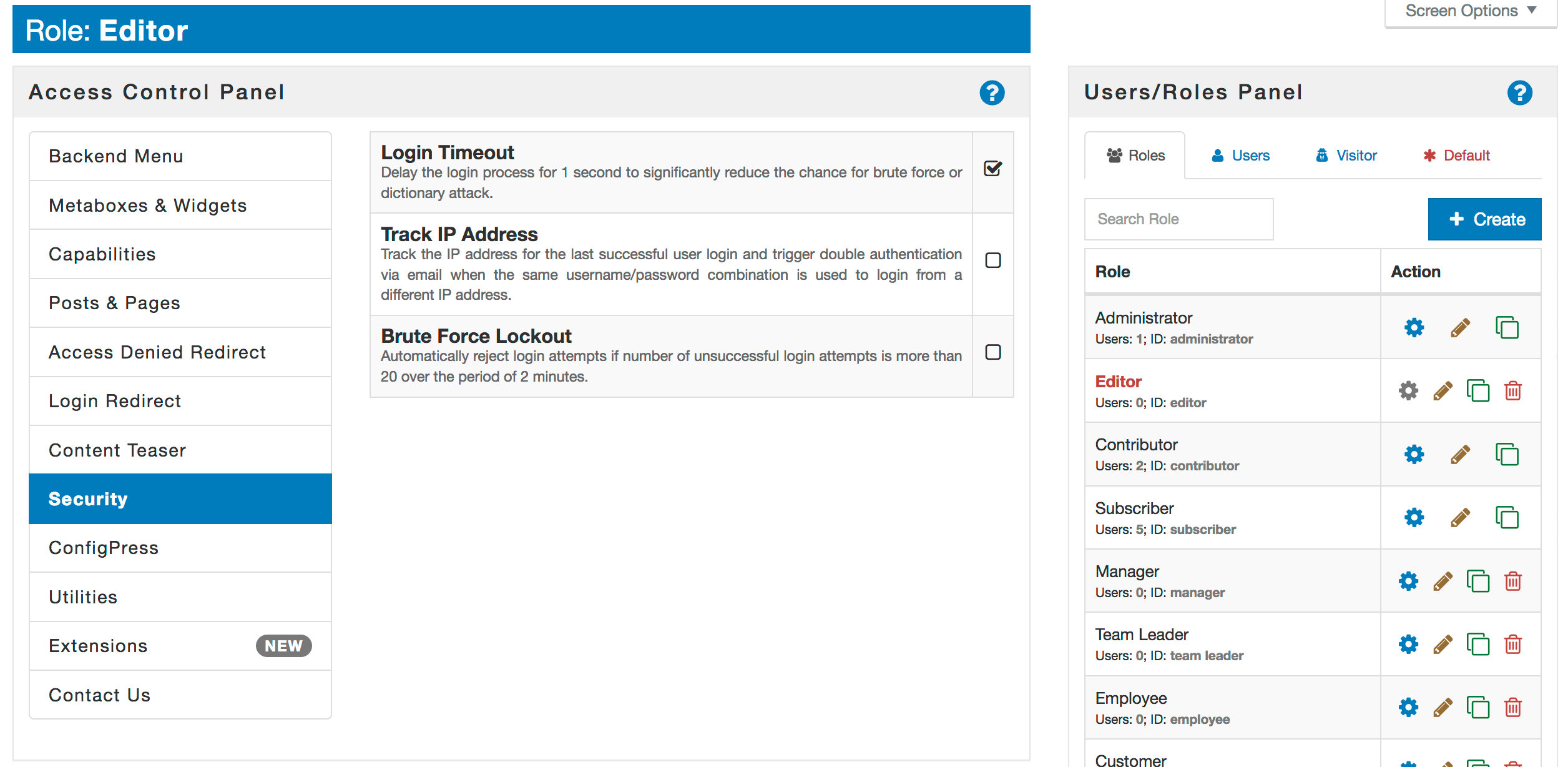
Improve your website security


Installatie
- Upload
advanced-access-managerfolder to the/wp-content/plugins/directory - Activeer de plugin via het ‘Plugins’ menu in WordPress
Beoordelingen


Bijdragers & ontwikkelaars
“Advanced Access Manager – Access Governance for WordPress” is open source software. De volgende personen hebben bijgedragen aan deze plugin.
Bijdragers
“Advanced Access Manager – Access Governance for WordPress” is vertaald in 7 localen. Dank voor de vertalers voor hun bijdragen.
Vertaal “Advanced Access Manager – Access Governance for WordPress” in je eigen taal.
Interesse in ontwikkeling?
Bekijk de code, haal de SVN repository op, of abonneer je op het ontwikkellog via RSS.
Changelog
7.0.11
- Fixed: Advanced Multi-Role setup fails to hide posts https://github.com/aamplugin/advanced-access-manager/issues/491
- Fixed: Security Audit References are incorrectly displayed after page refresh https://github.com/aamplugin/advanced-access-manager/issues/490
- Fixed: PHP warning when security audit fails due to unexpected error https://github.com/aamplugin/advanced-access-manager/issues/489
- Fixed: Can’t deselect a parent role https://github.com/aamplugin/advanced-access-manager/issues/488
7.0.10
- Fixed: Permalink has empty href when post is password protected https://github.com/aamplugin/advanced-access-manager/issues/487
- Fixed: Roles & Capabilities are not syncing in multisite https://github.com/aamplugin/advanced-access-manager/issues/485
7.0.9
- Fixed: PHP Parse error in php7.4 https://github.com/aamplugin/advanced-access-manager/issues/482
- Fixed: Uncaught OutOfRangeException: Cannot find user by identifier 0 in /../Framework/Utility/AccessLevels.php:198 https://github.com/aamplugin/advanced-access-manager/issues/481
7.0.8
- Changed: Move to PHP composer for vendor dependencies https://github.com/aamplugin/advanced-access-manager/issues/480
7.0.7
- Fixed: Uncaught Error: preg_match(): Argument #2 ($subject) must be of type string, array given in /…/Framework/Policy/Typecast.php on line 37 https://github.com/aamplugin/advanced-access-manager/issues/474
- Fixed: Uncaught Error: Call to a member function get_settings() on null in /…/application/Restful/Roles.php https://github.com/aamplugin/advanced-access-manager/issues/479
- New: New access policy marker AAM_API https://github.com/aamplugin/advanced-access-manager/issues/475
- New: Allow function expression anywhere within JSON policy xpath https://github.com/aamplugin/advanced-access-manager/issues/476
- New: Give the ability to define conditions based on user’s OS, device, browser, brand, model, etc. https://github.com/aamplugin/advanced-access-manager/issues/477
7.0.6
- Fixed: Incorrectly handling subpages with policies https://github.com/aamplugin/advanced-access-manager/issues/473
- Fixed: AAM removes slashes in JSON access policy https://github.com/aamplugin/advanced-access-manager/issues/472
- Fixed: URL Access service does not handle URLs with query params correctly https://github.com/aamplugin/advanced-access-manager/issues/470
- Fixed: The aam_backend_login widget is unavailable https://github.com/aamplugin/advanced-access-manager/issues/469
- Changes: Improve clarity around premium add-on status https://github.com/aamplugin/advanced-access-manager/issues/471
7.0.5
- Fixed: ConfigPress are not taken into consideration before init hook https://github.com/aamplugin/advanced-access-manager/issues/468
- Fixed: AAM does not display default terms pin anymore [https://github.com/aamplugin/advanced-access-manager/issues/467] (https://github.com/aamplugin/advanced-access-manager/issues/467)
- Fixed: Uncaught TypeError: array_key_exists(): Argument #2 ($array) must be of type array, null given in /../Framework/Service/Policies.php:661 https://github.com/aamplugin/advanced-access-manager/issues/466
7.0.4
- Change: Making sure that all AAM hooks are triggered only after init https://github.com/aamplugin/advanced-access-manager/issues/465
7.0.3
- Fixed: The Condition block is not handled properly when Operator is OR https://github.com/aamplugin/advanced-access-manager/issues/464
- Fixed: Can Not Edit Password Protected Block Pages https://github.com/aamplugin/advanced-access-manager/issues/463
- Fixed: Uncaught Error: Cannot use object of type WP_Post_Type as array in /../Metaboxes.php on line 383 https://github.com/aamplugin/advanced-access-manager/issues/461
- Feature Request: Re-introduce the “Unified Multisite Configuration Sync” option https://github.com/aamplugin/advanced-access-manager/issues/462
7.0.2
- Fixed: Restricted post with Teaser Message is not enforced https://github.com/aamplugin/advanced-access-manager/issues/460
- Fixed: The “Redirect to the login page” option does not persist https://github.com/aamplugin/advanced-access-manager/issues/459
- Fixed: The Reset All AAM settings button does not work https://github.com/aamplugin/advanced-access-manager/issues/457
- Fixed: Metaboxes for custom taxonomies have the same slug https://github.com/aamplugin/advanced-access-manager/issues/456
- Fixed: PHP Notice: AAM_Framework_Service_Widgets(): Invalid widget provided in /wp-includes/functions.php https://github.com/aamplugin/advanced-access-manager/issues/443
- Fixed: AAM labels quote escape https://github.com/aamplugin/advanced-access-manager/issues/455
- Fixed: List of backend menu items is empty on the Backend Menu tab https://github.com/aamplugin/advanced-access-manager/issues/454
- Fixed: Issue with clearing buffer https://github.com/aamplugin/advanced-access-manager/issues/453
- Fixed: Uncaught Error: Call to a member function list() on null in /../Framework/Manager.php:450 https://github.com/aamplugin/advanced-access-manager/issues/452
- Enhancement: Give the ability to control archive pages https://github.com/aamplugin/advanced-access-manager/issues/458
7.0.1
- Fixed: Access Denied message when aam_access_dashboard capability is created https://github.com/aamplugin/advanced-access-manager/issues/451
- Fixed: PHP Warning: array_diff(): Expected parameter 1 to be an array, string given in /…/Service/Identity.php on line 245 https://github.com/aamplugin/advanced-access-manager/issues/449
- Fixed: Framework Manager error handling https://github.com/aamplugin/advanced-access-manager/issues/448
- Fixed: Error type E_PARSE in …/Framework/Utility/Misc.php on line 292. Error message: syntax error, unexpected ‘…’ https://github.com/aamplugin/advanced-access-manager/issues/447
- Fixed: PHP Fatal error. undefined function get_user https://github.com/aamplugin/advanced-access-manager/issues/446
- Fixed: PHP Fatal error. undefined function wp_is_rest_endpoint https://github.com/aamplugin/advanced-access-manager/issues/445
- Fixed: v2 api broken https://github.com/aamplugin/advanced-access-manager/issues/444
- Changed: Default to WordPress default logout redirect https://github.com/aamplugin/advanced-access-manager/issues/450
7.0.0
- Official 7.0.0
6.9.51
- Fixed: PHP Notice: Function _load_textdomain_just_in_time https://github.com/aamplugin/advanced-access-manager/issues/442
- Fixed: The Access Manager Metabox does not initialize correctly https://github.com/aamplugin/advanced-access-manager/issues/441
- Fixed: Incorrectly invoked translation function https://github.com/aamplugin/advanced-access-manager/issues/440
- Fixed: Download audit report issue https://github.com/aamplugin/advanced-access-manager/issues/438
6.0.0
- Complete rewrite of the entire plugin. For more information, check this article
5.0
- Added ACCESS COUNTER option to Posts & Pages
- Added premium MONETIZE option to Posts & Pages
- Added ability to turn off “Secure Login” feature
- Added ability to toggle extension status (active/inactive)
- Added ability for AAM to filter out Admin Top Bar based on restricted admin menus
- Deprecated AAM Role Filter extension and merged it to the AAM core
- Deprecated AAM Payment extension and merged it with AAM E-Commerce extension
- Deprecated ConfigPress options that manage access to AAM UI. All is based on capabilities from now.
- Split UI to three areas: Access, Settings and Extensions
- Fixed over 25+ reported bugs and discovered during internal refactoring
- Removed deprecated “Security” feature. Replaced with Secure Login Widget
- Removed deprecated “Teaser” feature. Replaced with Teaser Message per post base
4.0
- Added link Access to category list
- Added shortcode [aam] to manage access to the post’s content
- Moved AAM Redirect extension to the basic AAM package
- Moved AAM Login Redirect extension to the basic AAM package
- Moved AAM Content Teaser extension to the basic AAM package
- Set single password for any post or posts in any category or post type
- Added two protection mechanism from login brute force attacks
- Added double authentication mechanism
- Few minor core bug fixings
- Improved multisite support
- Improved caching mechanism
3.0
- Brand new and much more intuitive user interface
- Fully responsive design
- Better, more reliable and faster core functionality
- Completely new extension handler
- Added “Manage Access” action to the list of user
- Tested against WP 3.8 and PHP 5.2.17 versions
2.0
- New UI
- Robust and completely new core functionality
- Over 3 dozen of bug fixed and improvement during 3 alpha & beta versions
- Improved Update mechanism
1.0
- Fixed issue with comment editing
- Implemented JavaScript error catching

