

Beschrijving

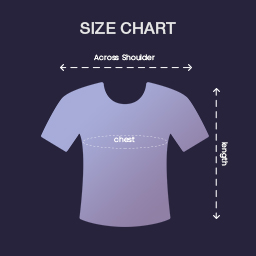
Product Size Chart
Beschrijving
Zestard Product Size Chart helps you to create custom size charts for any products and categories of woocommerce.
You can customize your product size chart table as you prefer, and you might use it even for clothes, furniture measures or any other products that comes to your mind.
Features
- Allows you to create multiple custom Product size charts.
- Allows you to assign created Product Size Chart to a multiple product as well as multiple categories.
- Your created Product Size Chart will display in a custom tab on single product page.
Display Your Size Chart
You can view the size chart table in product single page inside the product tab.
Schermafbeeldingen

Admin view of add new size chart table.

Add new rows and columns for table customization.

Select Product or Category from dropdown to assign.

Front view of product size chart inside tab section in product single page.


Installatie
Upload the
zestard-product-size-chartfolder to the/wp-content/plugins/directory.Activate the plugin through the ‘Plugins’ menu in WordPress.
Go to “Woocommerce” menu in wordpress
Click on ‘Zestard Size Charts’.
Add new Size Chart title and create size chart table.
Select product or category for assign to display on single product page.
Click on “Save Changes” button.
FAQ
Is Product Size Chart free?
Yes! Zestard Product’s Size Chart core features are always free.
Beoordelingen

Bijdragers & ontwikkelaars
“Product Size Chart” is open source software. De volgende personen hebben bijgedragen aan deze plugin.
Bijdragers
Vertaal “Product Size Chart” in je eigen taal.
Interesse in ontwikkeling?
Bekijk de code, haal de SVN repository op, of abonneer je op het ontwikkellog via RSS.
Changelog
1.0.6
- Compatible with WordPress 6.8
1.0.5
- Compatible with WordPress 6.6
1.0.4
- Compatible with WordPress 6.3.0
1.0.3
- Compatible with WordPress 6.1.1
1.0.2
- Bug fixed.
- The data is displayed in the appropriate cell.
1.0.1
- A small change related to Author and Developer name.
1.0.0
- A change since the previous version.

