

Beschrijving

WYSIWYG Character Limit for ACF
Beschrijving
WYSIWYG Character Limit for ACF is a powerful, feature-rich WordPress plugin that enables you to set maximum character limits for Advanced Custom Fields (ACF) WYSIWYG editor fields. Perfect for maintaining content quality, SEO optimization, and editorial consistency across your WordPress site.
✨ Key Features
Character Limiting & Counting:
- Global Character Limit – Set a site-wide default limit for all WYSIWYG fields
- Per-Field Limits – Override global settings with custom limits for individual fields
- Real-Time Counter – Live character count updates as you type
- Smart HTML Exclusion – Counts only visible text, ignoring all HTML tags and formatting
- Space Counting Options – Choose whether to include or exclude spaces from the count
Visual Feedback & Validation:
- Color-Coded Counter – Visual indicators showing normal, warning, and error states
- Customizable Colors – Set your own colors for counter, warning, and error states
- Warning Messages – Configurable messages when approaching the limit
- Error Messages – Custom error messages when limit is exceeded
- Counter Position – Place counter above or below the editor
- Server-Side Validation – Prevents saving content that exceeds limits
Editor Compatibility:
- TinyMCE Support – Works seamlessly in Visual editor mode
- Text Mode Support – Full functionality in HTML/Text editor mode
- Mode Switching – Maintains accurate count when switching between Visual and Text modes
- ACF Extended Compatible – Full support for ACF Extended features
Advanced Field Support:
- Flexible Content – Works inside Flexible Content layouts
- Repeater Fields – Full support for Repeater fields
- Group Fields – Compatible with ACF Group fields
- Clone Fields – Works with ACF Clone fields
- Dynamic Fields – Handles dynamically loaded fields
Performance & Optimization:
- Lightweight Code – Minimal impact on page load times
- Efficient Counting – Optimized algorithm for large content
- Smart Initialization – Multiple triggers ensure counters work with dynamic content
- No jQuery Conflicts – Clean, conflict-free JavaScript
User Experience:
- Intuitive Settings Page – Clean, modern admin interface with full customization
- Accessibility Friendly – WCAG compliant with keyboard navigation
- Multisite Ready – Works perfectly on WordPress multisite networks
- Multilingual Compatible – Works with WPML, Polylang, and other translation plugins
- Developer Friendly – Well-documented, clean code with hooks and filters
How it works:
- The plugin automatically adds a character counter below every ACF WYSIWYG field.
- The counter updates live as you type, whether you are in Visual or Text mode.
- HTML tags are ignored in the count, so only the text that will be visible on the front-end is counted.
- If you exceed the limit, the counter turns red and saving is prevented until you reduce the character count.
- Works with dynamic fields, repeaters, flexible content, and ACF Extended.
Why use this plugin?
- Maintain content standards for SEO, news, or editorial sites
- Prevent editors from exceeding allowed content length
- Ensure uniformity in banners, meta descriptions, and structured content
- Save time on manual content checks
- Improve user experience for your content team
License
This plugin is released under the GPL v2 or later. You are free to modify and distribute it.
Schermafbeeldingen
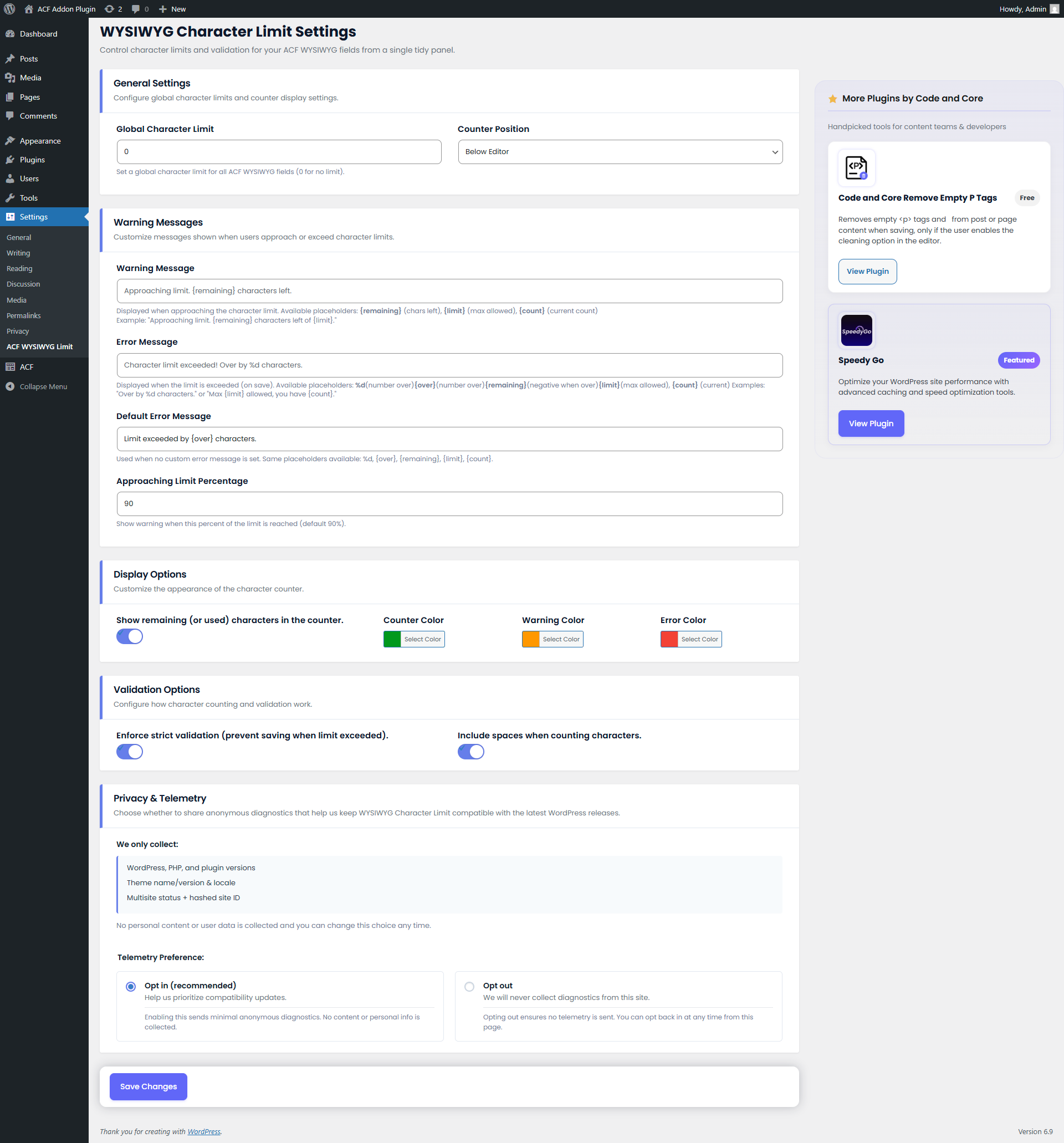
Global Settings Panel – Configure global character limits and counter display options. 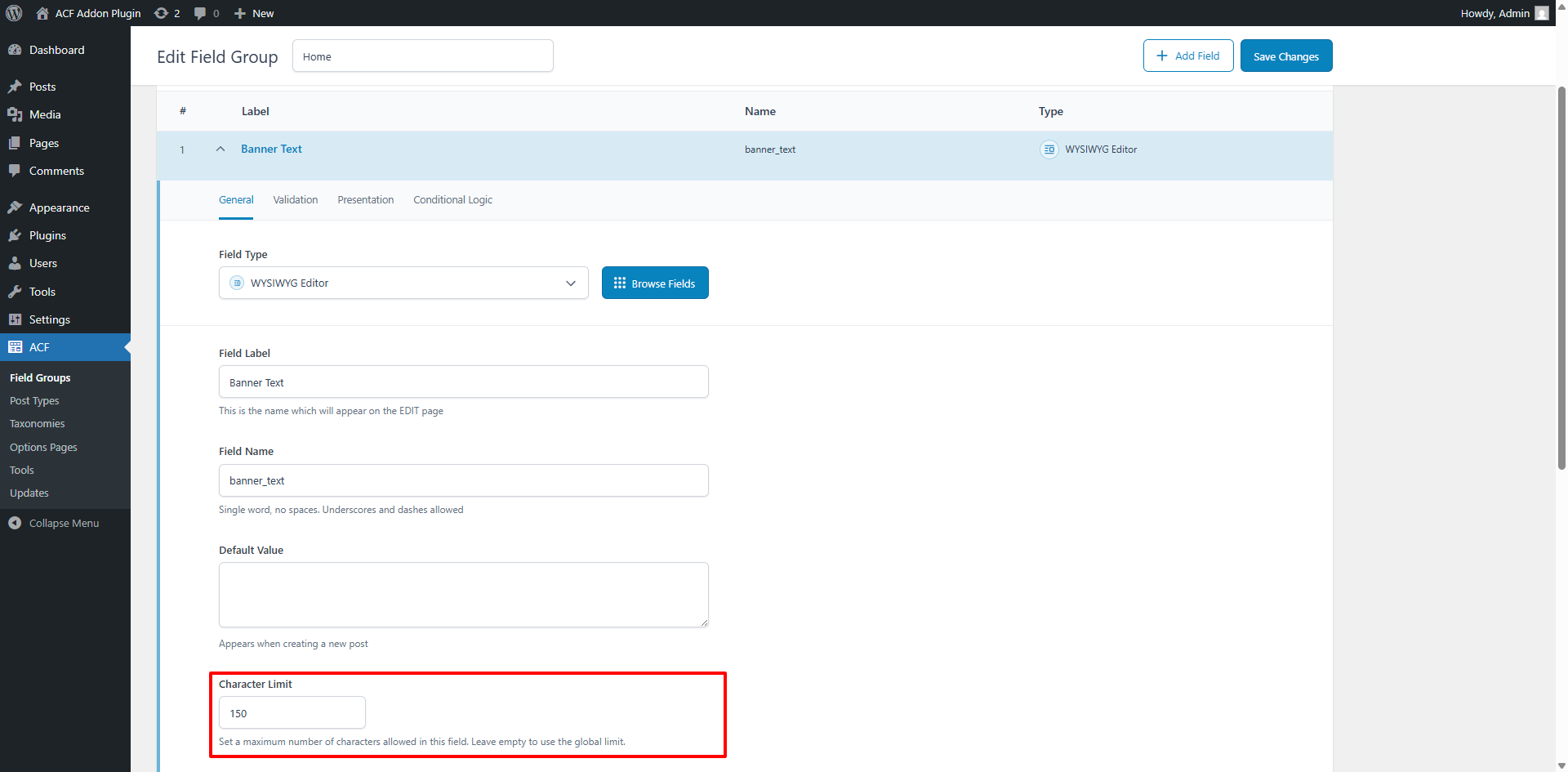
ACF Field Character Limit Setting – Set a character limit for individual WYSIWYG fields. 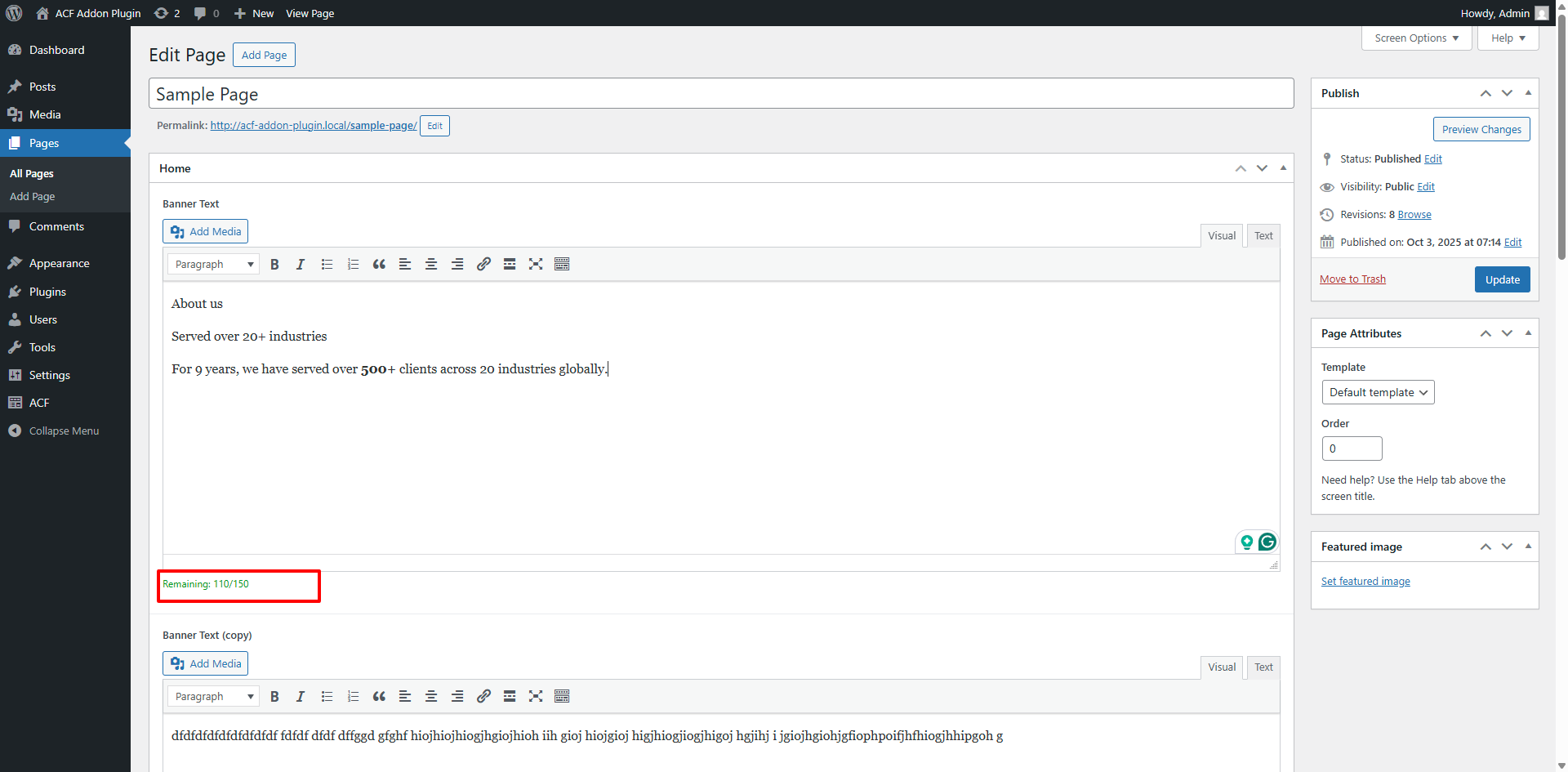
Character Counter – Normal State – Shows remaining characters within allowed limit. 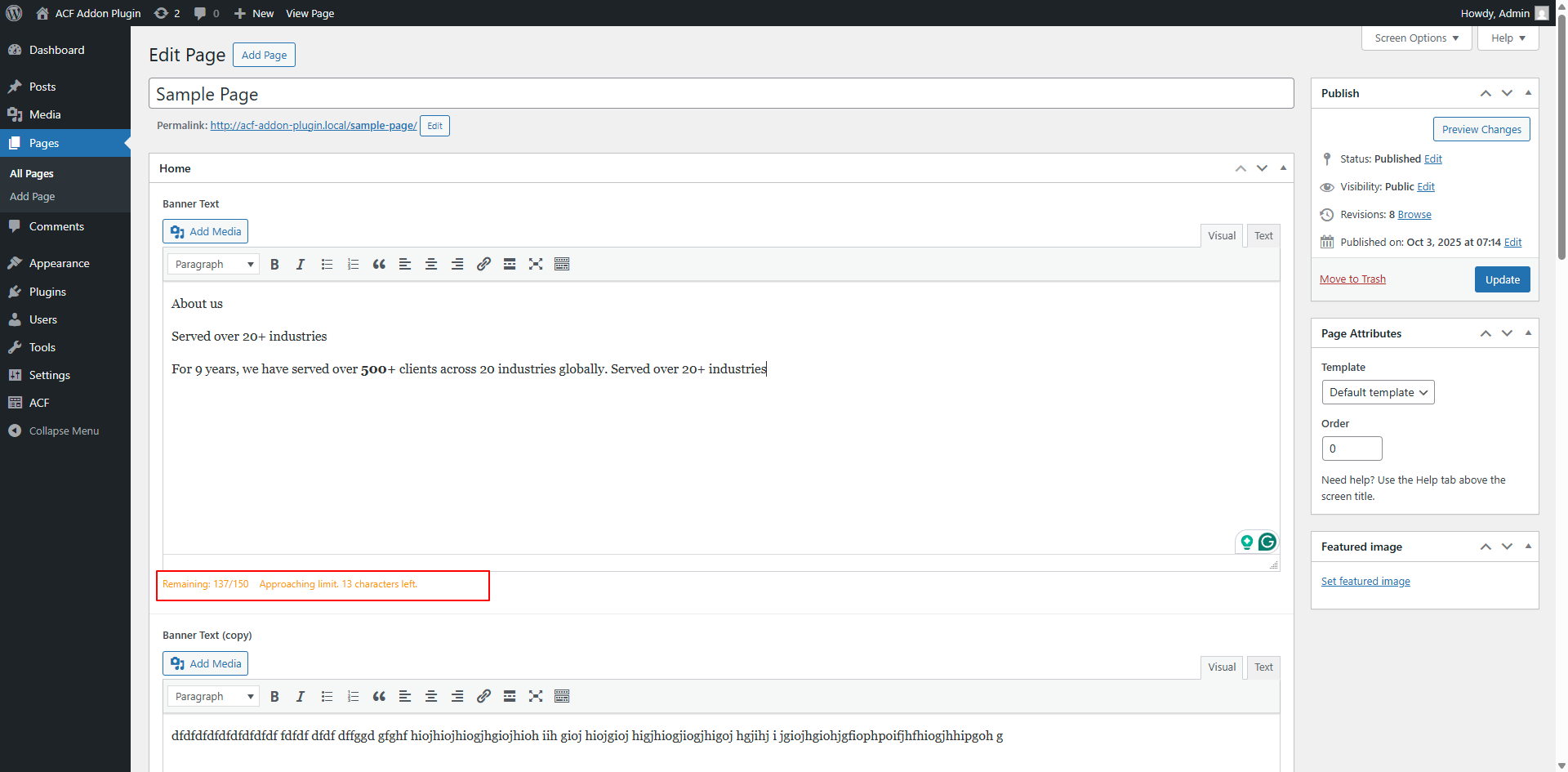
Character Counter – Approaching Limit – Displays warning message when nearing the limit. 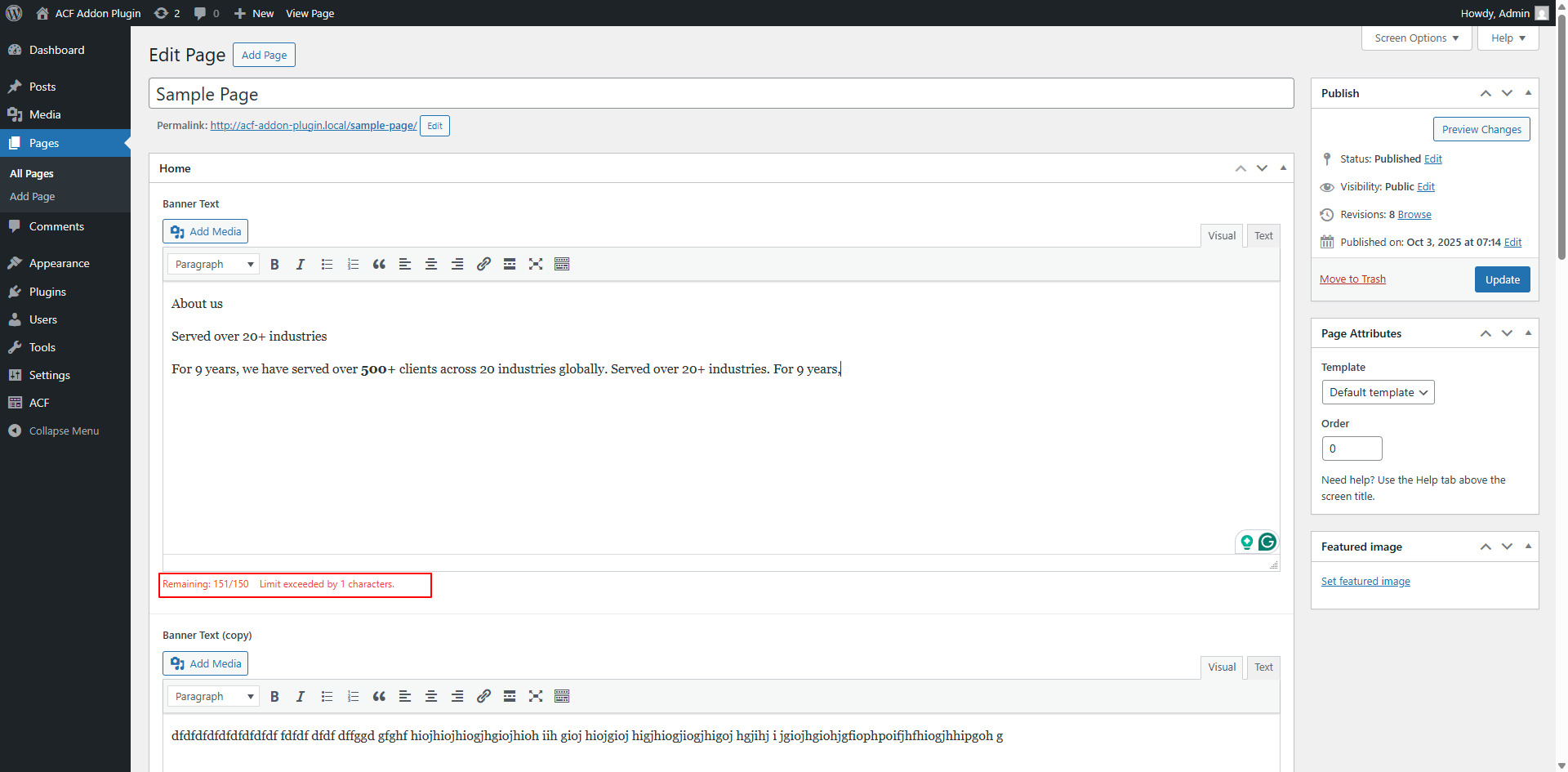
Character Counter – Limit Exceeded – Shows error when character count goes over the limit. 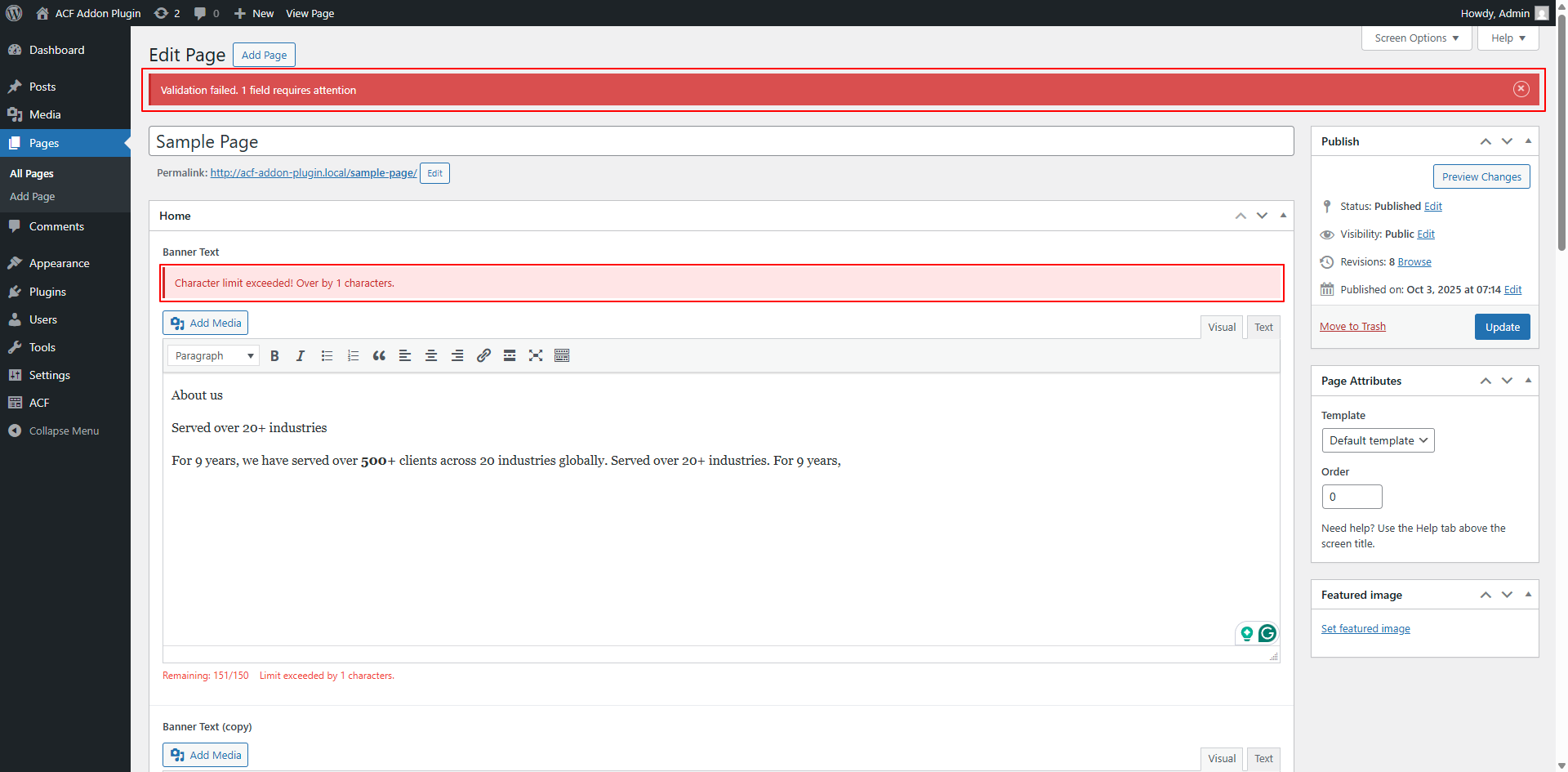
Validation Error on Save – Prevents saving and displays error when strict validation is enabled.


Installatie
- Upload the plugin folder to
/wp-content/plugins/wysiwyg-character-limit-for-acf/ - Activate the plugin via the Plugins menu in WordPress.
- Go to Settings > ACF WYSIWYG Limit to set a global limit (optional).
- To apply per-field limits, edit any ACF WYSIWYG field and set a Character Limit value.
- The character counter will appear automatically below each WYSIWYG field.
FAQ
Does this work with ACF Pro?
Yes, the plugin is fully compatible with ACF Free & ACF Pro.
Does this work with Flexible Content and Repeater fields?
Yes, you can apply character limits inside Repeater, Flexible Content, and Group fields.
No. As of version 2.0.2, the character counter excludes all HTML tags and counts only the visible text, in both Visual and Text modes.
Can I use this for Word Count instead?
Currently, the plugin only supports character count. A future update may add word count support.
Is it compatible with ACF Extended and dynamic field loading?
Yes, the plugin supports ACF Extended and works with dynamically loaded fields.
Can I customize the counter style?
You can override the
.char-counterCSS class in your theme or custom CSS.
Beoordelingen
Er zijn geen beoordelingen voor deze plugin.
Bijdragers & ontwikkelaars
“WYSIWYG Character Limit for ACF” is open source software. De volgende personen hebben bijgedragen aan deze plugin.
Bijdragers
“WYSIWYG Character Limit for ACF” is vertaald in 2 localen. Dank voor de vertalers voor hun bijdragen.
Vertaal “WYSIWYG Character Limit for ACF” in je eigen taal.
Interesse in ontwikkeling?
Bekijk de code, haal de SVN repository op, of abonneer je op het ontwikkellog via RSS.
Changelog
4.0.1 – 2026-01-29
- Fix: Fatal error “Call to undefined function” during plugin update tracking.
4.0.0 – 2025-12-10
- Full PHP/JS/CSS documentation across the codebase and improved code organization.
- Updated for WordPress 6.9 and PHP 8+; improved performance and accessibility.
- Optional, encrypted opt-in telemetry (no personal or post content collected).
- Enhanced uninstall cleanup, validation, and settings UX for developers and editors.
- Added extra admin settings and customization options for editors and developers.
3.0.0 – 2025-10-03
- Fixed: Character counter now ignores all HTML tags in both Visual and Text modes (counts only visible text)
- Improved documentation and accessibility
- Enhanced compatibility with ACF Extended and dynamic field loading
2.0.1 – 2025-05-19
- Fixed character counting in nested fields
- Improved performance for large content
- Added support for custom TinyMCE configurations
2.0 – 2025-05-19
- Added support for WordPress 6.8
- Improved character counting accuracy
- Enhanced validation messages
- Fixed compatibility issues with ACF Pro 6.0+
1.0.0 – 2025-04-16
- Initial release
- Global and per-field character limits
- Live character counter below WYSIWYG editor
- Works in both TinyMCE and Text Mode

