

Beschrijving
Deze plugin is niet getest met de laatste 3 grotere versies van WordPress. Mogelijk wordt het niet meer onderhouden of ondersteund. Ook kunnen er compatibiliteitsproblemen ontstaan wanneer het wordt gebruikt met recentere versies van WordPress.

WP Test Monkey
Beschrijving
This is the free version of WP Test Monkey — the first multivariate testing plugin solution for WordPress. So easy to use – tests can be created on any WordPress post or page in just minutes. A comprehensive admin stats console is provided that will show you your winning combination and most importantly, your ROI.
It’s hands down, the easiest way to test headlines, offers, prices, etc.. on your site without having to code or do battle with complex 3rd party systems.
Simply grab the plugin and BOOYA — you’ll feel like you’ve won the internet marketing lottery as you instantly find the “golden combination” of headline, copy, and price that will deliver a windfall of sales and profits from your site, day in, day out.
This plugin has no time limit — it will work forever. But it’s limited to 1 test at a time and 2 testing elements per test. There is a paid version that removes those limits.
Schermafbeeldingen

Welcome screen for WP Test Monkey 
Add a new multivariate test 
w/ test details entered 
Enter the element variations you want to test 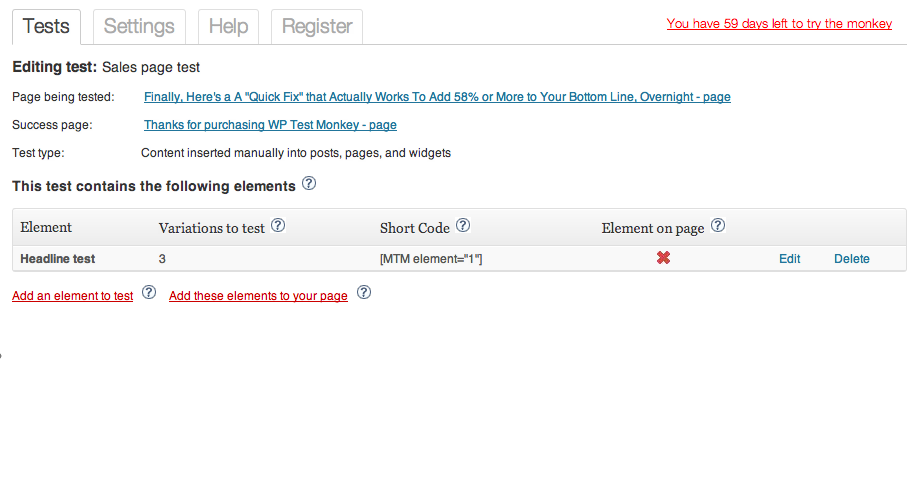
The test is almost ready to start. You just need to put the shortcode on your page/post 
The page we’re about to put the shortcode onto 
Choose the element to add to the page 
The same page as #6, with the shortcode in the page headline/title field 
Test statistics after 2 weeks.


Installatie
- Upload the entire contents of the ZIP file to the
/wp-content/plugins/directory - Activate the plugin through the ‘Plugins’ menu in WordPress
Beoordelingen
Er zijn geen beoordelingen voor deze plugin.
Bijdragers & ontwikkelaars
“WP Test Monkey” is open source software. De volgende personen hebben bijgedragen aan deze plugin.
Bijdragers
Vertaal “WP Test Monkey” in je eigen taal.
Interesse in ontwikkeling?
Bekijk de code, haal de SVN repository op, of abonneer je op het ontwikkellog via RSS.
Changelog
1.0
- First version

