

Beschrijving


WP Spell Check
Beschrijving
WordPress spell check plugin
Proofread & audit your WordPress website with One Click!
Find & fix Spelling errors, Punctuation errors, Grammar errors, SEO, Broken Shortcodes & HTML, and Create a professional image with WP Spell Check
Did you know?
- 85% of website visitors can spot and are turned off by spelling mistakes. That’s why it’s crucial to nail your website’s spelling game! (1)
- Spelling errors can slash online sales by up to 50%. In the competitive world of e-commerce, every detail matters. (2)
Why WP Spell Check?
By using WP Spell Check you will be able to:
Proofread entire WordPress website with one click and find spelling mistakes and grammar errors
Quickly and easily create a professional image for your website visitors, an image your customers want to invest in
Pick up punctuation errors and typos you had missed on old pages & posts and help your team maintain a professional web presence
Check your writing and produce a comprehensive report on spelling, grammar, SEO Opportunities, Broken Shortcodes, and Broken HTML for your website
Get AI suggestions for SEO titles and descriptions and improve your SEO
Who is this WordPress plugin for?
Web developers, SEO agencies and marketing agencies with a large list of clients looking for ways to optimize their processes and save time
WordPress Blogs with a ton of content and no extra time
Small Businesses and website owners that want to proofread their site to improve their image online
You have many pages and posts that don’t have proper SEO titles and descriptions and you don’t have the time or the SEO knowledge to fix them
Marketing managers who are responsible for the company’s image but someone else creates content
If you have a disability such as dyslexia that makes reading hard for you
You run a WooCommerce store with 100s of products and not enough time to find spelling errors
WP Spell Check Pro
This is the lite version of WP Spell Check. Additional features are included in the Premium Version. Click here to get the fastest WordPress spell check plugin and unlock Premium Features!
WP Spell Check is for you if you want to…
Spell check entire WordPress site for spelling errors and mistakes on your website
Help your team quickly Proofread and Audit their work and save time
Pick up errors and typos you’d missed on old posts/pages
Improve SEO with a few clicks on pages and posts and show up on Google (Pro version)
Find the errors with no hassle…with a click of a button
Find all the broken shortcodes, broken plugins and broken HTML on your websites
Most people who use our plugin for the first time are most likely:
SEO agencies and web agencies trying to improve clients’ websites and improve their own processes
Busy people who have errors they have missed and want to spell check whole website
Developers who do not write the content but are nonetheless responsible for proper spelling!
Have a disability that makes reading problematic
That’s why WP Spell Check is the Fastest WordPress Proofreading Plugin to help you find and fix errors and maintain a professional image for your business.
Integrations
WP Spell Check integrates with the following plugins and themes:
- WooCommerce
- Yoast SEO
- All in One SEO Pack
- Rank Math SEO
- Classic Editor
- Elementor
- Page Builder by SiteOrigin
- Divi Theme
- Contact Form 7
What our customers say about WP Spell Check…
This plugin is LIGHTS OUT!!!!!
This is one amazing product. I have a website that has over 8000 pages.
You can imagine the load it would take to review each page.
This plugin is LIGHTS OUT!!!!!
Five stars, saved me a thousand hours.
What is better than the plugin is the support.
Every time I have an issue they were right there to help, and they worked feverishly to fix and restore.
I have NEVER worked with a company that had back-end support.
I can’t brag about them enough.
Thank you so much guys, you rock and I would highly recommend you to everyone.
You helped me more than you will know
By Michael Sullivan, USA
Finally a Spell Checker Plugin That Works
I have been looking for a plugin that could spellcheck an entire website for common misspellings and this plugin does just that. You can download the trial version to test it out on your site for page content and post titles. If you want more features, then you should buy the pro version.
By socreatives
Works Perfectly Amazing
It helped us to find a lot of hidden content on the site that was hurting us with SEO. A lot of lorem ipsum here and there and multi-language details we didn’t see. The template had many small things which we didn’t use and they are all discovered. I like this plugin a lot. Thank you
Ali Tavanayan, Vancouver
Truly a great plugin
Truly a great plugin for the developer who does not write the content but is nevertheless responsible for proper spellings! Misspelled words create an image of poor design
Presentation is everything!
Other than broken links, misspelled words create an image of poor design. WP Spell Check helps our team maintain a professional web presence.
Adam Halpern, Houston, USA
Worked Great for me
I emailed the support team about 1 small bug I found, and they fixed it immediately, thanked me, and followed up. Couldn’t be happier. I didn’t realize how many spelling mistakes my site had till I ran these scans. Thanks!!
by electroset
You’ve helped take me to the next level
WP Spell Check picked up so many errors I’d missed on old posts. There’s nothing less professional than a website with spelling mistakes, so you’ve helped take me to the next level.
Nigel Coates, Gold Coast, Australia
Popular Video Guides
For more info on Proofreading and Auditing your WordPress blog, check out the following:
- An Overview of WP Spell Check
- How to Fix WordPress Spelling Errors
- How to Improve WordPress SEO
- How to Grammar Check on WordPress
- Official WP Spell Check Plugin Blog
Notes:
1: Source: Stanford Persuasive Technology Lab’s Web Credibility Project
2: Source: Econsultancy’s report on the Impact of Website Errors on E-commerce Sales
Schermafbeeldingen
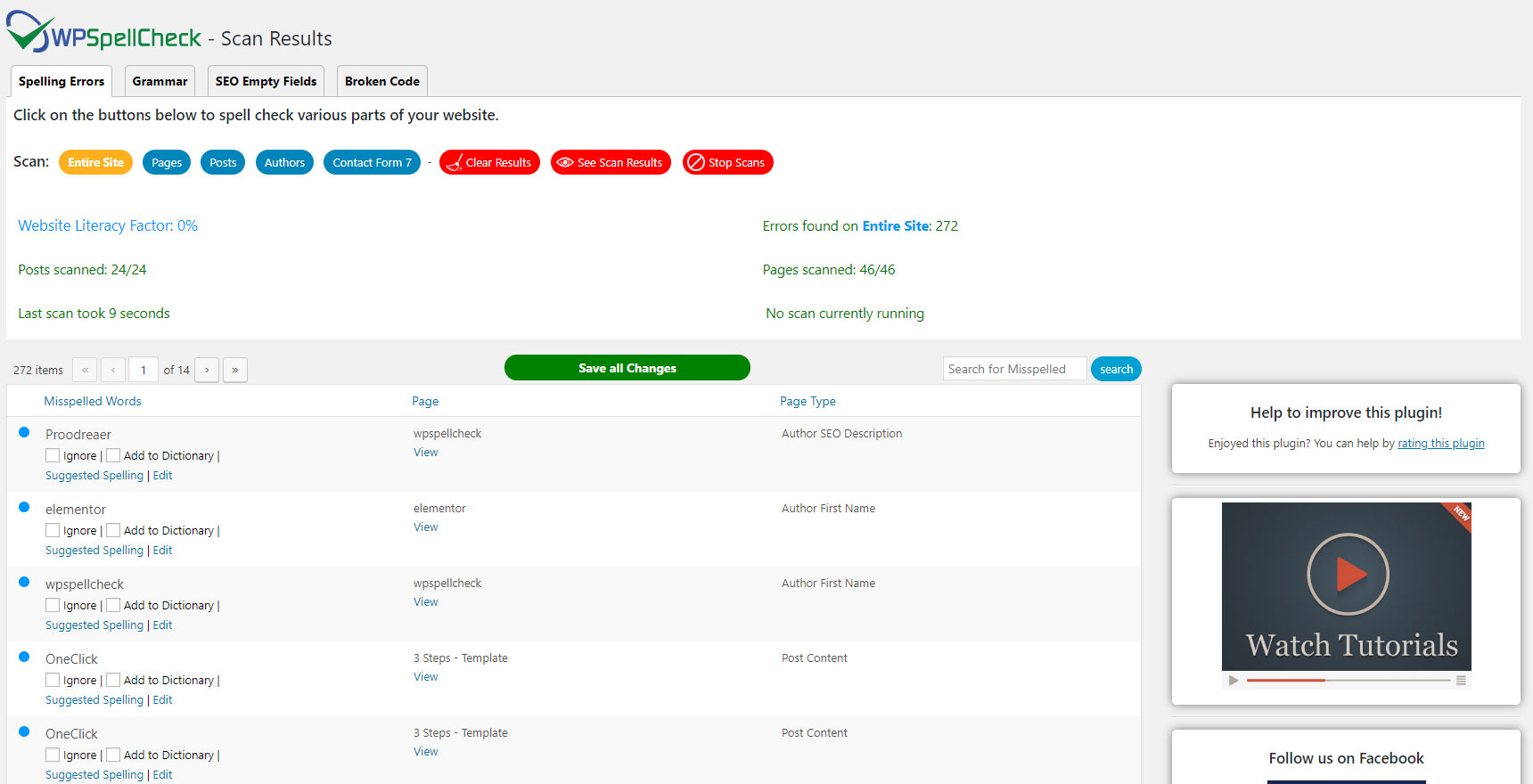
The WP Spell Check Spelling Errors Scan Results Page 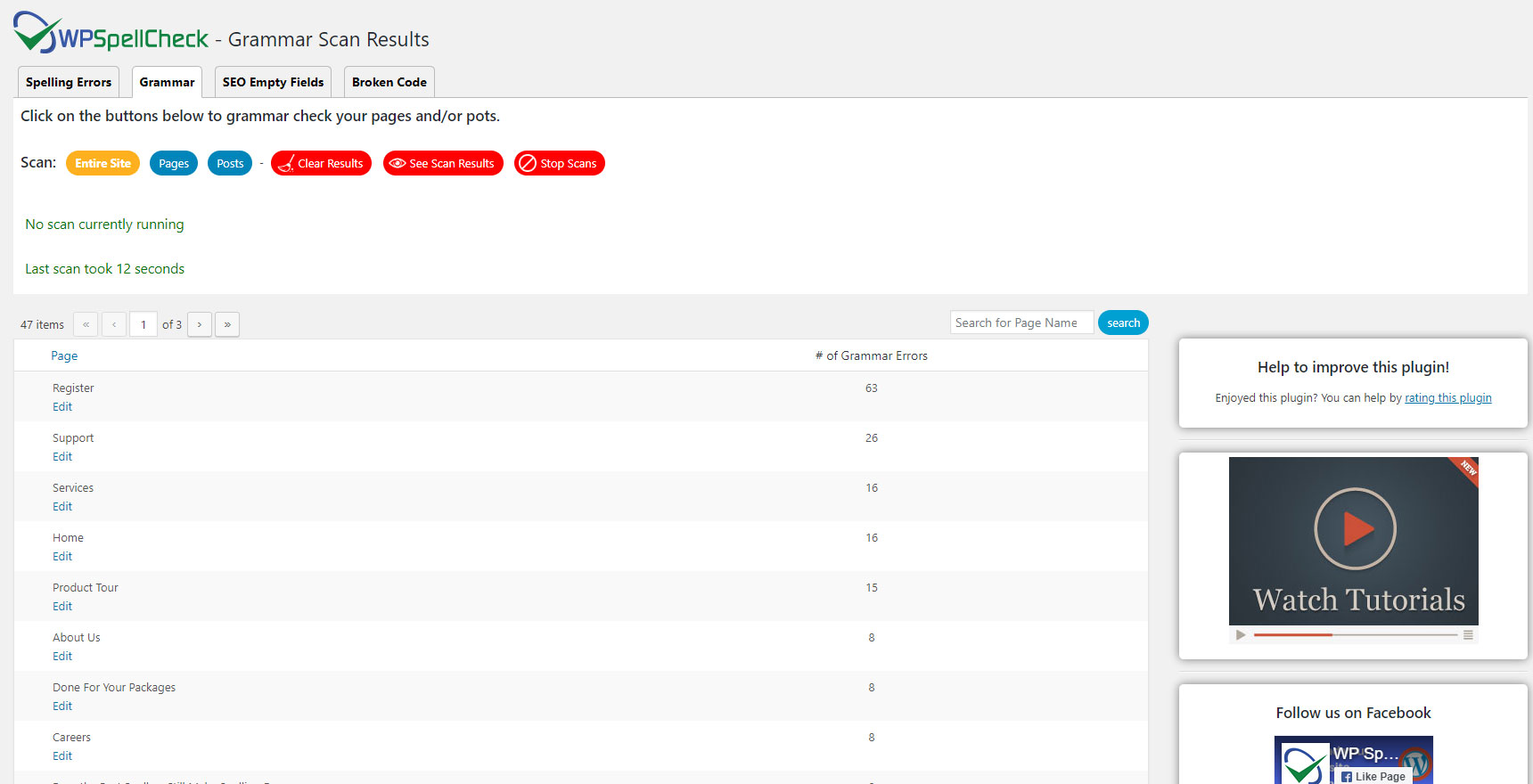
The WP Spell Check Grammar Scan Results Page 
The WP Spell Check SEO Empty Fields Scan Results Page 
The WP Spell Check Broken Code Scan Results Page 
The WP Spell Check General Options 
The WP Spell Check Spellcheck Options 
The WP Spell Check Grammar Options 
The WP Spell Check SEO Empty Fields Options 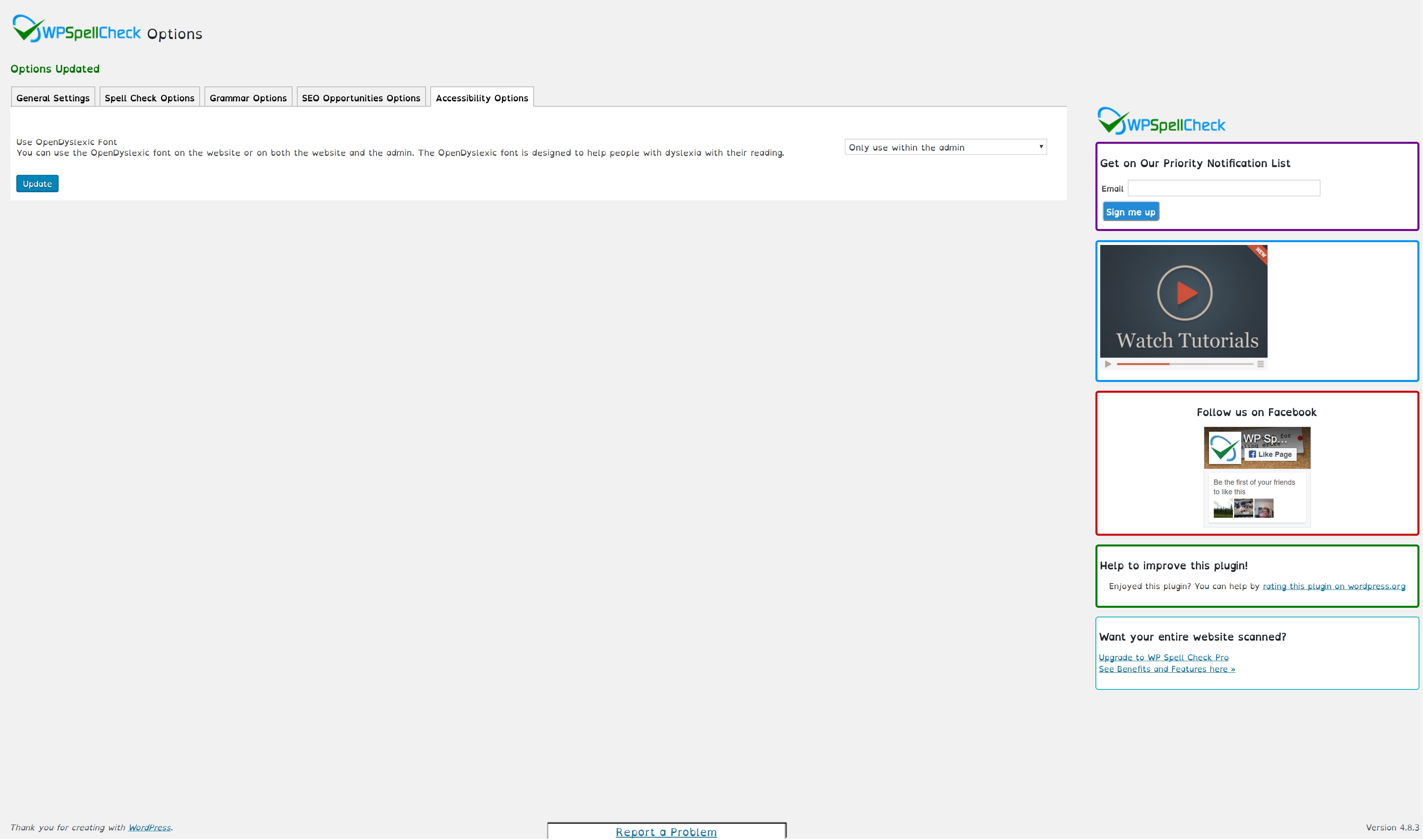
The WP Spell Check Accessibility Options 
The WP Spell Check Ignore List page 
The WP Spell Check My Dictionary Page 
The WP Spell Check Editor Highlights


Installatie
There are two simple ways to install WP Spell Check
1- WordPress Backend
– Visit your Dashboard
– On the left sidebar, under Plugins, click on “Add New Plugin”
– Inside the Search bar, on the top right side of the page, search for “WP Spell Check”
– Click on the Install button, and then Activate
2- FTP Upload
– Download the zip file
– Using your FTP Client, upload the file to the /wp-content/plugins/ directory of your WordPress installation
– On the WordPress Dashboard, click on the Plugins page
– Find WP Spell Check and click on Activate
3- Setup the options
Navigate to the Options page for WP Spell Check to configure your desired settings and start checking and fixing errors on your website.
Want more features and audit power? Upgrade to WP Spell Check Pro
FAQ
You will find answers to many of your questions on www.wpspellcheck.com/support/.
How does this plugin work?
WP Spell Check is a WordPress proofreading plugin that runs in the background of your site and scans the entire WordPress site for spelling errors & grammar errors, SEO optimization, Broken HTML code and WordPress Shortcodes.
When you fix these errors, it will help you boost website conversion rates and rank higher on Google.
These errors are usually visible to your visitors and appear on social media when you post your content across different social media channels.
How can WP Spell Check improve WordPress SEO?
Our plugin utilizes OpenAI’s capabilities to help you fill in SEO titles and descriptions on your website that are left empty with just a few clicks.
Optimizing your website for search engines can be a time-consuming and challenging task, but with our SEO Optimization feature, you can save time and increase your website’s visibility.
OpenAI suggests the most relevant and high-ranking keywords to ensure that your website appears on top of search engine results.
OpenAI is an artificial intelligence language model that helps generate high-quality content by providing suggestions for SEO titles and descriptions.
How do I benefit from WP Spell Check?
If you have a website with 500 pages and 500 posts, it takes a long time to go through every page/post and proofread: page content, tags, categories, SEO title and description etc.
WP Spell Check Scans your entire site in seconds and prints out a comprehensive list of errors.
You can save a lot of time and embarrassment by using our WordPress Spell Check plugin.
Can I spell check entire website for free?
Yes. Depending on the size of your website you can spell check entire website for free. Our base version scans up to 25 pages and 25 posts for free.
For additional pages and posts, you can upgrade to our premium version.WP Spell Check is the fastest WordPress spell check plugin that does a sitewide spell check and grammar check.
It is the fastest spell checker and grammar checker plugin that checks the entire website within seconds so you don’t have to go through your website page by page.
Which grammar rules does the plugin check for?
Currently, our plugin is checking for the following grammar and style suggestions:
- Complex Expression
- Hidden Verb
- Passive Voice
- Possessive Ending
- Redundant Expression
- Contractions
Does WP Spell Check do a free spell check and free grammar check?
Yes. Our plugin does free spell check and free grammar check on WordPress websites.
You can use the plugin widget that shows on the right side on every page to do unlimited spell check and grammar check scans.
For bulk scanning and fixing errors on your website, the base version offers limited features.
You can upgrade to our Premium version to get full access to all the Pro features and proofread and fix the errors on your website.
How do I find Unused WordPress shortcodes and plugins that are not working on my website?
When a shortcode is not working on your WordPress website, it will be displayed on the HTML output of the page. Example: [contact form content 8768768g].
WP Spell Check scans and finds the ones that are not working and displays them on the results page so you can fix the shortcode and get your website to function properly again.
In many cases, when shortcodes are not working, the page content will not show and that will hurt your SEO!.
How do I optimize my WordPress site for better search engine rankings?
Adding content and relevant keywords to places that are missing content and metadata on your WordPress site will impact your SEO rankings.
The hard part is finding these blank spots and adding content to them.Our plugin helps you find these empty places with one click. And with the help of our OpenAI (ChatGPT) integration, it will suggest SEO titles and descriptions for pages and posts to boost visibility on Google Search results.
Does the FREE plugin check everything on my website?
The FREE plugin only checks the contents of pages and posts on your website.
For a more extensive check on everything on your website, you can purchase our premium version.
The premium version checks your entire website
How many languages does the plugin support?
WP Spell Check supports the following languages:
American English
British English
Canadian English
You can choose your WordPress spell check language on the General Options page.
What are the benefits of getting WP Spell Check Pro?
You can proofread and audit the entire website with one click.
You do not have to go through pages, posts, SEO titles, SEO descriptions, forms, menus, slugs etc. to check for errors. That is very time consuming.
WP Spell Check does this for you and shows you a comprehensive list of all the errors on your website.
You can find and fix the errors to improve the user experience on your website and in many cases get better SEO ranking especially when it comes to broken shortcodes and broken code.
Can WP Spell Check handle large websites?
WP Spell Check is designed to handle websites with tens of thousands of pages and posts. This is ideal for large corporate websites and large Blogs.
You can proofread and audit the entire website/blog in a few seconds and save thousands of hours of work for users and site admins.
To learn more about the packages available for large websites, please visit our website
Which parts of my website get checked for spelling?
Visit our website for a complete list of features and what is included.
New website components will be added in our future releases. Visit our Facebook and Twitter pages for updates.
Do you provide support for the WP Spell Check plugin?
Yes, for additional support please visit our support center
Which web browsers are supported with WP Spell Check?
We test our plugin on the major web browsers so you can do a spell check and grammar check on your WordPress site in Google Chrome, Firefox, and Microsoft Edge.
Do you offer support for this plugin?
For additional support, please visit our support page
Bug reports
Bug reports are welcomed on our Support page.
This plugin connects to the following external services:
OpenAI API (Pro feature, optional): When you use the SEO title/description generation feature, your page/post content is sent to OpenAI using your own API key. This only occurs when you actively click the generate button. See OpenAI’s privacy policy: https://openai.com/policies/privacy-policy
Deactivation Survey (optional): When deactivating the plugin, you may optionally provide feedback. If submitted, the following data is sent to wpspellcheck.com and Zapier: deactivation reason, site URL, WordPress version, PHP version, theme name, and any optional details you provide. You can skip this survey. Zapier privacy policy: https://zapier.com/privacy
Dictionary Files: The plugin loads spell-check dictionary files from its own servers for offline use.
All spell checking and grammar checking is performed locally on your server – no content is sent externally for these core features.
For more information, see our Privacy Policy and Terms of Service.
Reasons to upgrade to “WP Spell Check Pro”
The plugin is designed for people who care about building and protecting their image and brand while saving time and embarrassment.
If you are looking for a WordPress Spell Check plugin to save time, and embarrassment and build your professional image, then upgrade and get access to all the Pro features and benefits.
- Find and fix spelling and grammar errors
- Get AI suggestions for SEO titles and descriptions for your pages and posts
- Find broken shortcodes and broken code
- and more
Beoordelingen


Bijdragers & ontwikkelaars
“WP Spell Check” is open source software. De volgende personen hebben bijgedragen aan deze plugin.
Bijdragers
Vertaal “WP Spell Check” in je eigen taal.
Interesse in ontwikkeling?
Bekijk de code, haal de SVN repository op, of abonneer je op het ontwikkellog via RSS.
Changelog
9.22
- security fixes and Improvements
- performance improvements
- fixed the uninstall functions to completely remove all the plugin data
- Other bug fixes
9.21
- Fixed an issue with the OpenAI integration for generating SEO titles or descriptions
- Other bug fixes and improvements
9.20
- Fixed a potential crash on the options page
- Fixed an issue where words such as “I’ll, you’d, you’re” show up as spelling errors
- Dictionaries were updated with additional words
- Bug fixes and performance improvements
9.19
- Fixed an issue where words such as “I’ll, you’d, you’re” show up as spelling errors
- Dictionaries were updated with additional words
- Fixed an issue with Contact Form 7 integration where updating the words with the autoresponder was not going through.
- Fixed an issue with the “Ignore URLs” feature for the spell check scan
- Other bug fixes and improvements

