

Beschrijving

Deze plugin is niet getest met de laatste 3 grotere versies van WordPress. Mogelijk wordt het niet meer onderhouden of ondersteund. Ook kunnen er compatibiliteitsproblemen ontstaan wanneer het wordt gebruikt met recentere versies van WordPress.

WP Query Creator
Beschrijving
This plugin lets you create new WP queries and use shortcodes for queries on your pages.
WP query creator is the simplest way to build wp_query without writing a single line of code.
Sometimes when you want to display a post or custom post loop middle of the page, you need to create a new page template OR create a new shortcode in functions.php. In this case, WP query creator is very helpful for you, just create a new WP query through this plugin and use this sort code in your page editor.
Features
- You can create multiple WP queries with different options
- Custom post type support
- Ascending or descending order and Sort retrieved posts
- Show posts associated with certain categories, taxonomies & tags
- Show posts based on a keyword search
- Admin option for update HTML
Support this plugin
Contact me at tarakpatel18@gmail.com if you have any questions
And don’t forget to rate this plugin if you like it.
Thank You
Schermafbeeldingen
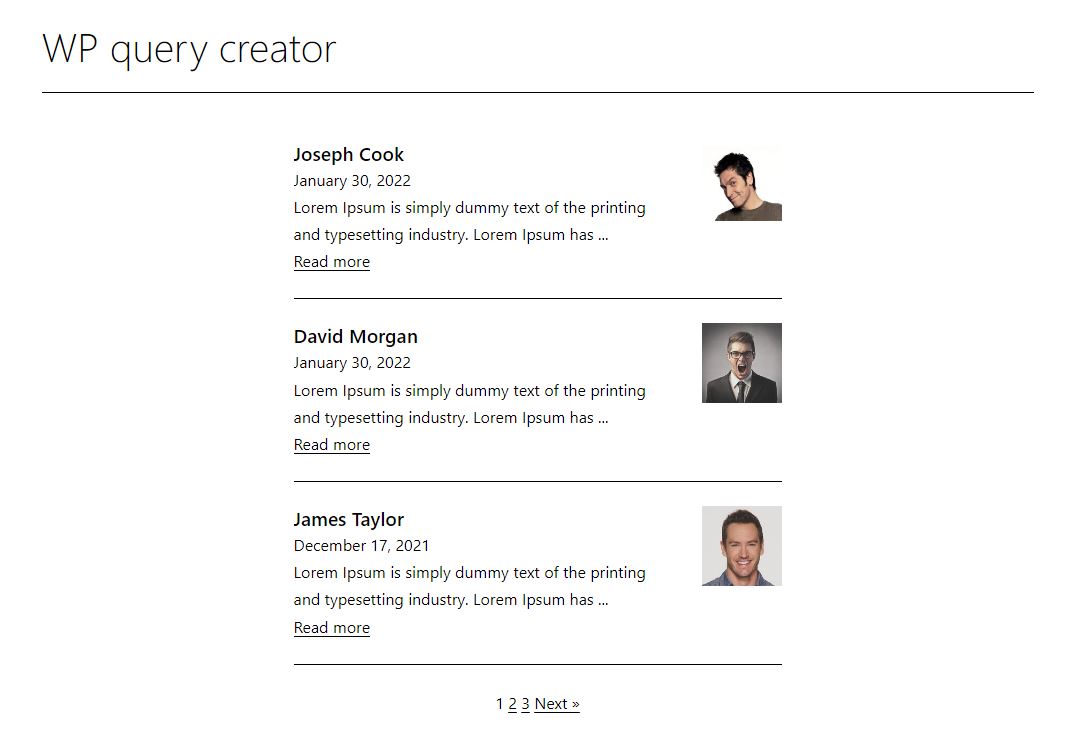
WP query

Installatie
Admin Installer via search
- Visit the Add New plugin screen and search for “WP Query Creator”.
- Click the “Install Now” button.
- Activate the plugin.
- Navigate to the “WP Query Creator” Menu.
Admin Installer via zip
- Visit the Add New plugin screen and click the “Upload Plugin” button.
- Click the “Browse…” button and select zip file from your computer.
- Click “Install Now” button.
- Once done uploading, activate WP Query Creator.
Manual
- Upload the WP Query Creator folder to the plugins directory in your WordPress installation.
- Activate the plugin.
- Navigate to the “WP Query Creator” Menu.
FAQ
Q. How template setting works?
A. You can update HTML code here also add new class as per your requirement.
Beoordelingen

Bijdragers & ontwikkelaars
“WP Query Creator” is open source software. De volgende personen hebben bijgedragen aan deze plugin.
Bijdragers
Vertaal “WP Query Creator” in je eigen taal.
Interesse in ontwikkeling?
Bekijk de code, haal de SVN repository op, of abonneer je op het ontwikkellog via RSS.
Changelog
See changelog.txt for older changes.

