

Beschrijving

Price Based on Country for WooCommerce
Beschrijving
Stop leaving money on the table. Start selling to the world like a local.
E-commerce has no borders, but currencies and pricing strategies do. If you are selling internationally but showing a single price (or the wrong currency), you are adding friction to the checkout process. Friction kills conversions.
Price Based on Country for WooCommerce is the solution to localize your store. It allows you to sell the same product at different prices—in the same currency or a different one—depending on the customer’s country.
It’s not just a currency converter; it is a strategic pricing tool.
🚀 Boost Your International Sales
- Slash Cart Abandonment: Customers buy more when they see prices in their own currency.
- Absorb Shipping Costs: Set higher prices for countries with expensive shipping without scaring away local customers.
- Regional Strategy: Adjust your margins based on the purchasing power of each country.
✨ Key Features (Free Version)
We believe in giving you a robust tool right out of the box:
- Geolocation Integration: Automatically detects visitor country (fully compatible with cache plugins like WP Rocket).
- Multi-Currency Support: Sell in USD, EUR, GBP, or any currency you need.
- Manual Overrides: Don’t trust the auto-exchange rate? Set clean pricing manually (e.g., 19.99 instead of 19.43).
- Shipping Currency Conversion: Applies currency conversion to your shipping costs automatically.
- Country Switcher Widget: Add a country switcher to your store to let users manually change their country.
- Translation Ready: Compatible with WPML and Polylang workflows (sync data between product translations).
💎 Go PRO: Scale Without Limits
Running a serious business? You need professional tools.
The PRO version adds features that save time, automate tasks, and provide seamless integration with professional plugins.
- Auto-update of Exchange Rates: Daily automatic exchange rate updates.
- Pretty prices: Keep your store looking professional by rounding converted prices to clean numbers (e.g., $19.99 instead of $19.43).
- Bulk update from a CSV file: Save hours of manual work by updating all your regional prices at once.
- Additional shortcodes and widgets: Unlock exclusive shortcodes and widgets.
“Highly recommend the plugin, both free and paid versions. Have had it running for 4+ years now and never had an issue. When I have had a question, support has been quick to reply and deal with it.” — wmacmill (Verified WordPress.org User)
⚡ Exclusive PRO Integrations:
The PRO version ensures full compatibility with:
- WooCommerce Subscriptions by Woo (Recurring payments in local currency).
- Product Add-ons for WooCommerce by Woo.
- WooCommerce Bookings by Woo.
- WP All Import.
- and more…
👉 Upgrade to Price Based on Country PRO today
🗣️ What Users Are Saying
Over 20,000 active stores trust us. Here is why they love us:
“Flexible and efficient, with outstanding support.”
“With this plugin, I can solve one of the biggest challenges for my business without spending hours on setup – unified worldwide pricing. And the best of all is the support. Flexible and efficient.” — ⭐⭐⭐⭐⭐ vromans12345 (Verified WordPress.org User)
“The reason we use WooCommerce.”
“This plugin is the reason we made our most recent website on WooCommerce and not Shopify. It works perfectly as soon as you plug it in. Don’t try to run an international e-commerce store without this plugin.” — ⭐⭐⭐⭐⭐ Atlantic Folk (Verified WordPress.org User)
“Perfect plugin, it does its job.”
“I’ve had it installed for 7 years. Immediate and excellent support, highly recommended.” — ⭐⭐⭐⭐⭐ javiiblanco (Verified WordPress.org User)
🏆 Featured In
The top WordPress experts recommend us:
- Chris Lema: Changing WooCommerce Product Pricing based on Shopper’s Location (chrislema.com/woocommerce-product-pricing/)
- Tutsflow: How to Set Prices Based on Country in WooCommerce (5 Step Easy Guide) (tutsflow.com/how-to-set-prices-based-on-country-in-woocommerce/)
- Bluehost: Listed in the “7 Best Multi Currency WordPress Plugins” as a top solution for specific country-based pricing strategies.
Schermafbeeldingen
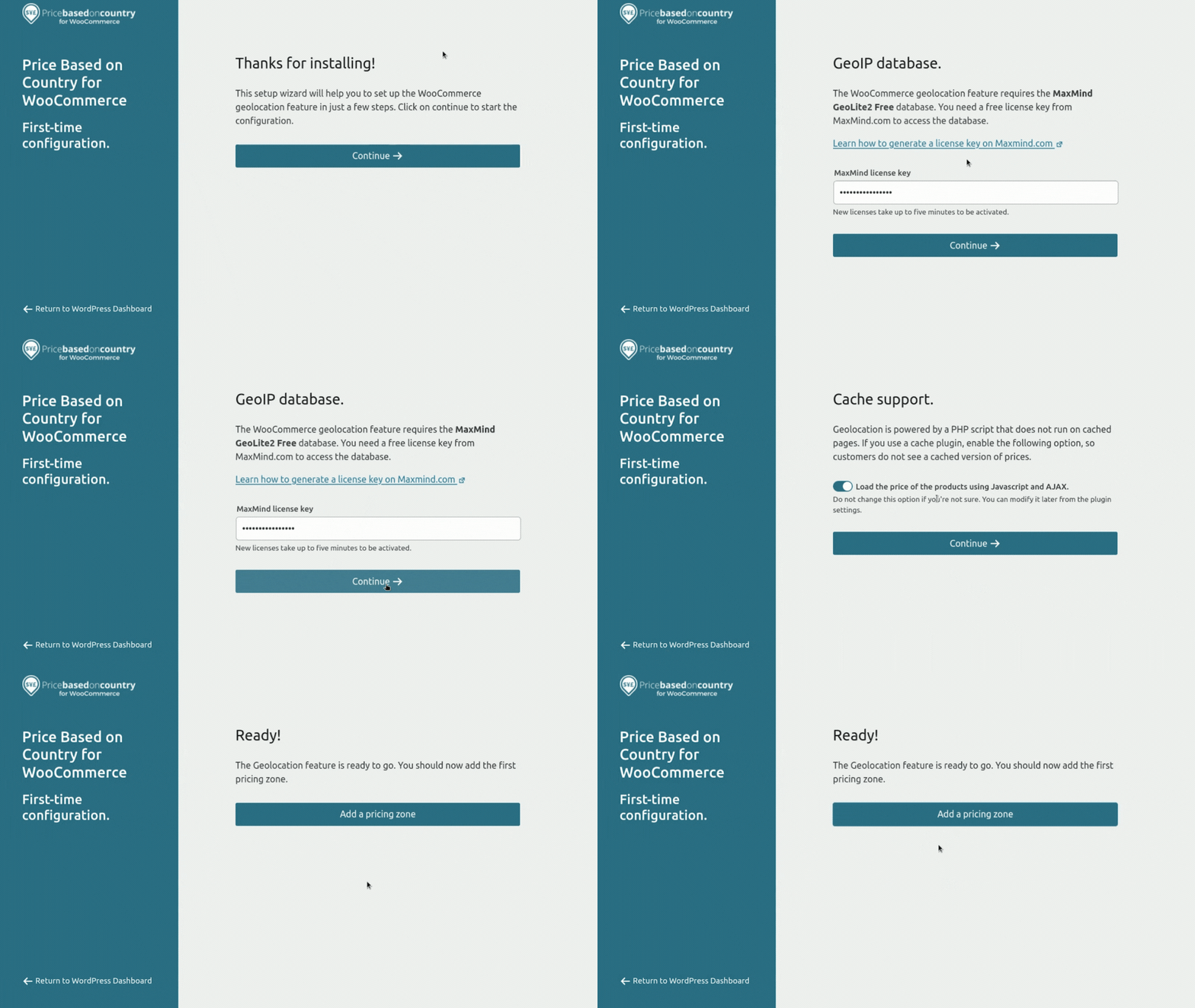
Simple to get started with the Geolocation setup wizard. 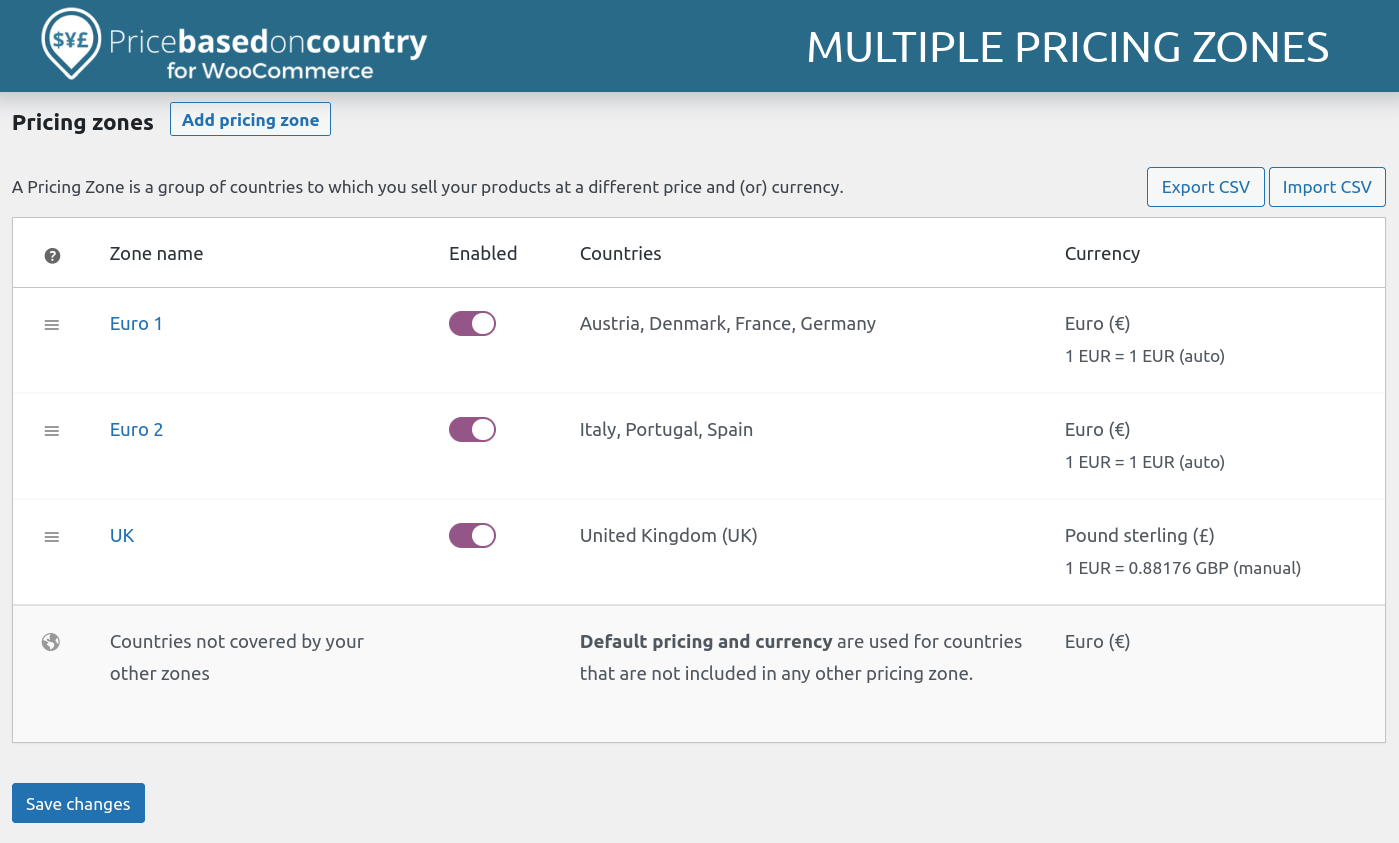
Unlimited price zones. 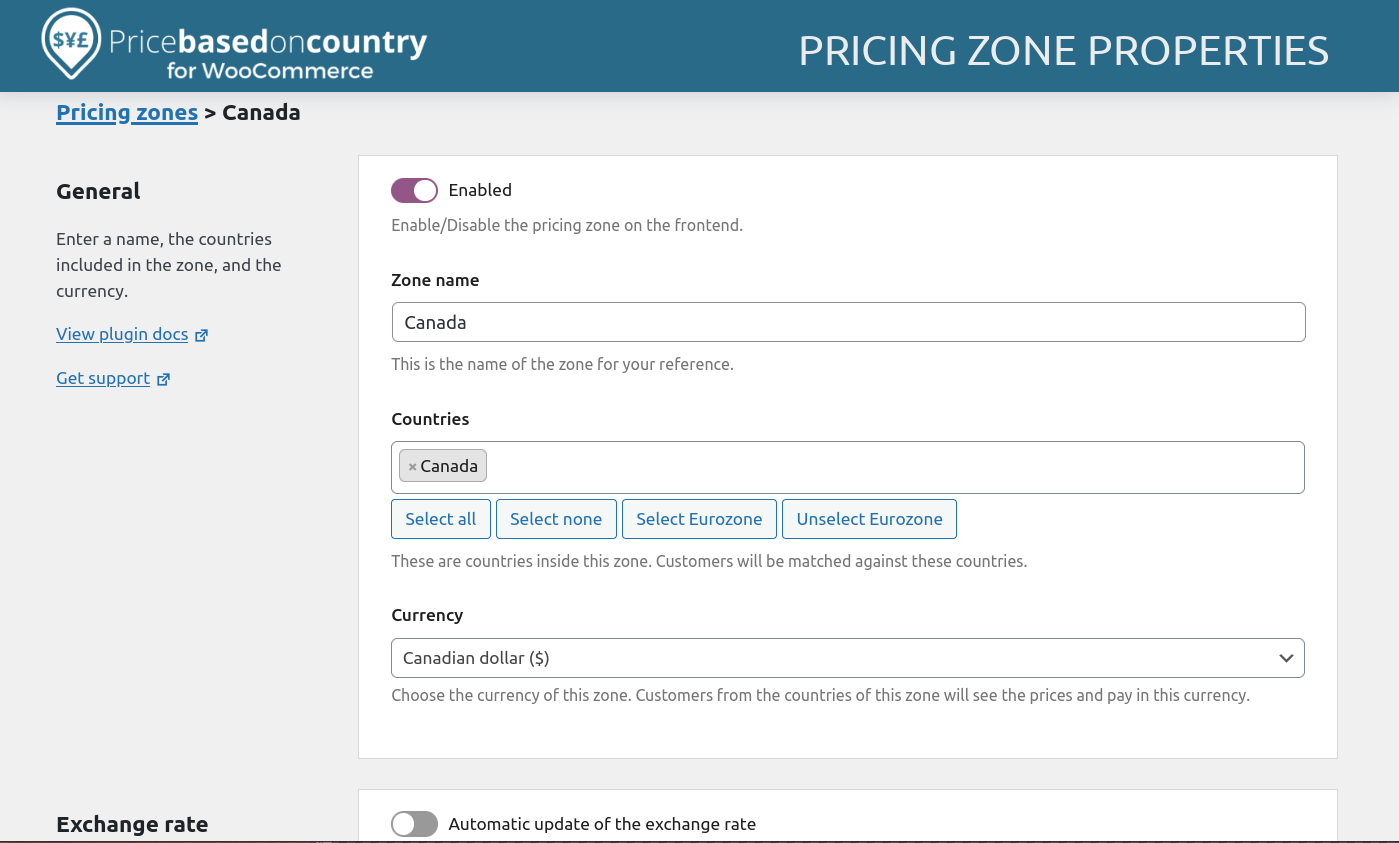
Pricing zone properties. 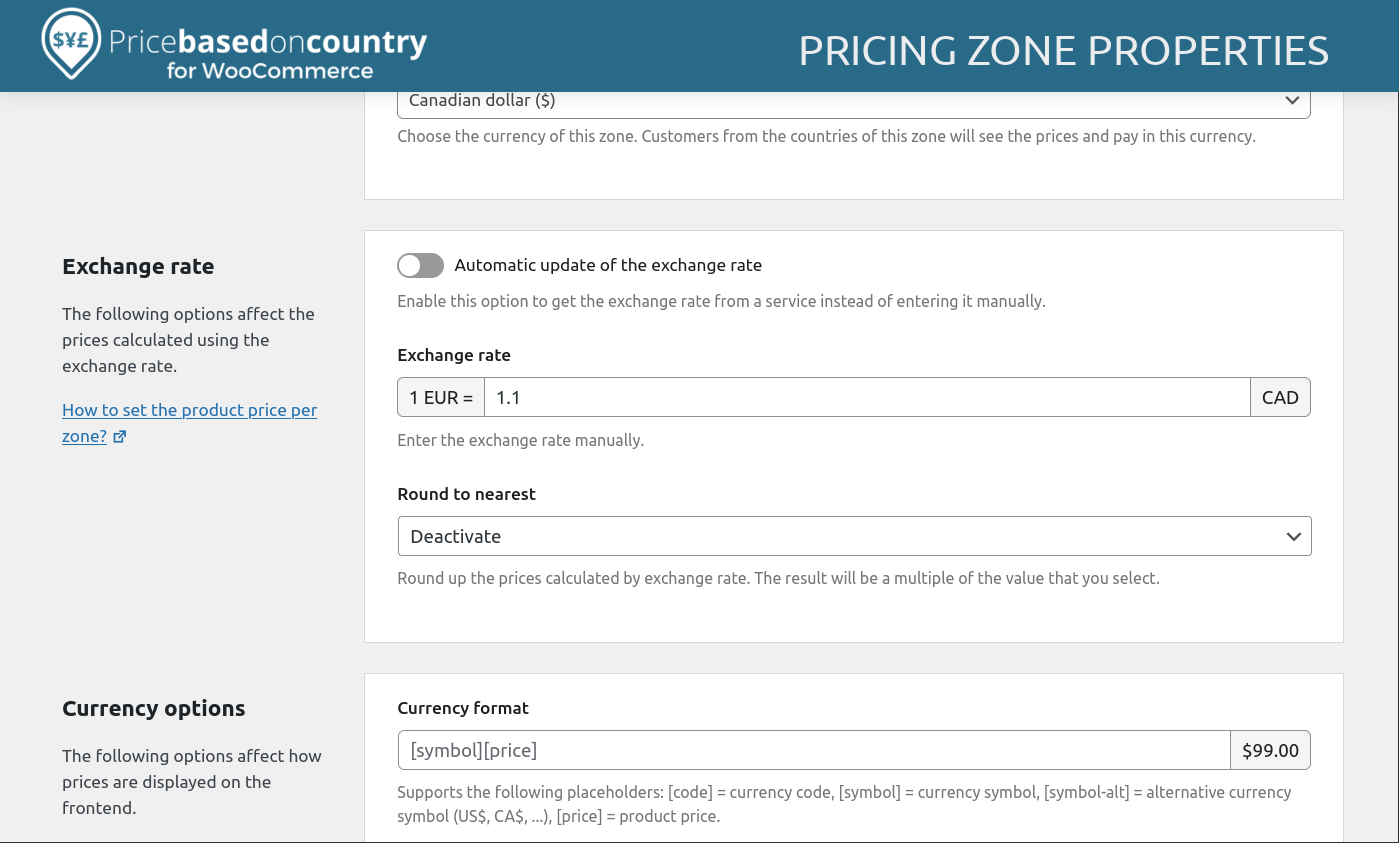
Pricing zone properties (2). 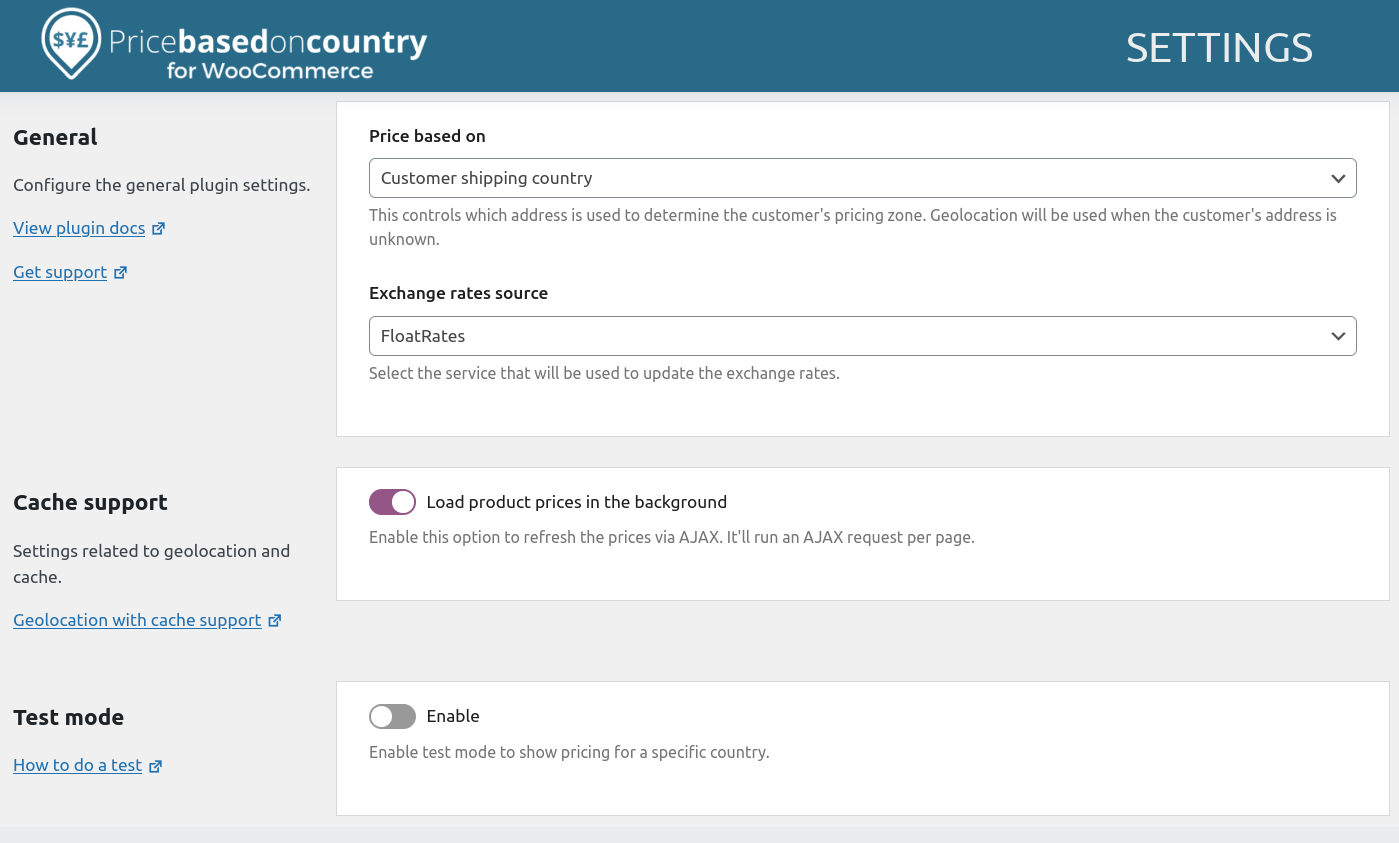
Plugin settings. 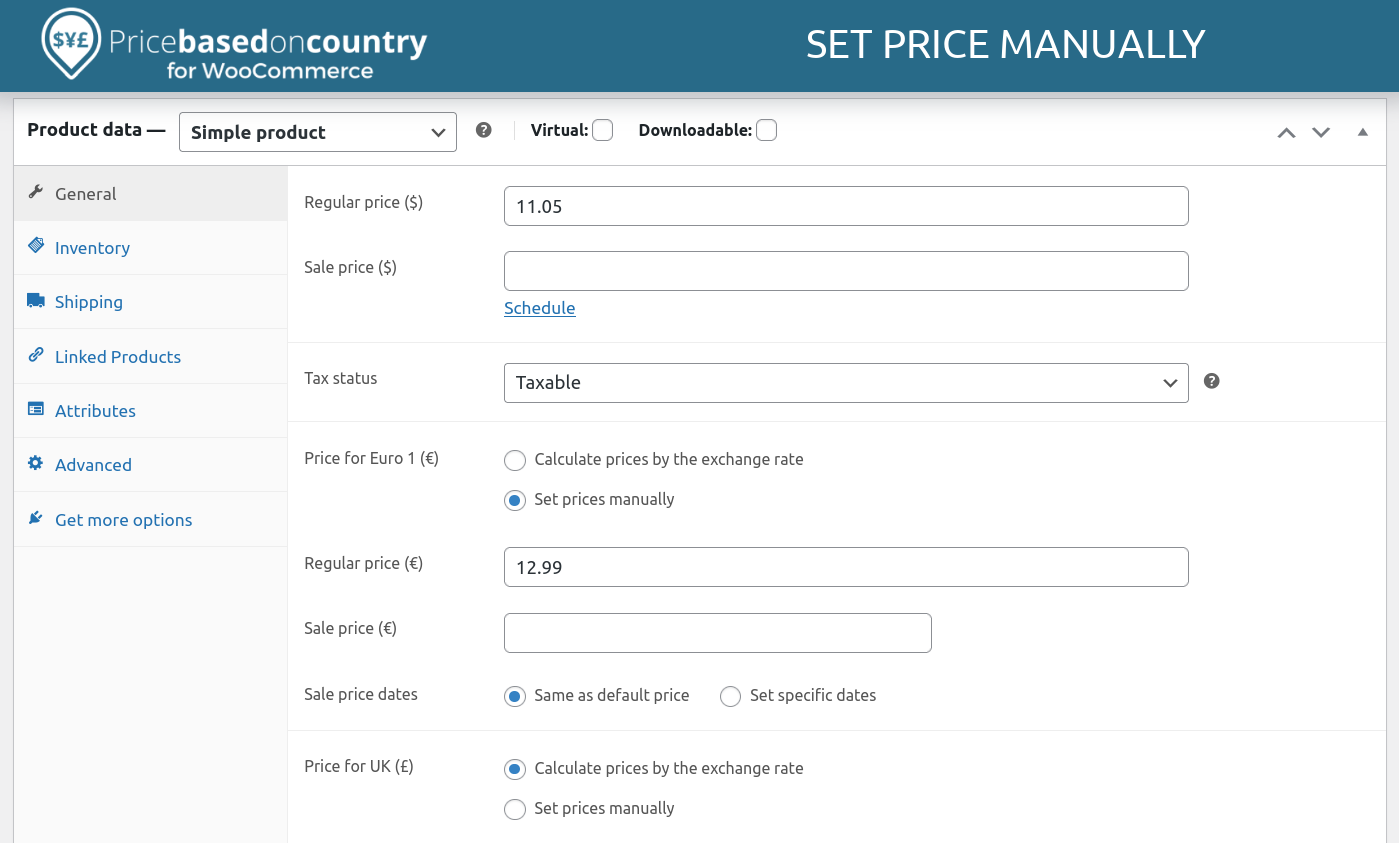
Set the price manually or calculate by the exchange rate. 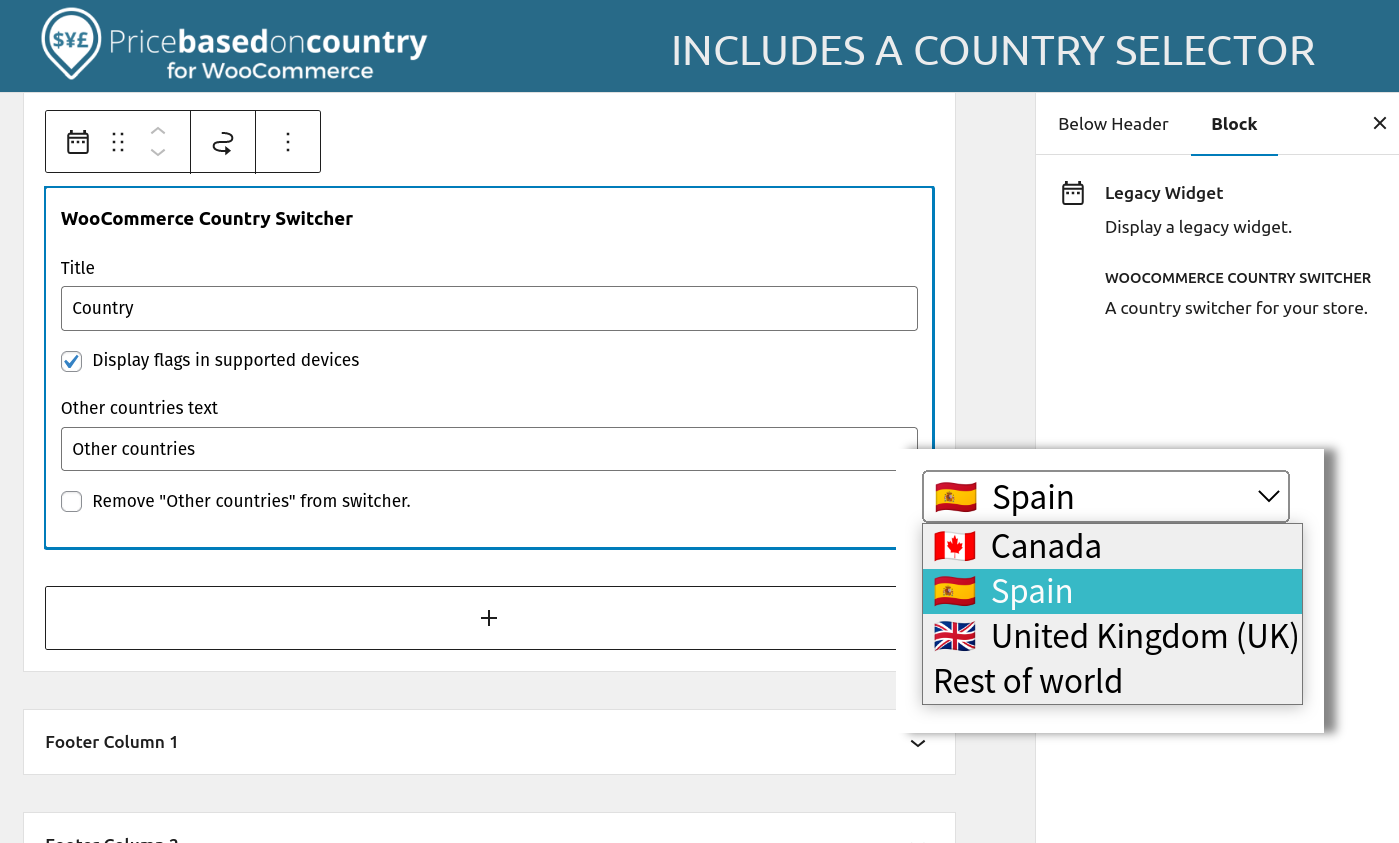
Includes a country selector widget.


Blokken
Deze plugin heeft 1 blok.
- Settings
Installatie
Minimum Requirements
- PHP version 7.0 or greater.
- MySQL version 5.6 or greater or MariaDB version 10.0 or greater.
- WooCommerce 4.0+
- If you want to receive payments in more than one currency, a payment gateway that supports them.
Manual Installation
- Download the plugin by clicking on the “Download” button on this page.
- In your WordPress admin, go to Plugins > Add New.
- Click “Upload Plugin” > “Browse” and select the zip file that you downloaded
- Click “Install Now” > Activate.
Automatic installation
Using the WordPress Admin is the most straightforward option. Log in to your WordPress dashboard, navigate to the Plugins menu, and click “Add New.”
In the search field, type “Price Based on Country for WooCommerce,” then click “Search Plugins.” Once you’ve found us, you can install it by clicking “Install Now,” and WordPress will take it from there.
FAQ
Does the plugin automatically detect the country?
Yes. WooCommerce includes a native geolocation feature that detects the customer’s location via IP. Price Based on Country uses this feature to automatically show the correct local price.
Is it compatible with caching plugins (WP Rocket, W3 Total Cache)?
Yes! The plugin is designed to work with caching. It loads prices dynamically to ensure the correct price is shown.
Can I set the price manually for each product?
Absolutely. You can let the plugin automatically calculate the exchange rate, or manually enter a fixed price for each product in each zone (e.g., Product A is $10 in the US and €12 in Spain).
What happens if I need to update 500 products?
The Free version requires manual editing. The PRO Version includes a Bulk Editor and CSV import/export support, saving you hours of data entry.
Does it work with Stripe and PayPal?
Yes! The plugin requires a payment gateway that supports the currencies you want to work with. e.g., PayPal or Stripe.
Can I use the plugin to set different prices based on State, zip code, province, or city?
This plugin is specialized strictly for Country-based pricing strategies. It does not support regional (State/Zip) pricing within a single country.
Where can I find the plugin documentation?
Need help setting up? Check out our documentation. Have a bug to report? Please use the Support Forum.
How can I test the geolocation?
Please review How to test the pricing zones in our docs to learn how to simulate visits from other countries.
Beoordelingen


Bijdragers & ontwikkelaars
“Price Based on Country for WooCommerce” is open source software. De volgende personen hebben bijgedragen aan deze plugin.
Bijdragers
“Price Based on Country for WooCommerce” is vertaald in 2 localen. Dank voor de vertalers voor hun bijdragen.
Vertaal “Price Based on Country for WooCommerce” in je eigen taal.
Interesse in ontwikkeling?
Bekijk de code, haal de SVN repository op, of abonneer je op het ontwikkellog via RSS.
Changelog
4.1.1 (2025-12-23)
- Fixed: Bug introduced by WPML that breaks the get_post_meta function and affects product variation synchronization.
4.1.0 (2025-12-04)
- Added: Tested up WordPress 6.9+.
- Added: Tested up WooCommerce 10.4+.
- Fixed: Deprecated wc_enqueue_js on WooCommerce 10.4
- Fixed: PHP Notice: Function _load_textdomain_just_in_time was called incorrectly when “WooCommerce PayPal Payments” plugin is active.

