

Beschrijving


Product Image Zoom & Gallery for WooCommerce by WPBean
Beschrijving
WooCommerce Image Zoom is a lightweight and user-friendly plugin that enhances your online store by adding responsive zoom functionality to product images. Designed specifically for WooCommerce, this plugin allows customers to get a closer, high-definition look at product details simply by hovering over or tapping on product images — helping build trust and reduce purchase hesitation.
With multiple zoom styles and customizable settings, WooCommerce Image Zoom gives you full control over how zoom effects appear on single product pages. You can adjust zoom window size, lens shape, magnification level, and animation behavior to match your store’s design and user experience needs, all without writing any code. Whether shoppers are browsing on desktop or touch devices, the zoom effect works smoothly and responsively across screen sizes.
Built for performance and compatibility, this plugin integrates seamlessly with modern WooCommerce themes and maintains fast loading times without adding unnecessary bloat. By giving users an immersive product preview experience, WooCommerce Image Zoom can help increase engagement, reduce returns due to unexpected details, and drive higher conversions.
Upgrade to the Pro Version | Free Version DEMO | PRO Version DEMO | Support | Screenshots
Plugin Features
- On mouseover, display a larger version of the product image.
- Play and Plug.
- No need for other settings.
- Really lightweight.
- Work with all themes for WordPress.
- Simple to use.
- Developer-friendly and flexible.
- WPML, Polylang, GTranslate and all others multi-language plugin support.
PRO Version Features
- There are three types of zoom.
- Product gallery images slider.
- Zooming product variation images.
- LightBox popup for the images.
- Exclude Zoom for particular products and categories.
- Changeable zoom window and zoom lens size.
- There are two distinct types of zoom lens.
- On mobile devices, clicking a product gallery image will replace the large product image with a gallery image.
- Smooth zoom with Easing effect and FadeIn/Out Speed.
- Advanced settings panel containing all required options.
- Free lifetime updates and support.
- Video Documentation.
- Free installation and customization of themes ( if needed ).
Video Documentation:
You may also like our some of our others WooCommerce plugins
WPB Woocommerce Product slider | WPB WooCommerce Related Products Slider | WooCommerce LightBox | WooCommerce Custom Tab Manager
Schermafbeeldingen
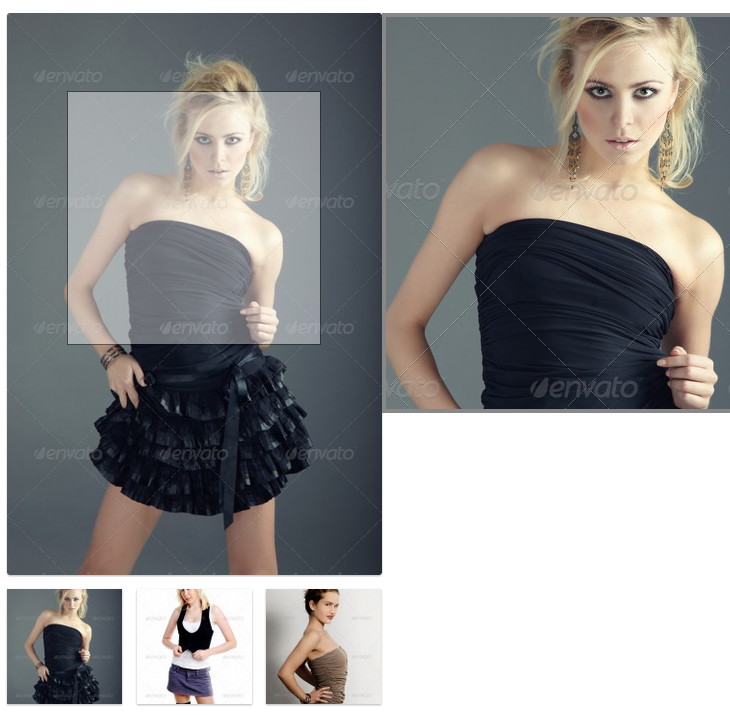
Product Image Zoom for Woocommerce in action. 
Product Image Zoom for Woocommerce in action. 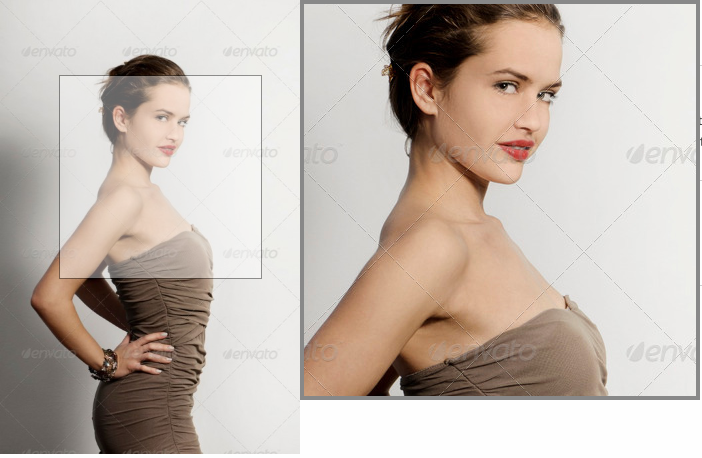
Product Image Zoom for Woocommerce in action. 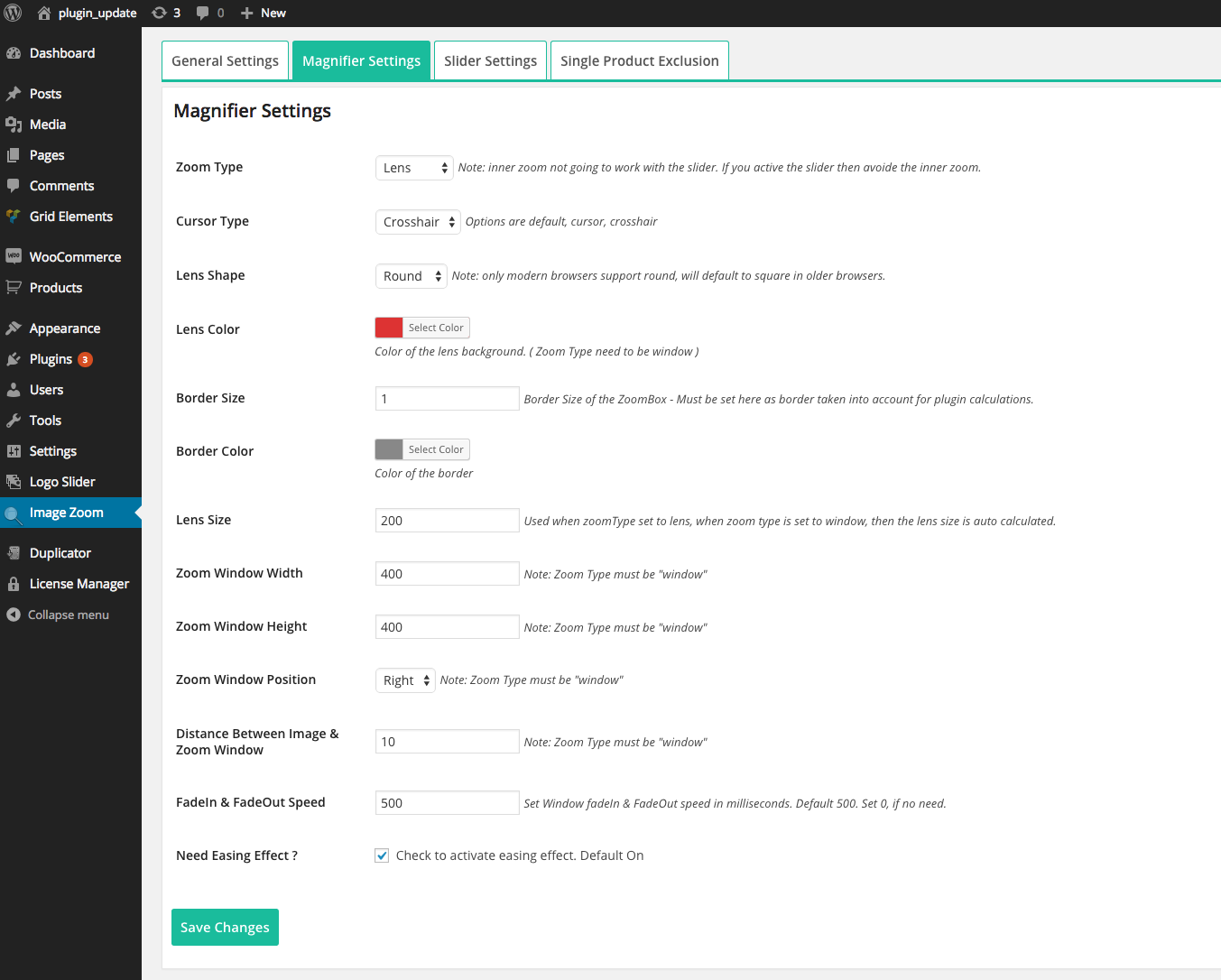
Magnifier Settings ( PRO version Only ). 
General Settings ( PRO version Only ). 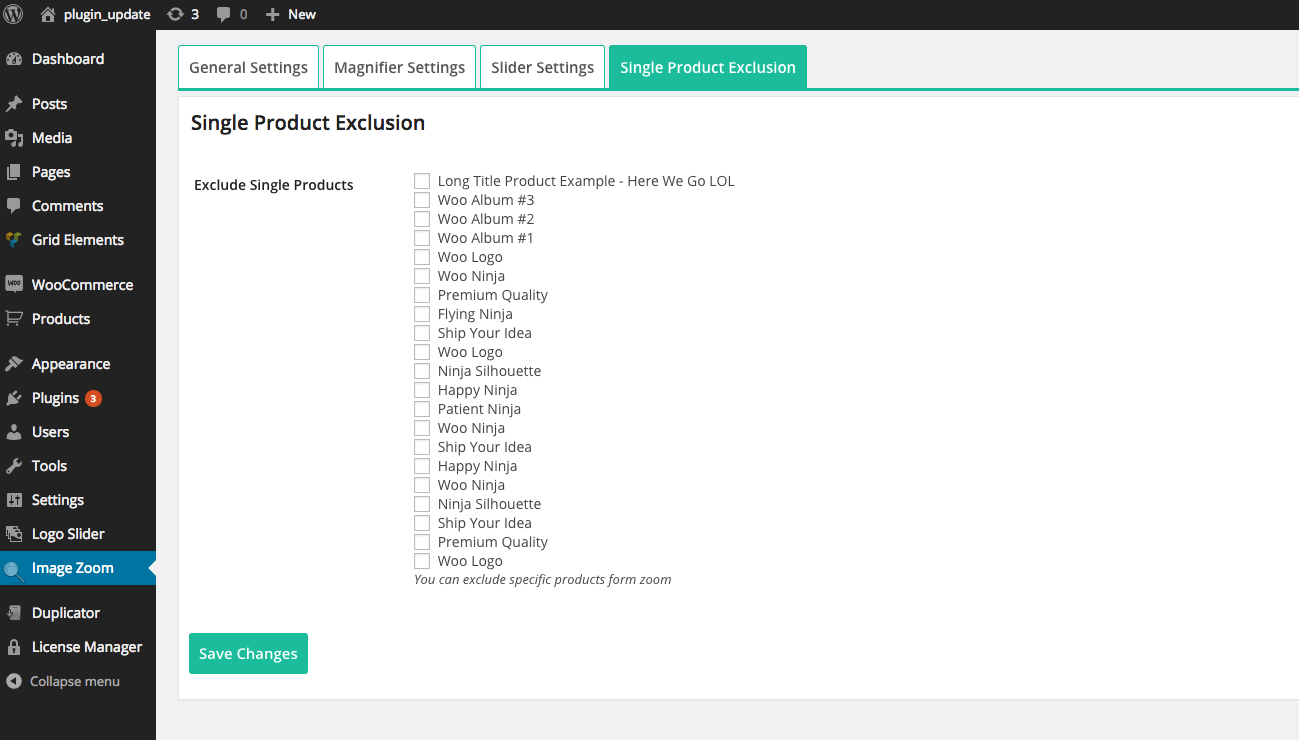
Single Product Exclusion ( PRO version Only ). 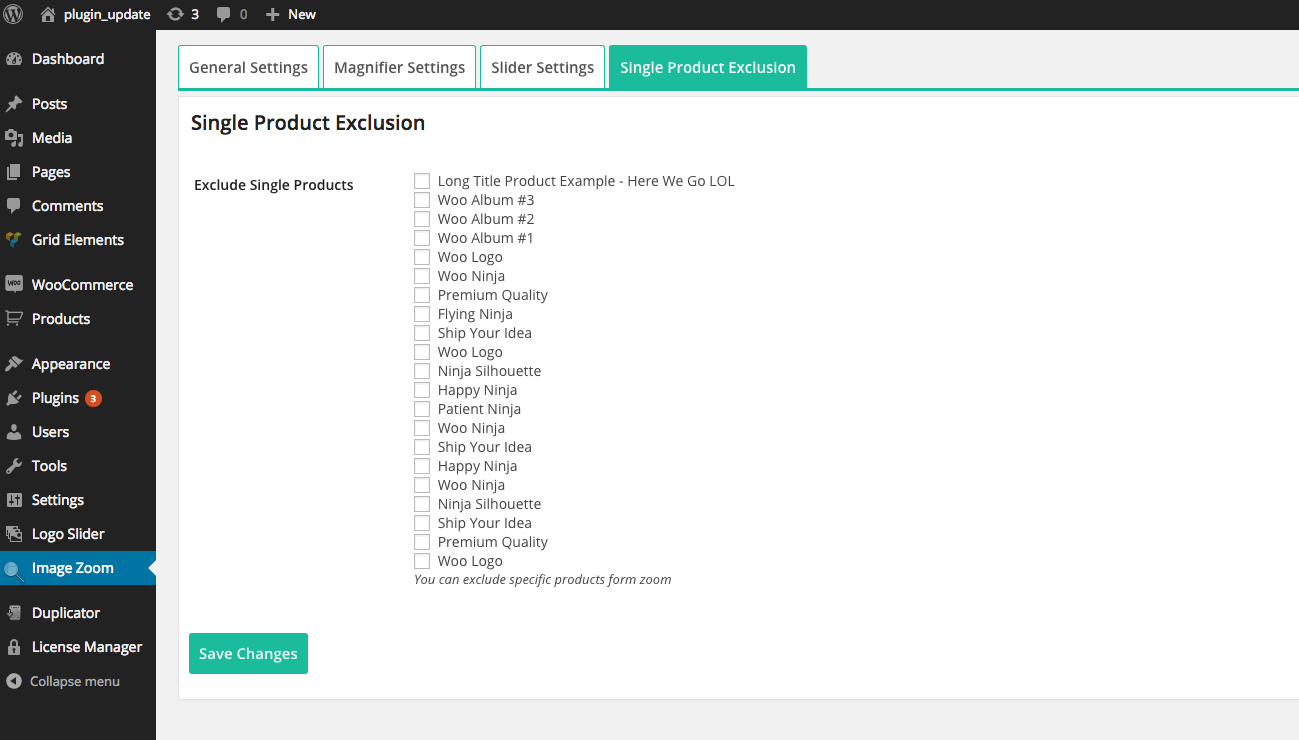


Installatie
Install it as a regular WordPress plugin
Active the plugin.
Go to any single product page of Woocommerce product.
Hover product image.
FAQ
How do I configure zoom for a product image?
This plugin is really basic; simply install it, and it will begin functioning instantly. Check this plugin setting for additional customization options.
Having trouble with your theme?
This plugin requires WooCommerce hooks to function. If your theme overrides the hooks, you may need to modify your theme for the zoom to function. Please contact us if you require assistance.
Beoordelingen


Bijdragers & ontwikkelaars
“Product Image Zoom & Gallery for WooCommerce by WPBean” is open source software. De volgende personen hebben bijgedragen aan deze plugin.
Bijdragers

Vertaal “Product Image Zoom & Gallery for WooCommerce by WPBean” in je eigen taal.
Interesse in ontwikkeling?
Bekijk de code, haal de SVN repository op, of abonneer je op het ontwikkellog via RSS.
Changelog
version 1.0
- Eerste release
version 1.01
- Added WordPress 4.7 and WooCommerce 2.6.8 support
version 1.02
- WooCommerce 3.0 support added
version 1.02.1
- LightBox added with image zoom.
version 1.02.2
- Small issue fixed.
version 1.02.3
- WooCommerce 3.1.0 support added.
version 1.02.4
- Settings added for disabling zoom in mobile.
version 1.02.5
- WordPress 4.9 and WooCommerce 3.2.3 support added.
version 1.02.6
- WordPress 4.9.6 and WooCommerce 3.3.5 support added.
version 1.02.7
- Added WordPress 4.9.6 and WooCommerce 3.4.0 support
version 1.02.8
- Added WordPress 5.0.2 and WooCommerce 3.5.3 support.
- Gutenberg compatibility added.
version 1.02.9
- Added WordPress 5.1.1 and WooCommerce 3.6.1 support.
version 1.03.1
- Added WordPress 5.2 and WooCommerce 3.6.2 support.
version 1.03.2
- Added WordPress 5.2.1 and WooCommerce 3.6.4 support.
version 1.03.3
- Added WordPress 5.2.4 and WooCommerce 3.7.1 support.
version 1.03.4
- Added WordPress 5.3 and WooCommerce 3.8.1 support.
version 1.03.5
- Added WordPress 5.3.2 and WooCommerce 3.9.2 support.
- Image Gallery Style settings added.
- Free and premium condition added.
- Pro discount added.
version 1.03.6
- Product variation image zoom support.
- Zoom script updated to the EZ Plus.
version 1.03.7
- Admin notice issue fixed.
version 1.03.8
- Tested with WooCommerce 4.1.0 and WordPress 5.4.1
version 1.03.9
- Add feature image to the gallery (fixed).
- Tested with WooCommerce 4.1.1 and WordPress 5.4.1
version 1.04.0
- Tested with WooCommerce 4.2.2 and WordPress 5.4.2
version 1.04.1
- Image variation support added.
version 1.04.2
- jQuery migrate issue fixed.
version 1.04.3
- jQuery migrate issue fixed.
- Tested with WordPress 5.6 & WooCommerce 4.8.0
version 1.04.4
- Scroll Zoom disabled.
version 1.04.6
- Tested with WordPress 5.6.1 & WooCommerce 5.0.0
version 1.04.7
- Regular Update.
version 1.04.8
- Depot theme support added
version 1.05.0
- WoodMart theme support added
version 1.05.1
- Electro theme support added
version 1.05.2
- Tested with WooCommerce 7.3.0 and WordPress 6.1.1
version 1.05.3
- Tested with WooCommerce 7.5.0 and WordPress 6.1.1
- ShortCode added for using the zoom with page builders.
version 1.05.4
- Tested with WooCommerce 8.3.1 and WordPress 6.4.1
version 1.05.6
- Added discount notice.
version 1.05.8
- Removed discount page.
version 1.05.9
- Code improvement.
version 1.06
- Image stretch issue fixed.
version 1.07
- Tested with WooCommerce 10.0.3
version 1.08
- Available hire class prefixed.
version 1.09
- Code quality improved.
- Checked with the Plugin Check (PCP).
version 2.0
- Fixed the main image on click popup issue if there is no gallery images.
version 2.1
- Updated plugin settings page url in the plugin action links.

