

Beschrijving

Deze plugin is niet getest met de laatste 3 grotere versies van WordPress. Mogelijk wordt het niet meer onderhouden of ondersteund. Ook kunnen er compatibiliteitsproblemen ontstaan wanneer het wordt gebruikt met recentere versies van WordPress.

Who Stole the Text Justify Button ?!
Beschrijving
WordPress 4.7 removed the text justify button from TinyMCE buttons. This plugin will bring it back \o/
Disclaimer: justifying is not a very good idea on websites, because justified text can be unreadable on small screens. According to typographic rules, you shouldn’t justify text without good hyphenation and under 70 characters per line in average. So be careful and do not use justified text in all case. I strongly recommend you to provide left alignment for small devices, using CSS media queries.
To be honest, I do not really think removing this button was a bad idea, but some clients wanted it again, so I made a little plugin for them 🙂
Underline button was also removed by WordPress 4.7, and we are not going to bring it back here because this button clearly sucks. On the web, underlining normal text is always a bad idea because it should be reserved for links. If you want it back too, check this plugin: Re-Add Underline and Justify.
Credits : Jean-Baptiste Audras, project manager at Whodunit and WordPress developer. @audrasjb on Twitter or Github.
Schermafbeeldingen
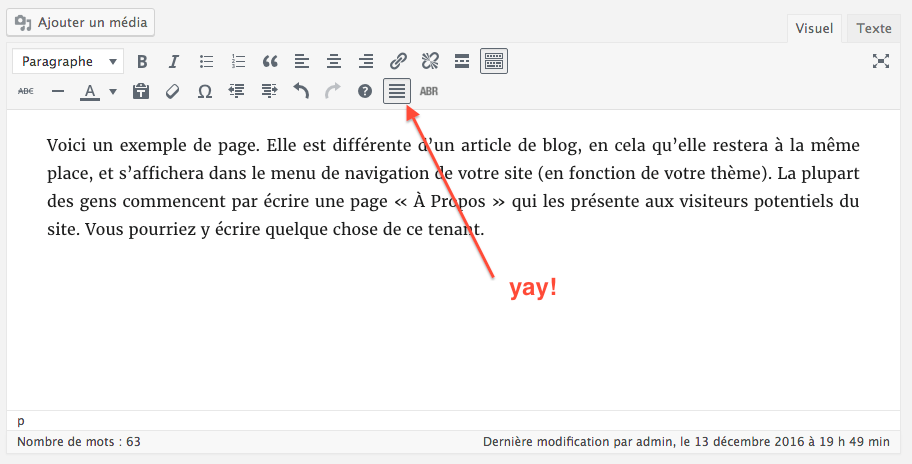
Hurray! (oh, do you notice the ABR button? It’s an abbreviation button provided by my Abbreviation button for tinymce plugin)

Installatie
- Install WSTJB plugin and activate. That’s all: text justify alignment button is back (second row of buttons).
Beoordelingen


Bijdragers & ontwikkelaars
“Who Stole the Text Justify Button ?!” is open source software. De volgende personen hebben bijgedragen aan deze plugin.
Bijdragers

“Who Stole the Text Justify Button ?!” is vertaald in 4 localen. Dank voor de vertalers voor hun bijdragen.
Vertaal “Who Stole the Text Justify Button ?!” in je eigen taal.
Interesse in ontwikkeling?
Bekijk de code, haal de SVN repository op, of abonneer je op het ontwikkellog via RSS.
Changelog
1.0
- Plugin initial commit. Works fine 🙂

