

Beschrijving


VS Link Manager
Beschrijving
Over
Met deze lichtgewicht plugin kun je een overzicht tonen met links van de Link Manager.
The Link Manager is part of WordPress but disabled by default. This plugin will activate it again.
Main features of the plugin:
- Free and lightweight
- Support for Block Editor and Classic Editor
- Display your link list with block, shortcode or widget
- Customize your link list with attributes
- Documentation at WP plugin page
- Active support from developer at WP forum
With this plugin you can also create a blogroll or link portal in the same way as a link list.
Hoe te gebruiken
After installation go to menu item “Links” and create some categories and links. Links must be assigned to a category.
Go to the editor and add the VS Link Manager block or the shortcode [links] to a page. This will display your link list.
Or go to Appearance > Widgets and use the VS Link Manager widget.
Standaard instellingen categorieën:
- 4 columns when using block or shortode
- 1 column when using widget
- 2 columns in small screens
- Rangschikken op naam
- Oplopende volgorde (A-Z)
- Lege categorieën zijn verborgen
Standaardinstellingen links:
- Rangschikken op naam
- Oplopende volgorde (A-Z)
- Alle links worden getoond
Customize your link list with attributes.
Attributes
You can customize your link list by adding attributes to the block, shortcode or widget.
- Add custom CSS class to link list:
class="your-class-name" - Wijzig het aantal kolommen:
columns="3" - Disable the columns:
columns="0" - Voeg bepaalde categorieën toe:
include="1,3,5" - Sluit bepaalde categorieën uit:
exclude="8,10,12" - Toon ook lege categorieën:
hide_empty="0" - Toon categorie beschrijving:
category_description="true" - Change the number of links per category:
links_per_category="5" - Reverse the order of links:
order="DESC" - Toon links op ID:
orderby="ID" - Toon links in willekeurige volgorde:
orderby="rand" - Verberg link titel:
hide_link_title="false" - Verberg link beschrijving:
hide_link_description="false" - Change feed label:
feed_label="your label" - Change the “no categories are found” text:
no_categories_text="your text"
Voorbeeld: [links include="1,3,5" category_description="true" links_per_category="5"]
When using the block or the widget, don’t add the main shortcode tag or the brackets.
Example: include="1,3,5" category_description="true" links_per_category="5"
With the columns attribute you can set the number of columns between 1 and 4.
In small screens max 2 colums.
You can disable the columns in favour of your own styling.
The columns attribute will be ignored when using the block or widget. Because you can set the columns via the block or widget settings.
With the “hide link title” attribute you can hide the link title if the link has an image assigned to it. This way you can display the link image only, instead of both.
Widget
This plugin activates the Links widget again. Because this widget is part of WordPress, plugin has no control over it.
You can use the VS Link Manager widget instead.
Have a question?
Please take a look at the FAQ section.
Vertaling
Translations are not included, but the plugin supports WordPress language packs.
More translations are very welcome!
De vertaal map binnen deze plugin is overbodig, maar wordt bewaard ter referentie.
Credits
Without help and support from the WordPress community I was not able to develop this plugin, so thank you!
Schermafbeeldingen
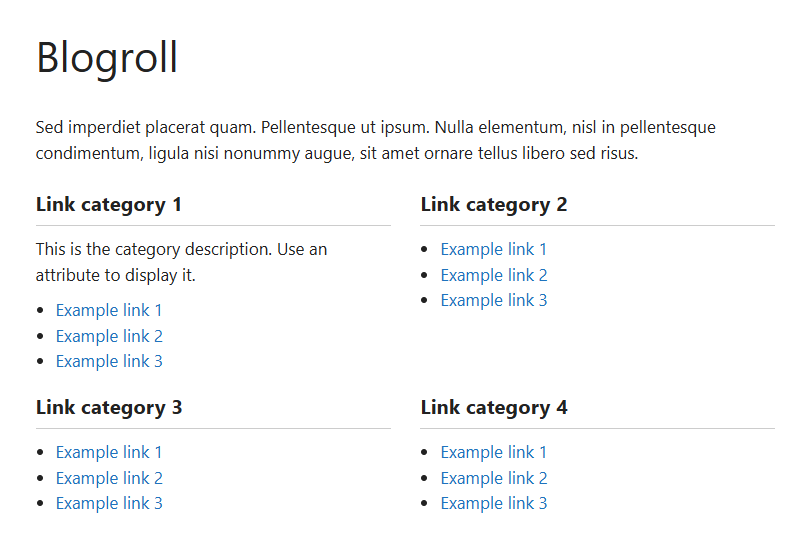
Link list 
Page with block (dashboard) 
Widget (dashboard) 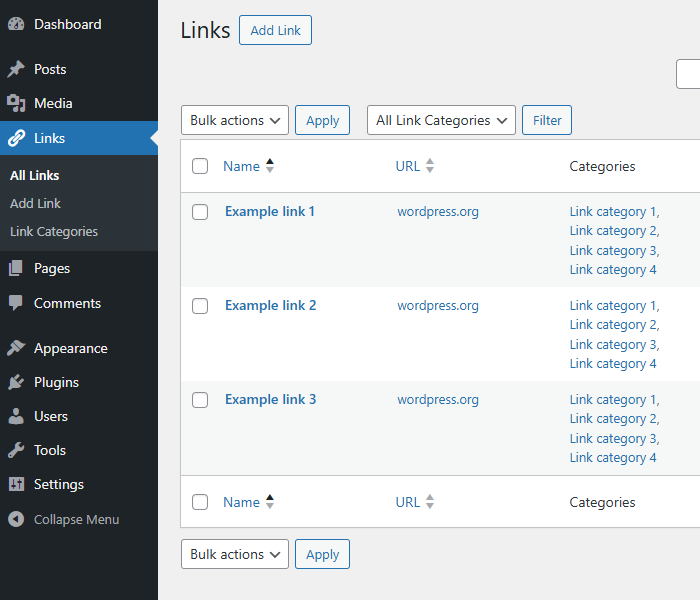
Links pagina (dashboard)


Blokken
Deze plugin heeft 1 blok.
- VS Link Manager
FAQ
How do I set plugin language?
The plugin will use the website language, set in Settings > General.
If translations are not available in the selected language, English will be used.
Waar is de instellingen pagina?
Plugin heeft geen instellingen pagina. Gebruik het blok, shortcode of widget met attributen om het te laten werken.
Why does the link list look different between themes?
The plugin uses minimal styling and therefore also depends on the styling of your theme.
Hoe kan ik de lay-out of kleuren wijzigen?
You can set the number of columns between 1 and 4 or disable the columns. This can be done via the block or widget settings or via an attribute.
If you disable the columns CSS class “vslm-custom” is added to the link list. This class can be used for your custom styling.
You can use page Additional CSS of the Customizer for your custom styling.
Kan ik links rangschikken op datum?
Nee, dit is niet mogelijk.
But with the orderby and order attribute you can order links by ID and in descending order. This way newly added links will be displayed first.
Waar vind ik het categorie ID?
Every category URL contains an unique ID. You will find this ID when hovering the category title in your dashboard or when editing the category.
Het is het nummer dat komt na:
tag_ID=Waar vind ik het link ID?
Elke link URL bevat een unieke ID. Je vindt deze ID wanneer je over de link titel hovert in je dashboard of wanneer je de link bewerkt.
It’s the number that comes after:
link_ID=Why is there no semantic versioning?
The version number won’t give you info about the type of update (major, minor, patch). You should check the changelog to see whether or not the update is a major or minor one.
Hoe kan ik een donatie doen?
You like my plugin and want to make a donation? There’s a PayPal donate link at my website. Thank you!
Andere vragen of reacties?
Please open a topic in the WordPress.org support forum for this plugin.
Beoordelingen


Bijdragers & ontwikkelaars
“VS Link Manager” is open source software. De volgende personen hebben bijgedragen aan deze plugin.
Bijdragers
“VS Link Manager” is vertaald in 2 localen. Dank voor de vertalers voor hun bijdragen.
Vertaal “VS Link Manager” in je eigen taal.
Interesse in ontwikkeling?
Bekijk de code, haal de SVN repository op, of abonneer je op het ontwikkellog via RSS.
Changelog
Version 3.8
- Added support for ClassicPress
- Block only loaded in WP 6.3 and above
- Reverted the “Requires at least” version to 6.0
Version 3.7
- Kleine wijzigingen in code
Version 3.6
- Changed several attribute names
- This means you might have to update your attributes
- Attribute hide_link_title becomes link_title
- Attribute hide_link_description becomes link_description
Version 3.5
- Full rewrite of the block
- It now supports the Block API version 3
- Bumped the “Requires at least” version to 6.3
Version 3.4
- Fixed errors flagged by PCP
- Output escaping for widget
- Kleine wijzigingen in code
Version 3.3
- Kleine wijzigingen in code
Version 3.2
- Removed wrong header from main plugin file
Version 3.1
- Kleine wijzigingen in code
Version 3.0
- Code improvements
- Bumped the “requires PHP” version to 7.4
- Bumped the “Requires at least” version to 6.0
Version 2.9
- New: support for RSS address
- The feed link will be displayed next to the link itself
- Kleine wijzigingen in code
Voor alle versies bekijk de wijzingslog.

