

Beschrijving
Deze plugin is niet getest met de laatste 3 grotere versies van WordPress. Mogelijk wordt het niet meer onderhouden of ondersteund. Ook kunnen er compatibiliteitsproblemen ontstaan wanneer het wordt gebruikt met recentere versies van WordPress.

TinyMCE Spellcheck
Beschrijving
TinyMCE Spellcheck adds the spellcheck button back to the editor in WordPress 3.6 and up. This is a fork of the After the Deadline plugin which is now a part of Jetpack.
Schermafbeeldingen
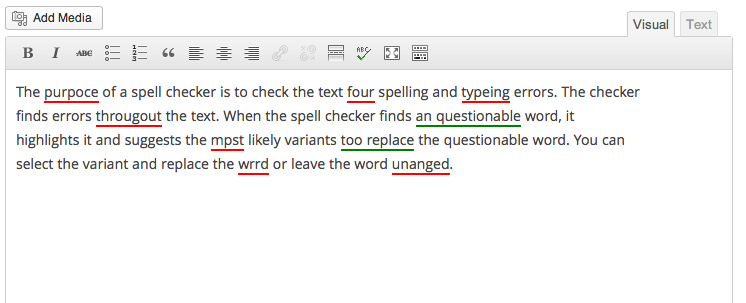
TinyMCE Spellcheck in the Visual editor 
Example of TinyMCE Spellcheck behavior 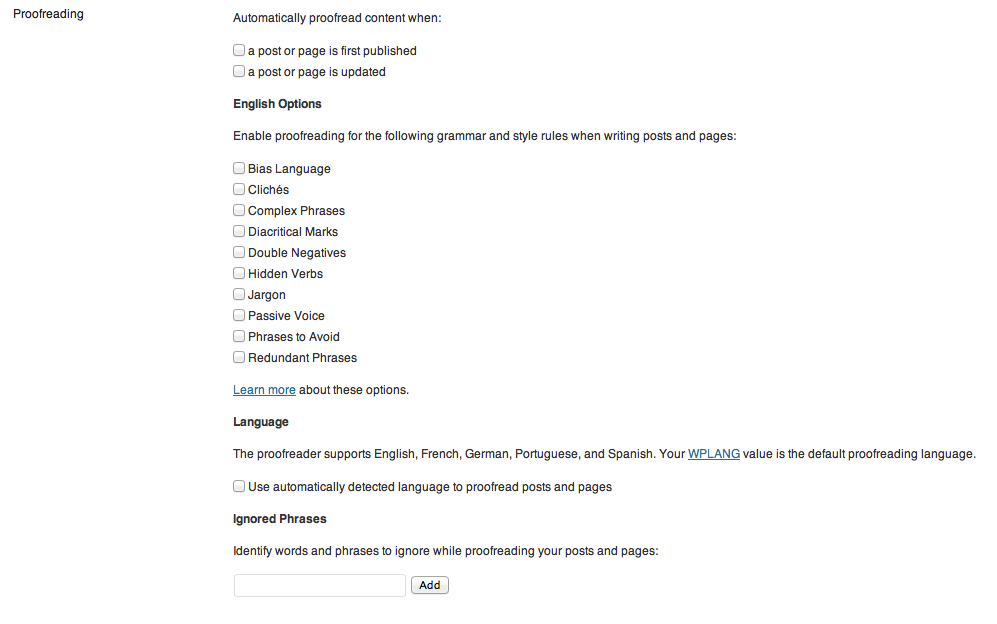
TinyMCE Spellcheck profile options


Installatie
- Go to Plugins > Add New
- Click the Upload link
- Click Browse and locate the
tinymce-spellcheck.x.x.zipfile - Click Install Now
- After WordPress installs, click on the Activate Plugin link
FAQ
- Installation Instructions
- Go to Plugins > Add New
- Click the Upload link
- Click Browse and locate the
tinymce-spellcheck.x.x.zipfile - Click Install Now
- After WordPress installs, click on the Activate Plugin link
- There’s a bug. How do I contribute?
Please use [the Github repo(https://github.com/mmuro/TinyMCE-Spellcheck) to contribute bug fixes.
- Where do I go for support?
This plugin is unsupported. If there’s a bug, please use the Github repo.
Beoordelingen
Er zijn geen beoordelingen voor deze plugin.
Bijdragers & ontwikkelaars
“TinyMCE Spellcheck” is open source software. De volgende personen hebben bijgedragen aan deze plugin.
Bijdragers
“TinyMCE Spellcheck” is vertaald in 2 localen. Dank voor de vertalers voor hun bijdragen.
Vertaal “TinyMCE Spellcheck” in je eigen taal.
Interesse in ontwikkeling?
Bekijk de code, haal de SVN repository op, of abonneer je op het ontwikkellog via RSS.
Changelog
Version 1.3 – Aug 01, 2014
- Update security of some AJAX calls to check for nonce and referer
- Fix bug to remove <span>s from highlighted words
Version 1.2 – Apr 18, 2014
- Update plugin for compatibility with WordPress 3.9
Version 1.1 – Jan 28, 2014
- Fix bug where a JS file was not loading properly
Version 1.0 – Aug 08, 2013
- Plugin launch

