

Beschrijving


Easy Mega Menu Plugin for WordPress – ThemeHunk
Beschrijving
ThemeHunk Megamenu Plus
Looking to enhance your WordPress menu? ThemeHunk Megamenu is your go-to plugin! This free, lightning-fast solution offers complete styling options for both normal and mega menus. Whether you’re adding pages, posts, widgets, products, text, or custom links, this plugin has you covered. Perfect for various website types including shops, agencies, blogs, and magazines, ThemeHunk Megamenu ensures your menu stands out while maintaining functionality. This is an easy-to-use responsive drop-down menu builder. You can add background images and colour separately for each menu. Elevate your site’s navigation effortlessly with ThemeHunk Megamenu!
Key Features:-
- Drag and Drop Mega Menu Builder.
- 150+ Free Icon Collections.
- 100% Responsive for All Devices.
- Styling Options for the Default Menu.
- Styling Options for Megamenu.
- Display menu using Automatic Integration, Block, Widget or Shortcode.
- Support page, post, widgets, products, text and custom link in the mega menu.
- Unlimited row and column builder.
Schermafbeeldingen
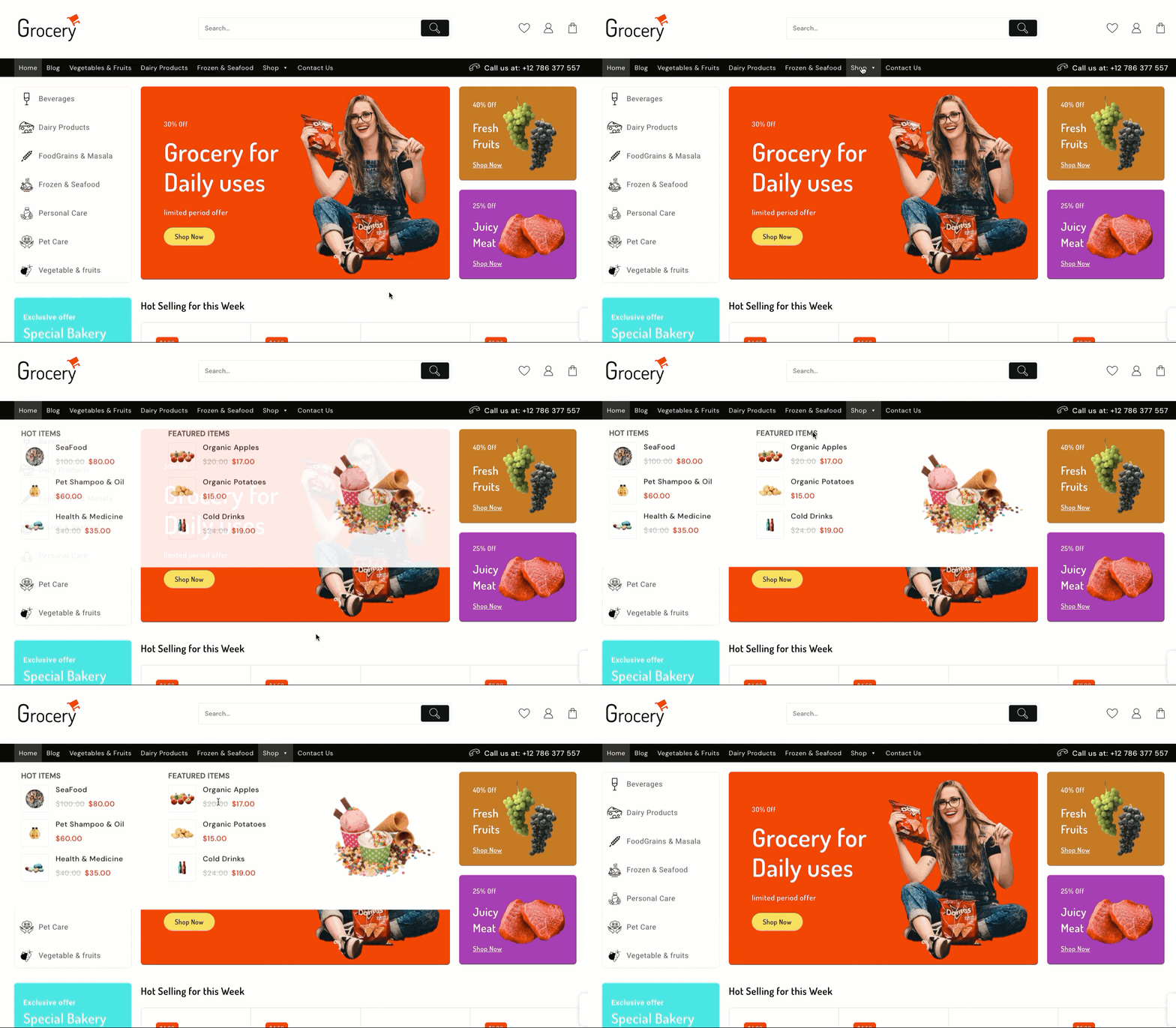
Drag & Drop Modules 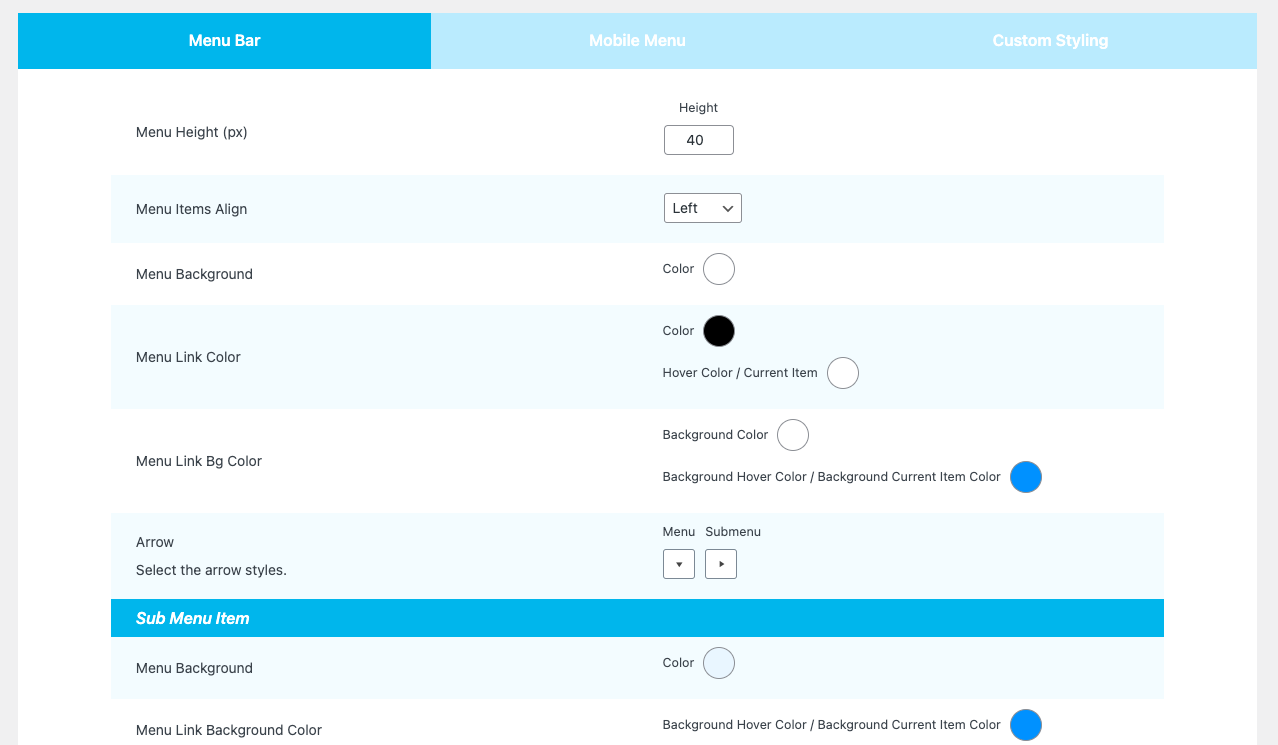
Default menu styling 
Background Styling 


Installatie
- Upload the
themehunk-megamenu.zipto the/wp-content/plugins/directory - Activate the plugin through the ‘Plugins’ menu in WordPress
- Get started from Dashboard > Megamenu-plus
FAQ
How to Install Plugin
Just upload the
themehunk-megamenu-plus.zipto the/wp-content/plugins/directory, and then activate it from ‘Plugins’ menu in WordPress.
Beoordelingen
Er zijn geen beoordelingen voor deze plugin.
Bijdragers & ontwikkelaars
“Easy Mega Menu Plugin for WordPress – ThemeHunk” is open source software. De volgende personen hebben bijgedragen aan deze plugin.
Bijdragers
Vertaal “Easy Mega Menu Plugin for WordPress – ThemeHunk” in je eigen taal.
Interesse in ontwikkeling?
Bekijk de code, haal de SVN repository op, of abonneer je op het ontwikkellog via RSS.
Changelog
1.1.2
- Update : Dashicon Enque.
1.1.1
- Fix : nonce issue fix.
1.1.0
- Fix : nonce issue fix.
- Style: style issue fixed.
1.0.9
- Fix : Ajax issue fix.
- Update: Tested With WordPress 6.4
1.0.8
- Tested With WordPress 6.1
1.0.7
- Notify Updated.
1.0.6
- Notify iframe added.
1.0.5
- Notify image and text updated.
1.0.4
- Notify issue fixed add.
1.0.3
- Notify Banner add.
1.0.2
- style issue fixed.
1.0.1
- Theme compitable issue fixed.
1.0.0
Initial release

