

Beschrijving

Simply Disable Comments
Beschrijving
This plugin simply removes the commenting feature on your WordPress. It’s a simple plugin; just setup and forget – no configuration is needed.
If you like our Simply Disable Comments plugin, then consider checking out our other projects:
- Magic Login Pro – Easy, secure, and passwordless authentication for WordPress.
- Easy Text-to-Speech for WordPress – Transform your textual content into high-quality synthesized speech with AI.
- Handywriter – AI-powered writing assistant that can help you create content for your WordPress.
- PaddlePress PRO – Paddle Plugin for WordPress
- Powered Cache – Caching and Optimization for WordPress – Easily Improve PageSpeed & Web Vitals Score
- WP Accessibility Toolkit – A collection of tools to help you make your WordPress more accessible.
Contributing & Bug Report
Bug reports and pull requests are welcome on Github.
Schermafbeeldingen
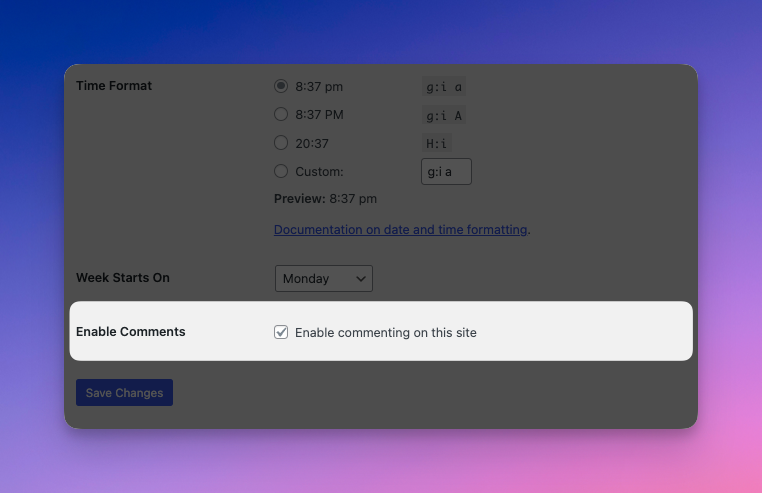
A general settings item on multisite when activated network-wide to allow site owners can control the commenting.

Installatie
From within WordPress
- Visit ‘Plugins > Add New’
- Search for ‘Simply Disable Comments’
- Activate Simply Disable Comments from your Plugins page.
- That’s all.
Manual Installation
- Upload the
simply-disable-commentsfolder to the/wp-content/plugins/directory - Activate the Simply Disable Comments plugin through the ‘Plugins’ menu in WordPress
- That’s all.
FAQ
Where is the settings page?
This plugin doesn’t have a settings page. It’s just a simple plugin to disable comments. However, on multisite it registers an option under general settings when it is activated network-wide. This way, site admins can enable/disable comments on a per-site basis.
Is it compatible with multisite?
Yes! It’s compatible with both single sites and multisite.
Beoordelingen


Bijdragers & ontwikkelaars
“Simply Disable Comments” is open source software. De volgende personen hebben bijgedragen aan deze plugin.
Bijdragers


“Simply Disable Comments” is vertaald in 1 locale. Dank voor de vertalers voor hun bijdragen.
Vertaal “Simply Disable Comments” in je eigen taal.
Interesse in ontwikkeling?
Bekijk de code, haal de SVN repository op, of abonneer je op het ontwikkellog via RSS.
Changelog
0.3 (2025-11-21)
- Remove
core/post-comments-countandcore/post-comments-linkblocks. - Dependency updates.
- Tested with WP 6.9
0.2 (2025-08-30)
- Dependency updates.
- Improved compatibility with ClassicPress.
0.1.4 (2025-04-12)
- Dependency updates.
- Tested with WP 6.8
0.1.3 (2024-07-11)
- Added playground blueprint.
- Dependency updates.
- Tested with WP 6.6
0.1.2 (2024-03-19)
- Dependency updates.
- Tested with WP 6.5
0.1.1 (2023-07-19)
- Bugfix
- Tested with WP 6.3
0.1.0
- Initial release

