

Beschrijving

Deze plugin is niet getest met de laatste 3 grotere versies van WordPress. Mogelijk wordt het niet meer onderhouden of ondersteund. Ook kunnen er compatibiliteitsproblemen ontstaan wanneer het wordt gebruikt met recentere versies van WordPress.

File Upload Limiter
Beschrijving
The File Upload Limiter plugin allows you to set specific upload size limits for different types of files in the WordPress backend. This ensures that users cannot upload files that exceed the defined limits, helping to manage server resources effectively.
Features:
* Set upload limits for images, documents, audio, video, and other file types.
* Define limits in kilobytes (KB).
* Easy-to-use settings page in the WordPress admin area.
License
This plugin is licensed under the GPL-2.0 or later. For more information, see the LICENSE.txt file included with this plugin.
Arbitrary section
You can use this section to provide any additional information you feel is relevant for users of your plugin.
Schermafbeeldingen
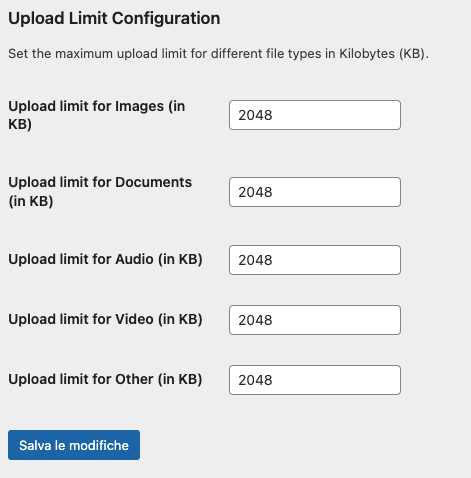
The settings page where you can define upload limits for different file types.

Installatie
- Upload the
file-upload-limiterfolder to the/wp-content/plugins/directory. - Activate the plugin through the ‘Plugins’ menu in WordPress.
- Go to ‘Settings’ > ‘File Upload Limiter’ to configure the upload limits.
FAQ
Can I set different limits for different file types?
Yes, you can set individual upload limits for images, documents, audio, video, and other file types from the plugin’s settings page.
What happens if a user tries to upload a file that exceeds the limit?
The user will receive an error message indicating that the file is too large and specifying the allowed limit for that file type.
Beoordelingen
Er zijn geen beoordelingen voor deze plugin.
Bijdragers & ontwikkelaars
“File Upload Limiter” is open source software. De volgende personen hebben bijgedragen aan deze plugin.
Bijdragers
Vertaal “File Upload Limiter” in je eigen taal.
Interesse in ontwikkeling?
Bekijk de code, haal de SVN repository op, of abonneer je op het ontwikkellog via RSS.
Changelog
1.0
- Initial release.

