

Beschrijving


Serverinformatie
Beschrijving
This plugin will show you useful information about the hosting server you are using e.g. PHP version, MySQL version, Server OS, Server Protocol, Server IP and other useful information. You can use the information displayed by this plugin to update any settings which is crucial for your website performance and other aspects.
You will see the information about:
- PHP-versie
- Operating System
- Server-IP
- Server Hostname
- MySQL versie
- System Uptime
- Active Theme
- Active Plugins
- Database Name
- Database Username
- Database Hostname
- Database Charset
- Database Collate
- WordPress Debugging (Enabled/Disabled)
- WordPress Memory Limit
Please rate the Plugin if you find it useful, thanks.
Schermafbeeldingen

WordPress Dashboard Widget.
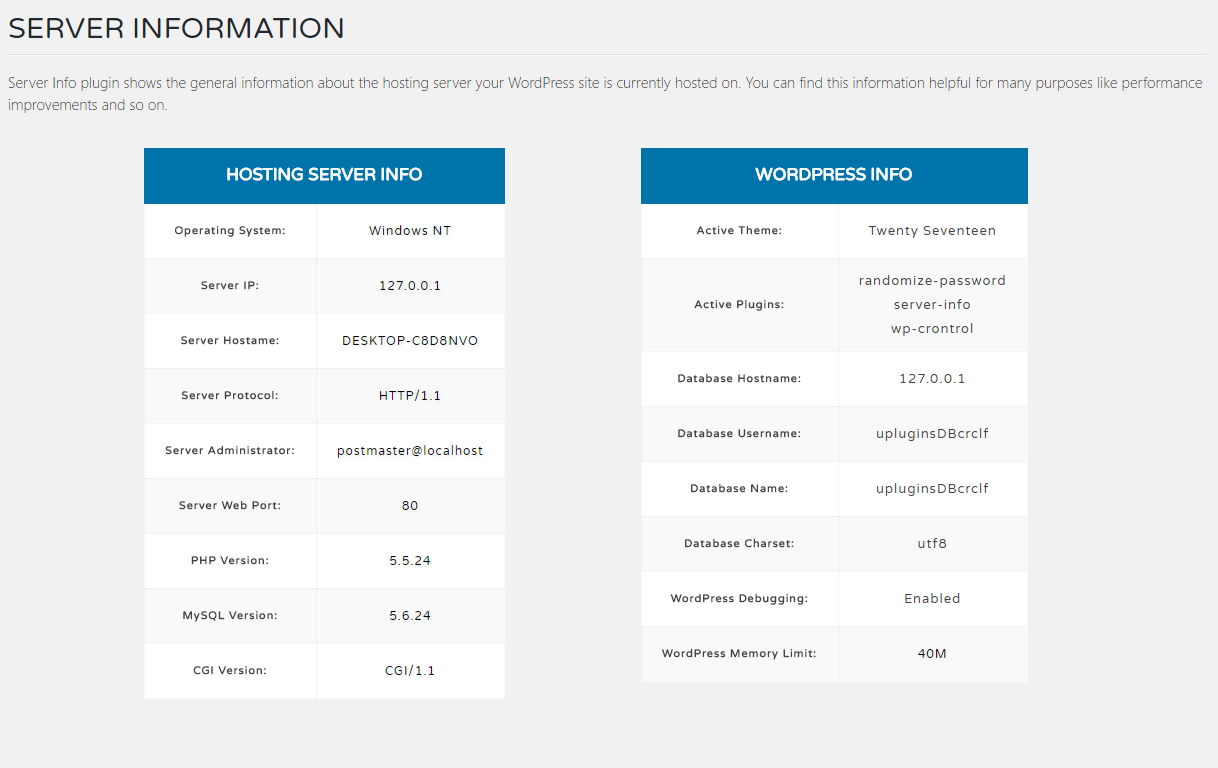
Separate Page for Detailed Server Information.


Installatie
Instructions for installing the Server Info Plugin.
- In your WordPress admin go to Plugins -> Add New.
- Enter Server Info in the text box and click Search Plugins.
- In the list of Plugins click Install Now next to the Server Info Plugin.
- Once installed click to activate.
- Now go to your WordPress dashboard and you will have a new menu option called Server Info.
FAQ
Does this plugin works with all major PHP versions?
Yes, it works with all major PHP versions and I have tested it with PHP version 5.3, 5.4, 5.5, 5.6, 7.0, 7.1, 7.2 7.4, 8.0 and 8.1.
Is Server Info Plugin GDPR compliant?
Yes, absolutely.
Beoordelingen


Bijdragers & ontwikkelaars
“Serverinformatie” is open source software. De volgende personen hebben bijgedragen aan deze plugin.
Bijdragers
Vertaal “Serverinformatie” in je eigen taal.
Interesse in ontwikkeling?
Bekijk de code, haal de SVN repository op, of abonneer je op het ontwikkellog via RSS.
Changelog
0.0.1
- Plugin Core Restructured Completely

