

Beschrijving

Deze plugin is niet getest met de laatste 3 grotere versies van WordPress. Mogelijk wordt het niet meer onderhouden of ondersteund. Ook kunnen er compatibiliteitsproblemen ontstaan wanneer het wordt gebruikt met recentere versies van WordPress.

Remove & Disable XML-RPC Pingback
Beschrijving
Prevent your WordPress site from participating and being a victim of pingback denial of service attacks. After activation the plugin automatically disables XML-RPC. There’s no need to configure anything.
By disabling the XML-RPC pingback you’ll:
* lower your server CPU usage
* prevent malicious scripts from using your site to run pingback denial of service attacks
* prevent malicious scripts to run denial of service attacks on your site via pingback
From sucuri.net:
Any WordPress site with Pingback enabled (which is on by default) can be used in DDOS attacks against other sites.
Lees verder
- How To Prevent WordPress From Participating In Pingback Denial of Service Attacks – wptavern.com
- More Than 162,000 WordPress Sites Used for Distributed Denial of Service Attack – sucuri.net
- xmlrpc.php and Pingbacks and Denial of Service Attacks, Oh My! – hackguard.com
Is Your Site Attacking Others?
Use Sucuri’s WordPress DDOS Scanner to check if your site is DDOS’ing other websites
Why Not Just Disable XMLRPC Altogether?
Yes, you can choose to do that, but if you use popular plugins like JetPack (that use XMLRPC) then those plugins will stop working. That is why this small plugin exists.
Schermafbeeldingen
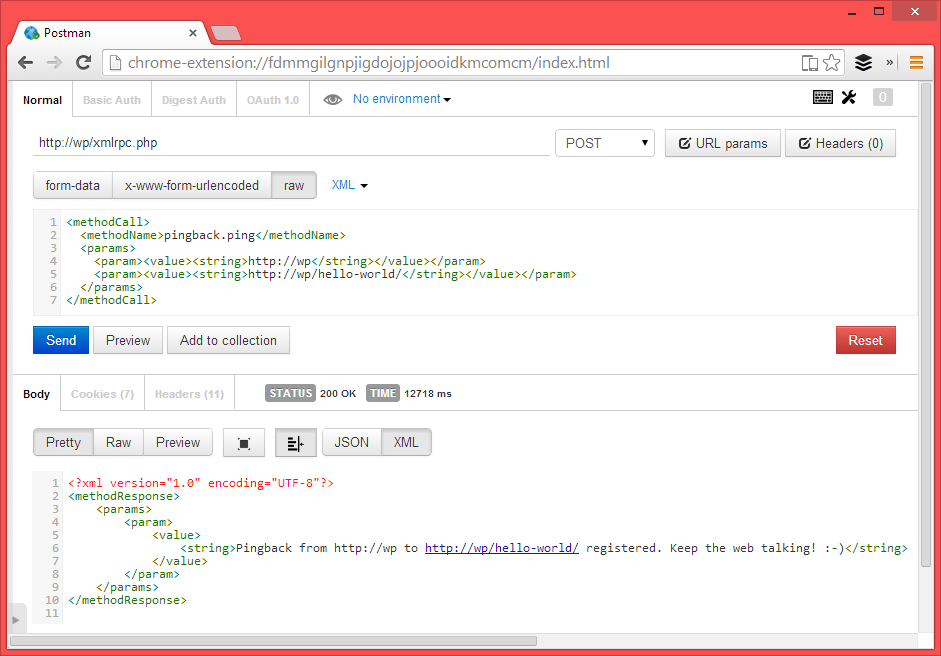
Postman: Without the plugin installed 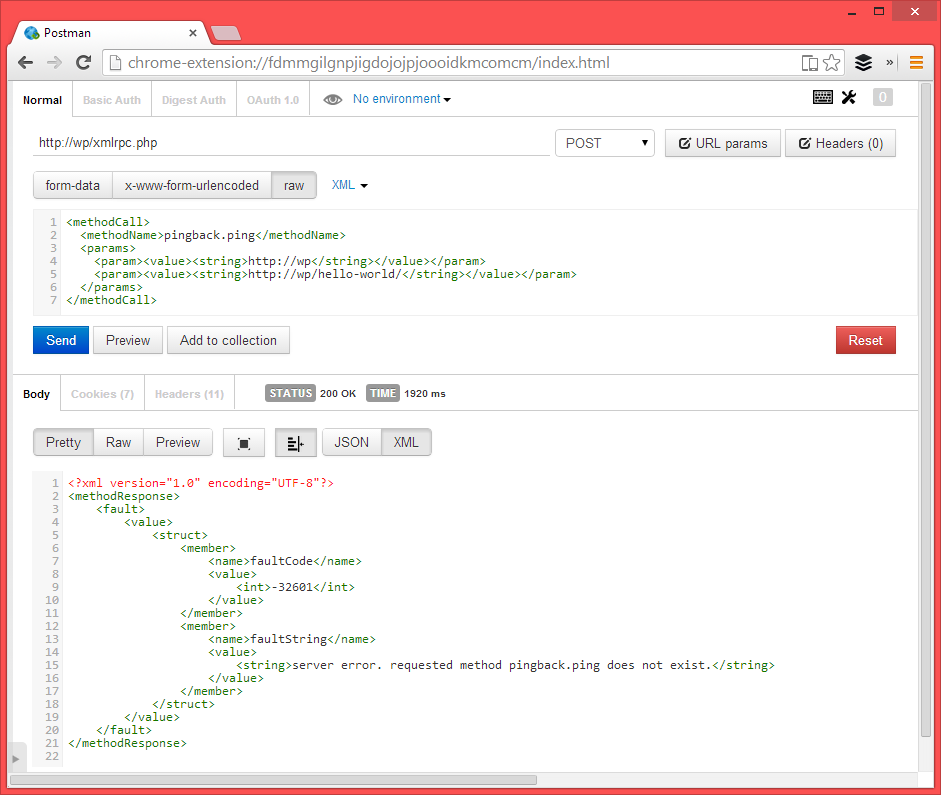
Postman: With the plugin installed


Installatie
Using The WordPress Dashboard
- Navigate to the ‘Add New’ in the plugins dashboard
- Search for ‘Remove XMLRPC Pingback Ping’
- Click ‘Install Now’
- Activate the plugin on the Plugin dashboard
Uploading in WordPress Dashboard
- Navigate to the ‘Add New’ in the plugins dashboard
- Navigate to the ‘Upload’ area
- Select
remove-xmlrpc-pingback-ping.zipfrom your computer - Click ‘Install Now’
- Activate the plugin in the Plugin dashboard
Using FTP
- Download
remove-xmlrpc-pingback-ping.zip - Extract the
remove-xmlrpc-pingback-pingdirectory to your computer - Upload the
remove-xmlrpc-pingback-pingdirectory to the/wp-content/plugins/directory - Activate the plugin in the Plugin dashboard
FAQ
Is My Site Attacking Others?
It could be! Use Sucuri’s WordPress DDOS Scanner to check if your site is DDOS’ing other websites
Beoordelingen


Bijdragers & ontwikkelaars
“Remove & Disable XML-RPC Pingback” is open source software. De volgende personen hebben bijgedragen aan deze plugin.
Bijdragers

Vertaal “Remove & Disable XML-RPC Pingback” in je eigen taal.
Interesse in ontwikkeling?
Bekijk de code, haal de SVN repository op, of abonneer je op het ontwikkellog via RSS.
Changelog
1.6
- 2023/07/24
- Added filter to check for and remove ‘X-Pingback’ header if necessary.
- Added settings page
- Tested up to WP 6.2
1.5
- Code hardening.
- Verified compatibility with WP 5.9.3
1.4
- New: Added a count under “Settings -> General” to see number of blocked attempts.
- Tested up to WP 5.8
- Added newsletter admin notice.
- Code hardening.
1.3
- 2020/09/21
- Cleaned up code
- Added counter for number of times the pingback method was blocked.
- Tested with WP 5.5.1
- 28,595 downloads
1.1
- 2019/04/09
- version bump
1.0.0
- First release

