

Beschrijving

Deze plugin is niet getest met de laatste 3 grotere versies van WordPress. Mogelijk wordt het niet meer onderhouden of ondersteund. Ook kunnen er compatibiliteitsproblemen ontstaan wanneer het wordt gebruikt met recentere versies van WordPress.

Remove Schema
Beschrijving
Remove Schema optionally removes all schema markup from your website.
You have the option to remove:
- All JSON-ld
- All Microdata
- All RDFa
And remove plugin/theme specific markup:
- WooCommerce
- WooCommerce emails
- Yoast SEO
- Schema Pro
- GeneratePress themes
Schermafbeeldingen
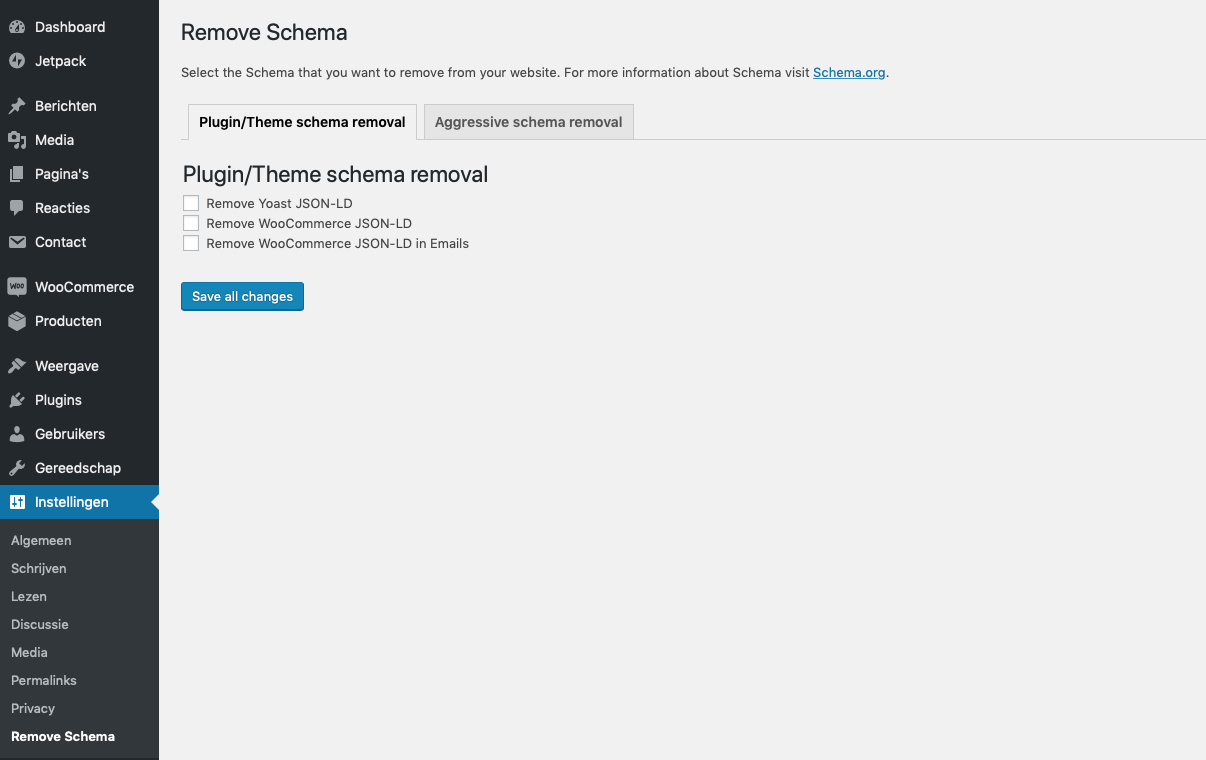
Admin interface 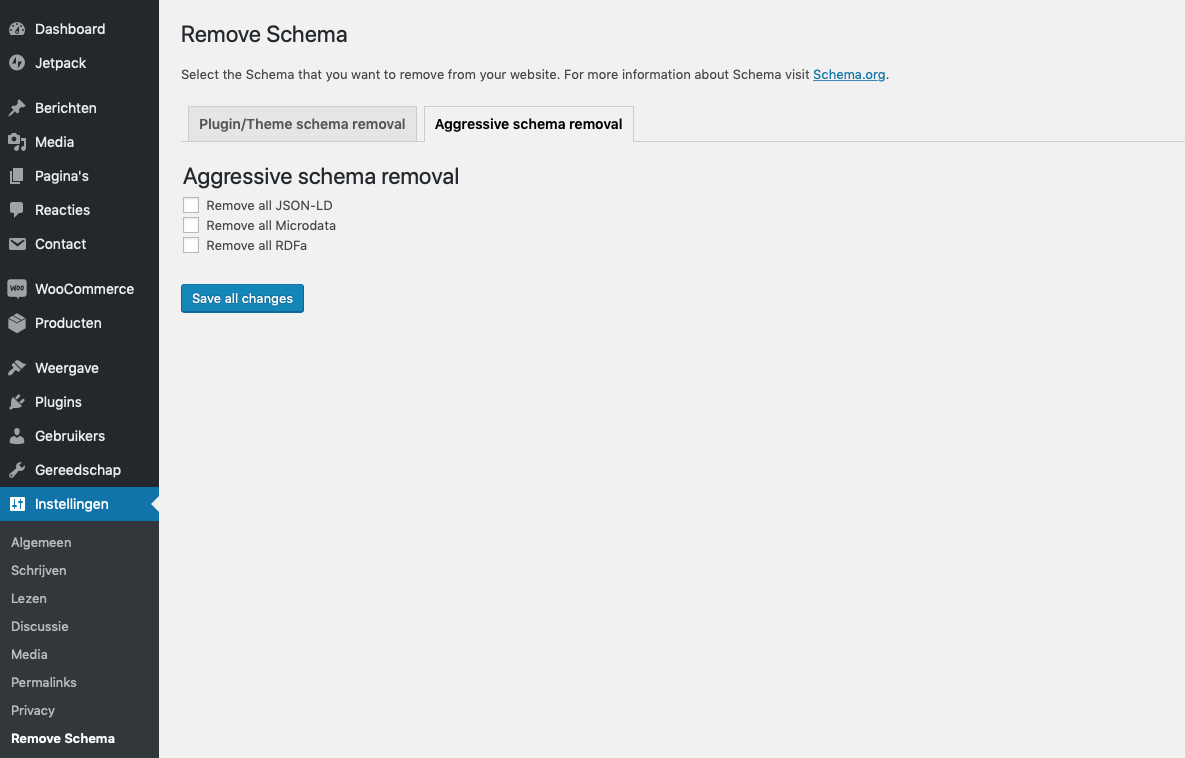
Page editor


Installatie
You can install Remove Schema at the moment only by downloading it from GitHub and uploading it to your WordPress site:
- Upload
remove-schemadirectory to the/wp-content/plugins/directory. - Activate the plugin through the ‘Plugins’ menu in WordPress.
- Go to settings and check the boxes of the schema markup that you want removed.
FAQ
Can you make add support for a plugin
Yes we can. If we have missed a plugin please create an issue on Github.
Beoordelingen


Bijdragers & ontwikkelaars
“Remove Schema” is open source software. De volgende personen hebben bijgedragen aan deze plugin.
Bijdragers
“Remove Schema” is vertaald in 1 locale. Dank voor de vertalers voor hun bijdragen.
Vertaal “Remove Schema” in je eigen taal.
Interesse in ontwikkeling?
Bekijk de code, haal de SVN repository op, of abonneer je op het ontwikkellog via RSS.
Changelog
1.6
- Improved security
1.4
- Add Yoast SEO Premium support
1.3.4
- Add multisite support
1.3.3
- Remove review notice
1.3.2
- Bugfixes – page specific markup wouldn’t save if everything was unchecked.
1.3
- Improved security
- Add page specific support on all page types
1.2
- Add support for GeneratePress themes
- Add support for removing hentry classes
1.1
- Code cleanup
1.0
- Inital release

