

Beschrijving

Deze plugin is niet getest met de laatste 3 grotere versies van WordPress. Mogelijk wordt het niet meer onderhouden of ondersteund. Ook kunnen er compatibiliteitsproblemen ontstaan wanneer het wordt gebruikt met recentere versies van WordPress.

Random Content
Beschrijving
This plugin allows you to display random content anywhere on your site using a shortcode or widget. You can group your random content together, allowing you to display different content in multiple locations throughout your site.
The content is added via a custom post type, so you have full access to the tinyMCE editor. This allows you to easily add images, text, and links to your random content.
Using a widget
- Navigate to Appearance->Widgets and add the Random Content widget to a sidebar.
- Select a group from the dropdown. If you don’t create a group, the widget will use all entries.
Using a shortcode
Place the shortcode [random_content] anywhere on a post or page.
To choose entries from a specific group, add the group_id parameter. For example, [random_content group_id="64"].
To specify the number of posts to show, add the num_posts parameter. For example, [random_content group_id="13" num_posts="3"].
Schermafbeeldingen

Adding the widget to a sidebar. 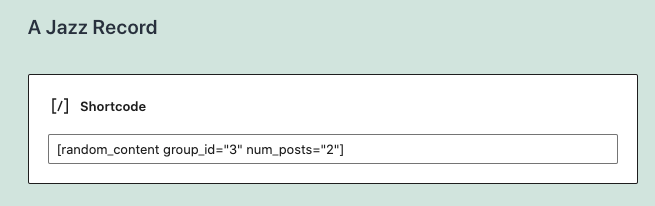


Installatie
- Upload
random-content.phpto the/wp-content/plugins/directory - Activate the plugin through the ‘Plugins’ menu in WordPress
- Create an entry in the Random Content post type.
- Categorize your content using Groups.
Only content within the content editor will be displayed.
FAQ
Can I group certain entries together?
Yes. Create a group, and assign specific entries to the group. It works just like categories.
How do I find the group id?
Click on Random Content > Group in the WordPress admin. Look for the number in the ID column.
How do I display more than one post?
In the shortcode, use the num_posts parameter. In the widget, enter a number in the “Number of Posts to Show at Once” input.
Beoordelingen


Bijdragers & ontwikkelaars
“Random Content” is open source software. De volgende personen hebben bijgedragen aan deze plugin.
Bijdragers
Vertaal “Random Content” in je eigen taal.
Interesse in ontwikkeling?
Bekijk de code, haal de SVN repository op, of abonneer je op het ontwikkellog via RSS.
Changelog
1.4.1
- Ensure compatibility with latest WP version
1.4.0
- Add support for block editor
- Update widget settings
1.3.2
- Update tested to version
1.3.1
- Fix shortcode output so that multiple posts will display
1.3
- Add rc_content filter for extending the plugin output in both the shortcode and the widget
- Add content filter to widget output to allow for oembed support
1.2
- Add localization files for translation support
1.1
- Add num_posts parameter to old version of shortcode for backwards compatibility
1.0
- Update shortcode to [random_content] to help prevent conflicts with other plugins
- Added a num_posts paramenter to the shortcode so that more than one post can show at a time
- Added the ability to not choose a group in a widget, even if a group exists
- Added the ability to control the number of posts that show in the widget
- Rebuilt the plugin using OOP principles based on the WordPress plugin boilerplate
- Added plugin banner graphic
- Updated screenshot image
0.4
- Update input text syntax in widget
0.3
- Add shortcode functionality.
- Reset post data after widget query.
0.1
- First released into the wild.

