

Beschrijving
PWA for WP – Progressive Web Apps Made Simple
Beschrijving
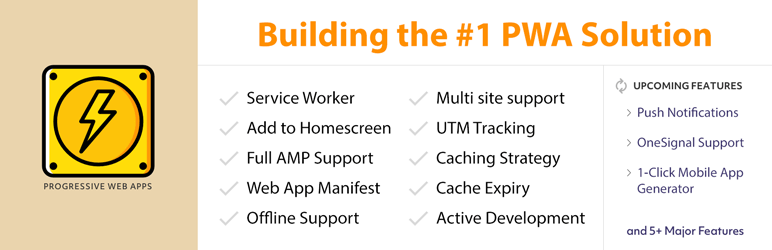
De plugin PWA brengt de kracht van Progressive Web Apps naar WP & AMP tilt de gebruikerservaring naar een hoger niveau!
Home | Help & Tech Support | Documentation | Pro version Features
Deel je APP-achtige ervaring met je publiek. Die brengt je site naar hun startscherm en werkt direct als een APP met offline ondersteuning.
Features:
- Swipe Navigation in PWA : Adds swipe left / right feature to load next and previous articles.
- WP Hide & Security Enhancer Compatibility
- Disable Scrollbar: Hide scrollbar in PWA app.
- AMP Support: Volledige PWA-compatibiliteit voor AMP. Die werkt goed met AMPforWP & AMP voor WordPress door Automattic.
- NIEUW: Ondersteuning voor meerdere sites
- NIEUW: UTM-Tracking
- NEW: OneSignal support with multisite
- NEW: Easily change start URL
- NIEUW: Cachingstrategie voor PWA-geactiveerde middelen
- NEW: Added Support with PWA By PWA Plugin Contributors
- Cache Verlopen keuze toegevoegd
- Service Worker : We have developed a service worker which automatically gets installed in the background and performs the necessary actions such as caching the external objects to reduce the requests and more.
- APP Banners in Home-screen: Automatically notifies your visitor to get the APP version of the website which directly gets added with the list of Apps and Home-screen. You can customize the icons for this as well.
- Web App Manifest: The Manifest file is necessary to get this functionality rolled out and we have made this automatic and connected with the PWA options.
Offline ondersteuning: De PWA-versie van je site wordt razendsnel geladen, zelfs wanneer de gebruiker offline is. Zodra de gebruiker online is, wordt de inhoud opnieuw bijgewerkt. Het telt ook de analyses mee en werkt het bij als de gebruiker weer online gaat.- Volledig scherm & Splash-scherm: Wanneer je de PWA-versie van de mobiel opent, laadt deze op volledig scherm zonder browserwerkbalk. Daardoor zorgt hij voor een native app-achtig gevoel in de PWA-versie. Er is ook een opstartscherm dat volledig aan te passen is.
- Continue ontwikkeling: We werken er hard aan om deze PWA-oplossing voortdurend te ontwikkelen en updates continu vrij te geven, zodat je formulieren perfect blijven werken.
- Dashboard-systeemstatus helpt je de instellingsstatus van de PWA te snappen.
- Toepassingspictogram uploaden
- Achtergrondkleuropties voor Splash-scherm
- Voeg je eigen applicatie en korte naam toe.
- Stel eenvoudig de startpagina in vanuit opties.
- Stel je apparaat eenvoudig in.
- Getest met Google Lighthouse
- Meer PWA-functies binnenkort beschikbaar.
- [Premium] the ability to expand PWA for WP with Call to Action, Loading Icon Library, Data Analytics, Pull to Refresh, Scroll Progress Bar, PWA to APK Plugin, Offline Forms for PWA for WP, Navigation Bar for PWA, Quick Action for PWA, Multilingual Compatibility for PWA, BuddyPress for PWA for WP, Rewards on PWA Install, QR Code for PWA, PWA to iOS Plugin, and Whitelabel for PWA extensions
We handelen snel op feedback!
We zijn actief bezig met het ontwikkelen van deze plugin met als doel van deze plugin de nummer 1 wereldoplossing voor PWA te maken. Vraag een functie aan of meld een programmeerfout.
Technische Ondersteuning
Krijg ondersteuning in het Forum. Je kunt ook contact met ons opnemen, wij reageren op e-mail ongeveer binnen 12 uur.
Zou je willen bijdragen?
Je kunt nu op Github aan deze PWA-plugin meewerken: Zie de centrale data-opslagplaats op Github
Schermafbeeldingen
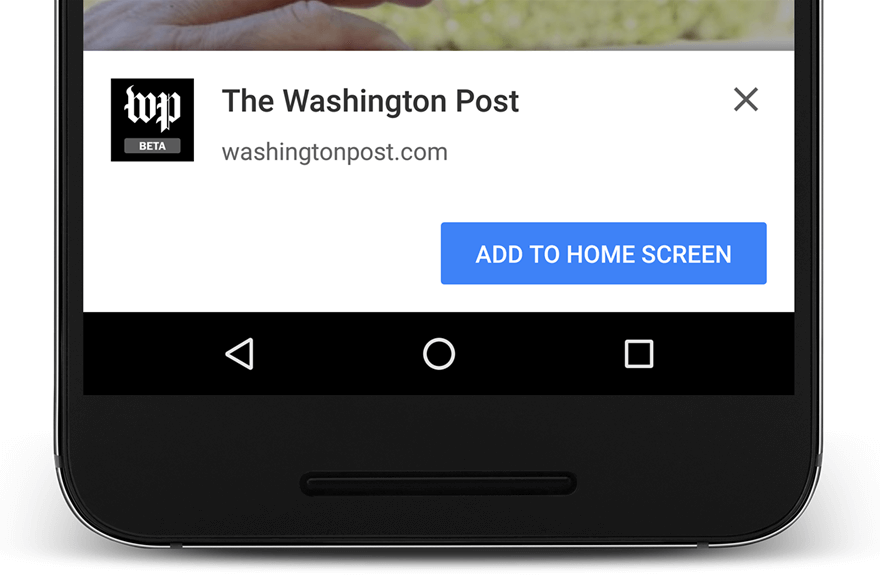
Progressive Web App (PWA) prompt that lets users add your site to their mobile home screen. 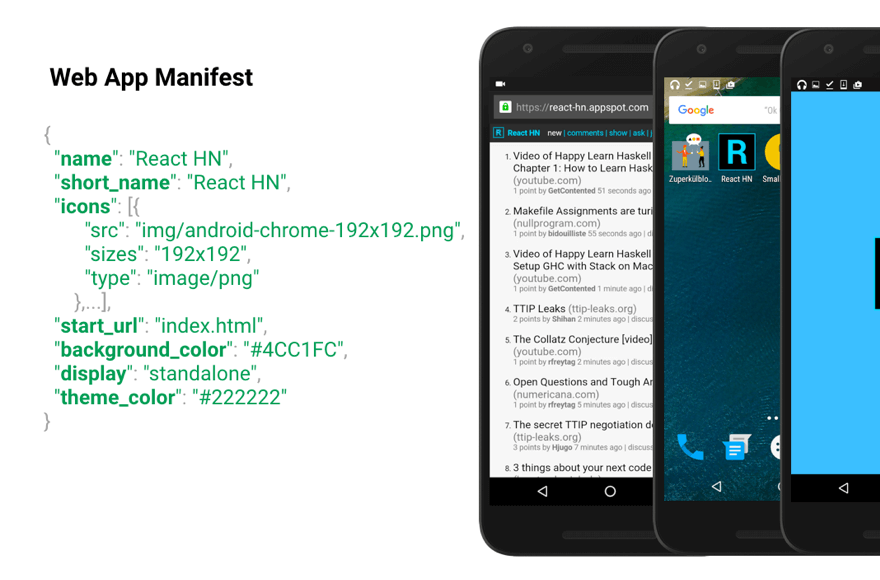
Web App Manifest enables a website to be added to a mobile home screen and launched in a standalone app-like experience. 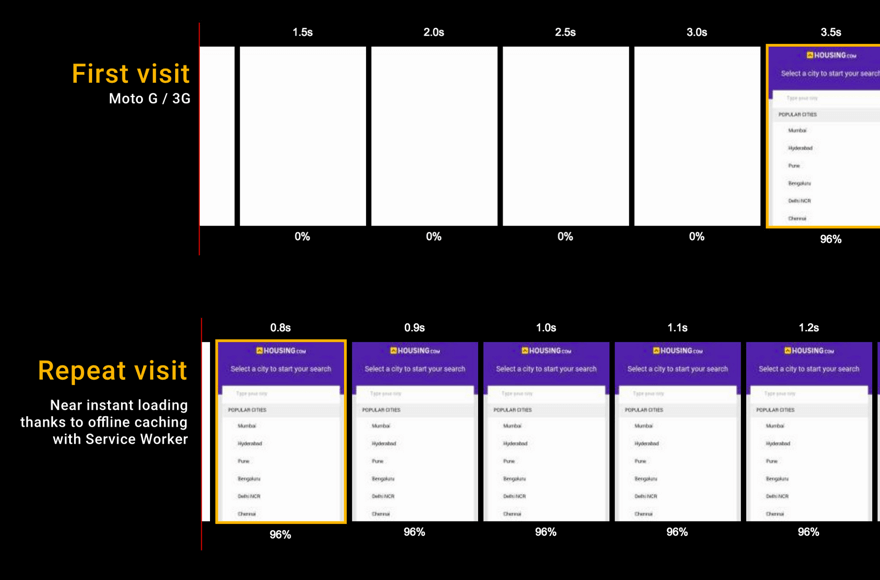
Service Workers enable near-instant repeat visits by caching assets offline. 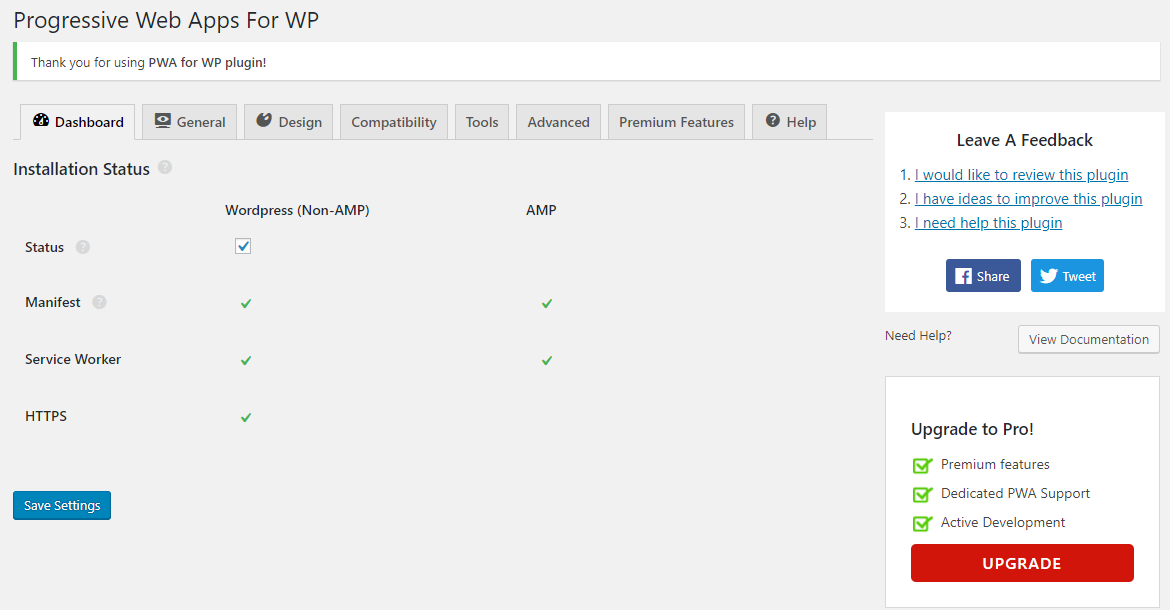
Dashboard showing installation status for Manifest, Service Worker, and HTTPS across WordPress. 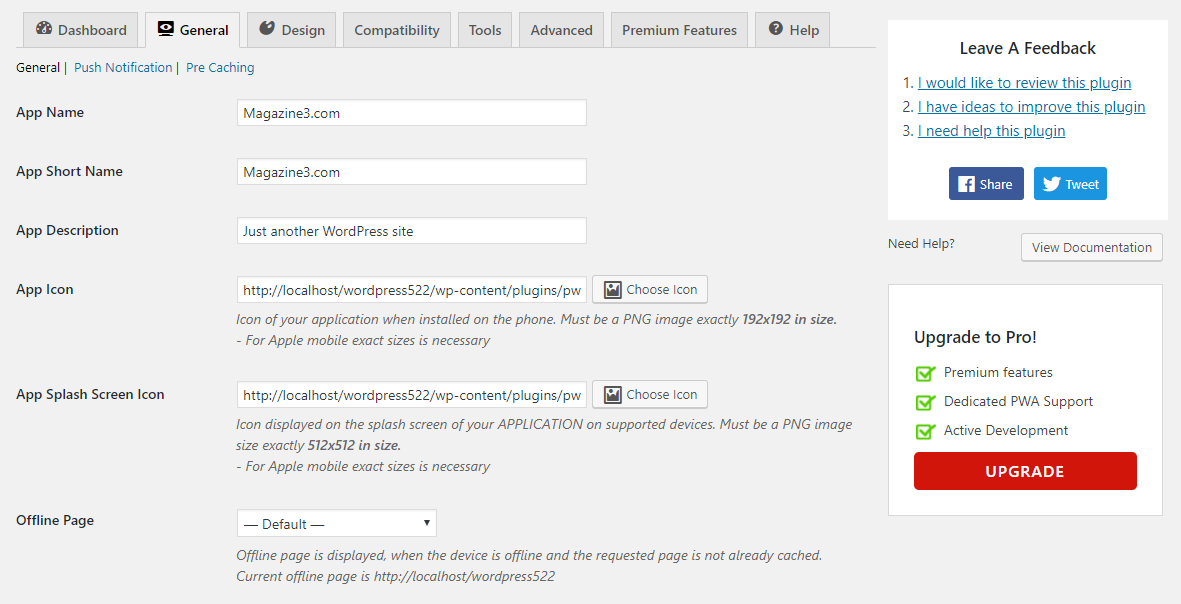
Settings page showing fields for app name, short name, description, icon, splash screen icon, and offline page settings. 
Design settings including options for splash screen background color, theme color, and custom add-to-home screen customization. 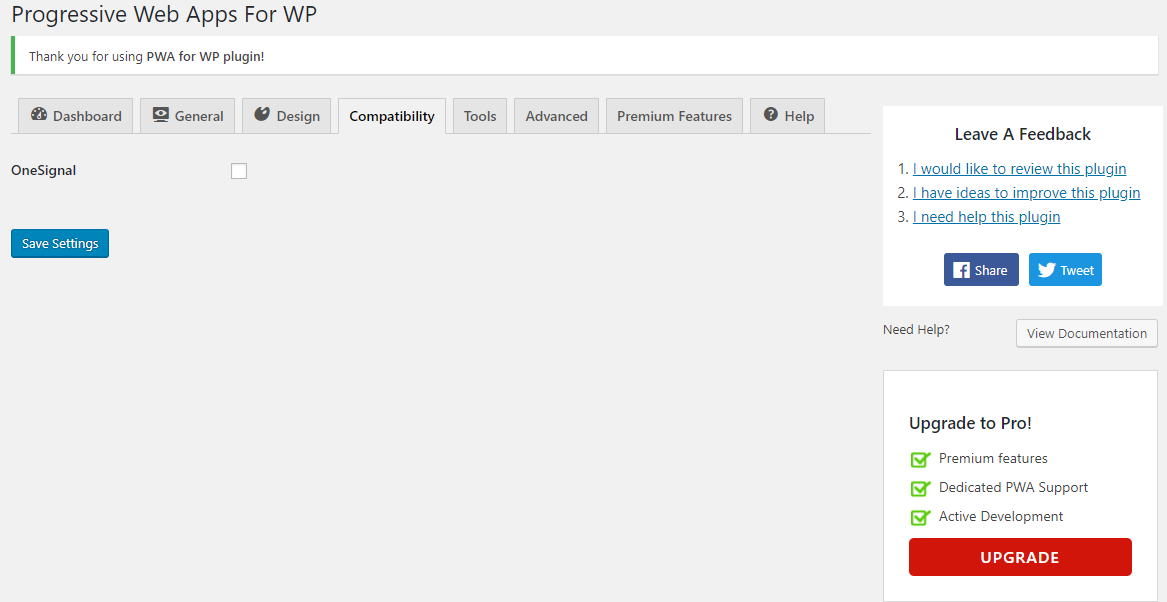
Compatibility settings page. 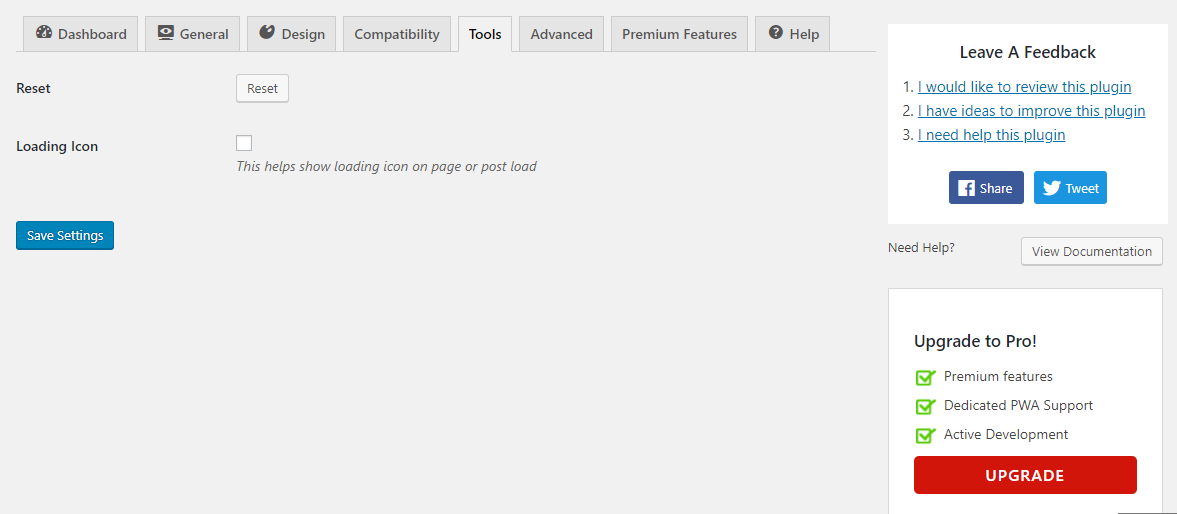
Tool settings page. 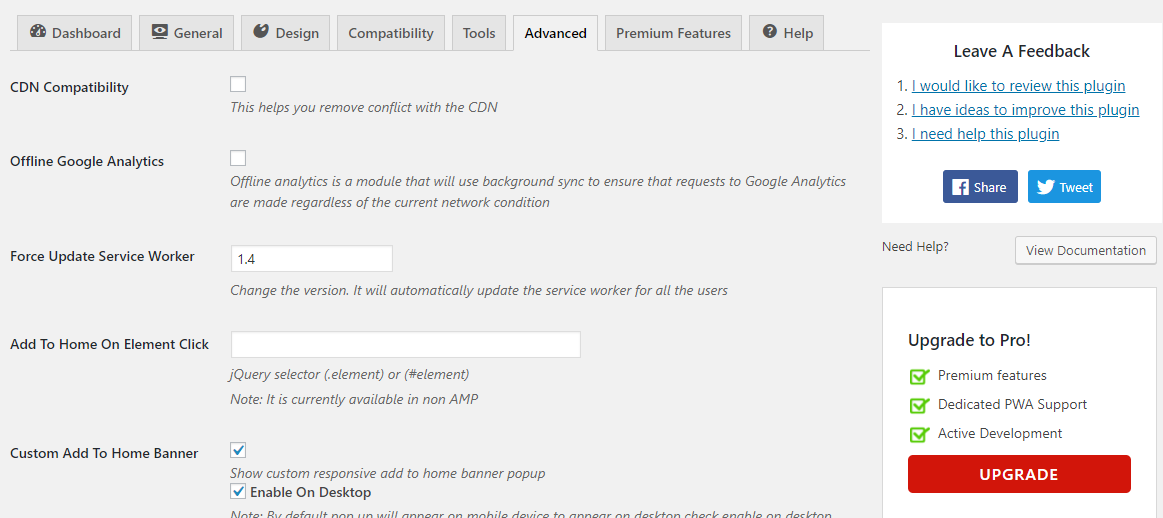
Advanced settings page.


FAQ
Hoe installeer en gebruik ik deze PWA-plugin?
Nadat je de plugin activeert en naar het PWA controlepaneel gaat om de overeenkomstige status en setup opties te zien.
Hoe meld ik programmeerfouten en stel ik nieuwe functies voor?
Rapporteer programmeerfouten in de PWA plugin via deze link
Neem je functies op in mijn aanvraag?
Ja, absoluut! Stuur ons je aanvraag via Github. Dat maakt het ons gemakkelijk om feedback te geven.
Hoe kan ik contact opnemen?
Neem contact met ons op via dit adres
Beoordelingen


Bijdragers & ontwikkelaars
“PWA for WP – Progressive Web Apps Made Simple” is open source software. De volgende personen hebben bijgedragen aan deze plugin.
Bijdragers
“PWA for WP – Progressive Web Apps Made Simple” is vertaald in 2 localen. Dank voor de vertalers voor hun bijdragen.
Vertaal “PWA for WP – Progressive Web Apps Made Simple” in je eigen taal.
Interesse in ontwikkeling?
Bekijk de code, haal de SVN repository op, of abonneer je op het ontwikkellog via RSS.
Changelog
1.7.83 (06 January 2026)
- Added : Compatibility with Gravitec Pushnotification #972
- Enhancement : Removed Promotion Banner BFCM
1.7.82 (28 November 2025)
- Added : Promotion Banner BFCM #983
- Test: Test with WordPress version 6.9
1.7.81 (18 November 2025)
- Bug Fixed : Visibility feature is not working properly. #973
- Bug Fixed : Exclude option was not saved in visiblity extension. #968
- Bug Fixed : Start URL conflict with utm tracking #974
1.7.80 (24 July 2025)
- Compatibility : Need to make it compatible with the EventChamp theme. #961
- Bug Fixed : Issue with Swipe Navigation in PWA #963
- Bug Fixed : Some of the navigation icons are not displaying correctly or are missing #962
- Improvement : PWA Installation Instructions Persist After Install & Cancel CTA Still Triggers Installation #951
- Bug Fixed : PWAtoIOS Extension is not activating #965
- Improvement : Pull to Refresh for PWA, despite being active, does not work. #966
- Bug Fixed : Exclude option was not saved in visiblity extension. #968
- Improvement : FCM push notification is not working #969
1.7.79 (06 June 2025)
- Enhancement : The firebase has changed the PN configurations, need to review #947
- Bug Fixed : File download filename shows [Object Attr] as filename #958
- Bug Fixed : White Label for PWA settings not showing #959
1.7.78 (21 April 2025)
- Bug Fixed : Undefined array key “HTTP_USER_AGENT” /plugins/call-to-action-for-pwa/service/service.php #955
- Bug Fixed : Undefined array key “swipe_navigation” in PWA for WP 1.7.77
- Bug Fixed : Pull to refresh feature creating issue with Elementor page scroll option #952
- Test : Test with WordPress version 6.8 #956
1.7.77 (13 March 2025)
- Added : Whitelabel For PWA (pro extension) #693
- Feature : Swipe left / right to load next and previous article #567
- Improvement : update setting UI #697
- Improvement : Readme update with new feature list #945
- Bug Fixed : CTA banner is showing incorrect Add to Home Steps in Chrome on an IOS device #946
- Bug Fixed : Remove default banner and Remove PWA for logged-in users Both options are always checked by default. #941
- Bug Fixed : PWA Installation Instructions Persist After Install & Cancel CTA Still Triggers Installation #951
1.7.76 (31 December 2024)
- Added : PWA to ios as a service (pro extension)#693
- Improvement : Make a feature to force load the “pwa-non-amp-install” specific parameter URL. #932
- Bug Fixed : Offline form feature not working in IOS. #937
- Improvement : Scroll Progress Bar is not showing when PWA display mode is fullscreen #943
- Bug Fixed : PWA not working when visibility condition is set but visibility option is disabled #938
- Compatibility : Need to add compatibility with Eform in offline forms #940
- Test : Test with WordPress version 6.7 #936
1.7.75 (28 October 2024)
- Improvement : Added an option to edit the text in the iOS QR code #926
- Improvement : Added an option to edit browser banner content. #934
- Bug Fixed : Extensions not activating #929
- Improvement : Added an option so that only the Steps to install the PWA on IOS should be visible directly without clicking on Install banner in CTA #922
- Bug Fixed : The feature Quick Action is not working #931
- Improvement : Minify JS files for production #933
1.7.74 (02 September 2024)
- Bug Fixed : The visibility option is not working for the CTA feature. #905
- Bug Fixed : App Icon is getting replaced by Splash screen Icon on some Android devices #923
- Improvement : Connect CTA with add to homescreen in chrome browser. #924
- Improvement : Update ‘Stable Tag’ in readme.md file #908
1.7.73 (13 August 2024)
- Bug Fixed : Warning appears in Call to Action extension. #915
- Bug Fixed : Fixed vulnerability issues discovered by Darius Sveikauskas.
- Compatibility : Tested with WordPress version 6.6 #914.
- Improvement : Code improvement.
1.7.72 (09 July 2024)
- Bug Fixed : The visibility option is not working for the CTA feature. #905
- Bug Fixed : Navigation bar extension conflict issue #910
- Bug Fixed : When we click on saving button on Nav bar data was not saved. #913
- Bug Fixed : Fixed vulnerability issues discovered by CleanTalk inc.
- Improvement : Code improvement.
Full changelog available at changelog.txt

