

Beschrijving

ABC Crypto Checkout
Beschrijving
Introduction
ABC Crypto plugin is powered by Payerurl. ABC Crypto Checkout is a cryptocurrency payment processor. Merchant/store/website owner will receive customer payments direct to their crypto wallets without helping any middleware account. We support Binance QR code payment through WooCommerce so it would be a smoother experience for your users as they never have to leave your store/website to make payments.
BINANCE QR CODE PAYMENT
It will be a good option for you, while you are looking for a Binance payment plugin in WordPress. Binance Payments is a secure, contactless, and borderless payment solution. With the ABC Crypto Checkout feature, you can accept payments via Binance QR codes and receive crypto payments through the Binance personal account API. The ABC plugin serves as a bridge between Binance and WooCommerce, enabling seamless transactions. Customers simply scan your provided Binance QR code on the payment page and complete their payment. This process is fast, simple, and incurs no network fees or additional costs. The solution offers significant advantages, such as enhanced security to avoid scams and ensuring safe transactions. It streamlines the process, making transactions faster, more secure, and cost-effective.
HOW THIS PLUGIN WORKS
The ABC plugin converts any Fiat currency to crypto coin with a live exchange rate to pay the user online. Once payment is complete; money instantly credits to the merchant’s account and also provides a response to the merchant store/website payment information through API for the change Order status to “processing”
KEY FEATURES
🔸 Binance QR payment,Binance Pay,USDT TRC20,USDT ERC20,USDC ERC20,Bitcoin BTC, ETH ERC20, TON coin blockchain network supported
🔸 169+ fiat currencies FIAT CURRENCY LIST including USD, CAD, GBP, and EUR. etc including real-time exchange rate. (View the current exchange rate at: payerurl.com Exchange Rate (LIVE)).
🔸 100% Free Open Source Plug-in on.
🔸 No Bank Account Needed or no personal identity as mandatory
🔸 Easy signup, registration, and API key integration
🔸 No KYC on withdraw for free account(Basic account).
🔸 24/7 customer support in the integration of ABC Crypto checkout contact us telegram: https://t.me/Payerurl
🔸 Tested OK with WooCommerce 6.5 or up.
Ecommerce Plugins and Integration
WooCommerce ,Opencart, PHP, Python, Node, Dhru Fusion
ABOUT PAYERURL
payerurl.com is a payment processor that allows customers to transfer cryptocurrency payments directly to the merchant wallet. Additionally, merchants can integrate the Binance personal/merchant API, and also can add USDT TRC20, USDT ERC20, ETH ERC20, Bitcoin BTC, TON, USDC ERC20 receiving wallets. We use the current exchange rate to convert any local currency from the merchant’s website, and we give the merchant receiving wallet to the consumer in exchange for the corresponding amount of cryptocurrency.
Schermafbeeldingen
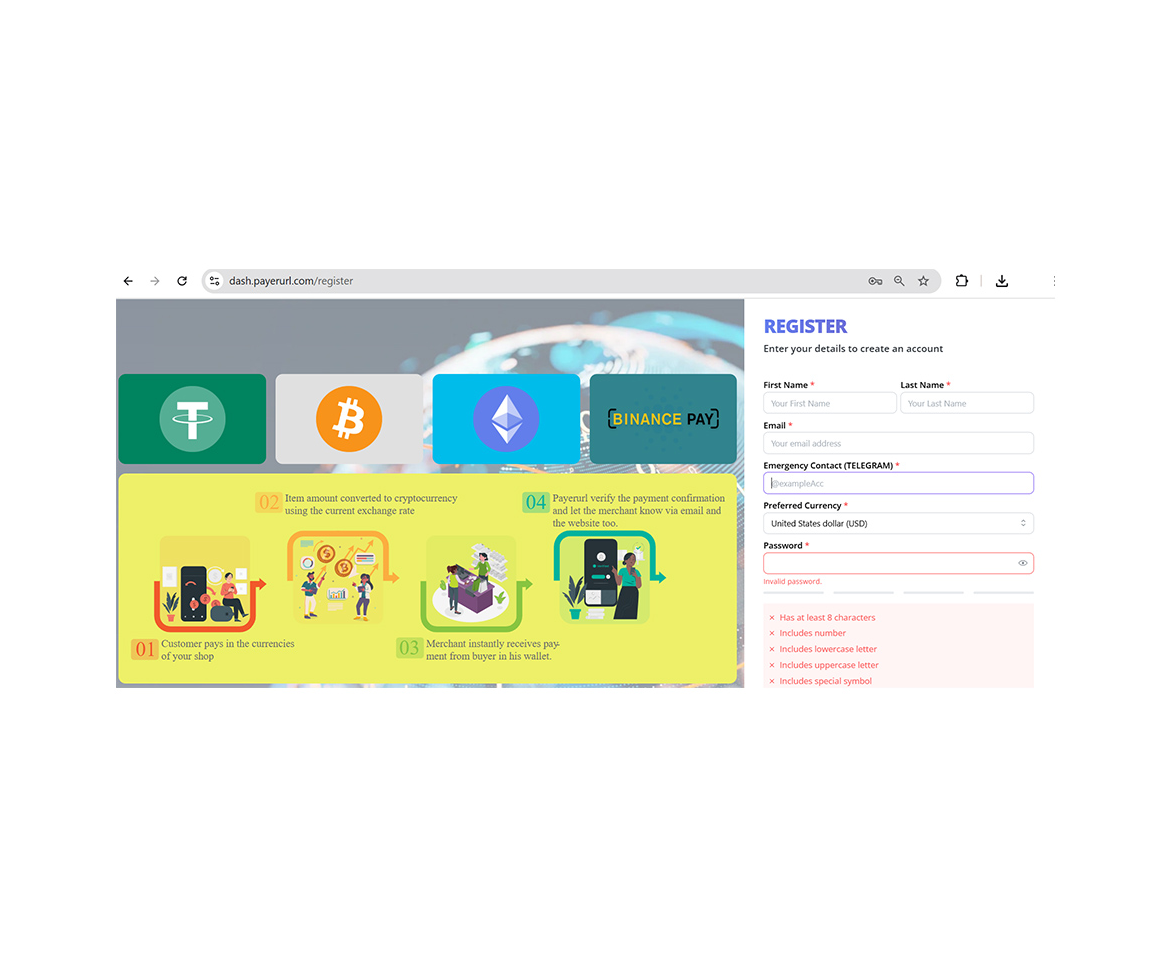
Please visit dash.payerurl.com to complete your registration. 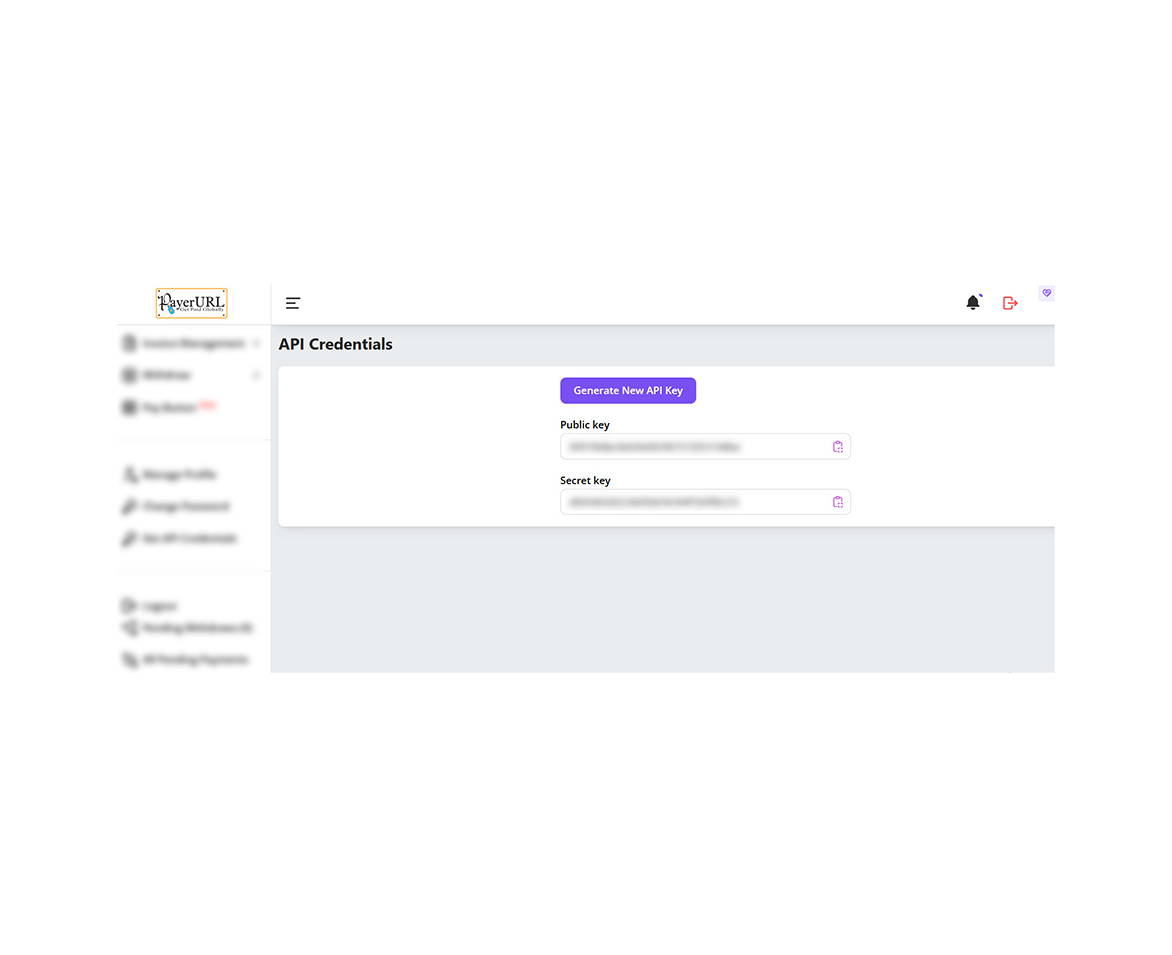
Generate your API keys and link them to ABC Crypto Checkout and PayerURL (payerurl.com) to start accepting payments. 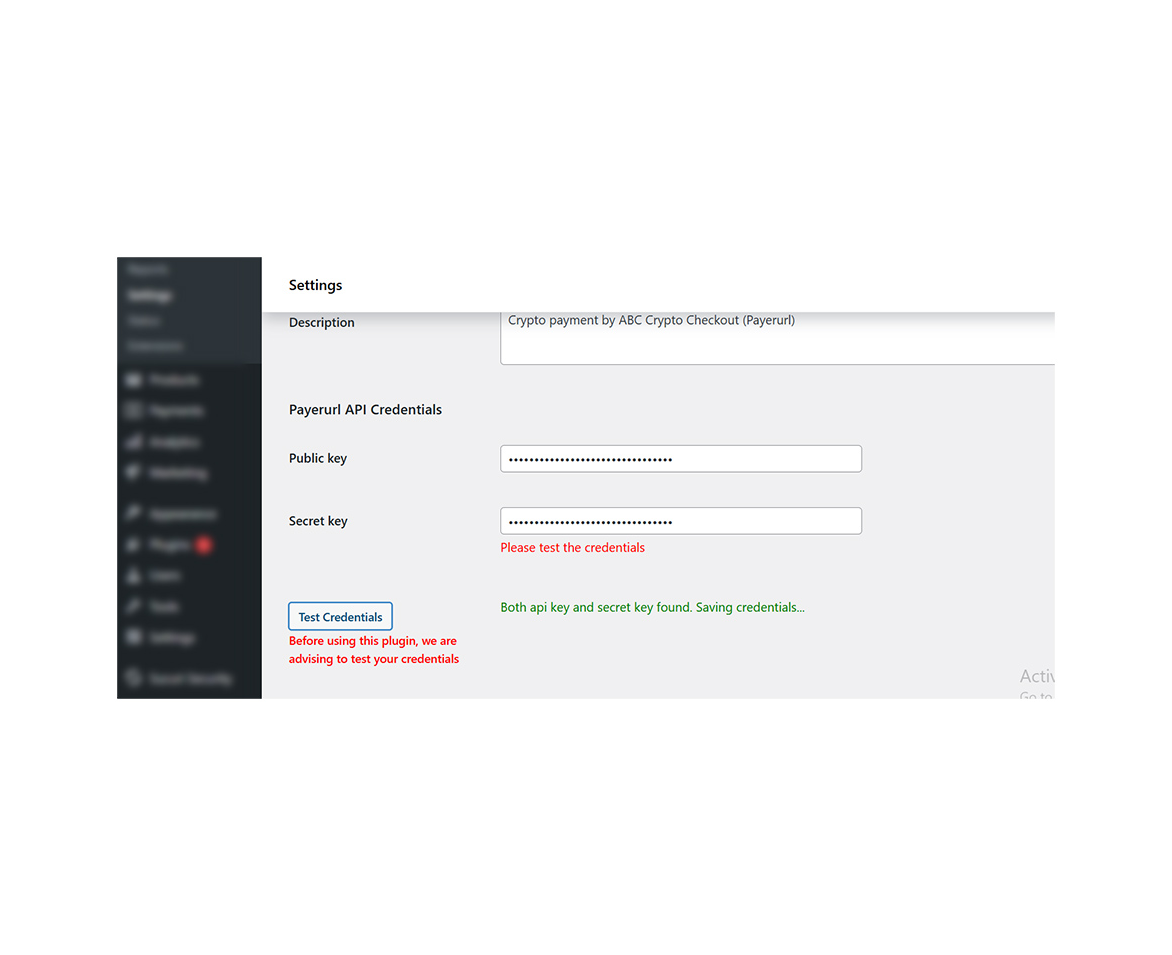
Paste the API keys you generated on payerurl.com into your plugin settings: WooCommerce Settings Payments Manage Payerurl API Credentials. Then click Test credentials. If everything is correct, you’ll see a green message: “Both API key and secret key found. Saving credentials…”. 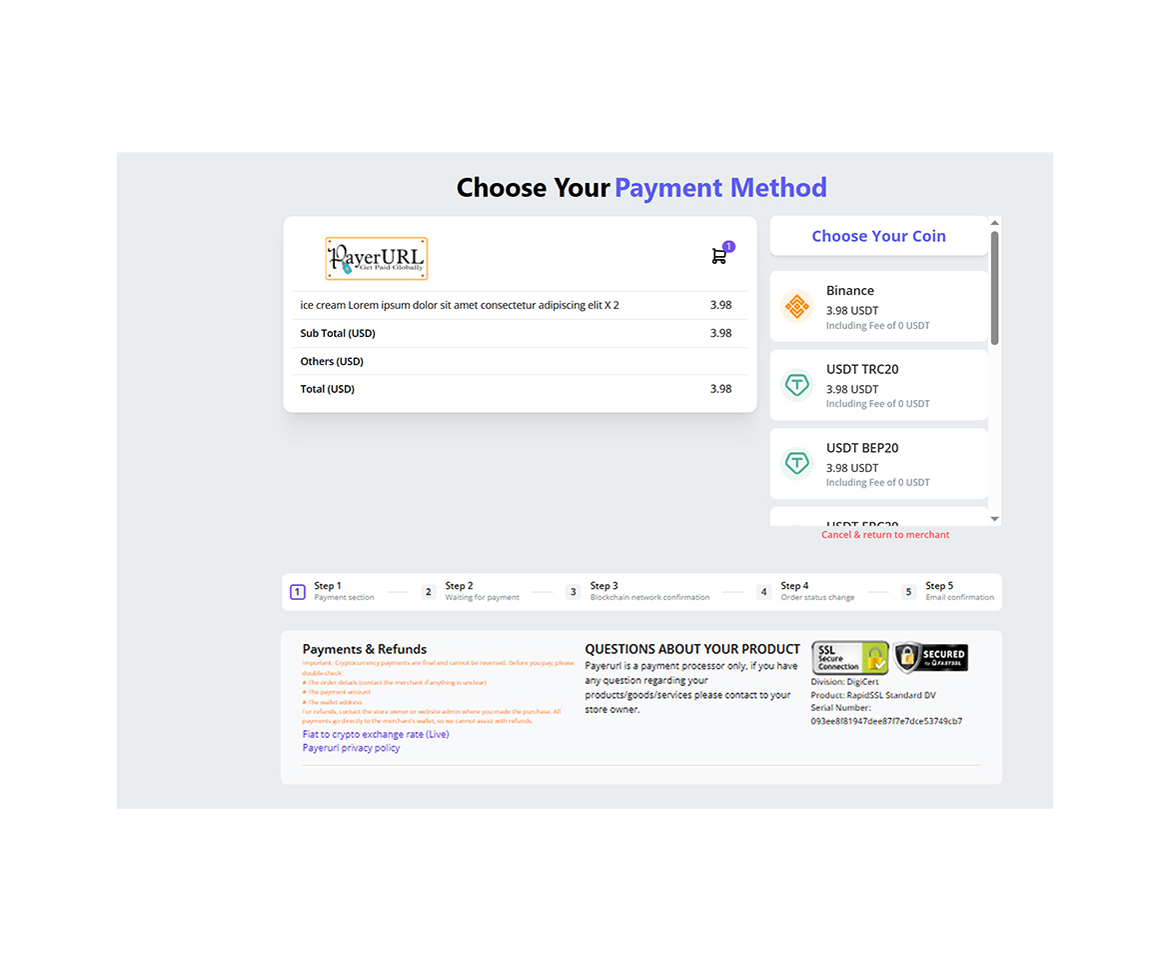
After you add your receiving wallet and correctly set up your Binance user account API, the payment page will appear on your product checkout payment request. 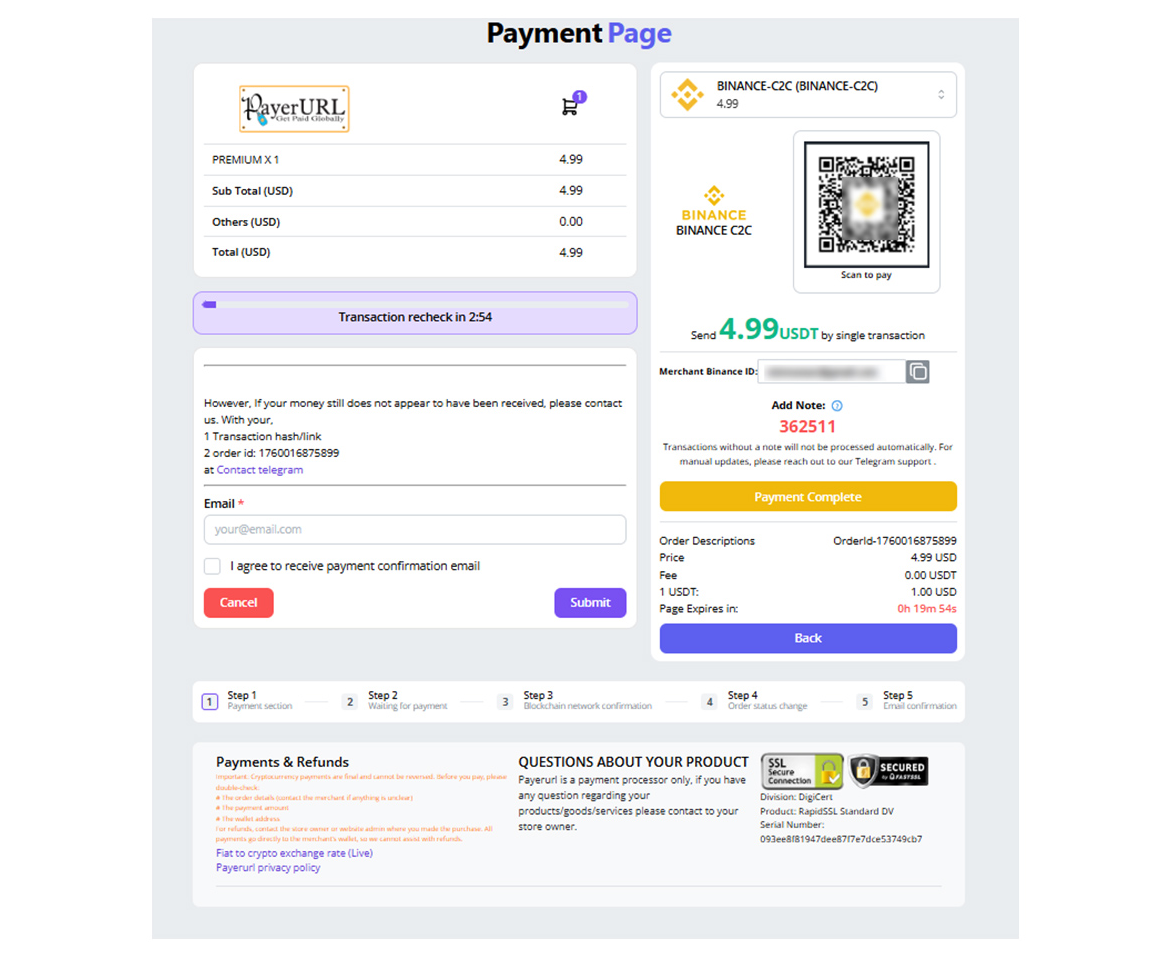
Binance C2C Payment. 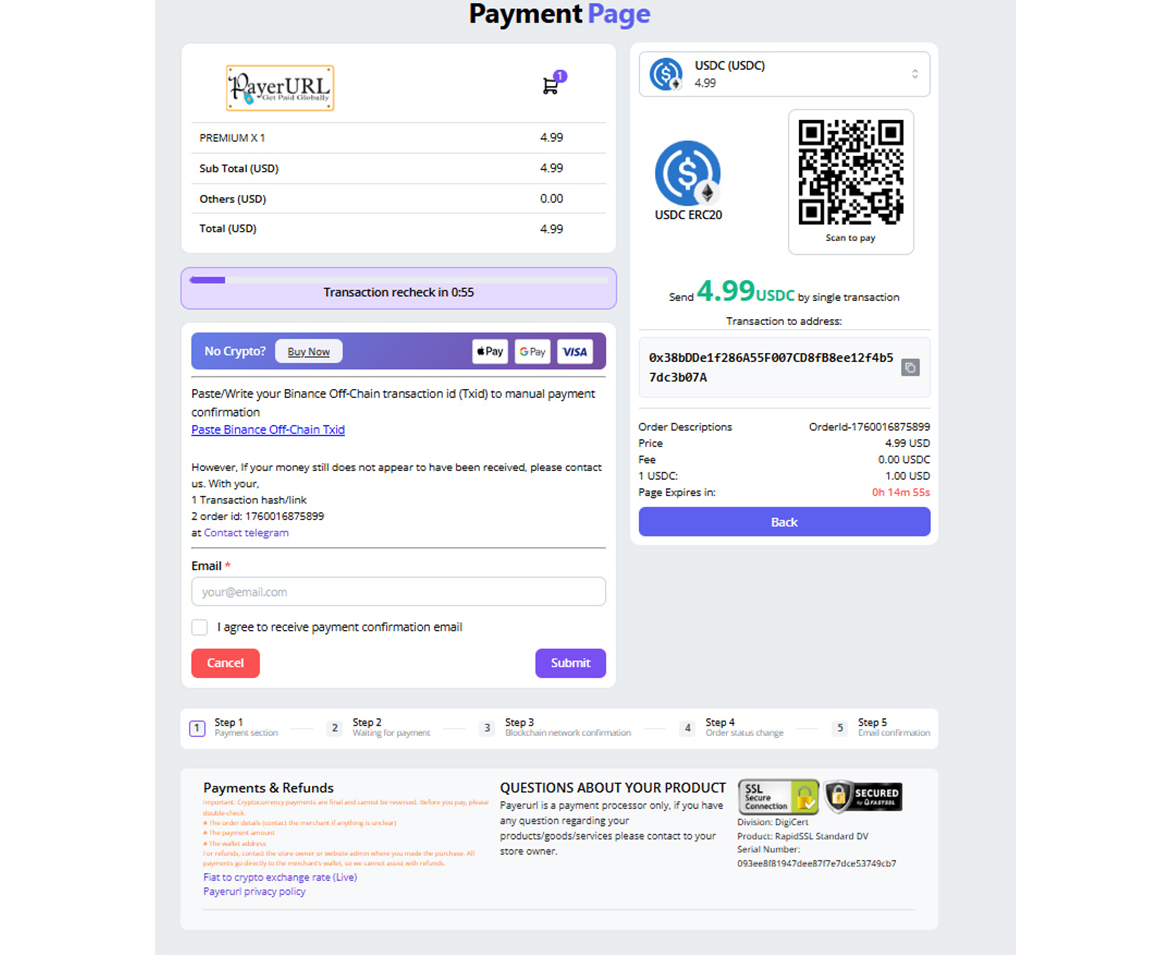
USDC payment page (demo). 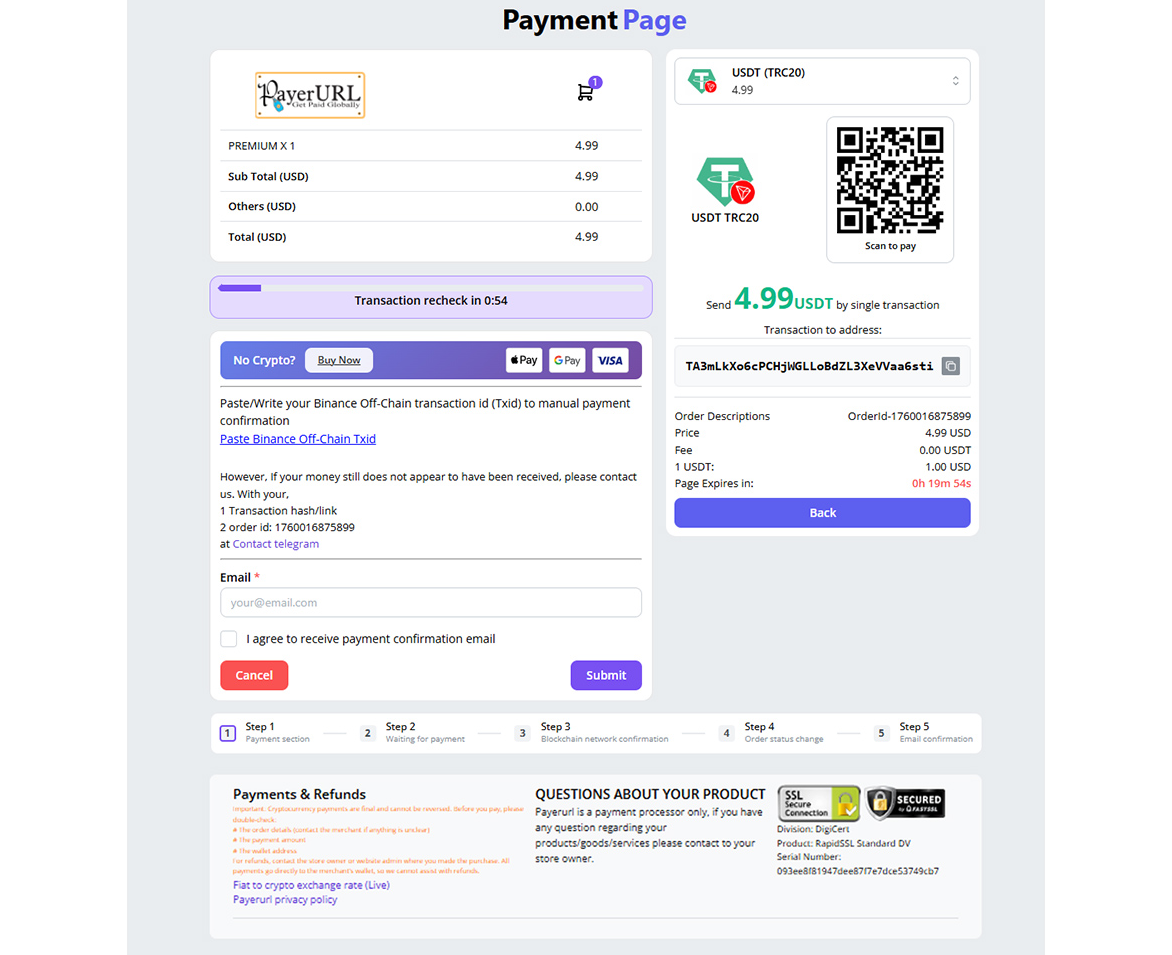
USDT payment page (demo). 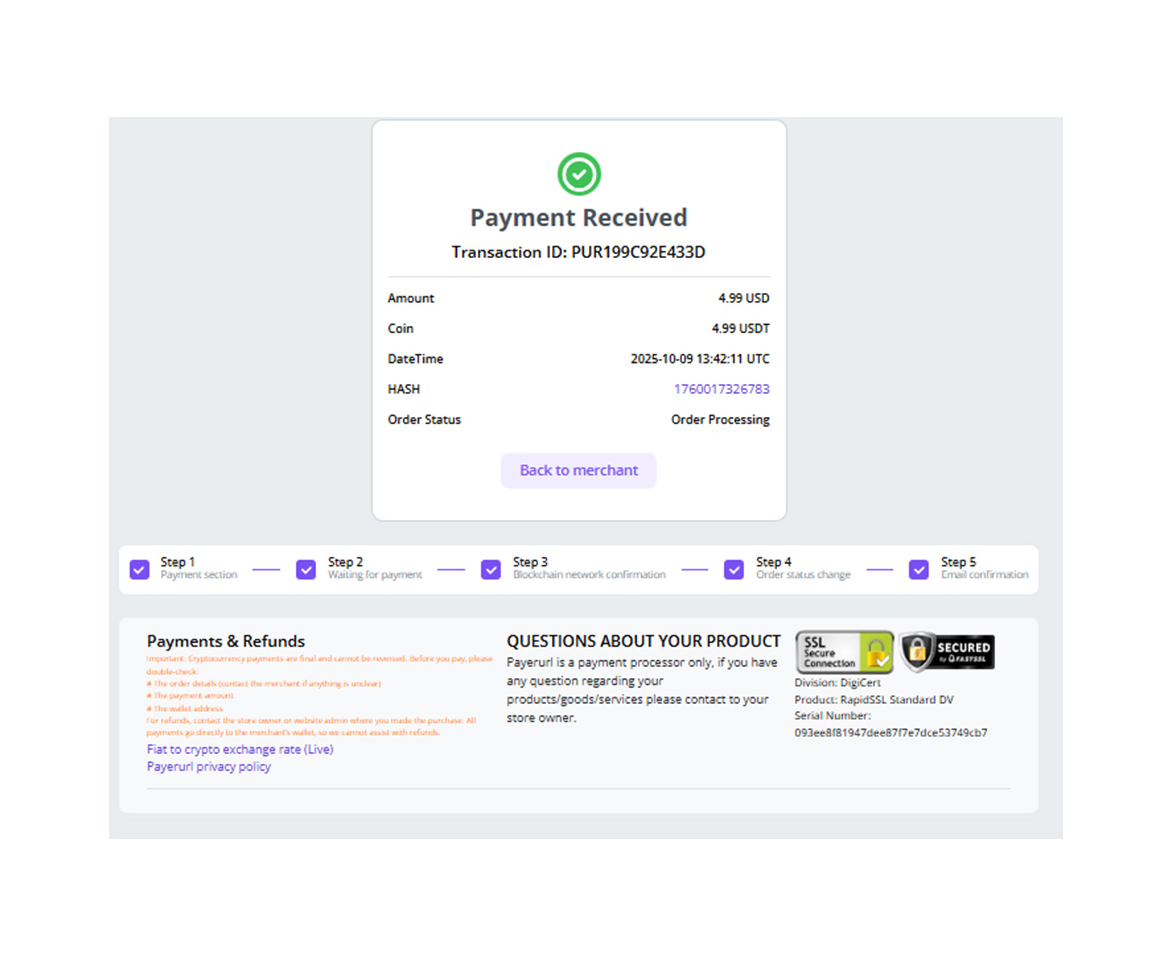
Payment receive confirmation (demo). 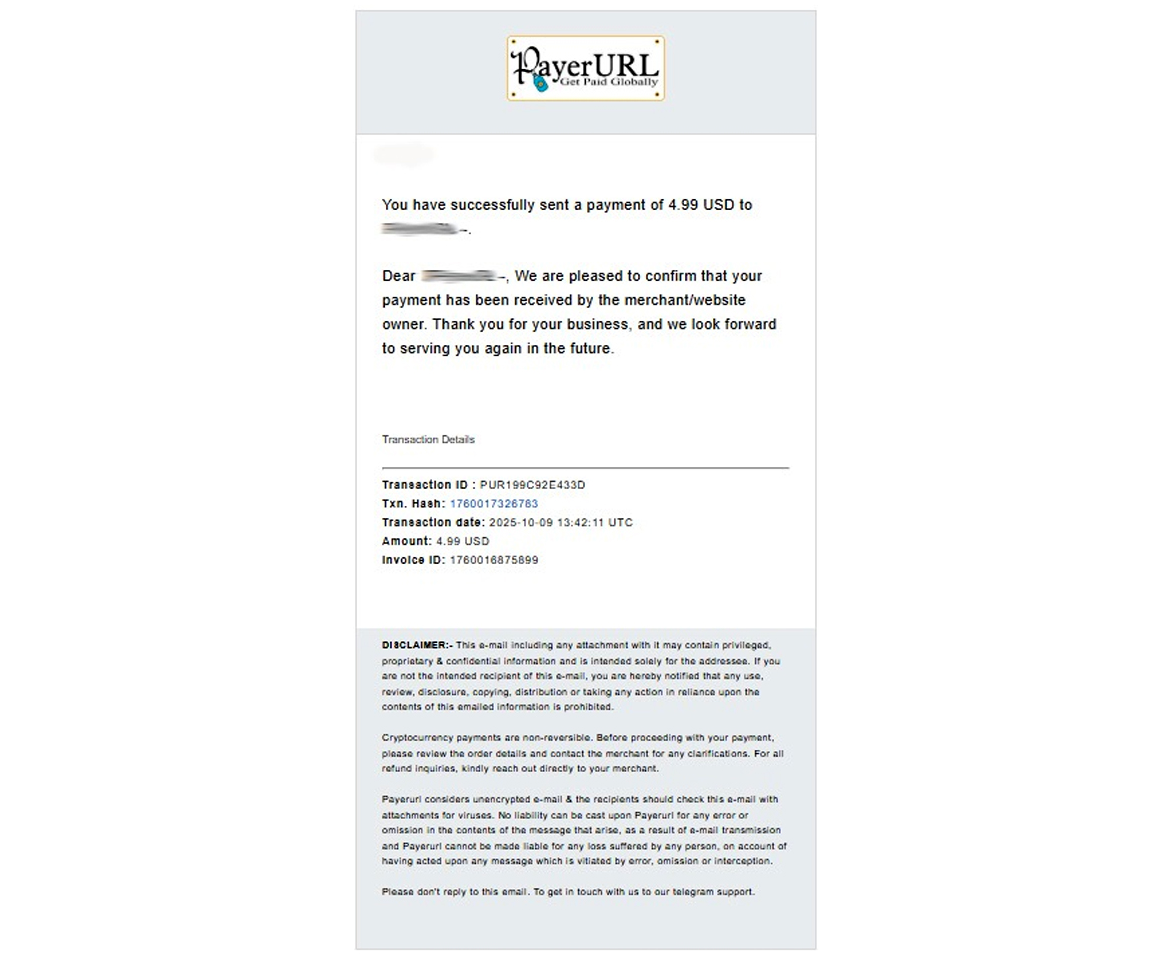
Payment confirmation email (demo). 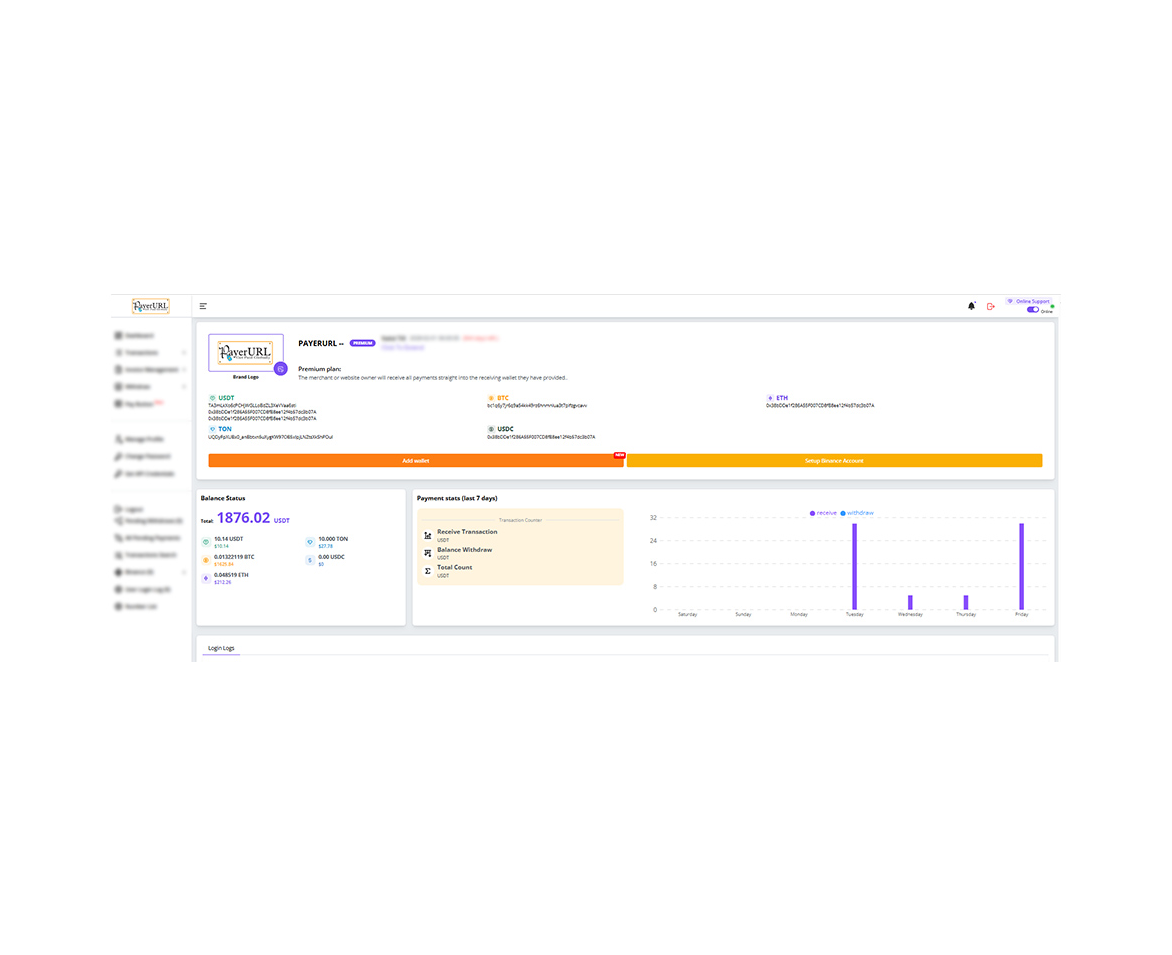
Payerurl dashboard.


Installatie
- Install and activate through the ‘Plugins’ menu in WordPress.
- Registration and login dash.payerurl.com
- Go to Dashboard >> get api credentials >> click on generate
- Navigate to WooCommerce » Settings » Payments
- Select “Enable ABC plugin”, and save then go to payerurl settings
- Paste your secret key and public key, click on check credentials and save
- Your clients can now make payments using crypto.
Beoordelingen


Bijdragers & ontwikkelaars
“ABC Crypto Checkout” is open source software. De volgende personen hebben bijgedragen aan deze plugin.
Bijdragers
Vertaal “ABC Crypto Checkout” in je eigen taal.
Interesse in ontwikkeling?
Bekijk de code, haal de SVN repository op, of abonneer je op het ontwikkellog via RSS.
Changelog
1.7.7
Added:
Order status set to processing if at least 90% of payment is received automatically.
Added pay later option.
1.7.6
Added:
Order status set to processing if at least 90% of payment is received automatically.
Added pay later option.
1.7.5
Added:
No more support currency “BDT”
1.7.4
Added:
Add Binance QR payment added
1.7.3
Added:
Add Opencart name added
Icon change
1.7.1
Added:
Add HPOS
1.7
Added:
New Feature “Discount” added
react version update
1.6
Added:
disable tollarence amount option
disable logo update option
1.5.4
Added:
readmy description change
1.5.3
Added:
error notification change
1.5.1
Added:
api url change for registration
1.5.1
Added:
api version 2 supported
1.5.0
Added:
added support for woocommerce blocks
1.4.5
Added:
Updated uninstallation hook
1.4.4
Added:
Tested up to wordpress v 1,4.1
1.4.1
Added:
Security feature update on server side
1.4
Added:
Fee Settings applied specifically for this plugin; they won’t affect any other plugins
1.3.3
Added:
Security feature added
1.3.1
Added:
API check and auto save added
1.3.0
Added:
Notification of api credencials chack before save
1.2.8
Added:
contact address added on error.
1.2.7
Added:
Live Demo added.
1.2.5
Added:
security feature added server end.
1.2.4
Added:
API credentials check validation optimization.
1.2.3
Added:
Added a feature of pre check API credentials.
1.2.2
Added:
security update on and api check before payment request
1.1.9
Added:
solve $_SERVER[‘HTTP_AUTHORIZATION’] issue for some merchants hosting
1.1.7
Added:
Signature doesn’t match with all input return.
1.1.6
Added:
Remove the unnecessary email notification from the “cancel and return” button on the payment page.
1.1.5
Added:
Before enabling this payment method option on the checkout page,
check the store currency with our list of accepted currencies.
Enable log management
1.1.4
Added:
request trace log added in the receiver page
1.1.3
Added:
Registration process change.
1.1.2
Added:
error code added on ever request or failed request.
error code added on ever response or failed response.
1.1.1
Added:
After payment customer can choose status.
Item description added
1.1.0
Added:
Default select “processing” for after_payment_order_status
1.0.9
Added:
Media upload problem solve
1.0.8
Added:
Brand logo update through plugin
Transaction details added
1.0.7
Added:
External fee system added
Tolerance system added
1.0.6
Added:
Hash link change
Binance Pay added
Banner change
1.0.5
Added:
Api link added.
banner change
title change
1.0.4
Added:
get api key link added.
icon change
1.0.3
Added:
New coin added
icon change

