

Beschrijving

Deze plugin is niet getest met de laatste 3 grotere versies van WordPress. Mogelijk wordt het niet meer onderhouden of ondersteund. Ook kunnen er compatibiliteitsproblemen ontstaan wanneer het wordt gebruikt met recentere versies van WordPress.

News Manager
Beschrijving
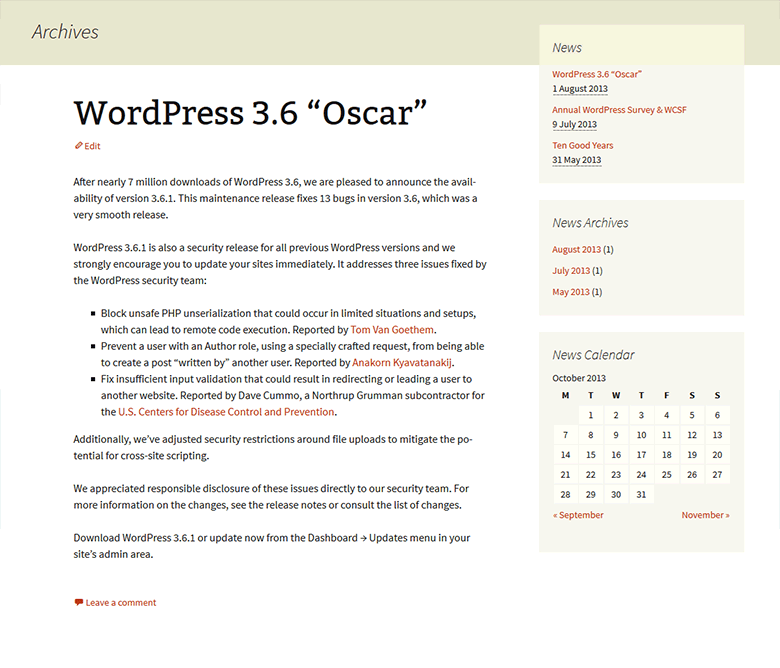
News Manager is a complete news management plugin for WordPress. It allows you to add, manage and display news on your WordPress site, including date archives, AJAX News Calendar, News Categories, News Tags and multiple news widgets.
For more information, check out plugin page at dFactory site.
Features include:
- Easy to configure
- Smoothly integrates into any theme
- Yearly, Monthly and Daily archives
- Ajax News Calendar
- News Categories
- News Tags
- Custom permissions for News
- 5 News widgets
- Multisite support
- Compatible with WPML & Polylang
- Compatible with SEO plugins
- Customizable permalink structure
- .pot file for translations included
Schermafbeeldingen
screenshot-1.png 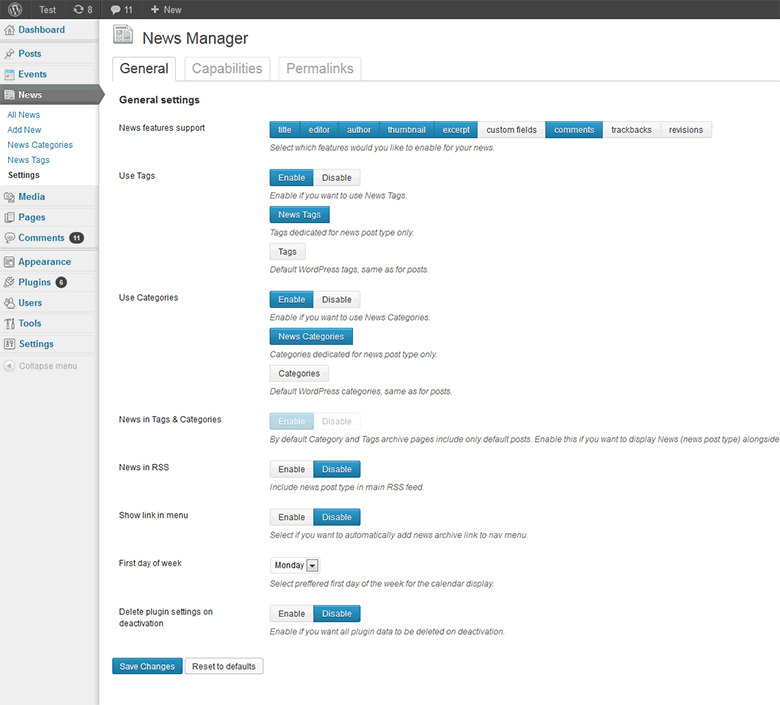
screenshot-2.png 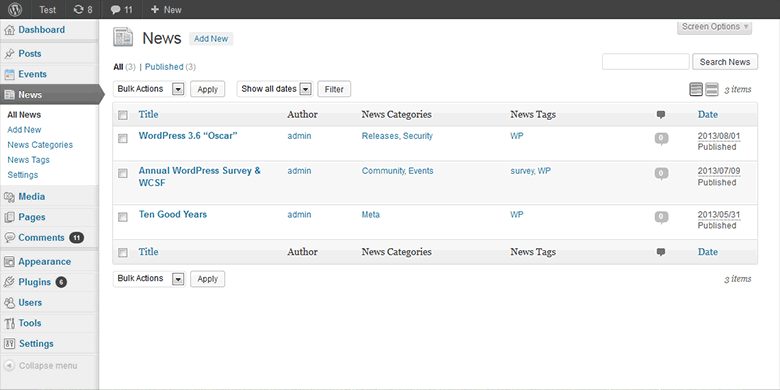
screenshot-3.png


Installatie
- Install News Manager either via the WordPress.org plugin directory, or by uploading the files to your server
- Activate the plugin through the ‘Plugins’ menu in WordPress
- Go to the News Manager settings under News menu and set your desired options.
FAQ
No questions yet.
Beoordelingen


Bijdragers & ontwikkelaars
“News Manager” is open source software. De volgende personen hebben bijgedragen aan deze plugin.
Bijdragers
Vertaal “News Manager” in je eigen taal.
Interesse in ontwikkeling?
Bekijk de code, haal de SVN repository op, of abonneer je op het ontwikkellog via RSS.
Changelog
1.1.0
- Tweak: WP 4.5 compatibility
- Tweak: Admin UI tweaks
1.0.8
- New: Hebrew translation by Ahrale Shrem
1.0.7
- Tweak: Admin UI improvements
1.0.6
- New: Added 3 Ajax Calendar widget CSS styles
1.0.5
- Fix: News Categories Widget not displaying categories
1.0.4
- New: Swedish translation, thanks to Daniel Storgards
- Tweak: UI improvements for WP 3.8
1.0.3
- New: Spanish translation, thanks to Maria Ramos
- Tweak: Added current day class to Ajax News Calendar
1.0.2
- Fix: Ajax News calendar not working properly with Polylang
1.0.1
- New: Multisite support
- Fix: Widgets not working if switched to native Tags or Categories
- Tweak: General code cleanup
1.0.0
Initial release

