

Beschrijving
Deze plugin is niet getest met de laatste 3 grotere versies van WordPress. Mogelijk wordt het niet meer onderhouden of ondersteund. Ook kunnen er compatibiliteitsproblemen ontstaan wanneer het wordt gebruikt met recentere versies van WordPress.

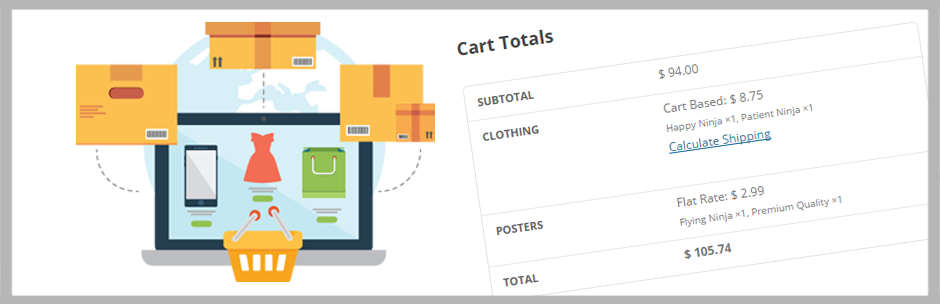
Multiple Packages for WooCommerce
Beschrijving
Take advantage of a new feature presented in WooCommerce 2.1 and split your cart into packages to offer your users
multiple shipping selections. Packages can be broken down based on shipping classes or on a per product basis. Each
group will have its own shipping selection under the shipping section of your cart and checkout forms.
In addition, this plugin can limit which shipping methods are used for each package. Using the provided table, match
each shipping class to its applicable method, or leave it blank to include them all!
This plugin is designed as a simplistic UI for users who want to separate their cart in packages without the need
of a developer. The actual functionality of multiple shipping options is provided through WooCommerce 2.1
Installatie
Minimum vereisten
- WooCommerce 3.0 of hoger
- WordPress 4.8 of hoger
- PHP-versie 5.6 of hoger
Installatie via FTP
- Upload the entire
woocommerce-multiple-packagingfolder to the/wp-content/plugins/directory - Activeer de plugin via het ‘Plugins’ menu in WordPress
- Dat is het! Je vindt een nieuw tabblad onder je WooCommerce > Instellingen pagina om de plugin in te stellen.
FAQ
Wat is er gebeurd met de item details voor elke verzendmethode nadat een bestelling is geplaatst?
Dit is een WooCommerce ontwerp keuze. In de winkelwagen en afreken velden, worden bij elke verzendoptie de onderstaande producten vermeld die van toepassing zijn op het opgegeven tarief.
Na het indienen zal de ontvangst- en bestelpagina alleen de geselecteerde opties vermelden, en niet welke artikelen op die manier verzonden moeten worden. Als je deze functie
wil aanvragen, neem dan contact op met WooCommerce ondersteuning.
Beoordelingen


Bijdragers & ontwikkelaars
“Multiple Packages for WooCommerce” is open source software. De volgende personen hebben bijgedragen aan deze plugin.
Bijdragers
“Multiple Packages for WooCommerce” is vertaald in 1 locale. Dank voor de vertalers voor hun bijdragen.
Vertaal “Multiple Packages for WooCommerce” in je eigen taal.
Interesse in ontwikkeling?
Bekijk de code, haal de SVN repository op, of abonneer je op het ontwikkellog via RSS.
Changelog
1.1.1
- Fixed: Compatibility warnings from WooCommerce corrected
1.1
- Added: Ability to Divide Cart by Dokan Vendor
1.0.3
- Fixed: Added settings column for products with no shipping class
1.0.2
- Fixed: Strict Standards message appearing on the cart
- Updated: WooCommerce and WordPress compatibility versions
1.0.1
- Fixed: Shipping method titles not display
- Fixed: Settings page not showing updated settings until page refreshed
- Enhanced: Compatibility with latest WooCommerce versions
1.0
- Initiële versie

