

Beschrijving

Menu Visibility Control
Beschrijving
Menu Visibility Control is a lightweight, privacy-friendly WordPress plugin that lets you decide exactly who sees each menu item, directly inside the WordPress menu editor.
No settings pages.
No lock-in.
No performance overhead.
Everything is managed where it belongs: Appearance Menus.
👁️ Visibility Options Per Menu Item
You can control visibility based on:
- 👥 Everyone
- 🔒 Logged-in users
- 🚪 Logged-out users
- 🧩 Specific user roles (Administrator, Editor, Subscriber, etc.)
- 📱 Device type (Desktop / Tablet / Mobile)
- 📄 Specific pages (auto-detected list)
All conditions are optional and safely combined.
💡 Perfect For
- Membership and community websites
- Client dashboards and intranets
- Multi-role WordPress sites
- Sites with mobile-specific navigation
- Blogs that need different menus for visitors vs members
🔧 Key Features
- Native integration with Appearance Menus
- Works with any theme or page builder
- Role-based menu visibility
- Device-based menu visibility
- Page-specific menu visibility
- Auto-hidden UI (only shows options when enabled)
- Secure (nonces, sanitization, strict validation)
- Performance-optimized (runs only during menu rendering)
- 100% free, open-source, and donation-supported
🧠 Why Use Menu Visibility Control?
Unlike large menu or membership plugins, this plugin:
- Uses only WordPress core hooks
- Stores minimal metadata
- Is compatible with caching, multilingual sites, and block themes
- Does not track users or collect data
It does one thing — and does it well.
Support
Need help or want to share feedback?
- Visit the support forum
- Leave a review
- Support development via donation
License
This plugin is licensed under the GPL v2 or later.
You are free to use, modify, and redistribute it under the same license.
Code is Poetry. ❤️
Schermafbeeldingen
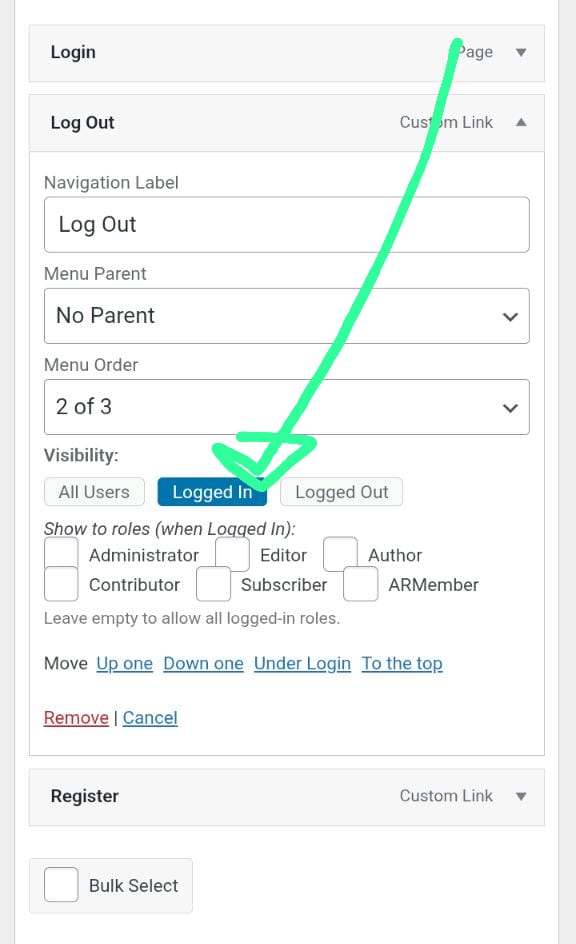
Visibility controls inside the WordPress menu editor. 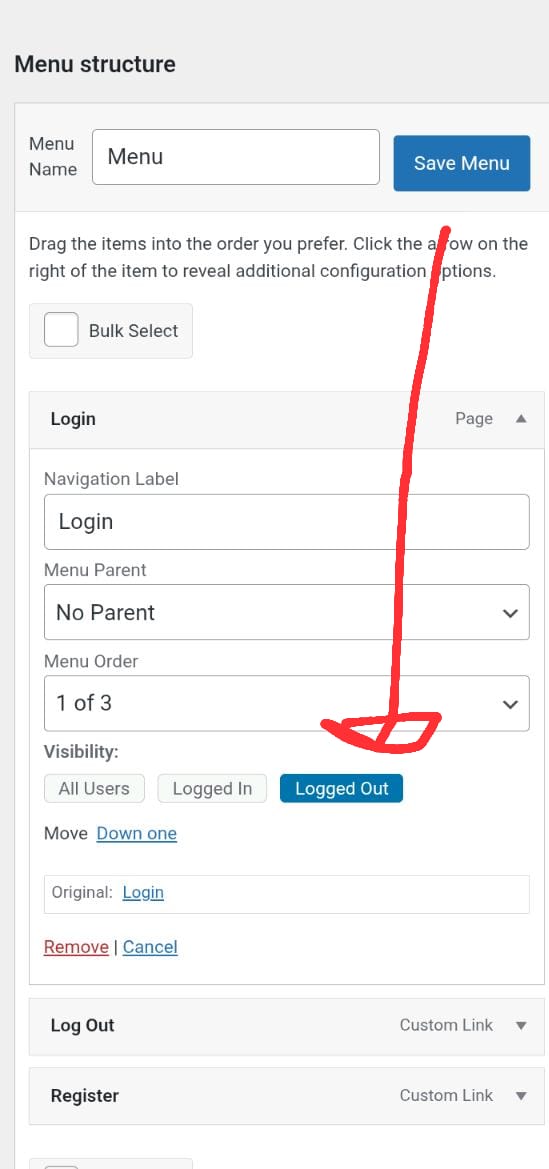
Role selection checkboxes.


Installatie
- Upload the plugin folder to
/wp-content/plugins/menu-visibility-control/, or install it from the WordPress Plugin Directory. - Activate the plugin via Plugins Installed Plugins.
- Go to Appearance Menus.
- Expand a menu item and choose its Visibility options.
No configuration required.
FAQ
Where are the plugin settings?
There is no global settings page. All options appear directly within each menu item in Appearance Menus.
Yes. Select User Roles and choose the roles that should see the menu item.
Yes. You can restrict menu items to Desktop, Tablet, or Mobile devices.
Yes. You can select specific pages where a menu item should appear.
No. All existing settings remain untouched. New features are opt-in only.
Does this work with all themes and builders?
Yes. Any theme or builder using
wp_nav_menu()is fully supported.Is the plugin translation-ready?
Yes. The text domain is
menu-visibility-control.
Beoordelingen


Bijdragers & ontwikkelaars
“Menu Visibility Control” is open source software. De volgende personen hebben bijgedragen aan deze plugin.
Bijdragers
Vertaal “Menu Visibility Control” in je eigen taal.
Interesse in ontwikkeling?
Bekijk de code, haal de SVN repository op, of abonneer je op het ontwikkellog via RSS.
Changelog
1.0.9
- Improved admin notice design on the Appearance Menus screen.
- Added informative admin notice with documentation, review, and support links.
- Enhanced notice UX with dismiss handling and once-per-day visibility.
- Minor UI polish and internal code cleanup.
1.0.8
- Added device-based menu visibility (desktop, tablet, mobile).
- Added page-specific visibility with automatic page selector.
- Improved menu editor UI with auto-hidden options.
- Performance optimizations.
- No changes to existing user settings.
1.0.4
- Security hardening and nonce validation.
- Confirmed compatibility with WordPress 6.9.
1.0.3
- Performance improvements and internal cleanup.
1.0.2
- Added role-based menu visibility.
1.0.1
- Initial public release.

