

Beschrijving


MAI Smart Assistant
Beschrijving
MAI Smart Assistant is a comprehensive AI integration plugin for WordPress that brings the power of artificial intelligence to your website. With support for multiple AI providers and a wide range of features, it’s designed to enhance your content creation, user engagement, and site automation.
Key Features
- Multi-Provider Support – Seamlessly integrate with OpenAI, Anthropic Claude, Google Gemini, X.AI Grok, and Cohere
- Intelligent Chatbot – RAG-based chatbot trained on your site content for accurate, context-aware responses
- Content Generation – AI-powered content creation throughout WordPress admin and frontend
- Automation & Scheduling – Automated content creation and updates with flexible scheduling
- Analytics Dashboard – Comprehensive tracking of usage, costs, and performance metrics
- Security First – Built with WordPress security best practices, including proper sanitization, escaping, and nonce verification
- Performance Optimized – Intelligent caching, rate limiting, and optimized database queries
Chatbot Features
- RAG (Retrieval-Augmented Generation) – Chatbot searches your site content to provide accurate answers
- Content Search Integration – Automatically finds and presents relevant posts, pages, and products
- Conversation History – Maintains context across multiple messages
- Customizable Appearance – Full color customization, custom avatars, and styling options
- Mobile Responsive – Works perfectly on all devices
- Optional Footer – “Powered by” footer is disabled by default; enable it only if you want to display custom branding
Content Generation
- Gutenberg Integration – AI assistant directly in the block editor
- Classic Editor Support – Seamless integration with the classic WordPress editor
- WooCommerce Integration – Generate product descriptions, features, and marketing content
- Multiple Content Types – Support for posts, pages, products, and custom post types
- Template System – Pre-built templates for common content types
Security & Performance
- WordPress Standards Compliant – Follows all WordPress.org coding and security guidelines
- SQL Injection Protection – Proper use of $wpdb->prepare() with dynamic placeholders
- XSS Prevention – All outputs properly escaped with esc_html(), esc_url(), esc_attr()
- Input Sanitization – All inputs sanitized using WordPress core functions
- Rate Limiting – Built-in protection against API abuse
- Caching System – Intelligent caching to reduce API costs and improve performance
- Local Assets – Required JavaScript libraries are bundled locally; no remote CDN assets are loaded
Supported AI Providers
- OpenAI – GPT-4 and GPT-3.5 Turbo (availability depends on your account)
- Anthropic – Claude 3 models (Sonnet, Haiku, Opus)
- Google Gemini – Gemini 1.5 Pro
- X.AI – Grok Beta
- Cohere – Command models and embeddings
Model availability depends on your provider account, plan, and regional access. Configure models in the plugin settings.
Automation & Scheduling
- Intelligent Content Generation – Create blog posts, articles, and product descriptions automatically
- Advanced Scheduler – Flexible scheduling with timezone support, blackout dates, and time windows
- Queue System – Robust queue with retry logic, exponential backoff, and priority handling
- SEO Integration – Automatic SEO optimization for Yoast SEO, Rank Math, and All in One SEO
- Custom Fields – Populate ACF and JetEngine custom fields automatically
- Image Generation – DALL-E 3 integration for automated featured images with style control
- Quality Controls – Content scoring, duplicate detection, and uniqueness validation
- Budget Management – Daily and monthly cost limits with auto-pause on budget exceeded
- Failure Handling – Email notifications, automatic retries, and configurable failure behaviors
- Monitoring Dashboard – Track rule performance, costs, success rates, and execution history
Use Cases
- Customer Support – Intelligent chatbot that answers questions using your site content
- Content Marketing – Generate blog posts, product descriptions, and marketing copy
- E-commerce – Automated product descriptions and customer support
- Documentation – Interactive help system for complex products or services
- Lead Generation – Engage visitors with intelligent conversations
External Services
This plugin connects to third-party AI provider APIs to function. You must configure API keys from at least one of the following services:
OpenAI API
* Service: https://platform.openai.com/
* Privacy Policy: https://openai.com/policies/privacy-policy
* Terms of Service: https://openai.com/policies/terms-of-use
* Data transmitted: User messages, site content for indexing, generation prompts
* Purpose: AI text generation, chat completion, embeddings creation
Anthropic API (Claude)
* Service: https://www.anthropic.com/
* Privacy Policy: https://www.anthropic.com/legal/privacy
* Terms of Service: https://www.anthropic.com/legal/terms
* Data transmitted: User messages, site content for indexing, generation prompts
* Purpose: AI text generation, chat completion
Google Gemini API
* Service: https://ai.google.dev/
* Privacy Policy: https://policies.google.com/privacy
* Terms of Service: https://policies.google.com/terms
* Data transmitted: User messages, site content for indexing, generation prompts
* Purpose: AI text generation, chat completion, embeddings creation
X.AI API (Grok)
* Service: https://x.ai/
* Privacy Policy: https://x.ai/legal/privacy-policy
* Terms of Service: https://x.ai/legal/terms-of-service
* Data transmitted: User messages, site content for indexing, generation prompts
* Purpose: AI text generation, chat completion
Cohere API
* Service: https://cohere.com/
* Privacy Policy: https://cohere.com/privacy
* Terms of Service: https://cohere.com/terms-of-use
* Data transmitted: User messages, site content for indexing, generation prompts
* Purpose: AI text generation, chat completion, embeddings creation
Important Notes:
* API keys are required to use this plugin – you must sign up with at least one provider
* All API communications use HTTPS encryption
* No data is sent to external services except the AI providers you explicitly configure
* You are responsible for compliance with each provider’s terms of service
* This plugin does not send any tracking or telemetry data to the plugin author
Privacy Policy
MAI Smart Assistant is designed with privacy in mind:
- Local Data Storage – All conversations and analytics are stored locally in your WordPress database
- API Communications – The plugin communicates directly with your chosen AI providers using your API keys
- No External Tracking – We don’t collect or transmit any data to external services beyond the AI providers you configure
- User Control – You have full control over what content gets indexed and how the AI features are used
- Data Retention – You can delete conversation history and analytics data at any time
- Third-Party Services – See “External Services” section above for details on API providers used
Support
For support, feature requests, and bug reports, please visit our GitHub repository or contact us through the WordPress.org support forums.
Credits
MAI Smart Assistant is developed with ❤️ for the WordPress community. Special thanks to all the AI providers who make these amazing technologies accessible to developers and content creators.
Schermafbeeldingen
Main dashboard showing AI usage analytics and quick access to all features 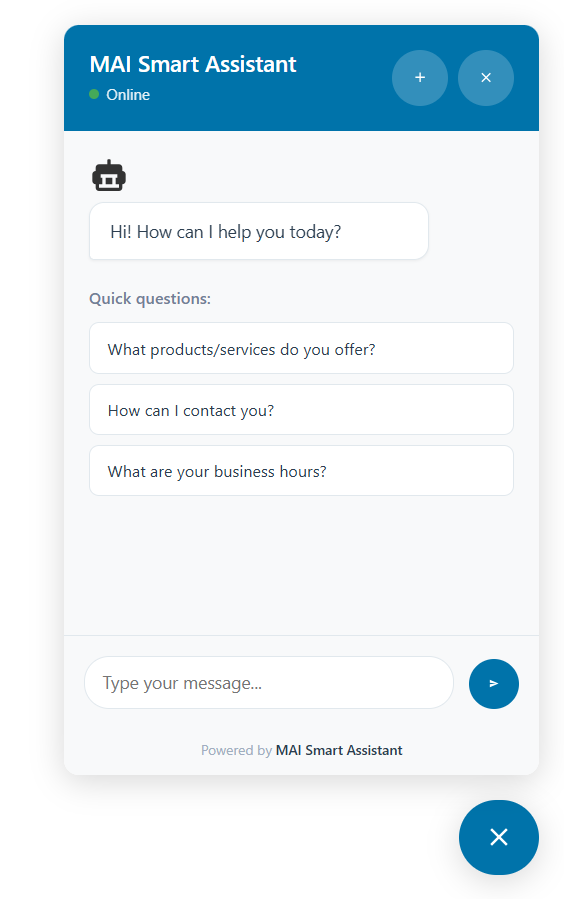
Chatbot configuration with appearance customization options 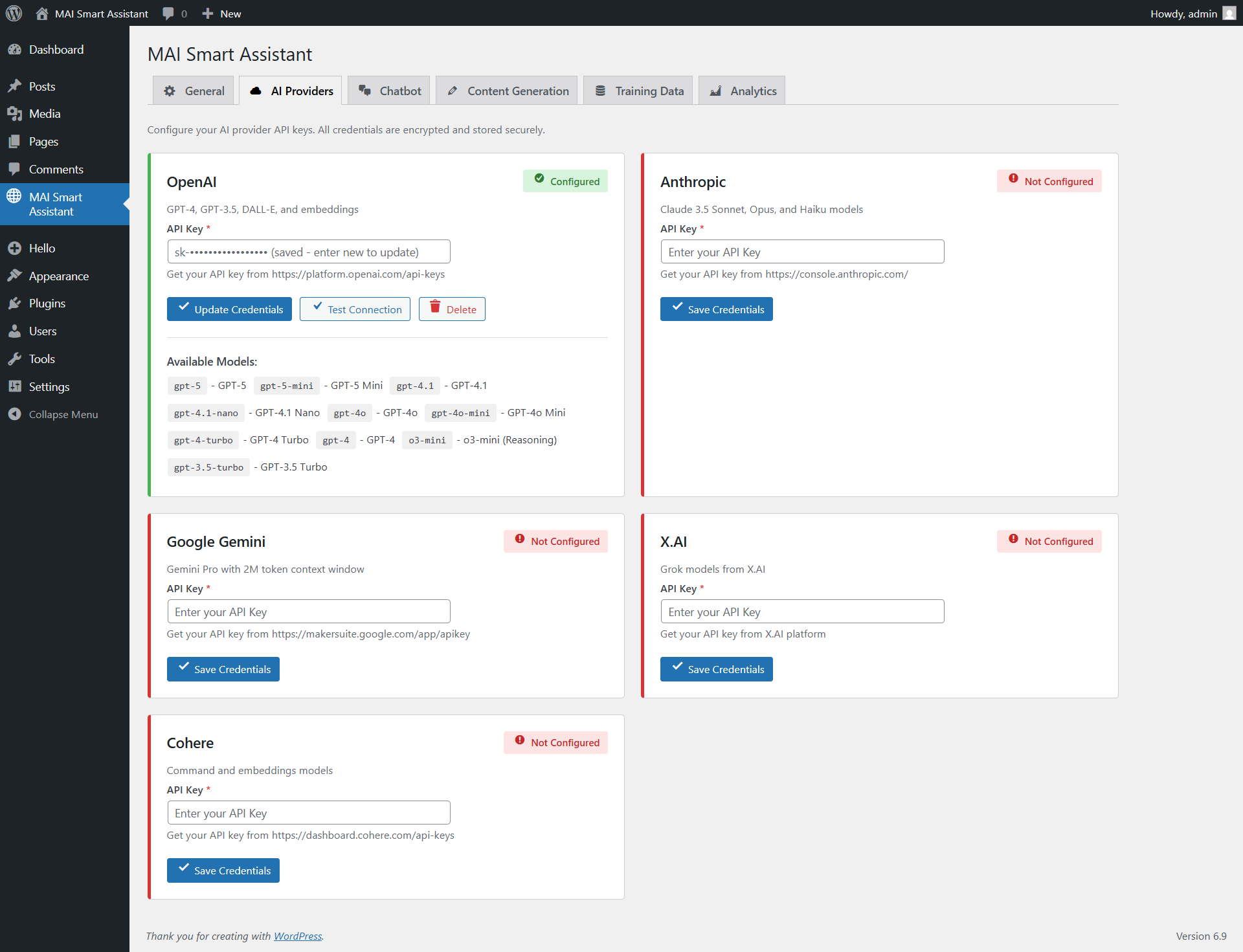
Content generation in the Gutenberg editor with AI assistant 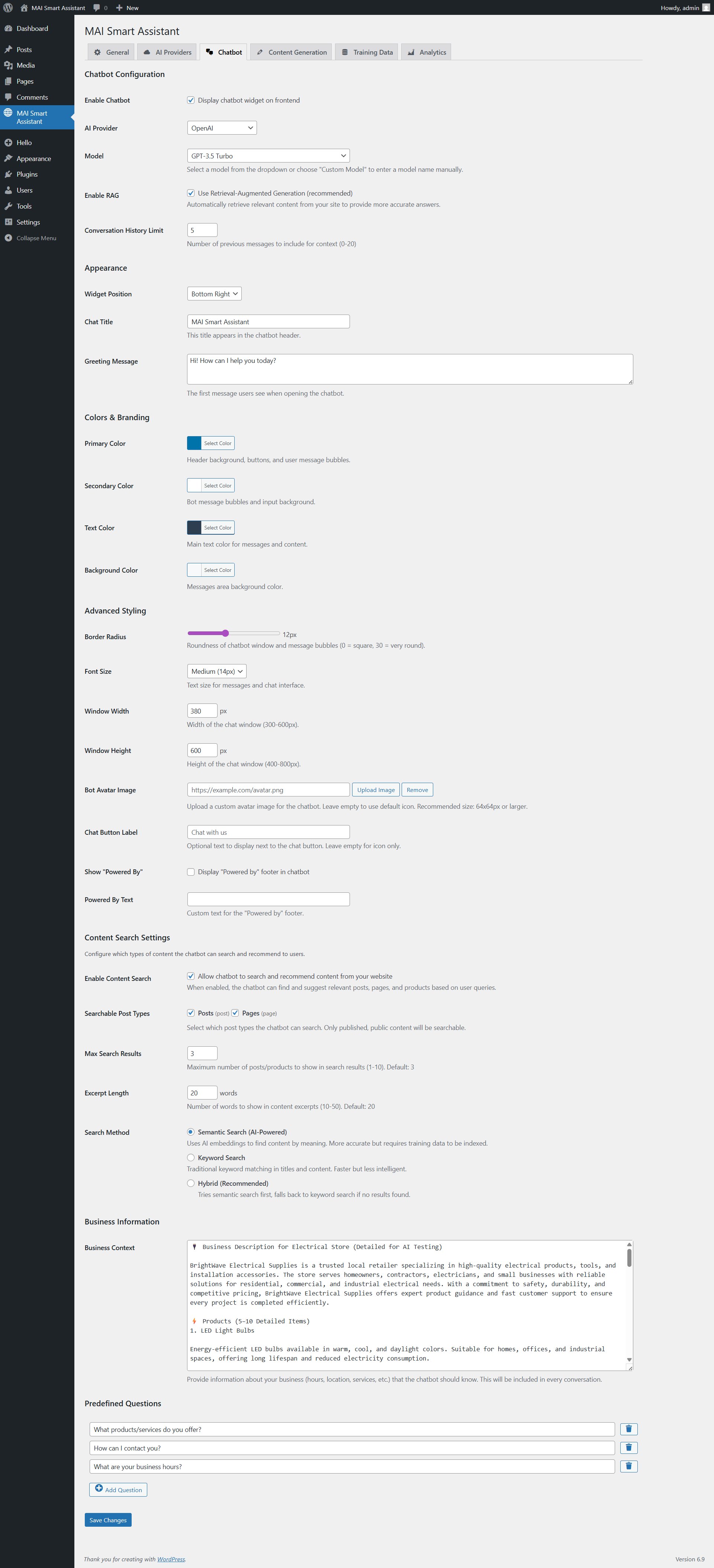
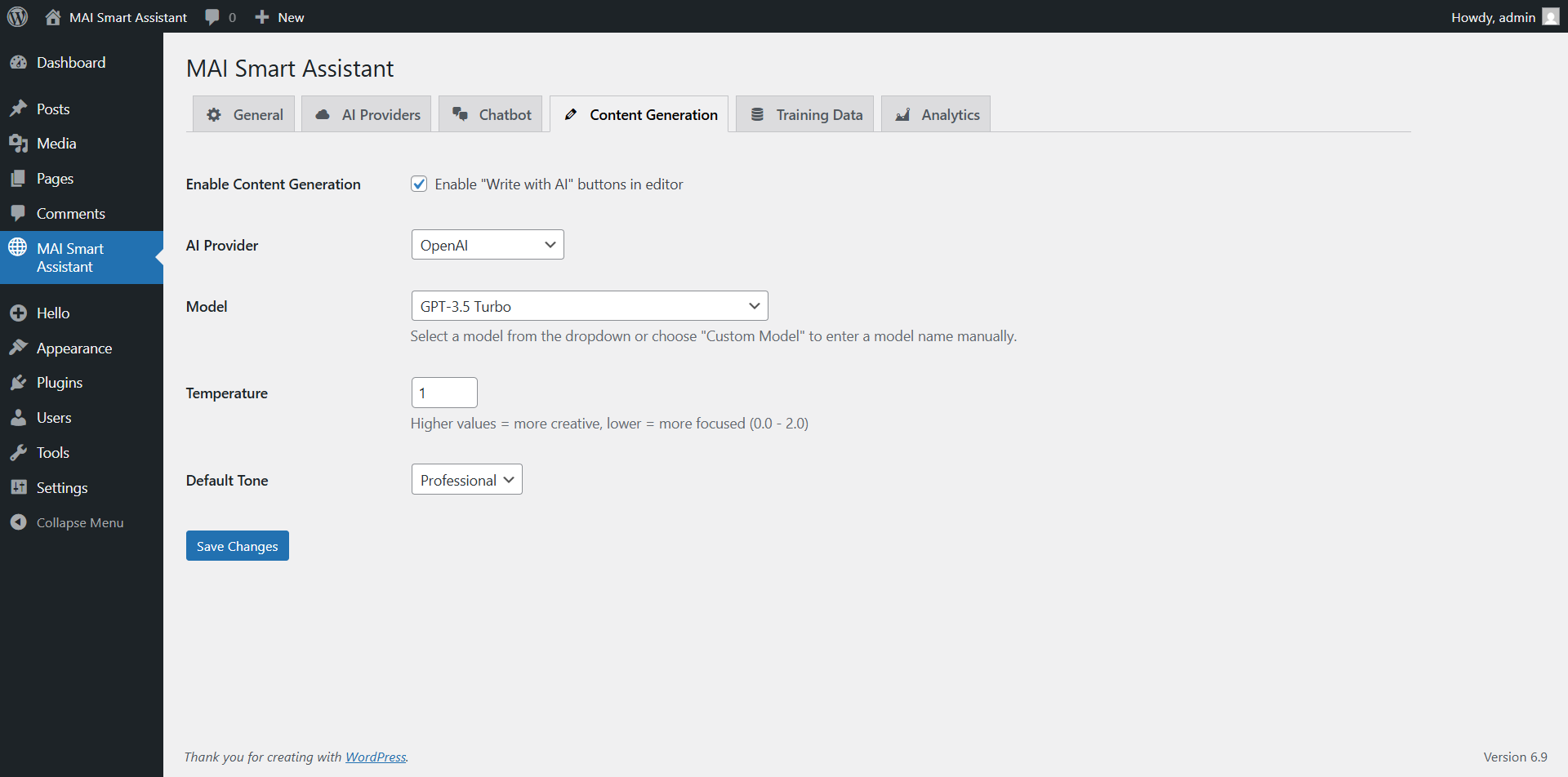
Provider configuration page with multiple AI service options 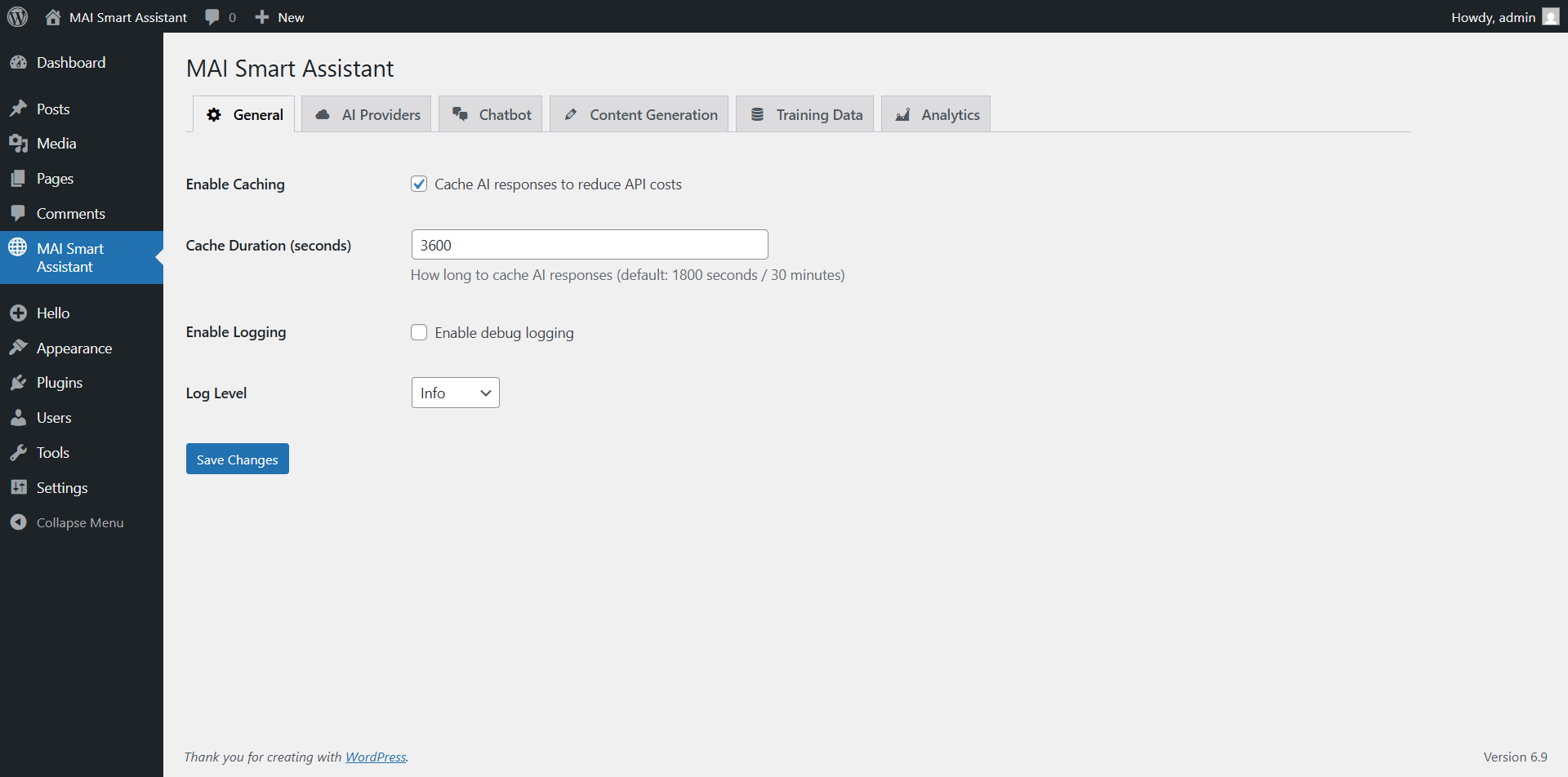
Training page for managing indexed content and RAG functionality


Installatie
- Upload the plugin files to the
/wp-content/plugins/directory, or install the plugin through the WordPress plugins screen directly. - Activate the plugin through the ‘Plugins’ screen in WordPress.
- Navigate to “MAI Smart Assistant” in your WordPress admin menu.
- Configure your AI provider API keys in the Providers tab.
- Enable the features you want to use (chatbot, content generation, etc.).
- Start using AI features throughout your WordPress site!
FAQ
Do I need API keys for AI providers?
Yes, you’ll need API keys from at least one supported AI provider (OpenAI, Anthropic, Google, X.AI, or Cohere). The plugin supports multiple providers, so you can use different providers for different features.
Is the chatbot trained on my site content?
Yes! The chatbot uses RAG (Retrieval-Augmented Generation) technology to search your site content and provide accurate, context-aware responses. You can control which content gets indexed through the Training page.
Does this plugin work with WooCommerce?
Absolutely! MAI Smart Assistant includes dedicated WooCommerce integration for generating product descriptions, features lists, and providing customer support through the chatbot.
Is my data secure?
Yes, security is our top priority. All API keys are encrypted before storage, all database queries use proper sanitization, and the plugin follows WordPress security best practices. We never store your AI conversations on external servers.
Can I customize the chatbot appearance?
Yes! The plugin includes comprehensive customization options including colors, fonts, chat window size, custom avatars, and more. You can match your brand perfectly.
Does this work with Gutenberg and Classic Editor?
Yes, MAI Smart Assistant works with both the Gutenberg block editor and the Classic Editor, providing AI assistance wherever you create content.
Beoordelingen
Er zijn geen beoordelingen voor deze plugin.
Bijdragers & ontwikkelaars
“MAI Smart Assistant” is open source software. De volgende personen hebben bijgedragen aan deze plugin.
Bijdragers
Vertaal “MAI Smart Assistant” in je eigen taal.
Interesse in ontwikkeling?
Bekijk de code, haal de SVN repository op, of abonneer je op het ontwikkellog via RSS.
Changelog
1.0.3
- Added: Advanced automation system with intelligent content generation
- Create posts automatically based on rules and schedules
- Support for multiple content structures (how-to, listicle, tutorial, review, comparison, case study)
- Configurable tone control (professional, casual, friendly, formal, conversational, technical)
- Quality validation with content scoring and duplicate detection
- Added: Multi-plugin SEO integration (Yoast SEO, Rank Math, All in One SEO)
- Automatic meta titles and descriptions
- Focus keyword generation
- Open Graph and Twitter Card data
- Schema markup support
- Added: Custom fields support (ACF and JetEngine integration)
- Auto-populate custom fields from generated content
- Support for all field types (text, number, boolean, select, date, etc.)
- Intelligent field value generation based on content context
- Added: DALL-E 3 image generation for automated posts
- Multiple image styles (photorealistic, illustration, abstract, minimalist, cartoon, vintage, modern, artistic)
- Configurable image sizes (1024×1024, 1792×1024, 1024×1792)
- Fallback to stock images (Unsplash, Pexels)
- Batch image generation support
- Added: Advanced scheduler with timezone support and multiple scheduling options
- One-time, recurring, specific times, and advanced (cron-like) schedules
- Custom intervals (every 15 min, 30 min, 2 hours, 6 hours, 12 hours)
- Time windows and blackout dates
- Random offset for natural variation
- Added: Queue system with retry logic and exponential backoff
- Priority queue management
- Automatic retries (max 3 attempts)
- Exponential backoff (5 min, 15 min, 60 min delays)
- Stuck item detection and recovery
- Added: Comprehensive analytics and monitoring dashboard
- Real-time execution tracking
- Cost analysis and budget monitoring
- Success/failure rate tracking
- Performance metrics (avg execution time)
- Upcoming executions calendar
- Added: REST API endpoints for automation management
- Full CRUD operations for automation rules
- Test execution without creating posts
- Enable/disable rules via API
- Queue management endpoints
- Changed: Logging is now disabled by default for better performance and security
- Changed: Auto-index content setting is now disabled by default
- Changed: Improved performance with optimized database queries
- Fix: Resolved “options page not in allowed options list” error when saving auto-index settings
- Fix: Removed “Powered By” footer branding from chatbot
- Fix: Improved chatbot CSS isolation to prevent theme conflicts
- Fix: Added CSS reset for chatbot container
- Fix: Optimized uniqueness checking to avoid redundant database queries
1.0.2
- Security: Fixed SQL injection vulnerabilities in Analytics_Service.php with proper wpdb->prepare() usage
- Security: Verified all AJAX handlers have nonce verification and capability checks
- Updated: Chart.js library from v4.4.7 to v4.5.1 (latest stable)
- Fixed: Renamed JavaScript global objects to use unique MAISMAS_ prefix (WordPress.org compliance)
- Removed: load_plugin_textdomain() call (not needed for WordPress 5.8+ on WordPress.org)
- Optimized: Removed redundant require_once calls for wp-admin/includes/upgrade.php
- Documentation: Cohere API usage fully documented in External Services section
- WordPress.org ready: All issues from plugin review resolved
1.0.1
- First stable release
- Multi-provider AI integration (OpenAI, Anthropic, Google Gemini, X.AI, Cohere)
- Intelligent RAG-based chatbot with vector embeddings
- Content generation for posts, pages, and WooCommerce products
- Comprehensive analytics dashboard with usage tracking
- Security hardening and performance optimization
- Full WordPress coding standards compliance
1.0.0
- Initial beta release

