

Beschrijving
Deze plugin is niet getest met de laatste 3 grotere versies van WordPress. Mogelijk wordt het niet meer onderhouden of ondersteund. Ook kunnen er compatibiliteitsproblemen ontstaan wanneer het wordt gebruikt met recentere versies van WordPress.

Lana Shortcodes
Beschrijving
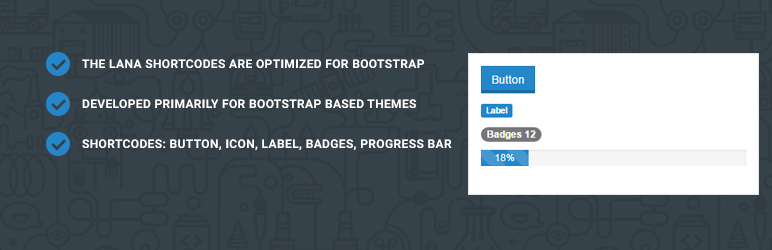
The Lana Shortcodes are optimized for Bootstrap.
The Lana Shortcodes are developed primarily for Lana themes.
Video
Shortcodes list:
Button shortcode
[lana_button size=”md” type=”primary” class=”custom-color”]Lana Button[/lana_button]
Icon shortcode
[lana_icon name=”home”]
Label shortcode
[lana_label type=”primary”]New[/lana_label]
Badges shortcode
[lana_badges]2[/lana_badges]
Progress Bar shortcode
[lana_progress_bar value=”15″ type=”primary” label=”visible” striped=”1″ active=”1″]
Lana Codes
Schermafbeeldingen

screenshot-1.jpg

Installatie
Requires
- WordPress at least 4.0
- PHP at least 5.3
Instalation steps
- Upload the plugin files to the
/wp-content/plugins/lana-shortcodesdirectory, or install the plugin through the WordPress plugins screen directly. - Activate the plugin through the ‘Plugins’ screen in WordPress
How to use it
- in
Posts > Edit, you can manually add the shortcode to the selected post, for example add the[lana_button size="md" type="primary"]Lana Button[/lana_button]shortcode to the post content. - in
Pages > Edit, you can manually add the shortcode to the selected page, for example add the[lana_fb_share]shortcode to the page content.
FAQ
Do you have questions or issues with Lana Shortcodes?
Use these support channels appropriately.
Lana Codes
WordPress Forum
Beoordelingen


Bijdragers & ontwikkelaars
“Lana Shortcodes” is open source software. De volgende personen hebben bijgedragen aan deze plugin.
Bijdragers
Vertaal “Lana Shortcodes” in je eigen taal.
Interesse in ontwikkeling?
Bekijk de code, haal de SVN repository op, of abonneer je op het ontwikkellog via RSS.
Changelog
1.2.0
- security: fixed stored XSS vulnerability
- change tinymce shortcode button add in ‘admin_init’ hook
- improve shortcode tinymce js
- update bootstrap and add popper
- add exclude assets to language pot file
1.1.1
- add and bugfix bootstrap versions
- add bootstrap version selector to settings
- change constants init method
- add class atts to lana button shortcode
1.1.0
- add bootstrap version selector
- add bootstrap version shortcode views
- reformat code
1.0.9
- reformat code
- update readme.txt
1.0.8
- add text domain to plugin header
1.0.7
- Tested in WordPress 4.8 (compatible)
- Change website to lana.codes
1.0.6
- change Lana Shortcodes icons in TinyMCE
1.0.5
- Bugfix escape
1.0.4
- Bugfix jquery.js include
1.0.3
- Tested in WordPress 4.7 (compatible)
- No change
1.0.2
- Bugfix jquery.js include
- remove lana_table shortcode
1.0.1
- remove gallery shortcode
- remove img_caption shortcode
1.0.0
- Added Lana Shortcodes

