

Beschrijving

Deze plugin is niet getest met de laatste 3 grotere versies van WordPress. Mogelijk wordt het niet meer onderhouden of ondersteund. Ook kunnen er compatibiliteitsproblemen ontstaan wanneer het wordt gebruikt met recentere versies van WordPress.

iOS images fixer
Beschrijving
By default, thumbnails of photos taken by an iOS device (iPhone or iPad) are flipped 90 degrees to the left, it’s a long image EXIF information story. This plugin takes care of this and fixes the uploaded images orientation’s (if needed, based on EXIF data) using ImageMagic Library if available or PHP GD as a fallback.
No settings editing required, just activate the plugin and try uploading an image from your idevice!
Schermafbeeldingen
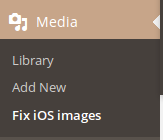
Apart from automatically fixing images upon upload, we’re introducing a new feature for fixing iOS images manually, including images that were uploaded before the plugin’s installation! 
Fix Images. Those are the ones that were not catched by the plugin for some reason, or has been uploaded before the plugin’s installation. 
This is what the plugin would do to the image in figure 2.


Installatie
- Go to your admin area and select Plugins -> Add new from the menu.
- Search for “iOS Images Fixer”.
- Click install.
- Click activate.
FAQ
Is there any special requirement?
- PHP GD library or ImageMagic.
- exif extension installed.
Are there any code-level modifications required?
No, just install the plugin and continue blogging happily.
Beoordelingen


Bijdragers & ontwikkelaars
“iOS images fixer” is open source software. De volgende personen hebben bijgedragen aan deze plugin.
Bijdragers
Vertaal “iOS images fixer” in je eigen taal.
Interesse in ontwikkeling?
Bekijk de code, haal de SVN repository op, of abonneer je op het ontwikkellog via RSS.
Changelog
1.3.0
- Code revision
1.2.4
- Support for PHP 7, (used exif_read_data function instead, props @lumpysimon)
- Code revision
- Updated Donation link.
1.2.3
- Code revision
- Added Pointer with donate rate links.
1.2.2
- Bug fixes
1.2.1
- Added a check to make sure the image has EXIF data before proceeding.
1.2
- Added manual fix page to let you fix images that were uploaded before installing the plugin!
1.1
- Added conditional check and admin notice in case of disabled required functions.
1.0
- Initial plugin release.

