

Beschrijving

Include Matomo Tracking, by Jonas Hellmann
Beschrijving
This plugin lets you integrate your existing Matomo On-Premise into WordPress. If you don’t already have a working Matomo (either On-Premise or Matomo Cloud), use the Matomo Analytics plugin instead.
Matomo, formerly called Piwik, is an self-hosted open-source tool to analyze your pages. It needs a tracking code to be included in the pages that should be monitored. Also campaigns can be created by using specific parameters in the URL.
Therefore in this plugin, you can configure the URL where Matomo is hosted and the site ID for tracking your WordPress page. You can find it in the tracking code. You only need to fill in these both information. The rest of the tracking code is standartized and automatically inserted in the page. Also, you can set a campaign name (pk_campaign) and source (pk_source) which will be adds to the links in your RSS feed. This helps you to analyze how many users enter your pages by using your RSS feed.
If you like to, there is an additional field to deactivate the usage of cookies by Matomo.
Schermafbeeldingen
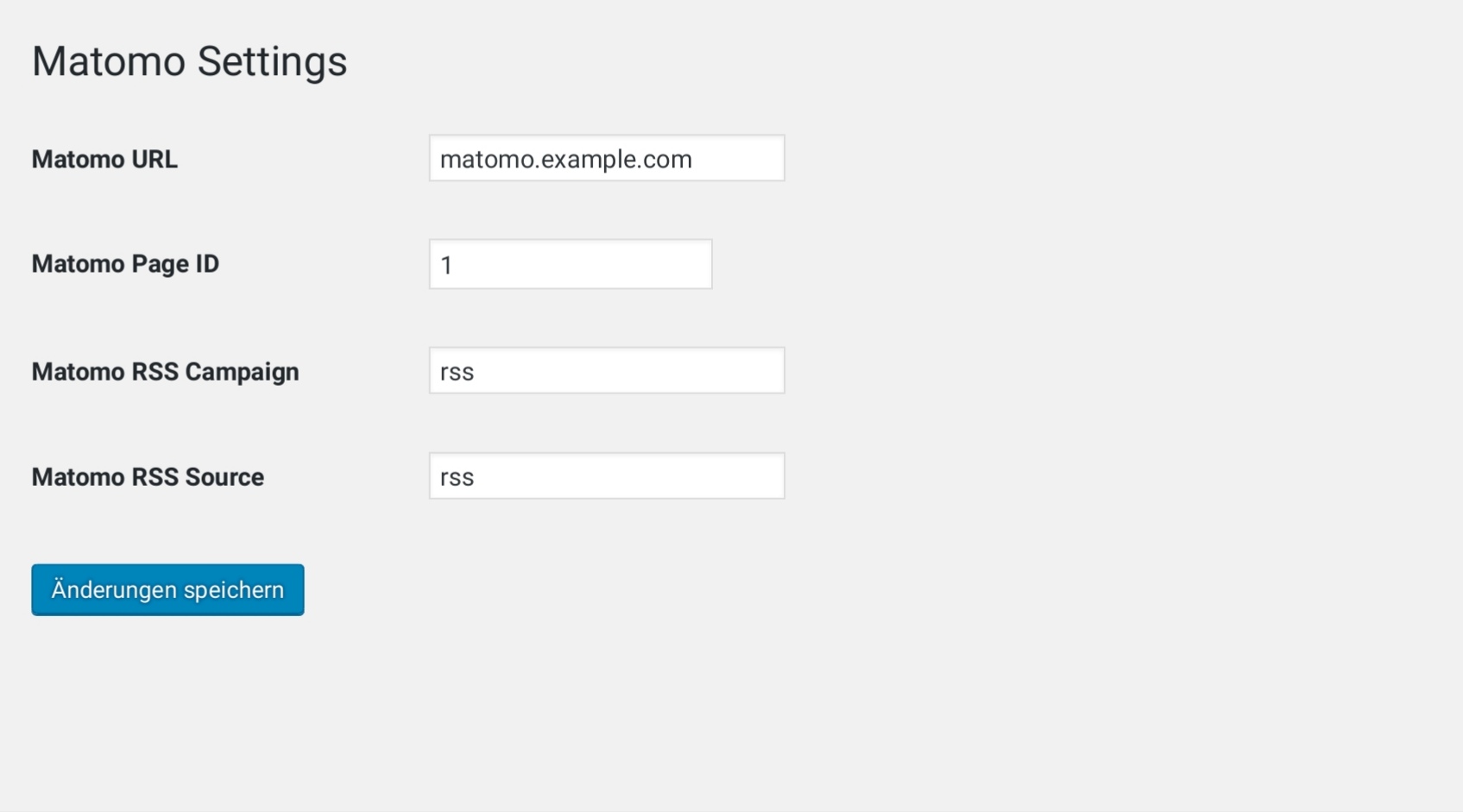
Here you can see the settings page of ‘Include Matomo’. You can find it under ‘Settings’ -> ‘Include Matomo’. 
If you provide a Matomo URL and site ID this code is injected to your Wordpress page..


Installatie
This section describes how to install the plugin and get it working.
- Upload the plugin files to the
/wp-content/plugins/include-matomodirectory, or install the plugin through the WordPress plugins screen directly. - Activate the plugin through the ‘Plugins’ screen in WordPress.
- Use the ‘Settings’ -> ‘Include Matomo’ screen to configure the plugin. Look in the description to understand the configuration options.
- (Make your instructions match the desired user flow for activating and installing your plugin. Include any steps that might be needed for explanatory purposes)
FAQ
Why can’t I see page views in the Matomo backend?
Take a look at the source code of your WordPress page and make sure that the Matomo code is actually included. It will only be injected if the URL to the Matomo installation AND the page ID are set.
If it is injected you also should check if the page ID is set correctly.
Beoordelingen


Bijdragers & ontwikkelaars
“Include Matomo Tracking, by Jonas Hellmann” is open source software. De volgende personen hebben bijgedragen aan deze plugin.
Bijdragers
Vertaal “Include Matomo Tracking, by Jonas Hellmann” in je eigen taal.
Interesse in ontwikkeling?
Bekijk de code, haal de SVN repository op, of abonneer je op het ontwikkellog via RSS.
Changelog
1.0
- This is the initial version of the plugin.
1.4
- Renaming the plugin due to a request by Matomo. (https://wordpress.org/support/topic/request-to-update-plugin-with-regards-to-the-trademark-guidelines-2/)

