

Beschrijving
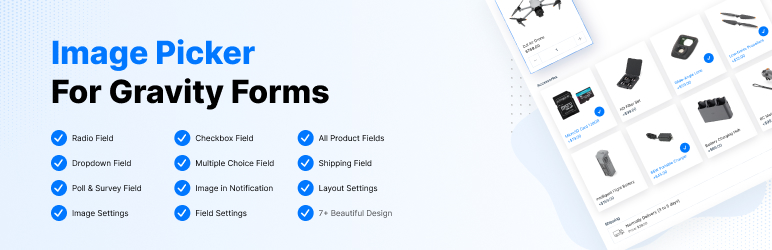

Image Picker For Gravity Forms
Beschrijving
A simple and nice plugin to add images easily on gravity forms radio and checkbox field. It helps to add uploaded images for radio and checkbox fields with a few clicks. It also adds a nice design on the radio and checkbox field. If the installation is okay, go to gravity forms dashboard. Add a checkbox/radio field on your form. Open the checkbox/radio field and you will see a tab called the Image Choices. After clicking that tab, an option will be shown to enable Image choice. Click that checkbox and configure it as your choice. And save the form. You’re done!
Features
- Awesome radio/checkbox design
- Pick custom color
- Add column in radio/checkbox
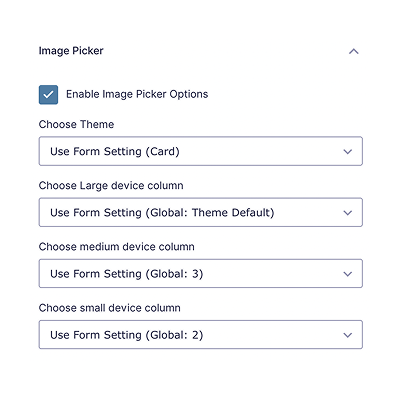
- Added responsive option (new)
- Global Settings (new)
- Form Settings (new)
- And more comming…
Premium Features
- Single product field support
- Product option support
- Dropdown field support
- Multiple choice, polls, survey, shipping support
- 7+ beautiful themes
- Responsive options
- Show images in Entry / Notification
- Image Options
- Upcoming more options…
Requirements
- PHP 5.6
- Gravity Forms 2.0.0 or higher
Schermafbeeldingen
Add radio/checkbox field on gravity form and enable image choice option with click checkbox 
Click on edit choices 
Click on image icon. 
A popup will be show, choose your image and click on select image. 
You can see your selected image. you can remove that and choose another one. 
After saving form, you will be beautiful image radio/checkbox field. 
New design for radio/checkbox


Installatie
- Install Image Choices For Gravity Forms plugin
- Make sure you also have Gravity Forms activated (at least v2.0)
Beoordelingen


Bijdragers & ontwikkelaars
“Image Picker For Gravity Forms” is open source software. De volgende personen hebben bijgedragen aan deze plugin.
Bijdragers

Vertaal “Image Picker For Gravity Forms” in je eigen taal.
Interesse in ontwikkeling?
Bekijk de code, haal de SVN repository op, of abonneer je op het ontwikkellog via RSS.
Changelog
1.1.3
- Added Global & Form Settings
- Improve design
- Added responsive option
1.1.2
- Improve design
- Compatibility with 2.9
- Bug Fix
1.1.1
- Improve design
- Bug Fix
1.1.0
- Add new design
- Add column option
- Add color option in gravity forms settings
- Bug Fix
1.0
- Initial Release

