

Beschrijving
Ga naar de inhoud


Lees alle 2 beoordelingen
Date Time Field Add-On for Gravity Form
Beschrijving
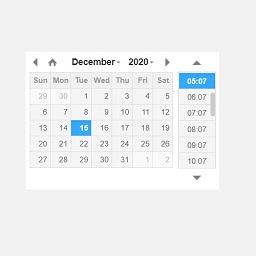
A date-time add-on for Gravity Forms with custom date time format:
- This plugin will add new type of field under
Advanced FieldsasDate-Time. - Simply drag
Date-Timefield into the form. - You can also add custom date time format under
Generaltab. - The date time format pattern must follow moment.js tokens. Click here to view moment.js date and time tokens.
Translations included
- English
- Français (French)
Schermafbeeldingen


Installatie
- Upload and unzip
gf-datetime-field-add-on.zipto the/wp-content/plugins/directory - Activate the plugin through the ‘Plugins’ menu in WordPress
Beoordelingen
18 juli 2023
The plugin does what it says. Good job.
7 juli 2022 1 reactie
Essential date & time input add-on. But I want to set the specific hours/time like 04:00 and 05:30 Only, is it possible by shortcode? The add-on also does not load properly.
Bijdragers & ontwikkelaars
“Date Time Field Add-On for Gravity Form” is open source software. De volgende personen hebben bijgedragen aan deze plugin.
Bijdragers
Vertaal “Date Time Field Add-On for Gravity Form” in je eigen taal.
Interesse in ontwikkeling?
Bekijk de code, haal de SVN repository op, of abonneer je op het ontwikkellog via RSS.
Changelog
1.3.6
- Fix date formatting for non-English locales
1.3.5
- Resolved issue with datetime picker script loading inconsistently across different themes
- Improved jQuery script initialization to ensure compatibility with various WordPress themes
- Fixed potential JavaScript loading conflicts by using Gravity form’s inline script enqueuing method
1.3.2
- Added the filter hook
gf_awp_calendar_restricted_datesto disable specific dates. - Added the filter hook
gf_awp_calendar_restricted_weekdaysto disable specific weekdays each month. - Improved the loading of the date-time picker to ensure proper functionality when multiple forms are on the same page.
- Fixed the scrolling issue.
1.2.8
- Add a filter hook
gf_awp_calendar_week_start_dayto set start day of the week.
1.2.7
- Add a filter hook
gf_awp_calendar_hide_past_datesto hide past date in calendar view.
1.2.6
- Add a filter hook
gf_awp_calendar_time_formatto change the time format for calendar. - Add a filter hook
gf_awp_calendar_allow_timeto allow specific time to select. Must use 24 hour format. - Add a filter hook
gf_awp_calendar_datepickerto show/hide datepicker. - Add a filter hook
gf_awp_calendar_timepickerto show/hide timepicker. - Add locale feature for date time picker. This uses WordPress locale settings.
- Some minor fixes.
1.2.1
- Fix JSON error when adding a shortcode and trying to save a page in the block editor.
1.2.0
- Add a filter hook
gf_awp_datetimepicker_scriptto allow users to override JavaScript/jQuery for date-time picker.
1.0.1
- Fixed date-time picker loading after a Gravity Form is submitted via AJAX
1.0
- Added a Date Time field for Gravity form
- Added an option to add custom date time format

