

Beschrijving


Email Address Obfuscation
Beschrijving
A lightweight plugin that protects email addresses from email-harvesting bots, by converting email addresses characters to HTML entities. Hide email from Spam Bots using a shortcode [obfuscate_email] and built-in WordPress function antispambot().
Features
- Obfuscate plain email address
- Obfuscate href mailto link in HTML anchor element
- Support for custom CSS class
- Support for email subject
Usage
Obfuscate plain email address
[obfuscate_email email="your@email.com"] Create clickable email address
[obfuscate_email email="your@email.com" link=true] Add CSS class to the HTML anchor element
[obfuscate_email email="your@email.com" link=true class="my-class another-class"] Obfuscate email address with email subject
[obfuscate_email email='your@email.com?subject=My custom email subject'] Shortcode parameter
emailrequired – Email address.linkoptional – Set true if you want to create clickable email address.classoptional – Add space separated list of classes.
Schermafbeeldingen
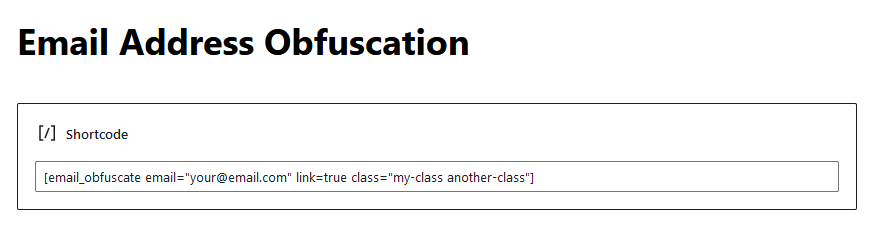
Using shortcode in Gutenberg Block Editor. 
Displaying email on frontend. 
Obfuscated email address in source code.


FAQ
How does it work?
The plugin converts email addresses characters from
emailparameter of[obfuscate_email]shortcode to HTML entities. Email addresses on your web page will be obfuscated (hidden) from bots, while keeping them visible to humans. In fact, there are no visible changes to your website for visitors.How can check if the plugin works?
View source code of your page (press
Ctrl + Uin web browser) and look for the place, where an email address is placed. You should see decimal entities instead of email address.** Please note ** Inspector in developer tools automatically decode decimal and hexadecimal entities. You need to use View source code.
Beoordelingen


Bijdragers & ontwikkelaars
“Email Address Obfuscation” is open source software. De volgende personen hebben bijgedragen aan deze plugin.
Bijdragers
Vertaal “Email Address Obfuscation” in je eigen taal.
Interesse in ontwikkeling?
Bekijk de code, haal de SVN repository op, of abonneer je op het ontwikkellog via RSS.
Changelog
1.2.0
- Added support for email subject.
1.1.0
- Security Fix: Resolved a Stored Cross-Site Scripting (XSS) vulnerability in the
classparameter of the shortcode, allowing Contributor+ users to inject malicious scripts. (CVE-2024-11935 | Reported by theviper17y) - Minor code improvements and optimizations.
1.0.1
- Tested compatibility with WordPress 6.2.
1.0.0
- Tested compatibility with WordPress 6.1.1.
- Added translation folder and POT file.
0.9.2
- Tested compatibility with WordPress 6.0.3.
0.9.1
- Shortcode changed from email_obfuscate to obfuscate_email.
0.9.0
- Release Candidate.

