

Beschrijving

Drag and Drop File Upload for Elementor Forms
Beschrijving
DEMO: https://demo.add-ons.org/demo-drag-and-drop-fields/
Allows you to add powerful Drag & Drop or choose Multiple Files Uploading area to your Elementor Forms. You can provide your website visitors with a seamless and user-friendly file upload experience, allowing them to submit multiple files as part of your forms easily.
Features
- Easy to use
- Dropbox: Save files to Dropbox
- Image Preview: Show Thumbnail for images
- File Type Validation
- File Size Validation
- Limit number of files Upload
- Send files as email attachment or as a links
- Support multiple languages
- Mobile Responsive
Download Pro Version: https://add-ons.org/plugin/drag-and-drop-file-upload-for-elementor-forms-pro/
Document: https://add-ons.org/document-elementor-drag-and-drop-multiple-file-upload/
Schermafbeeldingen
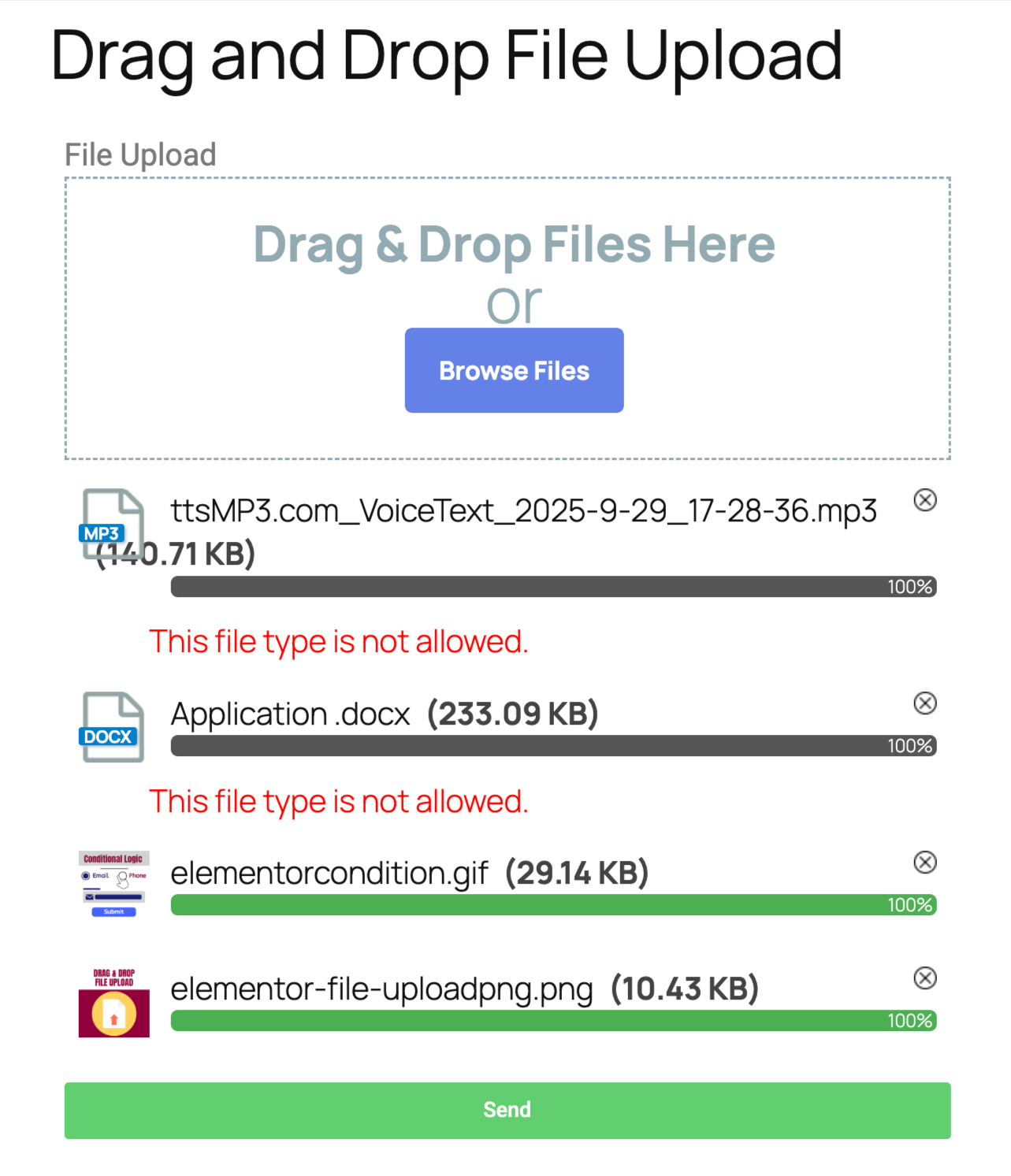
Frontend elementor forms uploads 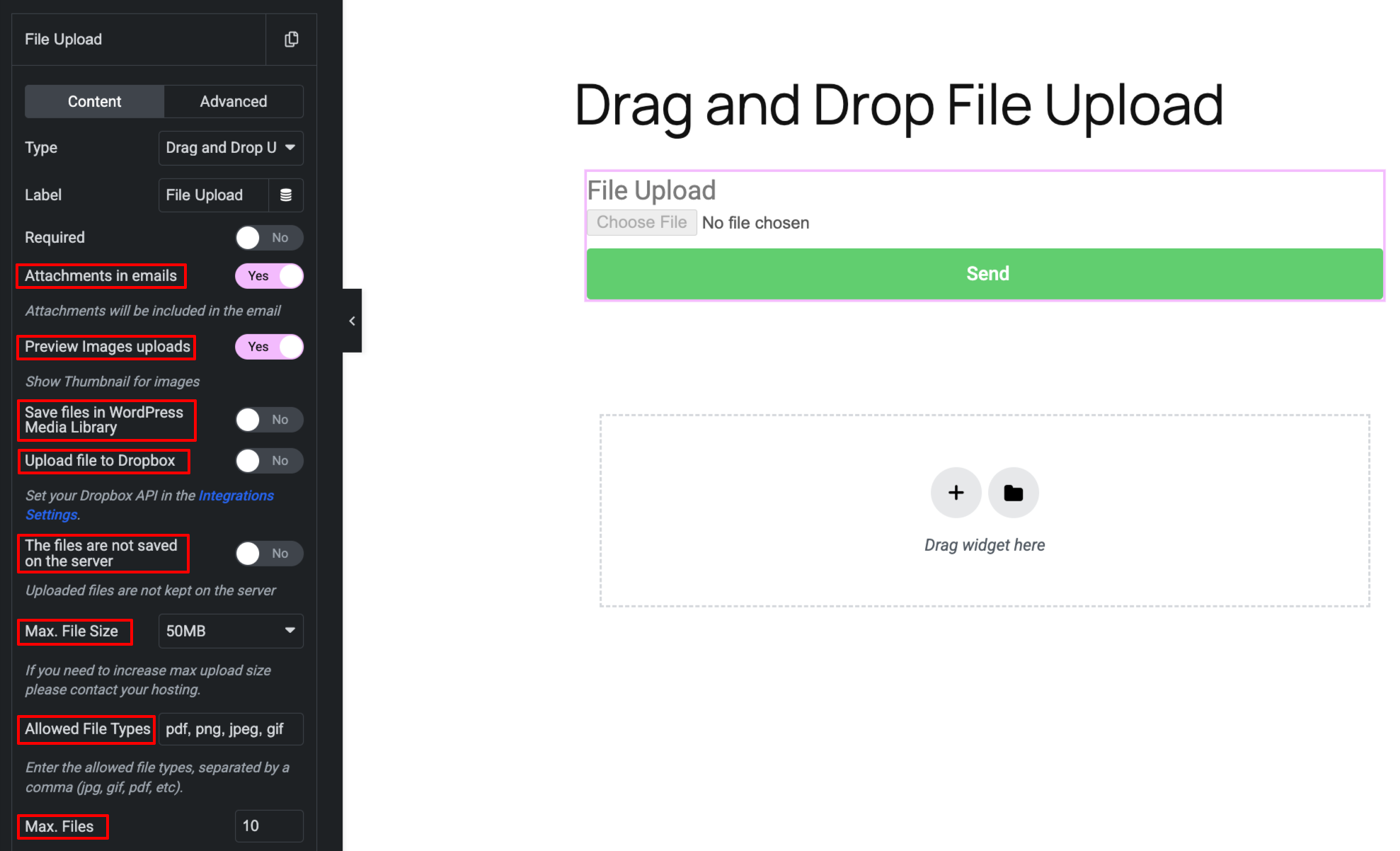
Backend elementor forms uploads


Installatie
Normal installation
- Download the drag-and-drop-file-upload-for-elementor-forms.zip file to your computer.
- Unzip the file.
- Upload the
drag-and-drop-file-upload-for-elementor-formsdirectory to your/wp-content/plugins/directory. - Activate the plugin through the ‘Plugins’ menu in WordPress.
- Document: https://add-ons.org/document-elementor-drag-and-drop-multiple-file-upload/
Beoordelingen


Bijdragers & ontwikkelaars
“Drag and Drop File Upload for Elementor Forms” is open source software. De volgende personen hebben bijgedragen aan deze plugin.
Bijdragers
Vertaal “Drag and Drop File Upload for Elementor Forms” in je eigen taal.
Interesse in ontwikkeling?
Bekijk de code, haal de SVN repository op, of abonneer je op het ontwikkellog via RSS.
Changelog
1.5.1
- Changed: Hide style on mobile
1.5.0
- Fixed: Security hole
1.4.3
- Fixed: Remove files
1.4.2
- Changed: Hide style on mobile
1.3.0
- Fixed: Save files to Dropbox
- Fixed: small problem
1.2.0
- Added: Save files to Dropbox
1.1.0
- Added: Save files in WordPress Media Library
1.0.7
- Fixed: Popup Forms
1.0.6
- Fixed: Change style overwritten
1.0.2
- Fixed: Attachments email
1.0.1
- Added: Supports Elementor Pro versions older than 3.21
- Added: Keep the names of uploaded files intact
1.0.0
- Version 1.0 Initial Release

