

Beschrijving


SmartText Rotator – Add Motion to Your Words
Beschrijving
The “SmartText Rotator” plugin allows you to easily add rotating words in a sentence on your WordPress website. You can specify a list of words, and the plugin will rotate them with CSS3 animations after intervals of time.You can customize the words, animation effects, and intervals to create engaging text animations on your website.
This also include typing effect which used typed js library to create beautiful typing effect.Plugin has very easy user interface for end user. You just need to add sentence and list of words that you want to animate and create shortcode and use it anywhere you want. You can also use it to widget area.
Effects Included
- Fade Effect
- Clip Effect
- Flip Cube Effect
- Rotate Effect
- Push Effect(Pro)
- Slide Effect(Pro)
- Type Writer Effect(Pro)
- Zoom Effect(Pro)
- Loading Bar Effect(Pro)
- Typing Effect(Pro)
Mogelijkheden
- Easily add rotating words in a sentence.
- Customize the animation effects and intervals.
- Responsive design.
- Lightweight and easy to use.
- 5 animation Styles
- Custom Font Size
- Lettertype kleur
- Multiple Words
- Easy Admin Options
Schermafbeeldingen
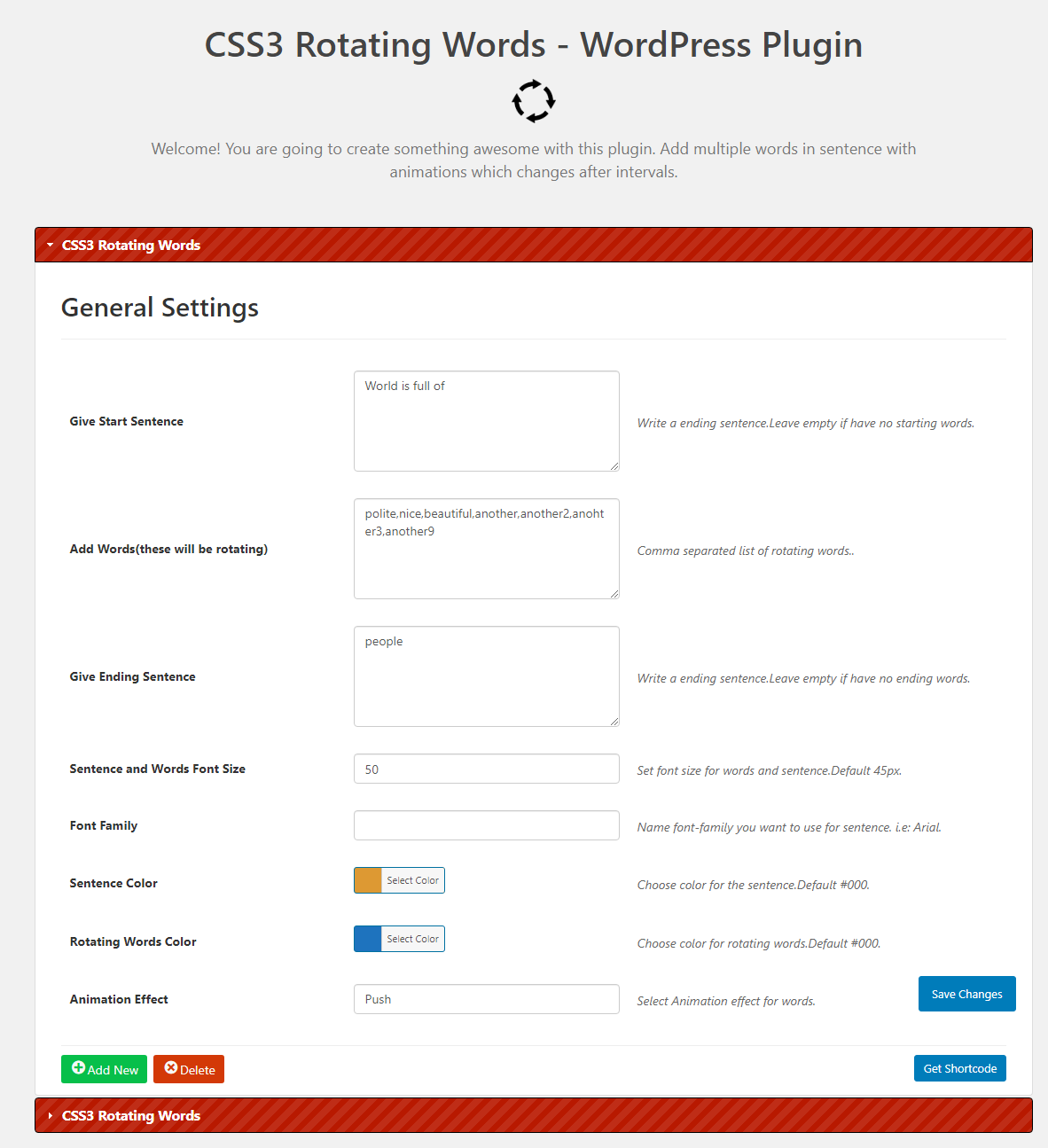
Admin Instellingen

Installatie
- Go to plugins in your dashboard and select ‘add new’
- Search for ‘SmartText Rotator’ and install it
- Go to Dashboard > CSS3 Rotating Words.Save options
- Get shortcode using Get Shortcode Button
- Use shorcode in Post,Page or Custom Post type
- Now visit that page and see plugin in action
Beoordelingen


Bijdragers & ontwikkelaars
“SmartText Rotator – Add Motion to Your Words” is open source software. De volgende personen hebben bijgedragen aan deze plugin.
Bijdragers
Vertaal “SmartText Rotator – Add Motion to Your Words” in je eigen taal.
Interesse in ontwikkeling?
Bekijk de code, haal de SVN repository op, of abonneer je op het ontwikkellog via RSS.

