

Beschrijving

Deze plugin is niet getest met de laatste 3 grotere versies van WordPress. Mogelijk wordt het niet meer onderhouden of ondersteund. Ook kunnen er compatibiliteitsproblemen ontstaan wanneer het wordt gebruikt met recentere versies van WordPress.

Create a payment request. Donation form (Stripe)
Beschrijving
You can create a payment request for your client. This plugin will create special link for the client.
Your customer will receive an email with the details of the upcoming payment and will be able to pay you via an invoice on your website.
Donation page
You can create a donation page to allow your users to make donations. You just should fill in the information on the Settings page and place the shortcode to the particular page.
Shortcodes:
Create a payment request – [mxcpfc_payment_confirm_page]
Donation page – [mxcpfc_payment_donation_page]
Testing data: https://stripe.com/docs/payments/3d-secure#regulatory-cards
Stripe dashboard: https://dashboard.stripe.com/test/payments?status%5B%5D=successful
How does it work?
Schermafbeeldingen

Create Payment Dashboard 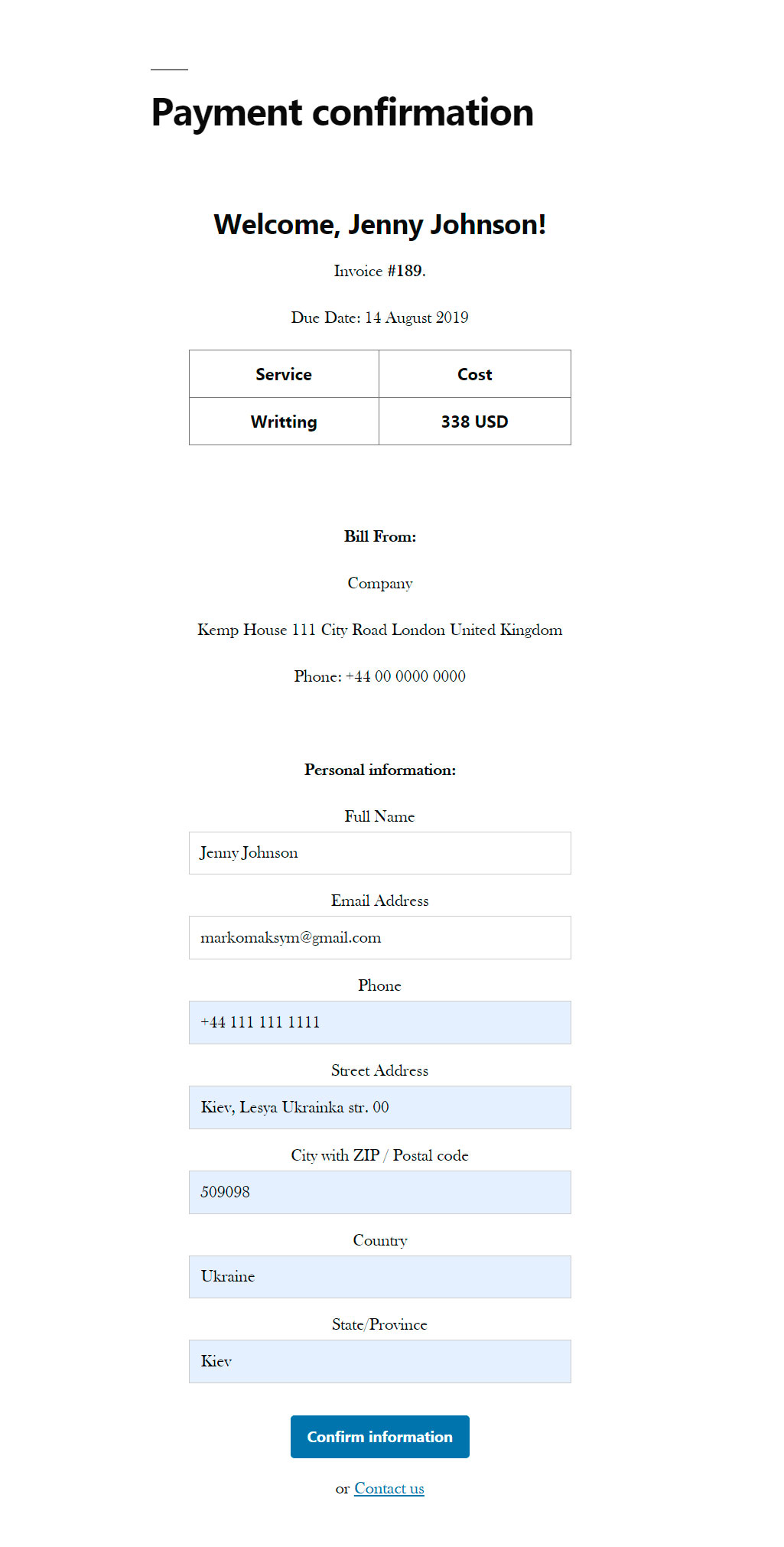
Payment confirmation page 
Stripe Card element 
Admin dashboard


Installatie
From your WordPress dashboard
- Visit ‘Plugins > Add New’
- Search for ‘Create Payment (Stripe Gateway)’
- Activate the plugin from your Plugins page.
From WordPress.org
- Download ‘Create Payment (Stripe Gateway)’.
- Upload the ‘Create Payment (Stripe Gateway)’ directory to your ‘/wp-content/plugins/’ directory, using your favorite method (ftp, sftp, scp, etc…)
- Activate ‘Create Payment (Stripe Gateway)’ from your Plugins page.
Beoordelingen
Er zijn geen beoordelingen voor deze plugin.
Bijdragers & ontwikkelaars
“Create a payment request. Donation form (Stripe)” is open source software. De volgende personen hebben bijgedragen aan deze plugin.
Bijdragers
Vertaal “Create a payment request. Donation form (Stripe)” in je eigen taal.
Interesse in ontwikkeling?
Bekijk de code, haal de SVN repository op, of abonneer je op het ontwikkellog via RSS.
Changelog
4.1
- Tested up to WP 6.3. Fixed bugs. Changed stripe-php package.
4.0
- You can create a donation page to allow your users to make donations.
3.0
- IBAN payment method
2.0
- Admin panel for payment settings
1.0
- Create Payment. Stripe Card

