

Beschrijving

Deze plugin is niet getest met de laatste 3 grotere versies van WordPress. Mogelijk wordt het niet meer onderhouden of ondersteund. Ook kunnen er compatibiliteitsproblemen ontstaan wanneer het wordt gebruikt met recentere versies van WordPress.
Comment Form Js Validation
Beschrijving
This plugin is used for WordPress comments JavaScript validation in the comment form. It provides options to set your own validation message and add Google Captcha (reCAPTCHA).
Features
- Easy to install
- Custom validation message
- Google Captcha (reCAPTCHA)
Schermafbeeldingen
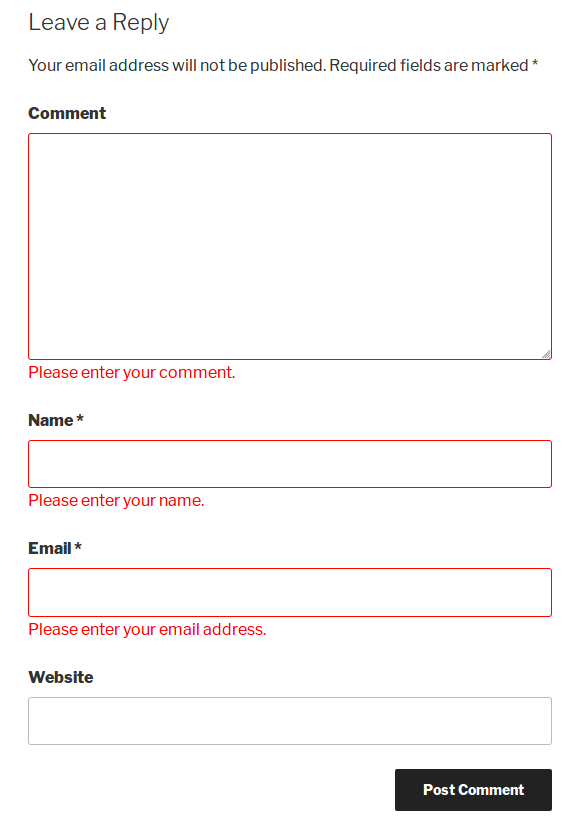
screenshot-1.png 
screenshot-2.png 
screenshot-3.png 
screenshot-4.png 
screenshot-5.png


Installatie
- Go to Plugins > Add New.
- Searh \”comment form js validation\”
- install and activate the WordPress Plugin.
FAQ
How to get Google Captcha (reCAPTCHA) keys?
Follow the next steps in order to get and enable Google Captcha (reCAPTCHA) protection using the official Google Captcha keys:
1. Open your WordPress admin dashboard.
2. Go to Settings > Comment form js validation > Google Captch Tab.
3. Click the “Get the API Keys” link.
4. Enter your domain name and click “Create Key” button.
5. You will see your public and private keys. Copy them and paste to the appropriate fields on plugin Settings page.
6. Save changes.
Beoordelingen


Bijdragers & ontwikkelaars
“Comment Form Js Validation” is open source software. De volgende personen hebben bijgedragen aan deze plugin.
Bijdragers
Vertaal “Comment Form Js Validation” in je eigen taal.
Interesse in ontwikkeling?
Bekijk de code, haal de SVN repository op, of abonneer je op het ontwikkellog via RSS.
Changelog
V1.2
- New : Add Google Captcha (reCAPTCHA)
V1.1
- New : Add setting page for set Custom validation message.
V1.0
- Initial release.

