

Beschrijving
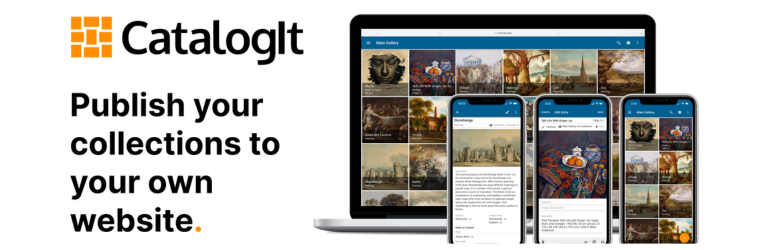

CatalogIt Collections Publisher
Beschrijving
Bring your collections to life on the web—beautifully.
The CatalogIt plugin enables you to directly share your curated collections from your CatalogIt account onto your WordPress website. Whether you’re a museum, a historical society, a private collector, or a passionate enthusiast, this plugin makes it effortless to integrate and publish your CatalogIt records as engaging, visually rich web content.
CatalogIt is a powerful, collaborative, and intuitive platform designed for managing collections of all types and sizes. With professional-grade features and thoughtful design, CatalogIt is trusted by museum professionals, embraced by private collectors, and accessible to volunteers, docents, and families.
Features
- Instantly publish selected CatalogIt Folders and Entries to WordPress
- Automatically display object images, metadata, and detailed narratives
- Customize styling to match your website theme
- Use shortcodes to embed specific Folders and Entries anywhere on your site
- Keep content synced as you update records in CatalogIt
Why use CatalogIt + WordPress?
CatalogIt empowers you to tell the story of your objects—their origins, creators, uses, and journeys—using structured, authoritative classification tools. By combining that with your WordPress website, you open your collections to the world, making them discoverable, accessible, and part of a larger narrative.
Whether you want to highlight a family heirloom, present a digital museum exhibit, or catalog community artifacts, this plugin bridges the gap between private management and public storytelling.
Perfect For
- Museums & cultural organizations
- Private and academic collectors
- Archives, historical societies, and libraries
- Family historians and legacy keepers
Support & Documentation
Need help? View the plugin Documentation page or visit CatalogIt Support for additional information, tutorials, and contact info.
Third-Party Services & Privacy
This plugin connects to the CatalogIt service (https://www.catalogit.app) to fetch and display your collection data. When you connect your CatalogIt account, the following data may be sent to CatalogIt servers:
– Your CatalogIt account credentials (for authentication)
– Requests for collection data (Folders, Entries, Images, Metadata)
– No personal user data from your WordPress site is sent to CatalogIt, except what is required for authentication and data display.
For more information, please review the CatalogIt Privacy Policy and Terms of Service.
This plugin does not track users or collect analytics data without your explicit consent.
Installatie
- Install and activate the plugin via the WordPress Plugin Directory
- Connect your CatalogIt account via the plugin settings page
- Select the Folders and/or Entries you wish to publish from the CatalogIt app
- Use provided shortcodes to embed content on any page
Upgrading from Version 1.x? See our Migration Guide for step-by-step instructions.
FAQ
How do I get started?
- Install and activate the plugin
- Connect your CatalogIt account
- Select the content you want to publish
- Use the provided shortcodes to display your content
Do I need a CatalogIt account?
Yes, you’ll need an active CatalogIt account to use this plugin. You can sign up at catalogit.app.
I’m upgrading from Version 1.x. What do I need to do?
See our Migration Guide for complete step-by-step instructions on upgrading from the previous version.
What should I avoid when creating pages for the shortcode?
Avoid using “folder” or “folders” as page slugs when creating pages where you plan to add the CatalogIt shortcode. These reserved terms may cause conflicts with the plugin’s internal routing system and could prevent the shortcode from displaying properly.
Beoordelingen
Er zijn geen beoordelingen voor deze plugin.
Bijdragers & ontwikkelaars
“CatalogIt Collections Publisher” is open source software. De volgende personen hebben bijgedragen aan deze plugin.
Bijdragers
Vertaal “CatalogIt Collections Publisher” in je eigen taal.
Interesse in ontwikkeling?
Bekijk de code, haal de SVN repository op, of abonneer je op het ontwikkellog via RSS.
Changelog
2.0.2
- Profile List View and Single Profile View functionality is added
- Admin shortcode documentation is updated with shortcode support

