

Beschrijving

Deze plugin is niet getest met de laatste 3 grotere versies van WordPress. Mogelijk wordt het niet meer onderhouden of ondersteund. Ook kunnen er compatibiliteitsproblemen ontstaan wanneer het wordt gebruikt met recentere versies van WordPress.

Gutenberg Templates
Beschrijving
Gutenberg Templates allows to build dynamic templates with custom fields and taxonomy and assign them to any content type in WordPress.
The templates will work like PHP templates. You design them once and they automatically apply to all items of a post type. When you edit a template, changes apply immediately to all the items that use that template.
Any item can opt-out of the post type template application at any time using a meta box control on the item edit page.
Schermafbeeldingen

Editing a template and adding the Gutenberg Templates post content block.

A rich template design.
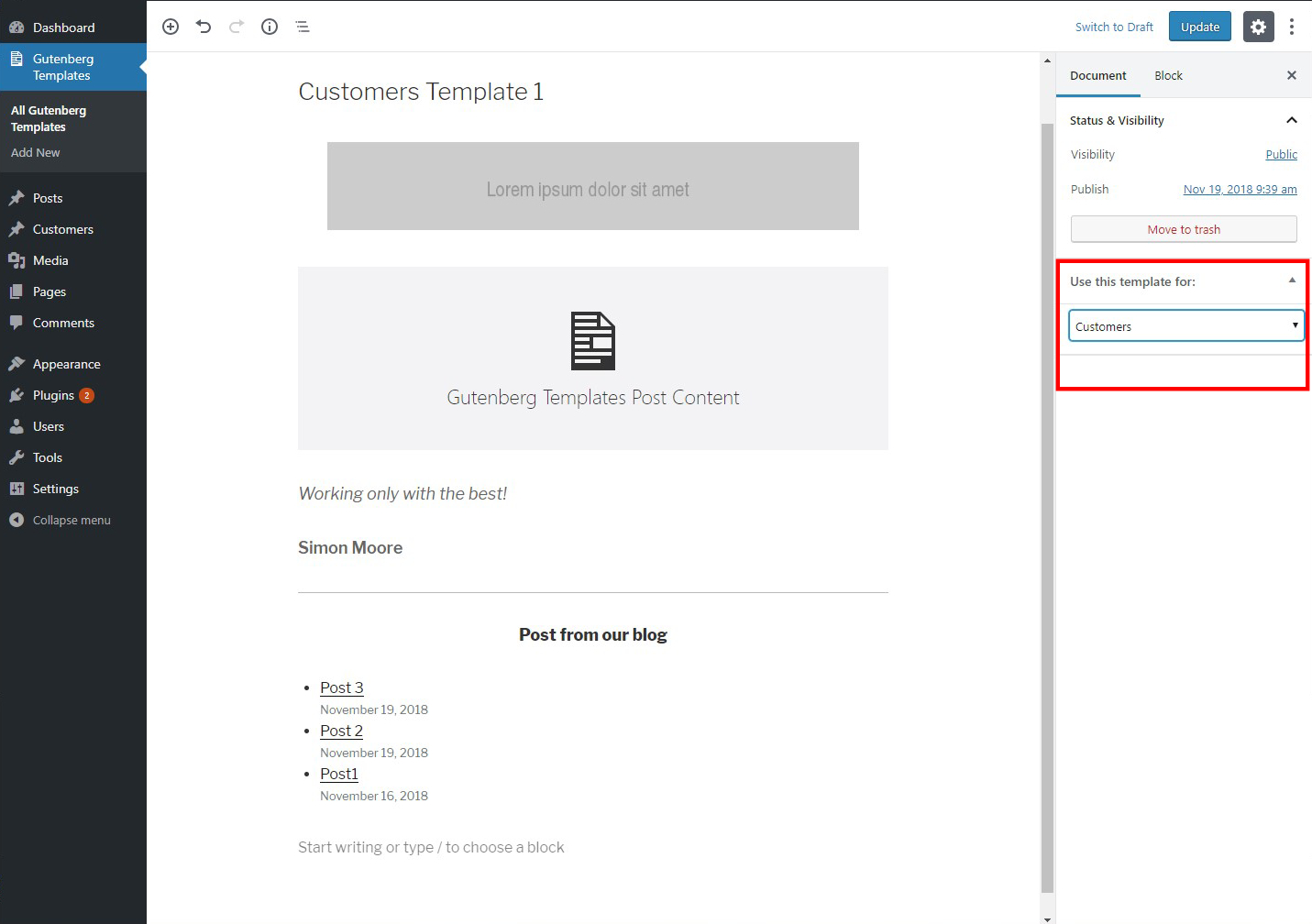
Assigning the template to a post type.

Editing a template not assigned to any post type, targetted to be applied on a certain item.

Editing an item that the post type of which already has a template assignment.

The frontend view of an item with a template assigned.

The opt-out message.

The frontend view of the opted-out item.


Installatie
- Upload the plugin to the
/wp-content/plugins/directory - Activate the plugin through the ‘Plugins’ menu in WordPress
FAQ
- Does this plugin use the built-in Gutenberg templates system?
No. This is an alternative implementation approach to Gutenberg’s built-in templates system.
- What kind of custom fields can I use in templates?
This plugin will ultimately integrate with the native custom fields as well as with several plugins offering custom fields functionality. Currently, any plugin offering this option using shortcodes is already supported by injecting the shortcodes inside blocks during the template design.
Beoordelingen


Bijdragers & ontwikkelaars
“Gutenberg Templates” is open source software. De volgende personen hebben bijgedragen aan deze plugin.
Bijdragers
Vertaal “Gutenberg Templates” in je eigen taal.
Interesse in ontwikkeling?
Bekijk de code, haal de SVN repository op, of abonneer je op het ontwikkellog via RSS.
Changelog
1.0.1
- Fixed the “Assigned post type” column on the Gutenberg Template listing page to show the correct name.
1.0
- Initial release

