

Beschrijving

Popup Box – Create Countdown, Coupon, Video, Contact Form Popups
Beschrijving
WordPress Popup Plugin – Popup Box
Popup Box is a flexible WordPress Popup plugin that helps you create different types of popups and modal windows with rich customization options and advanced display control.
It’s built for website owners who need a reliable popup builder, not just a marketing-only tool.
With Popup Box, you can design popups for content display, user interaction, announcements, forms, or promotions — and control exactly when, where, and how they appear on your website.
In deze korte video vind je een kort overzicht van hoe je een pop-up kan maken in WordPress.
What You Can Build with Popup Box
Popup Box allows you to create a wide variety of modal popups and overlays without limitations:
- Custom HTML popup – build fully custom content from scratch
- Shortcode popup – display content from other WordPress plugins
- Lightbox popup for images, videos, or embedded content
- Subscription popups for collecting emails
- Contact form popups for receiving user messages
- Yes or No popups with custom actions and redirections
- Countdown popups to highlight time-based messages or offers
- Cookie popups to inform users and support privacy requirements
- Notification popups for announcements and important messages
- Login popups without page redirects
- Subscribe and get a file popups to deliver files after email signup
- Iframe popups for embedding external content
- Google Maps popups to display locations directly in a popup
- Facebook popups for social content and page embeds
- WooCommerce popups for products, coupons, or store messages
You can also use Popup Box to create popups for seasonal campaigns and special events, such as Christmas popups, Black Friday popups, Cyber Monday popups, or other time-based announcements and otions.
This flexibility makes Popup Box suitable for blogs, business websites, landing pages, and online stores.
Popup Triggers & Display Rules
Popup Box allows you to control exactly when your popups appear by using different trigger types:
- On page load – show a popup automatically when the page finishes loading
- On click – open a popup when a visitor clicks a selected button or element
- On hover (Pro version)_ – display a popup when a user hovers over a specific element
- Exit intent (Pro version) – trigger a popup when visitors are about to leave the page
- Inactivity (Pro version) – show a popup after a visitor stays inactive for a defined time
- After visiting X pages (Pro version) – display a popup based on the number of pages viewed
- Scrolling to elements (Pro version) – trigger a popup when users scroll to a selected section
Free vs Pro – What’s Included
Free Version
The free version of Popup Box includes everything you need to create and display basic popups:
- Shortcode popup
- Custom content popup
- Video pop-up
- Image popup
- Facebook popup
- Notification popup
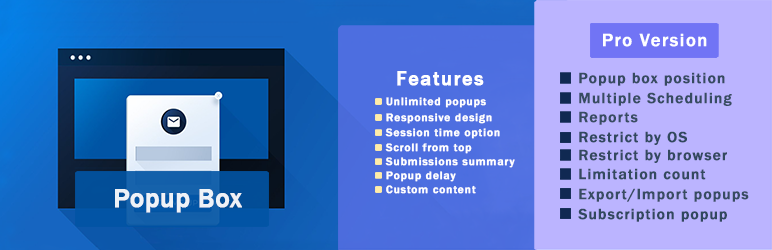
- Responsive ontwerp
- Thema’s (5+)
- Scroll naar boven
- Scrolling uitschakelen
- Sessie tijd optie
- Stijl instellingen (10+)
- Tonen op specifieke berichttypes
- Tonen op specifieke pagina’s
- Open bij klik trigger
- Inschakelen voor ingelogde gebruikers
- Inschakelen voor gasten
- Pop-up op mobiel verbergen
- Pop-up een maal tonen
- Live voorbeeld
- Popup position
Popup Box PRO Features
Popup Box Pro extends the free version with advanced popup types and display controls:
- Bevat ALLE functies van de gratis versie en
- Abonnement pop-up
- Ja of nee pop-up
- Video pop-up
- Iframe pop-up
- Contact formulier pop-up
- Bestand verzenden na abonnement
- Pop-upbox positie
- Meerdere planningen
- Sluit triggers
- Omleiding inschakelen
- Rapporten
- Beperken door OS
- Beperk per browser
- Beperking aantal
- Im-/export pop-ups
- Gebruikrol rechten
- Beperk per land
- Mailchimp integratie
- Campaign Monitor integratie
- ActiveCampaign integratie
- GetResponse integratie
- ConvertKit integratie
- Sendinblue integratie
- MailerLite integratie
- Waardebon pop-up
- Aftel pop-up
- Cookie pop-up
- Afsluit intentie pop-up
- WooCommerce product pop-up
- Na het bezoeken van x pagina’s trigger
- Inactiviteit trigger
- Scrollen naar element trigger
WooCommerce & Website Use Cases
Popup Box can be used as a flexible WooCommerce popup and general WordPress popup plugin for different website scenarios.
It allows you to create product popups, announcement popups, and promotional popups that support user interaction without disrupting the browsing experience.
Whether you’re running an online store, a business website, or a content-driven site, Popup Box helps you display relevant popup content based on user actions and page context.
Popup Box works smoothly with WooCommerce and general WordPress setups:
- Show product popups and special offers
- Display coupon and countdown popups
- Create announcement and notification popups
- Embed forms, videos, or external content
You decide how popups support your website — without forcing a specific workflow.
Customization & Styling Options
Popup Box comes with 5+ pre-built themes to help you get started quickly, while still allowing deep customization for each popup.
Every popup type includes its own specific styling and behavior options, so you can fine-tune the design and appearance based on the popup’s purpose.
Customize every part of your popup:
- Popup size, position, and animations
- Colors, borders, and typography
- Custom CSS for advanced styling
- Responsive behavior for desktop and mobile
- Preview changes before publishing
Why Choose Popup Box
Popup Box lets you create unlimited popups without restrictions and gives you the freedom to build popups using custom HTML or shortcodes from other WordPress plugins.
You can control popup behavior using flexible triggers, allowing popups to be used for content display, user interaction, or promotional purposes without forcing a specific workflow.
Popup Box works smoothly with most WordPress themes and plugins, making it easy to integrate into existing websites.
Integrations & Compatibility
- MailChimp
- Campaign Monitor
- ActiveCampaign
- GetResponse
- ConvertKit
- Brevo
- MailerLite
- reCAPTCHA
Je kan de wijzigingen bekijken voordat je ze opslaat.
PREMIUM | DEMO | DOCUMENTATION
3RD PARTY OR EXTERNAL SERVICE DISCLAIMER
The plugin uses the Facebook SDK (https://developers.facebook.com/docs/javascript) to display Facebook-type popups.
IT DOES NOT SEND ANY DATA AND WE DO NOT COLLECT INFORMATION FROM THE REQUEST
The privacy policy for Facebook can be found at this URL: https://www.facebook.com/policy.php
Vergeet niet, in geval van problemen of vragen kan je contact met ons opnemen via het volgende GRATIS ONDERSTEUNING FORUM.
Other plugins from Ays Pro Team
- Quiz Maker for creating advanced quizzes and exams easily and quickly.
- Survey Maker for collecting data and analyze it.
- Poll Maker for creating powerful and interactive polls.
- Fox LMS to empower educators and trainers to build structured, interactive online learning systems easily for their WordPress website.
- Chartify to build both static and dynamic charts, graphs and diagrams.
Schermafbeeldingen
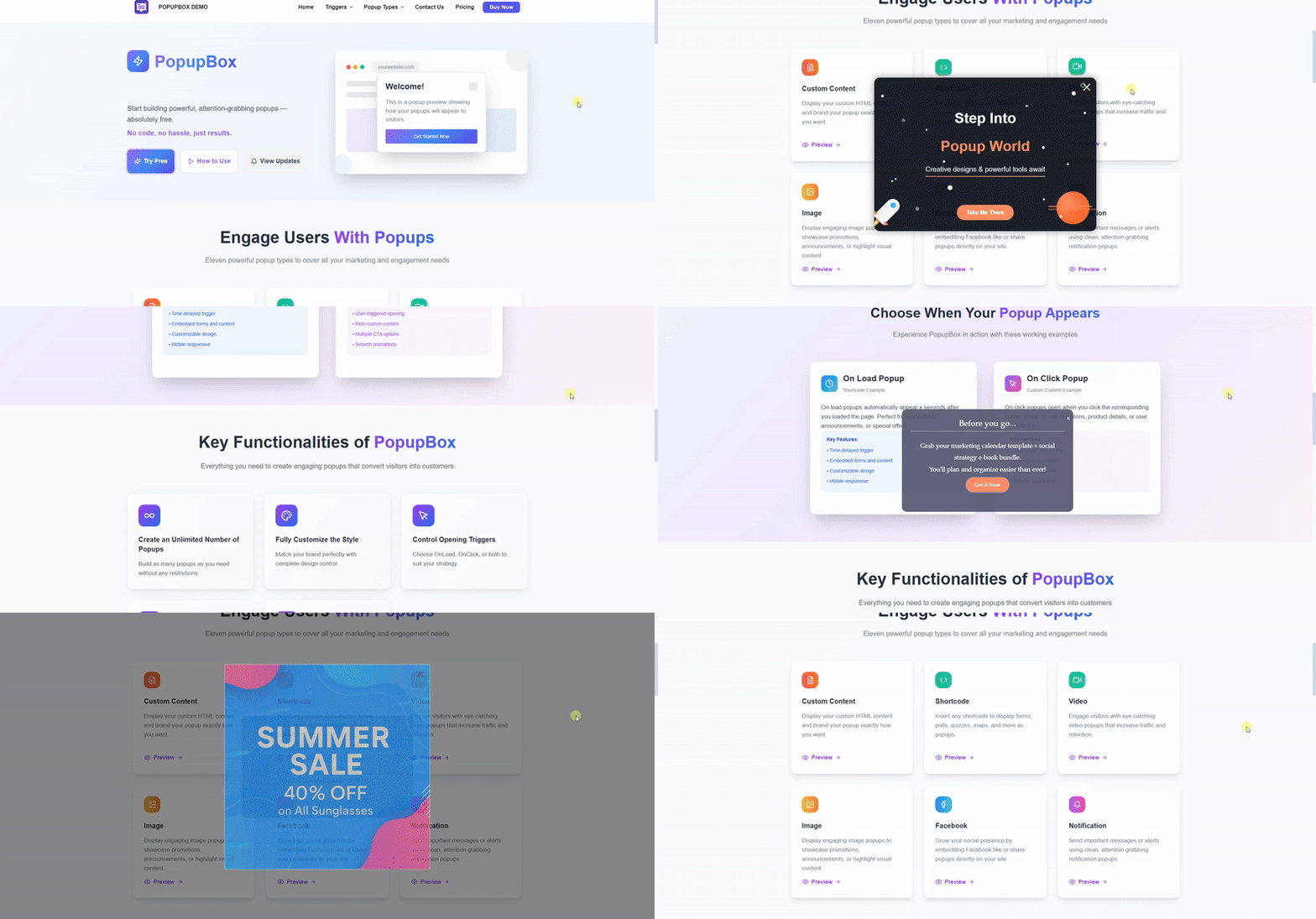
Popup Maker – front end pop-up voorbeeld in actie 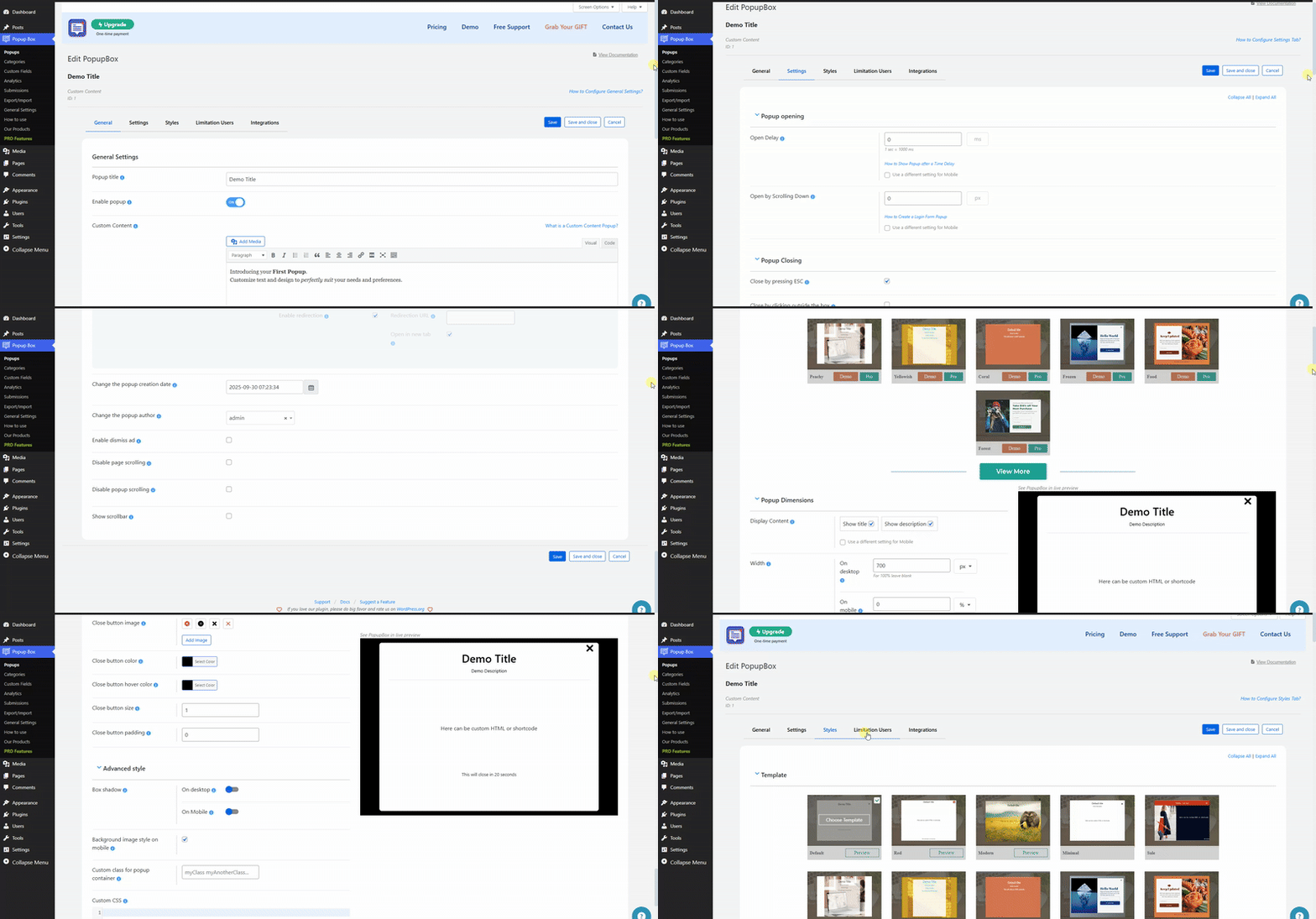
Popup Maker – Dashboard pop-up instellingen voorbeeld in actie 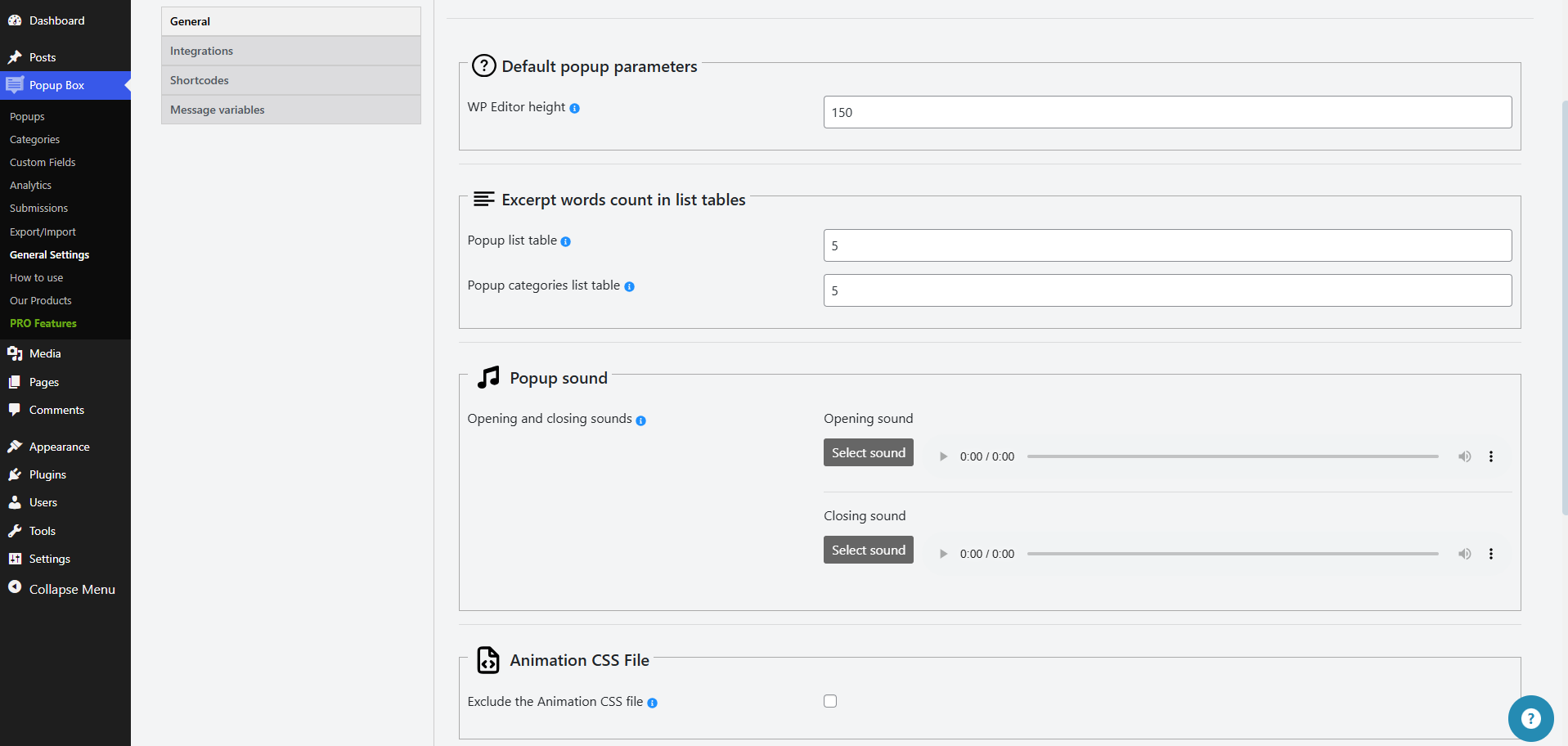
Popup Maker – Front-end pop-up voorbeeld 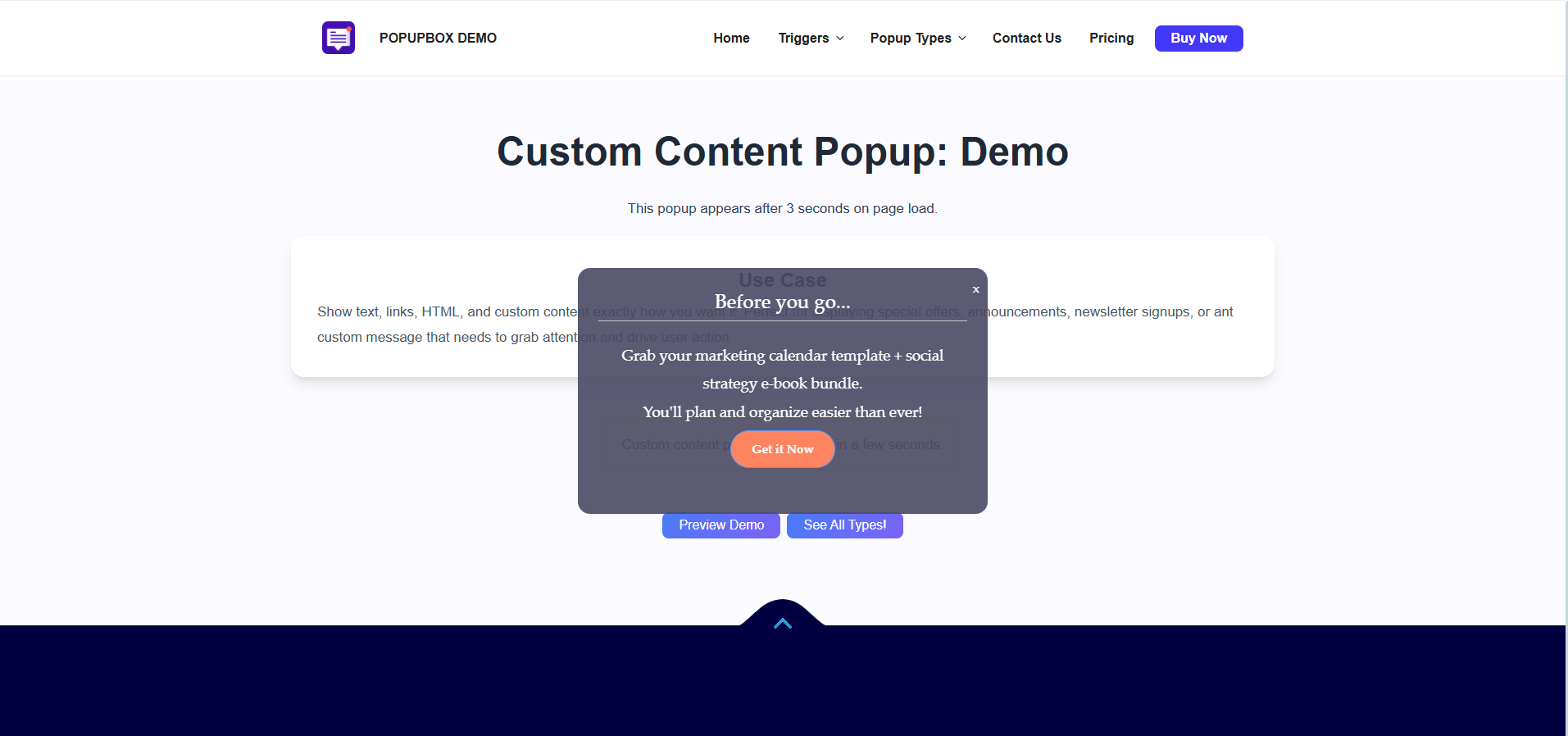
Popup Maker – Front-end pop-up voorbeeld 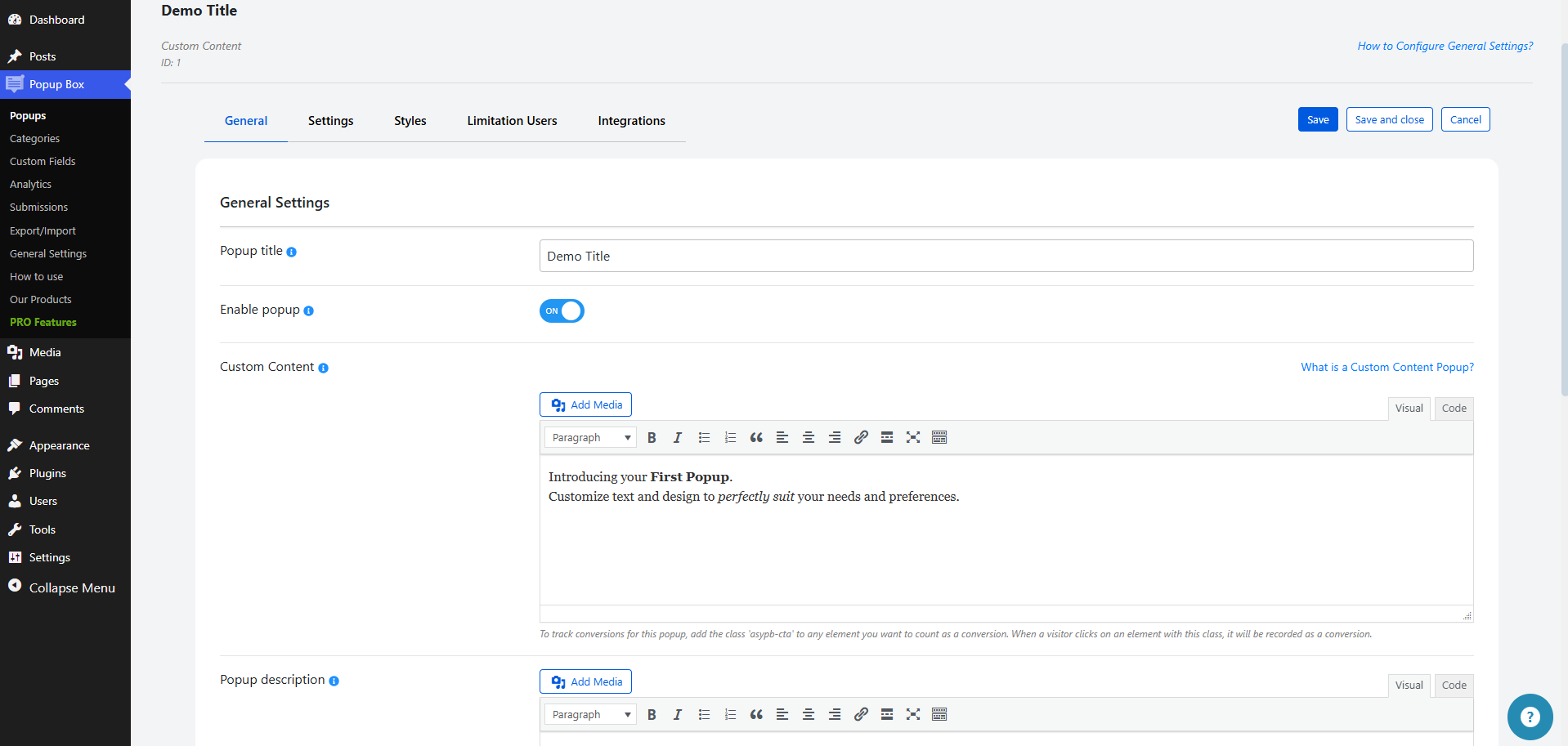
Popup Maker – Front-end pop-up voorbeeld 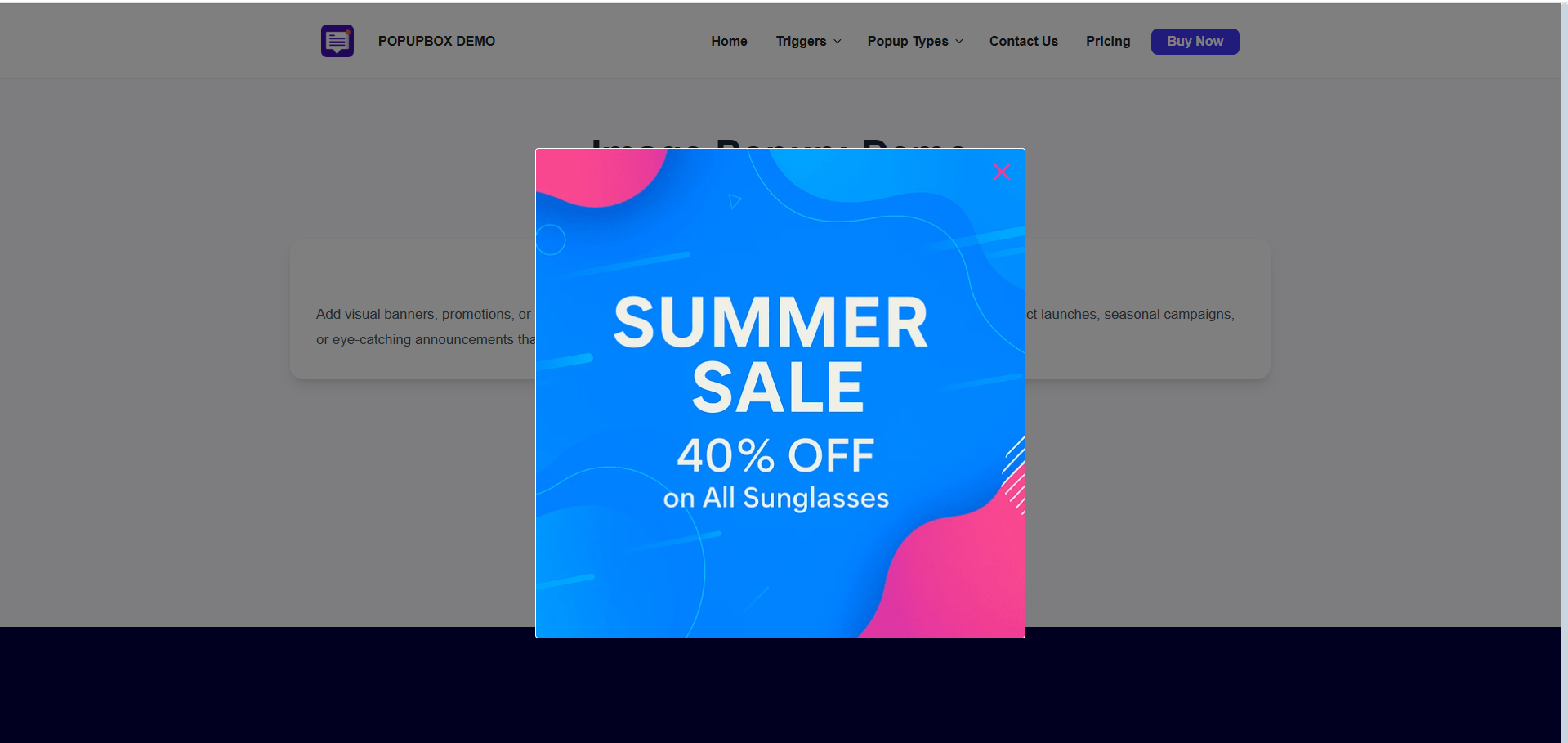
Popup Maker – Dashboard instellingen 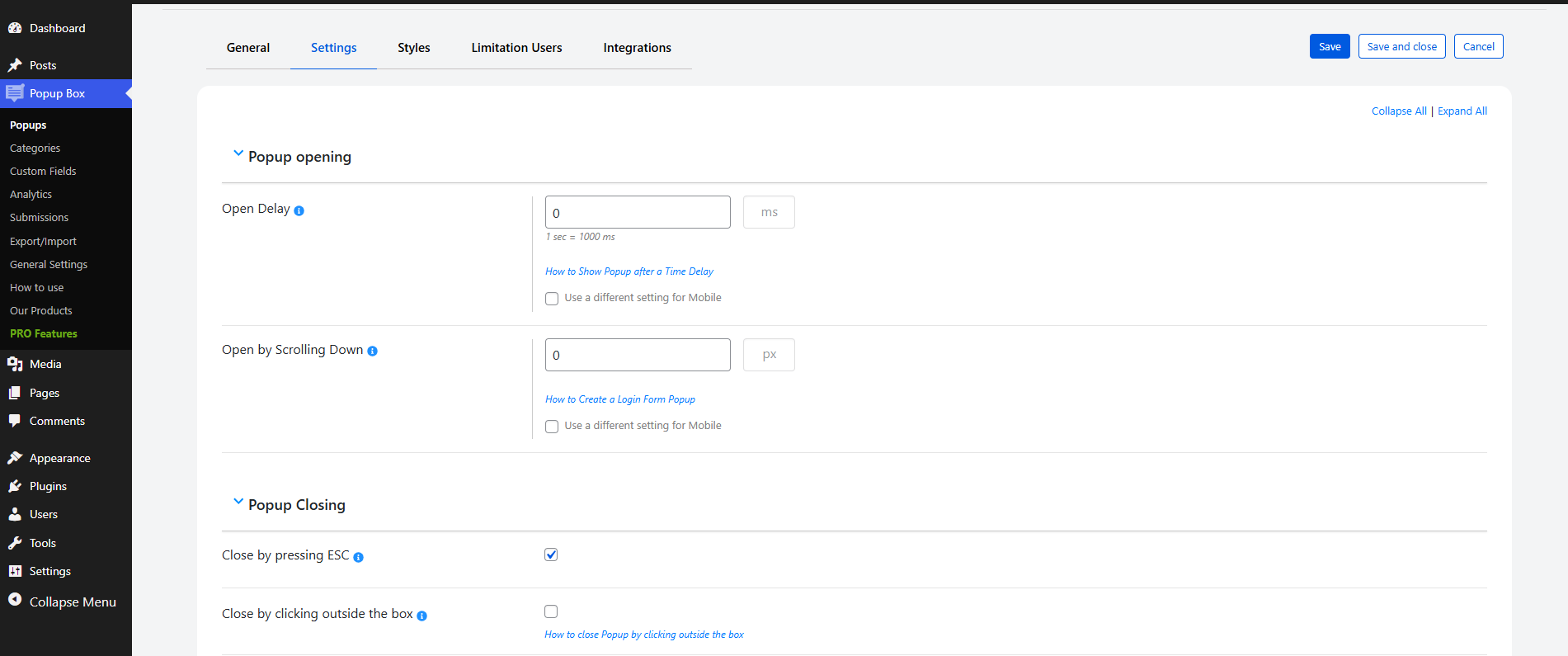
Popup Maker – Dashboard instellingen


Installatie
Er zijn twee manieren om Popup Box te installeren: de gemakkelijke manier, wanneer je Popup Box installeert vanaf je WordPress dashboard, en de tweede manier, wanneer je het installeert vanaf WordPress.org.
- 1.1 De makkelijkste manier om te genieten van Popup Box:
- 1.1.1 Inloggen op je WordPress dashboard
- 1.1.2 Ga naar plugins
- 1.1.3 Nieuwe plugin toevoegen
- 1.1.4 Popup Box zoeken
- 1.1.5 Klik om te installeren
- 1.2 De tweede manier:
- 1.2.1 Download het zip bestand van https://wordpress.org/plugins/popup_box/
- 1.2.2 Ga naar plugins
- 1.2.3 Nieuwe toevoegen
- 1.2.4 Upload plugin
- 1.2.5 Kies bestand ays popup_box.zip
- 1.2.6 Klik op installeren
FAQ
1. Hoeveel pop-ups kan ik maken met de PopupBox plugin?
Onbeperkt! Ongelooflijk, is het niet? Maakt niet uit of je een gebruiker bent van de gratis of premium versie, je kunt een onbeperkt aantal pop-ups aanmaken en activeren. Je kunt meerdere modal pop-ups op één pagina invoegen, evenals op verschillende webpagina’s. De optie is perfect voor degenen die hun site bezoekers anders willen targeten op basis van voorwaarden zoals het land waarin ze wonen, de browser die ze gebruiken, enzovoort.
2. Kan ik meer dan één modal op dezelfde webpagina tonen?
Ja! Nu vraag je je misschien af waarom ik meerdere pop-ups op dezelfde pagina zou tonen. Doeleinden zijn er genoeg! Ten eerste kun je je inschrijfformulieren laten zien zodra de pagina is geladen, daarna kun je je advertentieaanbieding tonen na een opgegeven tijdsvertraging met behulp van de optie Open Delay. Bovendien kun je een modal weergeven wanneer de gebruiker klikt op de toegewezen CSS-element(en), zoals knoppen, titels enzovoort.
3. Is de plugin mobiel vriendelijk?
Zeker, absoluut! De modals die zijn gemaakt met onze WordPress pop-up bouwer plugin passen soepel en feilloos op alle mobiele apparaten en gadgets. Schiet op en maak je eerste geweldige en responsive p-formulier met ons!
4. Hoe kan ik mijn modal formulier zo instellen dat het vanzelf (automatisch) opent?
Het is simpel zat! Ga naar de tab algemeen van het gegeven modal formulier en kies de variant On-page load uit de dropdown Popup trigger. Na de configuratie wordt je modal formulier weergegeven zodra de pagina (waar het zich bevindt) is geladen. En voilà, je geweldige WordPress pop-up is klaar!
5. Hoe bezoekers redirecten nadat ze op het modale formulier hebben geklikt?
Eenvoudig door de optie Acties tijdens het klikken op de pop-up in te schakelen en het selectievakje bij de suboptie omleiding inschakelen aan te vinken. Alles wat je hoeft te doen is de omleiding URL op te geven en kiezen of je die in een nieuw tab wilt openen of niet – is dat niet geweldig!
6. Kan ik mijn module na een bepaalde tijd tevoorschijn laten komen?
Zeker, je kunt dat! Om dat te doen, moet je naar de Instellingen tab van het opgegeven modal formulier gaan en de optie open vertraging inschakelen. Geef de tijd in milliseconden aan en je modal venster wordt weergegeven op de pagina nadat die opgegeven tijdsvertraging is verstreken. Een perfecte optie voor degenen die alleen die site bezoekers willen targeten die al een bepaalde tijd op je site hebben doorgebracht.
7. Kan ik instellen dat er een pop-up wordt getoond nadat er op bepaalde elementen is geklikt?
Ja! Ga naar de Algemene tab van de gegeven modal en selecteer de on-click methode als een pop-up trigger. De modalvorm wordt weergegeven wanneer de bezoeker op het opgegeven CSS-element(en) klikt. Wijs een element toe met behulp van de optie CSS selector(en) voor trigger klik. Is het daarom niet eerlijk om te zeggen dat onze Popup Maker plugin de nummer 1 beste WordPress pop-up plugin is?
8. Kan ik instellen dat een pop-up na een paar seconden vanzelf (automatisch) wordt gesloten?
Natuurlijk kun je dat! Om dat te doen ga je naar de tab instellingen van de gegeven pop-up, scrol je een beetje en schakel je de optie Autoclose Delay (in seconden) in door er een waarde aan te geven. Geef de tijd in seconden aan waarna je WordPress pop-up gesloten zal worden na die opgegeven tijdvertraging.
9. Kan ik een shortcode van een derde partij invoegen in mijn pop-up?
Ja! Toon elk formulier in je modal venster zoals contactformulier, quiz, poll, enquête enz. Je hoeft alleen het shortcode type te kiezen tijdens het toevoegen van een nieuwe modal en de shortcode in het overeenkomstige veld te plakken. Maak je site flexibeler!
Als je elk woord van deze pagina leest, weet je al dat de mogelijkheden met het pro pakket groot zijn. Aside daarvan is één ding zeker, het supersnelle supportteam staat achter je en wordt gezien als een belangrijk onderdeel van je aankoop. De beslissing is helemaal aan jou!
Eenvoudig en moeiteloos! Of je nu overstapt van de gratis naar pro, of van de laatste versie van de pro naar de nieuwste, al je instellingen/configuraties blijven ongewijzigd. In één woord, je hoeft alleen maar op de Upgrade knop te klikken terwijl je de plugin deactiveert in de Plugins sectie van je WP site. Check deze gedetailleerde tutorial van de Popup Box WordPress plugin.
12. Iets werkt niet of ik heb een suggestie/voorverkoopvraag. Wat moet ik doen?
Neem contact met ons op! Of schrijf op ons gratis ondersteuningsforum of neem contact met ons op via ons contactformulier. Hoe dan ook, onze volledige klantendienst specialisten nemen snel weer contact met je op en doen hun best om al je behoeften te vervullen.
13. Kan ik de pop-up aanpassen zoals ik wil?
Dit is niet eens een vraag! Natuurlijk kun je de beste pop-ups aanpassen zoals je wilt. Kies een van onze kant-en-klare thema’s, wijzig de achtergrondkleur, afbeelding, tekst en alles wat je maar kunt bedenken. Kun je niets naar je smaak vinden? Je bent vrij om je eigen CSS-code toe te voegen om je voorkeursontwerp te verkrijgen.
14. Ik gebruik een cache plugin. Wat moet ik weten over de functionaliteiten van plugins?
Zorg ervoor dat de cache niet wordt gegenereerd op de pagina waarop de plugin is ingeschakeld, voordat je contact opneemt met het ondersteuningsteam.
Wis alle caches.
Als je een cache plugin gebruikt, zorg er dan voor dat deze geen sterke cache opslaat en dat de webpagina waarop de plugin is ingeschakeld, niet statisch wordt (HTML).
Controleer of PHP cache deactiveren is aangevinkt in de instellingen van de cache plugin of niet.
Zo ja, deactiveer het dan.Het maakt niet uit of je een gast of een ingelogde gebruiker bent. De code werkt in beide gevallen op dezelfde manier.
Hetzelfde geldt voor de mobiele versie.
Je kan het cache-genererende proces uitschakelen door de optie van de cache plugin te deactiveren (als deze er is).
Probeer na het wissen van de caches de zaak te controleren via de incognitomodus of een andere browser/apparaat.
Beoordelingen


Bijdragers & ontwikkelaars
“Popup Box – Create Countdown, Coupon, Video, Contact Form Popups” is open source software. De volgende personen hebben bijgedragen aan deze plugin.
Bijdragers
“Popup Box – Create Countdown, Coupon, Video, Contact Form Popups” is vertaald in 9 localen. Dank voor de vertalers voor hun bijdragen.
Vertaal “Popup Box – Create Countdown, Coupon, Video, Contact Form Popups” in je eigen taal.
Interesse in ontwikkeling?
Bekijk de code, haal de SVN repository op, of abonneer je op het ontwikkellog via RSS.
Changelog
6.1.3 ( January 27, 2026 )
- Added: Site Description message variable on the general settings
- Geüpdatet: POT bestand
6.1.2 ( January 22, 2026 )
- Improved: Some changes on the admin dashboard
6.1.1 ( January 14, 2026 )
- Improved: Some changes on the admin dashboard
6.1.0 ( January 07, 2026 )
- Added: Post Title message variable on the general settings
- Added: Czech translation
- Geüpdatet: POT en PO bestanden
6.0.9 ( December 24, 2025 )
- Improved: Some changes on the admin dashboard
6.0.8 ( December 18, 2025 )
- Improved: Permission checks and nonce validation in admin list tables
- Improved: Code correction on the admin dashboard
6.0.7 ( December 09, 2025 )
- Added: Post ID message variable on the general settings
6.0.6 ( December 05, 2025 )
- Improved: Some changes on the admin dashboard
- Geüpdatet: POT bestand
6.0.5 ( December 02, 2025 )
- Added: Site title message variable on the general settings
- Improved: Some changes on the admin dashboard
- Getest: compatibel tot: 6.9
6.0.4 ( November 25, 2025 )
- Improved: Some changes on the admin dashboard
6.0.3 ( November 20, 2025 )
- Added: “Black Friday Deal” Banner
6.0.2 ( November 18, 2025 )
- Added: Popup Box Welcome page
- Improved: Some changes on the admin dashboard
6.0.1 ( November 11, 2025 )
- Added: Home page URL message variable on the general settings
- Improved: Some changes on the admin dashboard
6.0.0 ( November 04, 2025 )
- Added: Watch video button popups on the admin dashboard
- Improved: Some changes on the admin dashboard
5.5.9 ( October 28, 2025 )
- Added: Admin email message variable on the general settings
5.5.8 ( October 21, 2025 )
- Improved: Some changes on the admin dashboard
5.5.7 ( October 14, 2025 )
- Improved: Some changes on the admin dashboard
- Geüpdatet: POT bestand
5.5.6 ( October 08, 2025 )
- Improved: Some changes on the admin dashboard
5.5.5 ( October 03, 2025 )
- Fixed: Vulnerability issue on the admin dashboard
- Improved: Some changes on the admin dashboard
5.5.4 ( September 23, 2025 )
- Improved: Some Styles in the admin dashboard
- Getest: compatibel tot: 6.8.2
5.5.3 ( September 16, 2025 )
- Improved: Some changes on the admin dashboard
5.5.2 ( September 9, 2025 )
- Added: New documentation links
- Changed: Some documentation links
5.5.1 ( September 2, 2025 )
- Added: Close button padding option
5.5.0 ( August 25, 2025 )
- Fixed: Vulnerability issue on the admin dashboard
5.4.9 ( August 19, 2025 )
- Improved: Some changes on the admin dashboard
5.4.8 ( August 12, 2025 )
- Geüpdatet: POT bestand
- Improved: Some changes on the admin dashboard
5.4.7 ( August 5, 2025 )
- Improved: Some changes on the admin dashboard
5.4.6 ( July 29, 2025 )
- Added: User ID and User Registered date message variables
5.4.5 ( July 23, 2025 )
- Improved: Some changes on the admin dashboard
5.4.4 ( July 15, 2025 )
- Fixed: Some changes on the admin dashboard
- Fixed: Some language translation issues
5.4.3 ( July 7, 2025 )
- Improved: Some changes on the admin dashboard
- Improved: Notice functionality behavior
5.4.2 ( July 1, 2025 )
- Added: TikTok social media link
- Improved: Some changes on the admin dashboard
5.4.1 ( June 27, 2025 )
- Geüpdatet: POT bestand
- Improved: Code correction on the admin dashboard
5.4.0 ( June 25, 2025 )
- Improved: Some changes in the admin dashboard
5.3.9 ( June 24, 2025 )
- Changed: Some styles on the admin dashboard
5.3.8 ( June 18, 2025 )
- Improved: Some changes in the admin dashboard
5.3.7 ( June 17, 2025 )
- Added: Current time, day and month message variables
5.3.6 ( June 12, 2025 )
- Fixed: Language translation problem
- Geüpdatet: POT bestand
5.3.5 ( June 9, 2025 )
- Improved: Some changes in the admin dashboard
5.3.4 ( June 6, 2025 )
- Fixed: Show scrollbar option issue
5.3.3 ( June 3, 2025 )
- Added: Multiple close button icons for selection
5.3.2 ( May 27, 2025 )
- Added: Scrollbar visibility control for mobile device
- Fixed: Conflict with Pixel Ebook Store theme
- Fixed: Conflict with Interactive Education theme
5.3.1 ( May 20, 2025 )
- Improved: Some changes in the admin dashboard
- Geüpdatet: POT bestand
5.3.0 ( May 14, 2025 )
- Improved: Some changes in the admin dashboard
5.2.9
- Added: Some sanitization functions in the admin dashboard
- Geüpdatet: POT bestand
5.2.8
- Added: Fox LMS Plugin to the Our Products page
5.2.7
- Fixed: CSS conflict with the HTML5 Video Player plugin
- Fixed: CSS conflict with the Panorama Viewer plugin
5.2.6
- Added: Telegram social media link
- Getest: compatibel tot: 6.8
5.2.5
- Improved: Some Changes in the admin dashboard
- Geüpdatet: POT bestand
5.2.4
- Improved: Some Styles in the admin dashboard
5.2.3
- Added: Text color live preview in admin page
5.2.2
- Added: Description text align option for pc and mobile
5.2.1
- Added: Some sanitization functions in the admin dashboard
5.2.0
- Added: Some sanitization functions in the admin page
5.1.9
- Geüpdatet: POT bestand
- Fixed: Some issues
5.1.8
- Improved: Some changes on the admin dashboard
5.1.7
- Added: Time-based scheduling feature for popups
- Getest: compatibel tot: 6.7.2
5.1.6
- Improved: Code correction on the front-end and admin dashboard
5.1.5
- Fixed: Responsive issue on mobile the Popups page
5.1.4
- Added: Header background color mobile option
5.1.3
- Added: Global Collapse/Expand functionality on the Popups page
5.1.2
- Improved: The Popups page design
5.1.1
- Improved: Top banner styles on the admin dashboard
5.1.0
- Added: Content padding mobile option
5.0.9
- Added: Logo image shape option for notification popup
5.0.8
- Opgelost: enkele stijlen in het beheer dashboard
- Geüpdatet: POT bestand
5.0.7
- Fixed: Issue connected to the popup background image
- Improved: Some changes on the admin dashboard
5.0.6
- Improved: Some changes on the admin dashboard
5.0.5
- Added: Logo image sizing option for notification popup
5.0.4
- Improved: Some changes on the admin dashboard
5.0.3
- Fixed: Sorting issue on the popup list tables
- Fixed: Some style issues on the front end
5.0.2
- Fixed: Some issues on the front end
- Geüpdatet: POT bestand
5.0.1
- Improved: Some changes on the admin dashboard
- Getest: compatibel tot: 6.7.1
5.0.0
- Added: Mobile min-width option for notification popup logo
4.9.9
- Opgelost: enkele stijlen in het beheer dashboard
- Fixed: JS issues on the front end
4.9.8
- Fixed: Security issue connected to the plugin deactivation
4.9.7
- Added: Mobile max-width option for notification popup logo
- Getest: compatibel tot: 6.7
4.9.6
- Added: Mobile width option for notification popup logo
4.9.5
- Added: Button letter spacing on mobile option for notification popup type
4.9.4
- Added: Button font weight on mobile option for notification popup type
4.9.3
- Added: Button font size on mobile option for notification popup type
4.9.2
- Fixed: Issue connected to the autoclose on video completion option
- Geüpdatet: POT bestand
4.9.1
- Added: Transition option for notification popup button
4.9.0
- Added: Max-height option for notification popup logo
4.8.9
- Added: Min-height option for notification popup logo
4.8.8
- Added: Width by pixels option for notification popup logo
4.8.7
- Added: Min-width by percentage option for notification popup logo
4.8.6
- Added: Max-width by percentage option for notification popup logo
4.8.5
- Improved: Styles on the admin dashboard
- Geüpdatet: POT bestand
4.8.4
- Added: Min-width option for notification popup logo
4.8.3
- Added: Width option for notification popup logo
4.8.2
- Fixed: Security issue on the admin dashboard
- Improved: Styles on the admin dashboard
4.8.1
- Added: Max-width option for notification popup logo
4.8.0
- Added: Font weight option for notification popup button
- Getest: compatibel tot: 6.6.2
4.7.9
- Added: Button hover text option for notification popup type
4.7.8
- Added: Text decoration option for notification popup button
- Fixed: Security issue connected to the change creation date option
4.7.7
- Added: Text transformation option for notification popup button
4.7.6
- Improved: Styles on the admin dashboard
- Geüpdatet: POT bestand
4.7.5
- Added: Expand/Collapse functionality for popup options on the Popups page
4.7.4
- Added: Redirect to the new tab option for notification popup logo
- Fixed: Style issue on the admin dashboard
4.7.3
- Improved: Styles on the admin dashboard
4.7.2
- Added: Logo redirect URL option for notification popup type
- Fixed: Some styles on the front end
4.7.1
- Added: Logo option for notification popup type
4.7.0
- Added: Automatic activation/installation of the plugin on the Our Products submenu
4.6.9
- Fixed: Some issues on PRO Features page
- Geüpdatet: POT bestand
4.6.8
- Fixed: Some style issues on the admin dashboard
4.6.7
- Added: Confirmation Box before deleting the popup categories
- Fixed: Some style issues on the admin dashboard
4.6.6
- Fixed: Some style issues on the admin dashboard
- Fixed: Issue connected to the popup categories list table search box
- Getest: compatibel tot: 6.6.1
4.6.5
- Added: Button letter spacing option for notification popup type
4.6.4
- Fixed: Popup displaying conflict with Elementor
- Fixed: Popup duplication issue
4.6.3
- Fixed: Translation issues on the admin dashboard
- Geüpdatet: POT bestand
4.6.2
- Fixed: Issues connected to the popups list table search box
- Getest: compatibel tot: 6.6
4.6.1
- Added: Button text hover color option for notification popup type
4.6.0
- Fixed: Some issues on the popups list table
4.5.9
- Fixed: Filters conflict on the popups list table
- Improved: Plugin performance on the admin dashboard
4.5.8
- Added: Button background hover color option for notification popup type
- Fixed: Some style issues on the front end
- Getest: compatibel tot: 6.5.5
4.5.7
- Added: Box shadow option for notification popup type
4.5.6
- Added: Redirect to the new tab option for image popup type
4.5.5
- Improved: Some Styles on the admin dashboard
4.5.4
- Added: Redirect to the new tab option for notification popup type
4.5.3
- Added: Use small header option for Facebook popup type
- Fixed: Some issues on the admin dashboard
- Getest: compatibel tot: 6.5.4
4.5.2
- Fixed: Some responsive style issues on the admin dashboard
- Geüpdatet: POT bestand
4.5.1
- Added: Button padding option for notification popup type
4.5.0
- Added: Button border style option for notification popup type
- Fixed: JS issue connected to the facebook popup type
4.4.9
- Opgelost: JS fouten in het beheer dashboard
4.4.8
- Added: Button border color option for notification popup type
4.4.7
- Added: Button border width option for notification popup type
4.4.6
- Added: Button font size option for notification popup type
4.4.5
- Added: Button border radius option for notification popup type
- Fixed: JS issue on the front page
4.4.4
- Improved: Footer style on the admin dashboard
4.4.3
- Opgelost: enkele stijlen in het beheer dashboard
- Getest: compatibel tot: 6.5.3
4.4.2
- Opgelost: enkele stijlen in het beheer dashboard
4.4.1
- Added: Exclude the animation CSS file option on the General Settings Page
4.4.0
- Opgelost: enkele stijlen in het beheer dashboard
- Geüpdatet: POT bestand
4.3.9
- Added: Button text color option for notification popup type
4.3.8
- Added: Button background color option for notification popup type
4.3.7
- Added: Option to define mobile width by pixels
- Fixed: Security issue connected to the change the author of the current popup option
4.3.6
- Added: Notification popup type
4.3.5
- Fixed: Issue related to the text layout
- Opgelost: JS fouten in het beheer dashboard
- Getest: ondersteuning tot: 6.5.2
4.3.4
- Added: Hide FB page cover photo option
4.3.3
- Added: Facebook popup type
4.3.2
- Added: Redirect URL option for image popup
- Fixed: PHP issue on the front page
4.3.1
- Added: Image popup type
4.3.0
- Added: Current popup page link message variable
- Getest: compatibel tot: 6.5
4.2.9
- Opgelost: enkele stijlen in het beheer dashboard
4.2.8
- Added: Popup conversions count on the popups list table
4.2.7
- Opgelost: enkele stijlen in het beheer dashboard
- Geüpdatet: POT bestand
4.2.6
- Improved: Styles on the admin dashboard
4.2.5
- Fixed: Security issue on the admin dashboard
4.2.4
- Added: Popup views count on the popups list table
4.2.3
- Fixed: Some issue on the front page
- Improved: Styles on the admin dashboard
4.2.2
- Fixed: Issue connected to the open popup on click trigger
- Improved: Styles on the admin dashboard
4.2.1
- Added: Popup max-height option
4.2.0
- Toegevoegd: Italiaanse taal ondersteuning
- Added: French language support
- Added: Dutch language support
- Fixed: Translation issue on the admin page
4.1.9
- Added: Background gradient on mobile option
4.1.8
- Added: Suboption to customize mobile settings for the background image sizing option
- Opgelost: vertaalprobleem op beheerder dashboard
4.1.7
- Added: Suboption to customize mobile settings for the background image position option
4.1.6
- Added: Suboption to customize mobile settings for the background image option
4.1.5
- Fixed: Security issue on the admin dashboard
- Fixed: Issue connected to the close Popup by pressing ESC option
- Getest: compatibel tot: 6.4.3
4.1.4
- Fixed: Some style issues on the admin dashboard
- Fixed: Some issues connected to the reset styles option
4.1.3
- Fixed: Issue connected to the close button image option
- Geüpdatet: POT bestand
4.1.2
- Added: Title text shadow on mobile option
4.1.1
- Added: Box shadow on mobile option
4.1.0
- Fixed: Issue connected to the CSS selector for trigger click option
- Fixed: Some style issues on the admin dashboard
4.0.9
- Added: Suboption to customize mobile settings for the border radius option
4.0.8
- Added: Suboption to customize mobile settings for the border width option
- Fixed: Some issues on the front page
4.0.7
- Added: Suboption to customize mobile settings for the border style option
4.0.6
- Added: Suboption to customize mobile settings for the border color option
4.0.5
- Added: Suboption to customize mobile settings for the overlay color option
4.0.4
- Added: Suboption to customize mobile settings for the background color option
- Fixed: Issue connected to the background image option
4.0.3
- Added: Suboption to customize mobile settings for the display content option
4.0.2
- Fixed: Images sanitizing problem on the admin/front page
- Geüpdatet: POT bestand
4.0.1
- Added: Suboption to customize mobile settings for the opening animation option
4.0.0
- Fixed: Display for certain user roles and display for guests options conflict
- Opgelost: enkele stijlen in het beheer dashboard
- Getest: compatibel tot: 6.4.2
3.9.9
- Added: Suboption to customize mobile settings for the closing animation option
3.9.8
- Added: Confirmation box for unsaved changes on the admin dashboard
- Fixed: PHP issue on the front page
3.9.7
- Added: Suboption to customize mobile settings for the closing animation speed option
3.9.6
- Added: Suboption to customize mobile settings for the opening animation speed option
3.9.5
- Added: Suboption to customize mobile settings for the dismiss ad text option
3.9.4
- Added: Suboption to customize mobile settings for the hide timer option
- Opgelost: enkele stijlen in het beheer dashboard
3.9.3
- Fixed: Popup duplication issue
- Fixed: Issue connected to the show scrolbar option
- Geüpdatet: POT bestand
3.9.2
- Added: Current date message variable
3.9.1
- Added: Current popup author email message variable
3.9.0
- Fixed: Some styles issues on the front page
- Improved: Add new button on the list tables page
3.8.9
- Added: Suboption to customize mobile settings for the disable page scrolling option
- Opgelost: enkele stijlen in het beheer dashboard
- Getest: compatibel tot: 6.4.1
3.8.8
- Fixed: PHP error on the front page
3.8.7
- Fixed: Security issues on the admin dashboard
3.8.6
- Fixed: Issue connected to the disable page scrolling option
- Fixed: Security issues on the plugins page
- Getest: compatibel tot: 6.4
3.8.5
- Added: Suboption to customize mobile settings for the disable popup scrolling option
3.8.4
- Added: Suboption to customize mobile settings for the enable blured overlay option
- Improved: Styles on the admin dashboard
3.8.3
- Fixed: Issue connected to the hide close button option
- Opgelost: enkele stijlen in het beheer dashboard
3.8.2
- Fixed: Issue connected to the close button position option
- Opgelost: enkele stijlen in het beheer dashboard
3.8.1
- Improved: Some changes on the admin dashboard
- Getest: compatibel tot: 6.3.2
3.8.0
- Added: Show scrollbar option
3.7.9
- Fixed: Security issue on the plugins page
- Opgelost: enkele stijlen in het beheer dashboard
3.7.8
- Opgelost: enkele stijlen in het beheer dashboard
- Improved: Ask a question button style on the admin dashboard
3.7.7
- Fixed: Banner timer issue on the admin dashboard
- Fixed: Issue connected to the background image option
3.7.6
- Added: Confirmation Box before removing the popups and categories
- Fixed: Some issues on the front page
3.7.5
- Fixed: Custom Content type content issue
3.7.4
- Fixed: Style issue on the popups page
- Getest: compatibel tot: 6.3.1
3.7.3
- Added: Suboption to customize mobile settings for the Close button delay option
3.7.2
- Fixed: Popup Description option security issue
- Geüpdatet: POT bestand
3.7.1
- Fixed: Security issue on the front page
3.7.0
- Improved: Styles on the features page
3.6.9
- Added: Suboption to customize mobile settings for the overlay option
- Getest: compatibel tot: 6.3
3.6.8
- Added: Suboption to customize mobile settings for the autoclose option
3.6.7
- Improved: Plugin performance on the front page
3.6.6
- Fixed: Style tab issue on the popups page
3.6.5
- Verbeterd: dashboard stijlen
3.6.4
- Improved: Default popup styles
- Improved: Deactivate popup style on the plugins page
3.6.3
- Fixed: Security issue on the plugins page
- Fixed: Autoclose Delay option issue on the front page
3.6.2
- Fixed: Accessibility error on front page
- Fixed: Issue conntected with display popup once per user option
3.6.1
- Added: Suboption to customize mobile settings for the close button text option
- Fixed: ADA compliance error on front page
3.6.0
- Added: Suboption to customize mobile settings for the close button position option
- Opgelost: enkele stijlen in het beheer dashboard
3.5.9
- Added: Suboption to customize mobile settings for the close by clicking outside the box option
- Opgelost: enkele stijlen in het beheer dashboard
3.5.8
- Added: Suboption to customize mobile settings for the open by scrolling down option
- Fixed: Issue related to the default template
3.5.7
- Added: Use different setting for mobile suboption for the open delay option
3.5.6
- Added: Use different setting for mobile suboption for the popup position option
- Opgelost: enkele stijlen in het beheer dashboard
3.5.5
- Changed: Width and Height options design on the admin dashboard
- Changed: Add new buttons design
3.5.4
- Opgelost: enkele stijlen in het beheer dashboard
- Fixed: Border radius option issue
- Fixed: Popup showing issue in Elementor page
- Getest: compatibel tot: 6.2.2
3.5.3
- Fixed: Some conflicts with PHP 8.2.6 on the dashboard
- Fixed: Style issues on the admin dashboard
- Getest: compatibel tot: 6.2.1
3.5.2
- Fixed: Close by clicking outside the box and Autoclose Delay options conflict
- Updated: Filters style on the popups list tables
3.5.1
- Fixed: Filters issues on popups list table
- Fixed: Banner dismissing issue
- Fixed: Incorrect breaking issue on mobile versions
3.5.0
- Fixed: Style issues on the admin dashboard
- Fixed: Reset styles option issue
3.4.9
- Fixed: Style issues on the admin dashboard
- Getest: compatibel tot en met 6.2
3.4.8
- Added: Filter by Popup Type
- Added: Filter by Popup author
3.4.7
- Opgelost: CSS stijlproblemen op het beheer dashboard
- Fixed: Search result display issue on multi-page list tables
3.4.6
- Opgelost: CSS stijlproblemen op het beheer dashboard
- Fixed: Popup width option issue
3.4.5
- Added: Autoclose on video completion Option
3.4.4
- Changed: The banner style on the admin dashboard
- Opgelost: CSS stijlproblemen op het beheer dashboard
3.4.3
- Added: Close Button Hover Text Option
- Changed: Some styles on the admin dashboard
- Opgelost: PHP probleem op beheer dashboard
3.4.2
- Changed: Some styles on the admin dashboard
3.4.1
- Fixed: JS issue on admin page
- Fixed: Some style issues on the admin dashboard
- Fixed: Some style issues on front page
3.4.0
- Added: Popup Content Padding Option
3.3.9
- Fixed: Popup duplication issue
- Fixed: Some issues on front page
3.3.8
- Fixed: Translation issue
3.3.7
- Added: Status filter on the popups list table
- Fixed: Some style issues on the admin dashboard
3.3.6
- Added: Tooltip for Save buttons on the admin dashboard
- Added: Redirect to another popups after clicking on them functionality on the popups page
3.3.5
- Added: Opacity suboption for Enable Overlay option
3.3.4
- Opgelost: CSS stijlproblemen op het beheer pagina
3.3.3
- Added: Reset styles option
3.3.2
- Added: Template column on popup list table
3.3.1
- Fixed: Sale template style conflict with Seos Music theme
3.3.0
- Added: Inherit suboption for Font family option
- Fixed: Popup position and Windows XP Theme Resize conflict
3.2.9
- Fixed: CSS style issue on the admin dashboard
3.2.8
- Opgelost: CSS stijlproblemen op het beheer pagina
3.2.7
- Toegevoegd: Duitse vertaling
- Geüpdatet: POT en PO bestanden
3.2.6
- Fixed: PHP issue on Front page
- Getest: ondersteuning tot: 6.1.1
3.2.5
- Added: Close button color on hover option
- Fixed: Style issue on Admin Dashboard
3.2.4
- Toegevoegd: Franse vertaling
- Fixed: Template position issue
- Geüpdatet: POT en PO bestanden
3.2.3
- Fixed: Delete popup issue on list table
- Fixed: None closing animation issue on front page
3.2.2
- Added: Enable blurred overlay option
- Getest: compatibel tot: 6.1
3.2.1
- Fixed: Style issue on Admin dashboard
3.2.0
- Fixed: Background image conflict with Sale and Modern themes
3.1.9
- Fixed: Popup position issue after saving
3.1.8
- Added: Enable popup only for author
- Getest: ondersteuning tot: 6.0.3
- Geüpdatet: POT en PO bestanden
3.1.7
- Fixed: Show on home page issue on front page
3.1.6
- Fixed: Style issues on admin dashboard and front page
3.1.5
- Fixed: Disable page scrolling option issue on iOS
3.1.4
- Added: Instagram and Behance links suboptions for the Enable Social Media links option
- Fixed: Responsive style issue on front page
3.1.3
- Added: Close button color option
3.1.2
- Added: Background image style on mobile option
3.1.1
- Added: None suboption for closing and opening animation option
- Added: Hide on tablets option
3.1.0
- Fixed: Style issue on the admin dashboard
3.0.9
- Added: Hide popup on PC
3.0.8
- Changed: Change the popup author option design
- Fixed: Background image position option issue on live preview
- Getest: ondersteuning tot: 6.0.2
- Geüpdatet: POT en PO bestanden
3.0.7
- Fixed: Background image issue
- Changed: Background image position option design on admin dashboard
3.0.6
- Fixed: Style issues on the admin dashboard
3.0.5
- Added: Disable popup scrolling
3.0.4
- Added: Popup Name option
3.0.3
- Opgelost: CSS stijlproblemen op het beheer dashboard
3.0.2
- Fixed: Box shadow option conflict with Ubuntu and Command Prompt templates
3.0.1
- Added: Box shadow option
3.0.0
- Opgelost: CSS stijlproblemen op het beheer dashboard
1.0.1
- Toegevoegd: responsive ontwerp

