

Beschrijving


Auto Backup Before Update
Beschrijving
Auto Backup Before Update automatically creates version-specific backups of your plugins and themes right before they’re updated — so you can safely revert if an update breaks your site.
No more guessing what went wrong after an update — simply restore to the last working version in a few clicks.
Key Features
- Automatic pre-update backups — Every plugin and theme is backed up before updates.
- Version-specific restore points — Restore individual plugins or themes to their previous versions.
- Manual restore option — Revert anytime from the Restore screen if an issue occurs.
- Lightweight and reliable — No full-site backups or heavy compression that slow your server.
How It Works
- When you update a plugin or theme, this plugin creates a backup snapshot of:
- The specific plugin or theme files being updated.
- After the update, if the site breaks or an issue occurs, go to:
Dashboard ABBU Restore - Choose the item and version to restore — and you’re back online instantly.
Ideal For
- Site owners who frequently update plugins/themes.
- Developers managing multiple client sites.
- Staging or production sites where downtime isn’t acceptable.
Schermafbeeldingen
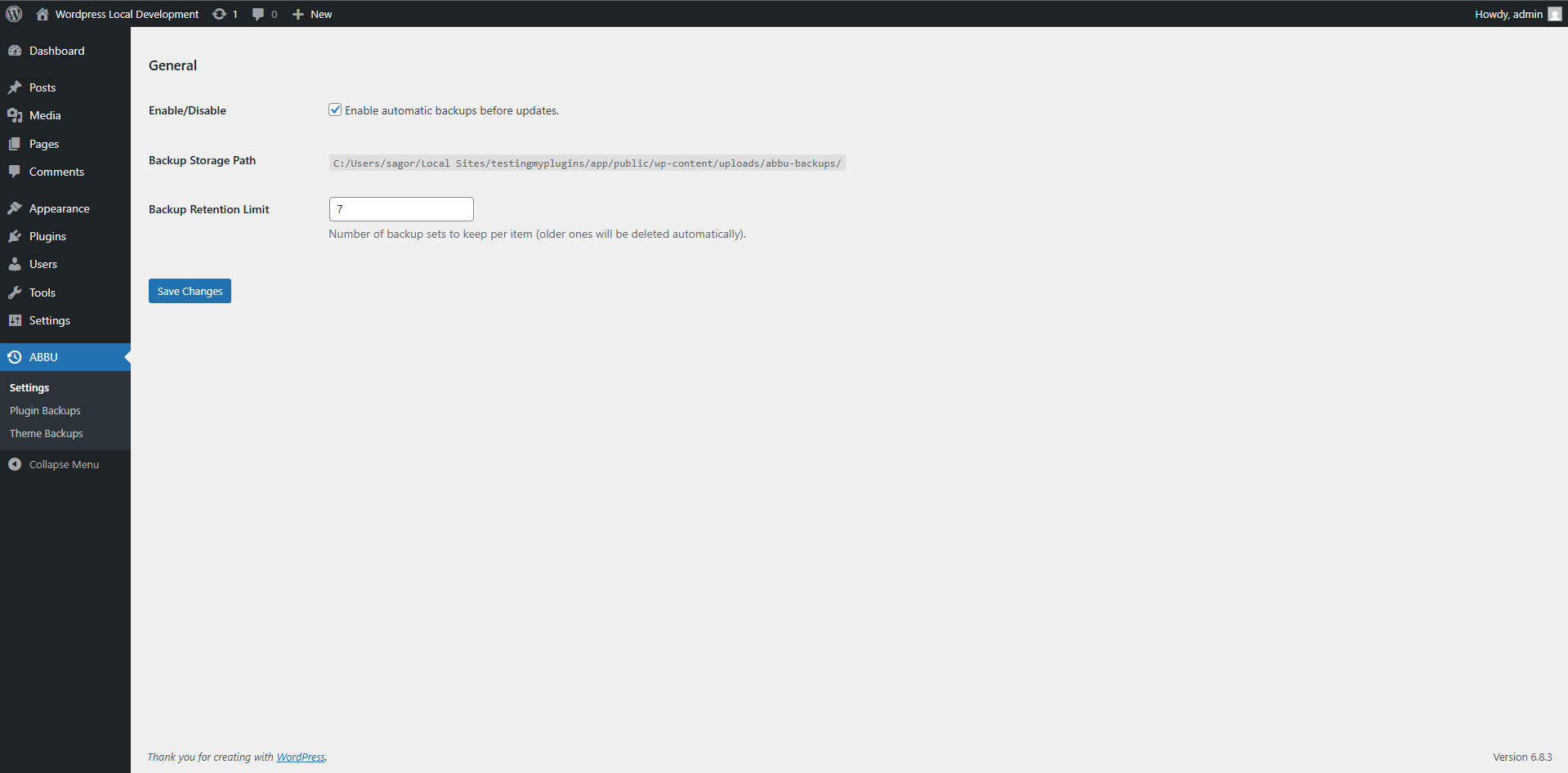
Backup settings and restore panel. 
Version-specific plugin restore options. 
Version-specific theme restore options.


Installatie
- Upload the plugin folder to
/wp-content/plugins/auto-backup-before-update/or install directly from the WordPress Plugin Directory. - Activate the plugin through the ‘Plugins’ menu in WordPress.
- Backups are automatically triggered before plugin, theme, or core updates.
- To restore, navigate to Dashboard ABBU Restore.
FAQ
Does this create full site backups?
No. It only backs up the specific plugin or theme being updated — keeping things lightweight and fast.
Where are backups stored?
Backups are saved locally in
wp-content/uploads/abbu-backups/. You can download or delete them anytime.Can I restore a specific plugin version only?
Yes. Each plugin and theme backup is tied to its previous version, allowing selective rollback.
Does it work with auto-updates?
Yes, backups are created automatically before both manual and scheduled auto-updates.
Beoordelingen
Er zijn geen beoordelingen voor deze plugin.
Bijdragers & ontwikkelaars
“Auto Backup Before Update” is open source software. De volgende personen hebben bijgedragen aan deze plugin.
Bijdragers
Vertaal “Auto Backup Before Update” in je eigen taal.
Interesse in ontwikkeling?
Bekijk de code, haal de SVN repository op, of abonneer je op het ontwikkellog via RSS.
Changelog
1.0.1
- Compatibility checkup for latest wp version 6.9
1.0.0
- Initial release
- Automatic pre-update backups for plugins and themes
- One-click restore with version tracking

