

Beschrijving


Asgaros Forum
Beschrijving
Asgaros Forum is the perfect WordPress plugin if you want to extend your website with a lightweight and feature-rich discussion board. It is easy to set up, super fast and perfectly integrated into WordPress.
Support, Demo & Documentation
Mogelijkheden
- Simple Content Management
- Profiles & Members List
- Notificaties & Feeds
- Krachtige editor
- SEO-friendly
- Reactions
- Uploads
- Search
- Polls
- Widgets
- Statistics
- Guest Postings
- Approval, Banning & Reporting
- Moderators, Permissions & Usergroups
- Customizable Responsive Theme
- Multilingualism
- Multiple Instances
- Multisite Compatibility
- myCRED Integration
Installatie
- A new forum-page is automatically created during the installation
- Voeg deze pagina toe aan je menu zodat je gebruikers toegang hebben tot je forum
- Thats all!
Schermafbeeldingen

Het forum overzicht 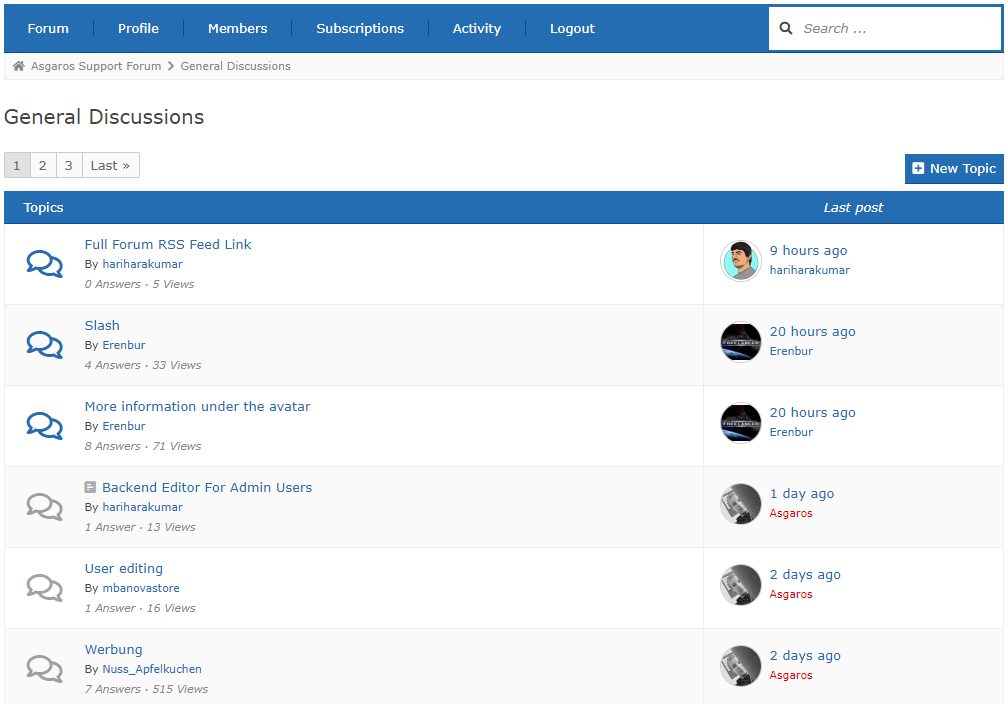
The topic overview 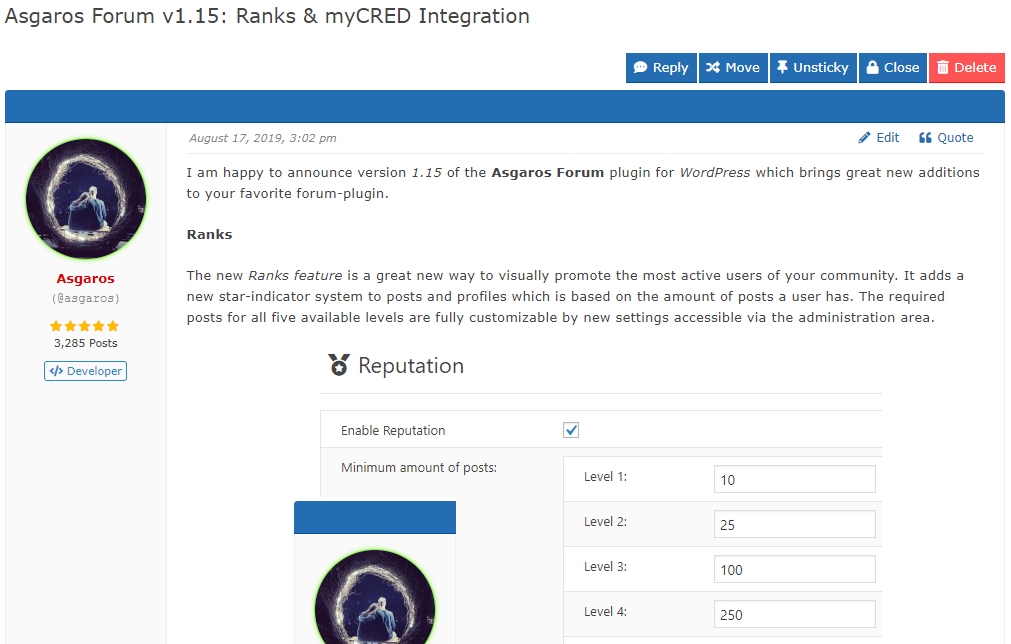
The topic view 
Creating a new topic 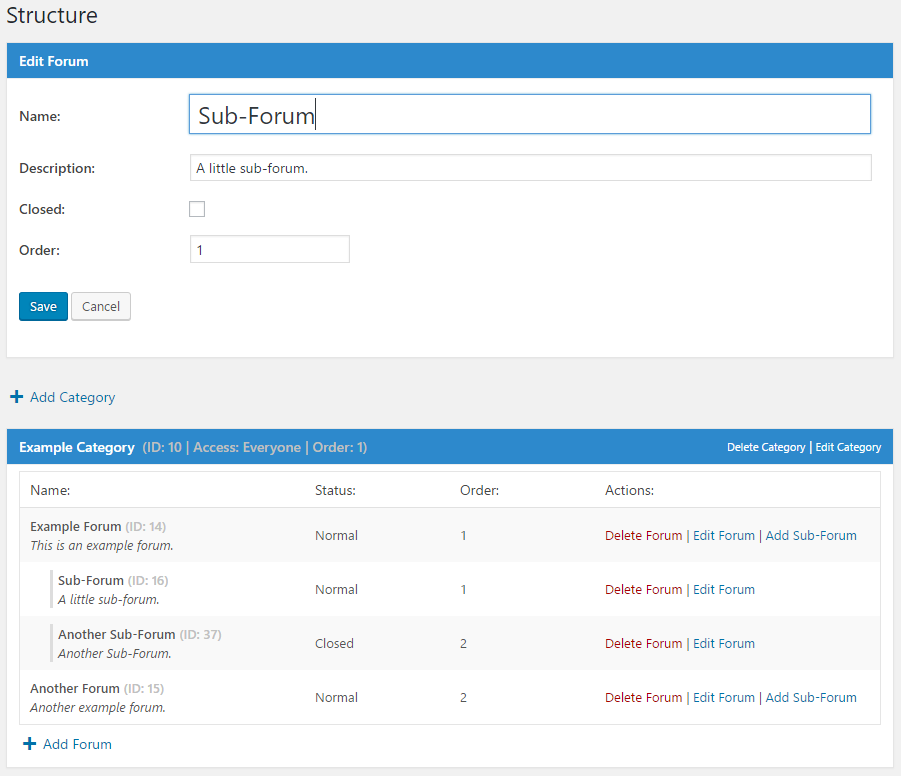
Beheer forums in de beheerder omgeving 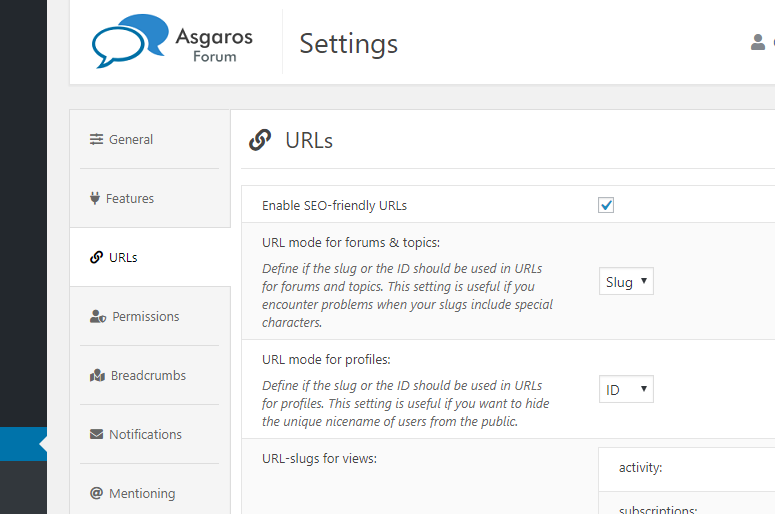
Beheer algemene opties


Installatie
- Download
Asgaros Forum - Activate the plugin via the
Pluginsscreen in WordPress - A new forum-page is automatically created during the installation
- You can also add a forum to a page manually by adding the
[forum]shortcode to it - Voeg deze pagina toe aan je menu zodat je gebruikers toegang hebben tot je forum
- On the left side of the administration area you will find a new menu called
Forumwhere you can change the settings and create new categories & forums - Thats all!
FAQ
I cant see content or modifications I made to the forum
Wanneer je gebruikt maakt van een externe plugin voor het cachen (bijvoorbeeld WP Super Cache) en je de cache voor de forum-pagina uitschakelt, zou alles weer goed moeten functioneren.
Ik kan mijn bestanden niet uploaden
Standaard kunnen enkel de volgende bestandstypes geupload worden: jpg, jpeg, gif, png, bmp, pdf. Je kunt de toegestane bestandstypes aanpassen in je forumbeheer.
Where can I add moderators or ban users?
You can ban users or ad moderators via the user edit screen in the WordPress administration interface.
How can I show a specific post/topic/forum/category on a page?
You can extend the shortcodes with different parameters to show specific content only. For example:
[forum post="POSTID"],[forum topic="TOPICID"],[forum forum="FORUMID"],[forum category="CATEGORYID"]or[forum category="CATEGORYID1,CATEGORYID2"].How can I add a captcha to the editor for guests?
To extend your forum with a captcha you have to use one of the available third-party captcha-plugins for WordPress and extend your themes functions.php file with the checking-logic via the available hooks and filters by your own. For example you can use the plugin Really Simple CAPTCHA and extend your themes functions.php file with this code:
https://gist.github.com/Asgaros/6d4b88b1f5013efb910d9fcd01284698.Ik wil helpen met het vertalen van het Asgaros Forum
Je kunt helpen om het Asgaros Forum te vertalen op deze site: https://translate.wordpress.org/projects/wp-plugins/asgaros-forum. Gelieve enkel gebruik te maken van deze site en mij geen eigen .po/.mo bestanden sturen, want het is erg moeilijk om uit elkaar te houden als ik meerdere vertalingsbestanden ontvang voor een taal.
Gelieve deze vertalingen goed te keuren
Je kunt vertalingen zelf goedkeuren door het gebruik van een Project Translation Editor (PTE). Neem contact met me op via het forum als je een vertegenwoordiger van het PTE wilt worden.
Which hooks and filters are available?
You can find a list of available hooks and filters on this site:
https://asgaros.com/support/topic/list-of-available-hooks-and-filters/.Where do I report security bugs found in this plugin?
Please report security bugs found in the source code of the Asgaros Forum plugin through the Patchstack Vulnerability Disclosure Program. The Patchstack team will assist you with verification, CVE assignment, and notify the developers of this plugin.
Beoordelingen


Bijdragers & ontwikkelaars
“Asgaros Forum” is open source software. De volgende personen hebben bijgedragen aan deze plugin.
Bijdragers

“Asgaros Forum” is vertaald in 35 localen. Dank voor de vertalers voor hun bijdragen.
Vertaal “Asgaros Forum” in je eigen taal.
Interesse in ontwikkeling?
Bekijk de code, haal de SVN repository op, of abonneer je op het ontwikkellog via RSS.
Changelog
3.3.0
- Fixed: Cross Site Scripting vulnerability within the spoiler title
- Fixed: Cross-Site Request Forgery in subscription settings
- Changed: Updated FAQ
3.2.1
- Changed: Updated FAQ
3.2.0
- Fixed: Unauthenticated SQL Injection vulnerability
3.1.0
- Fixed: Deleted files did not get removed from filesystem in some cases
- Fixed: It is not longer possible to upload more files than allowed by modifying requests
- Compatibility with WordPress 6.8
3.0.0
- Fixed: _load_textdomain_just_in_time PHP notice
- Compatibility with WordPress 6.7
2.9.0
- Fixed: Cross-Site Request Forgery vulnerability when marking topics as read
- Compatibility with WordPress 6.5
2.8.0
- Fixed: PHP Object Injection
- Performance improvements and code optimizations
- Compatibility with WordPress 6.4
2.7.2
- Fixed: PHP warning and database error in statistics
2.7.1
- Fixed: PHP parse error in forum-compatibility.php
- Fixed: Prevent forum administrators from allowing dangerous file extensions for uploads
- Fixed: Improved file size error handling during file uploads
- Fixed: Ensure that asgarosforum_filter_profile_link filtering is always performed
2.7.0
- Added: Option which allows users to only delete own topics without replies
- Added: Support for forum name in title of notifications
- Fixed: Malformed meta descriptions when using some special characters
- Fixed: Deprecated error message in statistics
- Improved compatibility with WP-Sweep
- Removed: Themes functionality
- Performance improvements and code optimizations
- The required minimum PHP version is now 5.3
2.6.0
- Fixed: Minor display issues
- Fixed: Wrong stylings when using custom colors
- Compatibility with WordPress 6.3
2.5.1
- Fixed: Wrong stylings when using custom colors
- Fixed: Display issues on mobile navigation
- Fixed: Potential error in title generation
2.5.0
- Revised topic view
- Fixed: Wrong HTML output in forum navigation
- Added: Option to define minimum time between new posts
- Changed: Time limit for editing/deleting topics/posts from minutes to seconds
- Minor design changes
- Improved mobile design
- Performance improvements and code optimizations
- Compatibility with WordPress 6.2
2.4.1
- Fixed: Multiple warnings in widgets
- Fixed: Wrong stylings when using custom colors
2.4.0
- Fixed: It was not possible to unsubscribe from topics/forums in the subscriptions area
- Fixed: Don’t remove href-attribute if links are allowed in signatures
- Fixed: Remove slashes from some outputs
- Fixed: Show groups in mobile view
- Fixed: Display issues with some themes
- Changed: Only show moderators, administrators and topic participants in suggestions for mentioning-functionality
- Minor design changes
- Performance improvements and code optimizations
- Updated: Font Awesome to version 6.3.0
2.3.1
- Fixed: Broken automatic embedding
2.3.0
- Fixed: Embedding shortcodes broken under certain conditions
- Fixed: Rare rendering issues for widgets
- Fixed: Add missing escaping for output data
- Fixed: Cross-Site Request Forgery vulnerability when moving topics
- Performance improvements and code optimizations
2.2.1
- Fixed: Add missing escaping for output data
2.2.0
- Fixed: Multiple Cross-Site Request Forgery vulnerabilities
- Compatibility with WordPress 6.1
2.1.0
- Added: Functionality to delete forum posts and topics when deleting users
- Added: asgarosforum_overwrite_is_feed_enabled filter
- Improved compatibility with Yoast SEO
- Compatibility with WordPress 6.0
2.0.0
- Revised pagination
- Added: Option to hide names of online users in statistics
- Added: Option to define units for maximum file-size of uploads
- Added: Forum name to notifications
- Added: asgarosforum_render_custom_forum_element action
- Added: asgarosforum_overwrite_forum_status filter
- Added: asgarosforum_overwrite_post_counter_cache filter
- Added: asgarosforum_overwrite_topic_counter_cache filter
- Added: asgarosforum_overwrite_lastpost_forum_cache filter
- Added: asgarosforum_overwrite_get_topics_query filter
- Added: asgarosforum_overwrite_get_sticky_topics_query filter
- Added: asgarosforum_render_custom_forum_element_decision filter
- Fixed: SQL injection vulnerability in the reaction-functionality
- Fixed: Usergroup icons could not get saved correctly
- Fixed: Send notifications to forum-subscribers when there is a new blog-post-topic
- Fixed: Send notification to siteowner when there is a new unapproved blog-post-topic
- Fixed: HTML from message-templates got removed after saving them
- Changed: Move settings related to statistics to its own section
- Changed: Improve instructions in notifications-template
- Changed: Improved multiple strings for better clarifications
- Performance improvements and code optimizations
- Updated: Font Awesome version 5.15.4
- Compatibility with WordPress 5.9
- Compatibility with PHP 8.1

