

Beschrijving

Deze plugin is niet getest met de laatste 3 grotere versies van WordPress. Mogelijk wordt het niet meer onderhouden of ondersteund. Ook kunnen er compatibiliteitsproblemen ontstaan wanneer het wordt gebruikt met recentere versies van WordPress.

Amazing Testimonial Slider
Beschrijving
Amazing Testimonial Slider is best wordpress plugin to display an amazing slider at your website!
Plugin Documentation: [https://livingpart.com.bd/amazing-testimonial-slider/]
Video Tutorial
https://www.youtube.com/channel/UCLIuq7q_YbXY3jaO0yobzUg
You can make your own slider
- Slide – You can choose verious number of slider.
- Testimonial – Add testimonial Description as you want.
You can select/change
- Change theme color.
- Change hover color.
You can make my day by submitting a positive review on WordPress.org!
Usage
- Go to your Dashboard after installation and navigate to “Settings >> Slider Settings” to configure the slider.
Features
- Very easy installation
- Shortcode system
- Unlimited color variation by using jQuery color picker.
- Responsive design
- Custom post supported
- Flexible and easy to use
- Lightweight JQuery
Schermafbeeldingen

Slider Settings 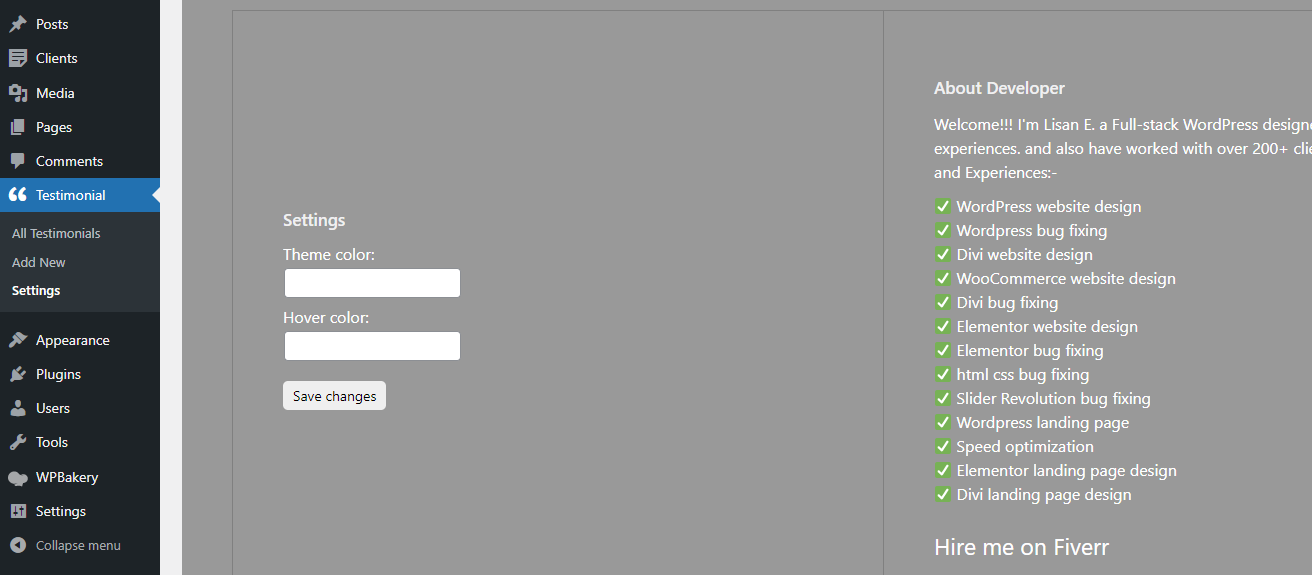
Back End 
Front End


Installatie
- Upload
amazing-testimonial-sliderto the/wp-content/plugins/directory - Activate the plugin through the ‘Plugins’ menu in WordPress
- Copy and paste if(function_exists(‘lsts_shortcode’)){lsts_testimonial_loop();} in template code or [LSTS] in the post/page” to display slider.
FAQ
Can it possible to use throw shordcode?
Yes.
Could it possible to places this slider on post or page?
Yes.
Beoordelingen

Bijdragers & ontwikkelaars
“Amazing Testimonial Slider” is open source software. De volgende personen hebben bijgedragen aan deze plugin.
Bijdragers
Vertaal “Amazing Testimonial Slider” in je eigen taal.
Interesse in ontwikkeling?
Bekijk de code, haal de SVN repository op, of abonneer je op het ontwikkellog via RSS.
Changelog
1.0.0
Initial version.
Compatible with latest wp version.

