

Beschrijving

Affiliblocks
Beschrijving
Affiliblocks is a powerful WordPress plugin that allows you to create professional affiliate product review blocks with detailed ratings, pros/cons lists, and beautiful display templates. Perfect for affiliate marketers, review sites, and content creators who want to showcase products with comprehensive rating systems.
Key Features:
- 🏆 Award System – Display “Editors’ Choice”, “Best Buy”, or “Top Pick” awards
- ⭐ Detailed Rating System – Overall score plus 5 specific rating categories
- ✅ Pros & Cons Lists – Organized bullet points with custom icons
- 🎨 Responsive Design – Looks great on all devices
- 📊 Visual Rating Bars – Color-coded rating bars for better visual appeal
- 🔗 Affiliate Link Integration – Easy integration with your affiliate links
- 📝 Rich Text Editor – Full WordPress editor for detailed descriptions
- 🖼️ Image Support – Upload product images directly from media library
- 💰 Price Display – Show product prices prominently
- 🎯 Shortcode System – Easy embedding anywhere with simple shortcodes
Use Cases:
– Product review websites
– Affiliate marketing blogs
– Comparison articles
– “Best of” lists and roundups
– Product recommendation posts
Schermafbeeldingen
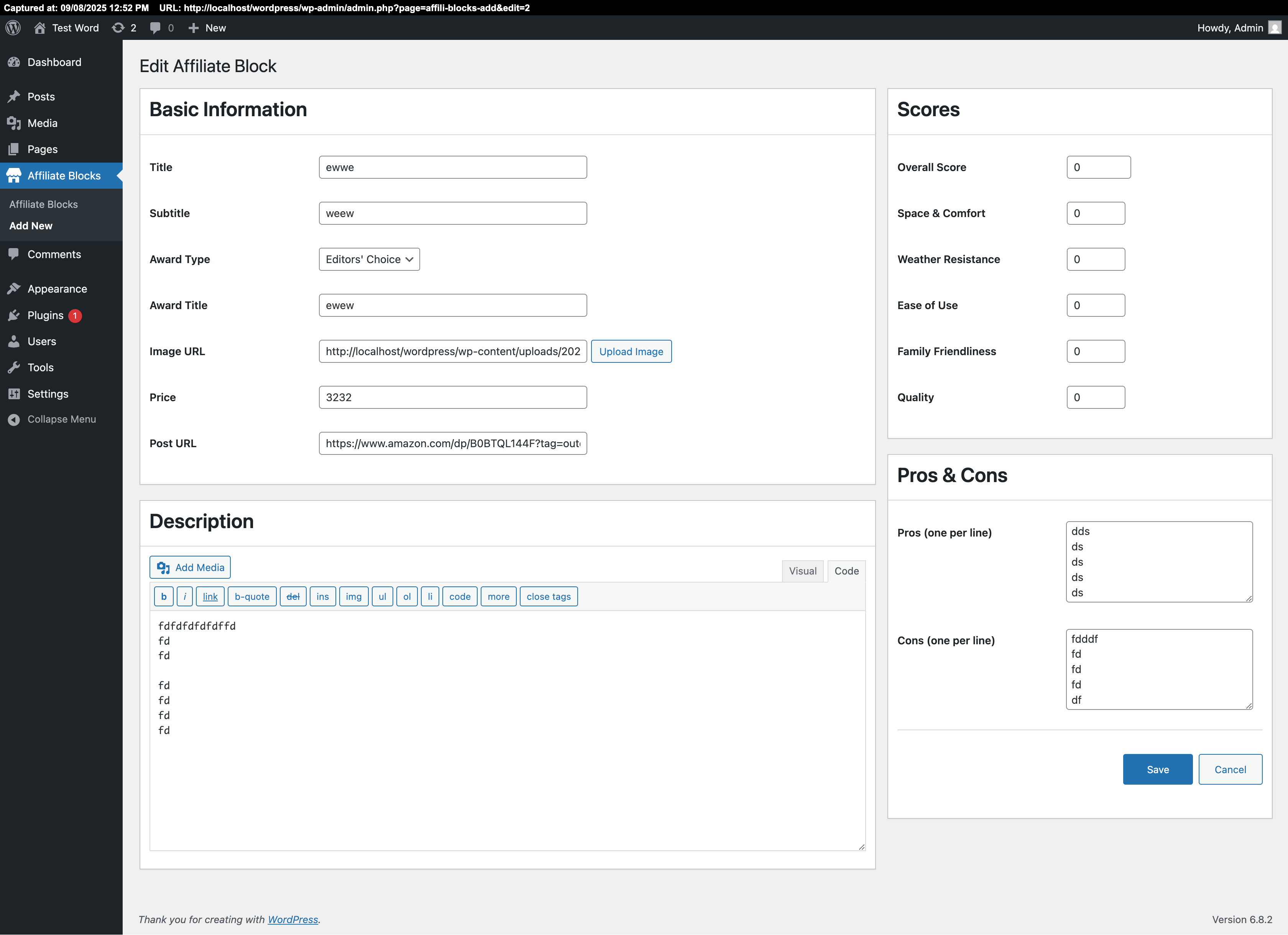
Admin interface for creating affiliate blocks 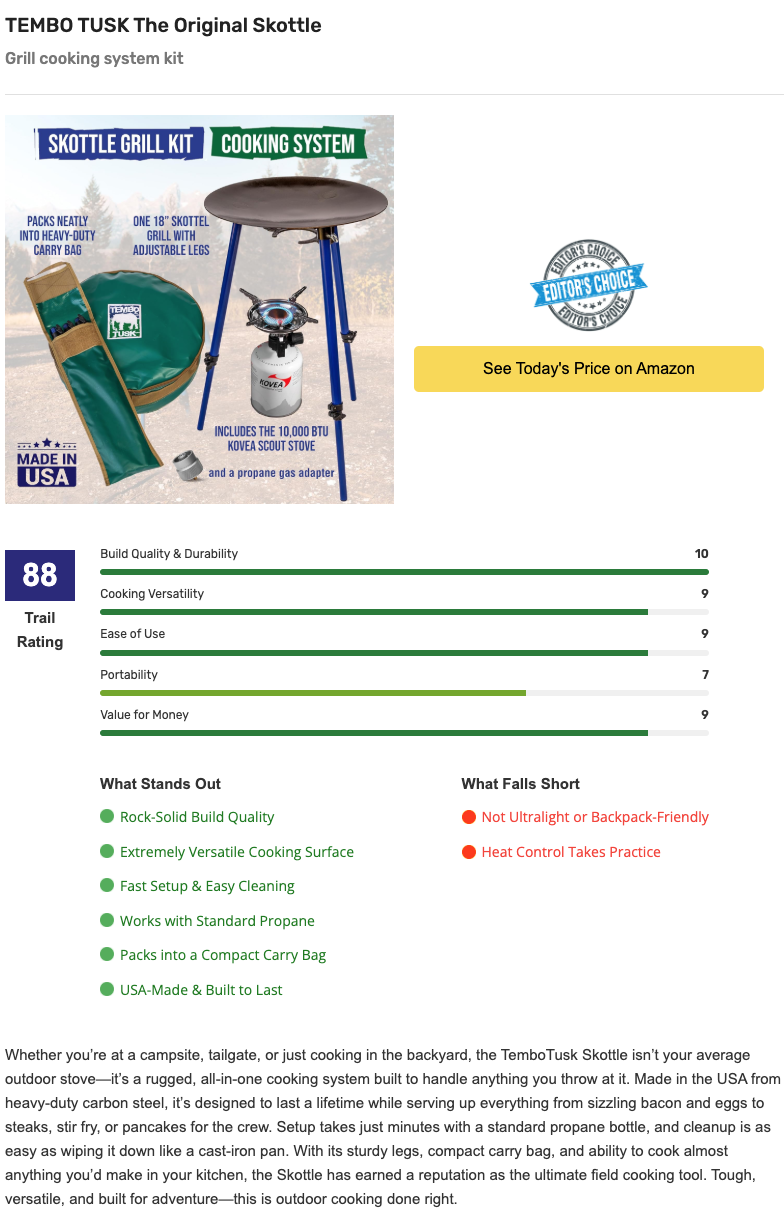
Detailed rating system with multiple categories


Installatie
- Upload the
affiliblocksfolder to the/wp-content/plugins/directory - Activate the plugin through the ‘Plugins’ menu in WordPress
- Navigate to ‘Affiliate Blocks’ in your admin menu to create your first block
- Use the shortcode
[affili-block id="X"]to display your blocks (replace X with your block ID)
FAQ
How do I create my first affiliate block?
Go to Affiliate Blocks Add New in your WordPress admin. Fill out the form with your product information, ratings, and content, then save. Use the provided shortcode to display it anywhere.
Can I use this with any affiliate program?
Yes! The plugin works with any affiliate program. Simply add your affiliate link in the “Post URL” field.
How do I display multiple blocks on one page?
You can use multiple shortcodes on the same page. Each block has its own unique shortcode that you can copy from the main Affiliate Blocks admin page.
Is the plugin mobile responsive?
Yes, all affiliate blocks are fully responsive and will look great on mobile devices, tablets, and desktops.
Can I customize the colors and styling?
The plugin includes CSS classes for all elements. You can add custom CSS to your theme to modify the appearance.
Beoordelingen
Er zijn geen beoordelingen voor deze plugin.
Bijdragers & ontwikkelaars
“Affiliblocks” is open source software. De volgende personen hebben bijgedragen aan deze plugin.
Bijdragers
Vertaal “Affiliblocks” in je eigen taal.
Interesse in ontwikkeling?
Bekijk de code, haal de SVN repository op, of abonneer je op het ontwikkellog via RSS.
Changelog
1.0
- Initial release
- Complete affiliate block creation system
- Rating system with 5 categories
- Pros/cons functionality
- Responsive design
- Shortcode implementation
- Admin management interface

