

Beschrijving

Advanced OSM for Toolset Maps
Beschrijving
Supercharge Toolset Maps with professional OpenStreetMap features that go beyond the basic core implementation.
While Toolset Maps provides a foundation for OSM, this plugin enhances the experience with advanced visualization and data tools, now fully integrated with the WordPress Block Editor.
🧱 NEW: Gutenberg Blocks
Forget about complex shortcodes. Version 3.0 introduces native blocks:
* Advanced OSM Map Block: Configure satellite views, clustering, and tracks visually in the sidebar.
* Dynamic Track Loader Block: Easily link Toolset File Fields (KML/GPX) to your maps within Query Loops or Content Templates.
🛰️ Satellite View
High-resolution Esri satellite imagery not available in native Toolset. Includes an interactive toggle button for front-end users.
🔵 Pro Clustering
While Toolset offers basic clustering, AOTM gives you more control. Customize the cluster color to match your brand and set precise zoom thresholds for declustering.
📍 KML & GPX Support
Visualize tracks, routes, or shapes. Load files in three ways:
1. Media Library: Select multiple files directly from your WordPress media.
2. Direct URLs: Paste manual KML/GPX links.
3. Dynamic Fields: Use a Toolset File Field slug to pull tracks from your custom posts.
🎨 Custom Styling & Layers
- Grayscale Mode: Apply “silver” or “muted” styles with precise intensity control.
- Layer Management: Toggle roads and labels independently for a cleaner, professional design.
Check DEMOS
Check author page wp-customtypes.com
Feature Comparison
Satellite View
Toolset Maps ❌ No
Advanced OSM ✅ 1-click
Marker Clustering
Toolset Maps ⚠️ Basic only
Advanced OSM ✅ Customizable
Grayscale Effects
Toolset Maps ❌ No
Advanced OSM ✅ 0-100% control
Layer Toggles
Toolset Maps ❌ All or none
Advanced OSM ✅ Roads/Labels separate
Zoom Control
Toolset Maps ❌ Basic
Advanced OSM ✅ Precise levels
KML/GPX Support
Toolset Maps ❌ No
Advanced OSM ✅ Yes (Shapes & Tracks)
Shortcode Examples
Basic OpenStreetMap
[aotm-advanced-osm-map map-id=”map-1″]
[wpv-map-render map_id=”map-1″][/wpv-map-render]
Satellite View with Layers
[aotm-advanced-osm-map map-id=”map-2″ satellite=”on” labels=”on” roads=”on”]
[wpv-map-render map_id=”map-2″][/wpv-map-render]
Professional Styling
[aotm-advanced-osm-map map-id=”map-3″ grayscale=”0.9″ cluster=”on” cluster-color=”#f05a28″]
[wpv-map-render map_id=”map-3″][/wpv-map-render]
**Dynamic Tracks in a View or Single Post via URL **
Inside any Post or Page:
[aotm-advanced-osm-map map-id=”map-4″ track-field=”https://my-domain.com/wp-content/uploads/my-track.gpx,https://my-domain.com/wp-content/uploads/my-shape.kml”]
[wpv-map-render map_id=”map-4″][/wpv-map-render]
Dynamic Tracks in a View or Single Post via Custom field
Inside your Toolset View loop or Content Template:
[aotm-advanced-osm-map map-id=”map-5″]
[wpv-map-render map_id=”map-5″][/wpv-map-render]
[aotm-advanced-osm-marker map-id=”map-4″ track-field=”track-file-slug”]
Full Shortcode Reference
[aotm-advanced-osm-map]
- map-id: (Required) Must match your Toolset map ID.
- satellite: “on” – Set satellite as default base layer.
- satellite-button: “off” – Hide Satellite toggle button (default on).
- cluster: “on” – Enable custom marker clustering.
- cluster-color: Hex color (e.g., #ff5500) – Change the cluster icon color.
- zoom-cluster: 0-18 – Zoom level where clustering turns off (default 12).
- track-url: Direct URL to a .kml or .gpx file. Supports multiple URLs separated by commas.
- track-field: Slug of the Toolset custom field containing KML/GPX URLs (for global tracks).
- grayscale: 0.1-1 – Grayscale intensity (default 0).
- labels/roads: “on” – Show extra overlays.
[aotm-advanced-osm-marker]
- map-id: (Required) Must match your Toolset map ID.
- track-field: (Required) Slug of the Toolset File Field (KML or GPX).
Schermafbeeldingen

Default OpenStreetMap view with Satellite button 
Satellite + Roads + Labels overlay 
Grayscale effect with colored clustered markers 
GPX and KML track displayed on a Toolset Map via URL. 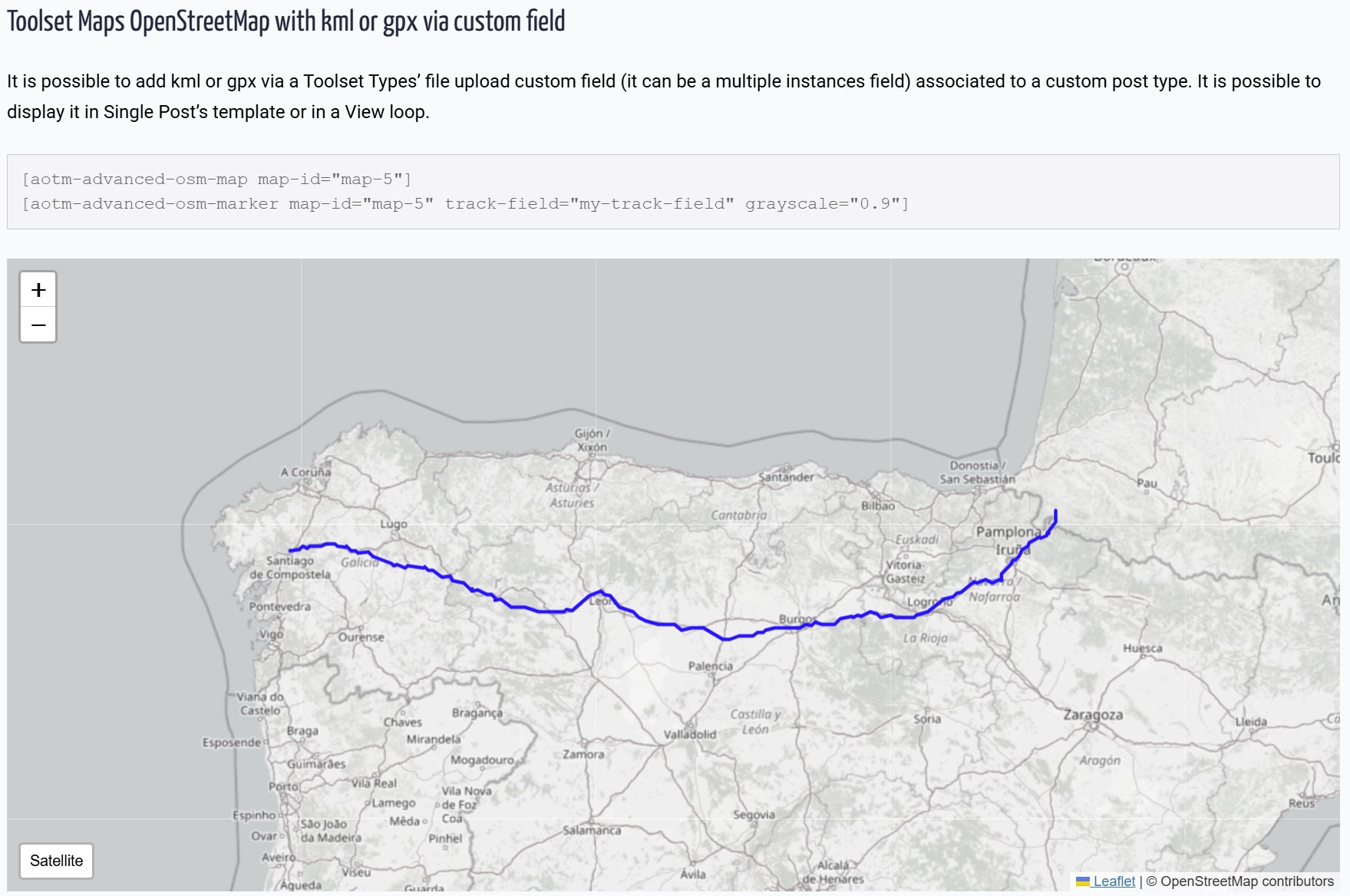
GPX and KML track displayed on a Toolset Map via Custom Fields. 
New Gutenberg Block with sidebar configuration.


Blokken
Deze plugin heeft 2 blokken.
- Advanced OSM Map
- Advanced OSM Map Track
Installatie
- Upload the plugin files to
/wp-content/plugins/advanced-osm-for-toolset-maps/ - Activate the plugin through WordPress admin.
- Using Blocks: Search for “Advanced OSM” in the Gutenberg editor.
- Using Shortcodes: Use
[aotm-advanced-osm-map]to configure the map settings.
FAQ
Does this work with the new Toolset Map block?
Yes! This plugin is designed to extend the maps rendered by Toolset, whether you use Toolset Blocks or the classic View integration.
How is this different from native Toolset Maps?
Toolset provides basic OSM functionality. Our plugin adds the “Pro” layer:
– Satellite imagery with interactive toggle button.
– Customizable cluster markers (change colors and behavior).
– KML/GPX file support for displaying tracks and shapes (via URL or Custom Fields).
– Precise grayscale styling.
– Independent layer controls (roads/labels).Do I need to know how to code?
Not anymore. With version 3.0, you can configure everything via the Block Editor sidebar.
Does this replace Toolset Maps?
No, it enhances it. You still need Toolset Maps installed and active.
Beoordelingen


Bijdragers & ontwikkelaars
“Advanced OSM for Toolset Maps” is open source software. De volgende personen hebben bijgedragen aan deze plugin.
Bijdragers
Vertaal “Advanced OSM for Toolset Maps” in je eigen taal.
Interesse in ontwikkeling?
Bekijk de code, haal de SVN repository op, of abonneer je op het ontwikkellog via RSS.
Changelog
3.0.1
- Fixed: Admin rating notice dismissal logic to correctly save user preference.
- Improved: Internal admin hooks for better performance.
3.0.0
- NEW: Native Gutenberg Blocks support.
- NEW: Multiple file selection for KML/GPX from Media Library.
- NEW: Visual list management for tracks in the editor.
- Optimized: Cleaned up debug logs and internal logic for production.
2.1.0
- Added support for KML and GPX tracks via Toolset File Fields.
- Added support for loading tracks directly via URL using the
track-urlattribute. - New shortcode [aotm-advanced-osm-marker] for dynamic track loading.
- Fixed Marker Clustering: Custom brand color for clusters.
1.2.1
- Minor fixes and prefix updates.
1.2
- Initial release.

